
Sometimes a single picture sits there so quietly that it feels as if it wants to say something. As if it wants to move just a little. To take one small breath of life.
These days many people ask the same quiet question — can you really turn one still image into a short video? Something you can actually use in an advertisement, share on social media, tell a small story with, show a product, or simply bring an idea inside your head to life?
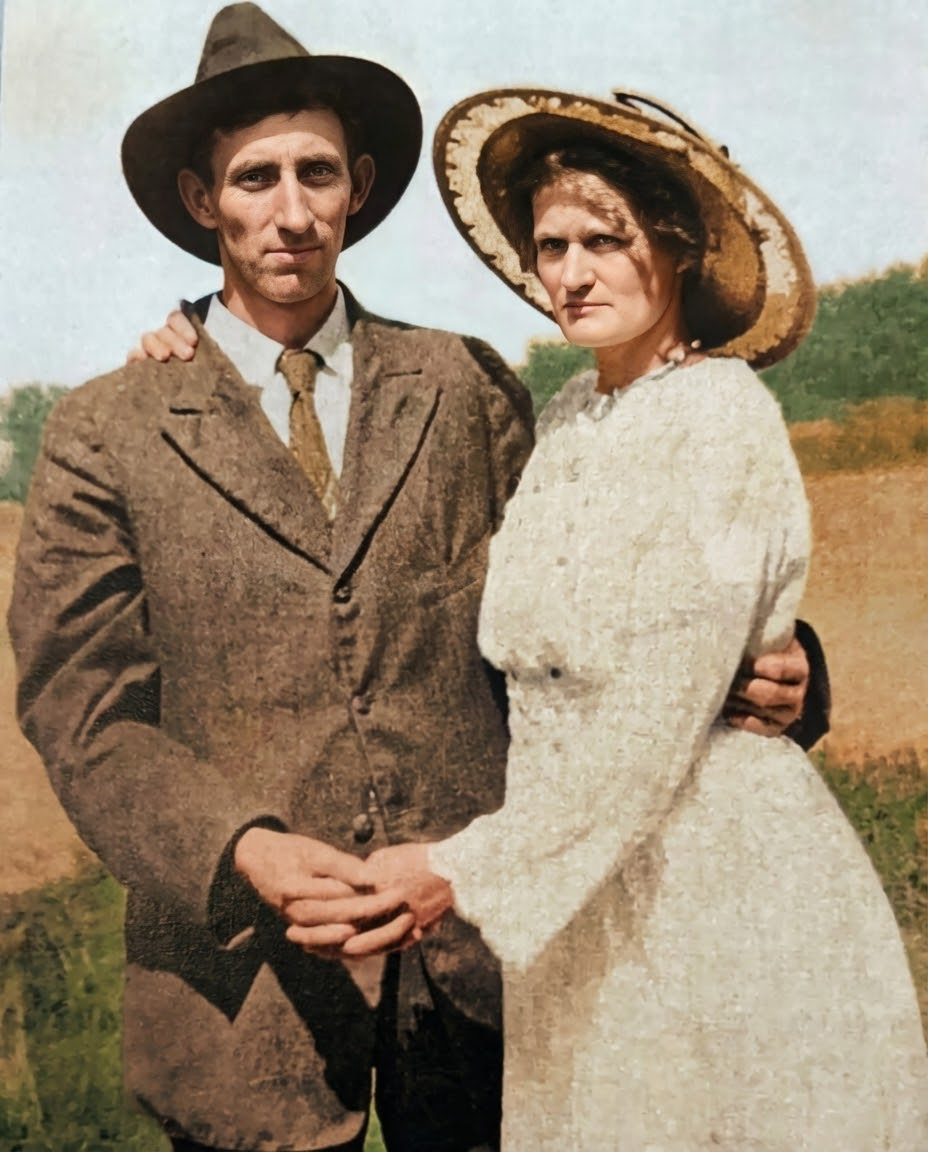
I sat down and tested it myself. I took ordinary pictures — a product lying on a table, a man’s face lost in thought, a simple hand-drawn illustration. Nothing specially made for demos. Just real images we actually work with.
I watched what happened. Which tool made the picture move naturally, which one stumbled, how long the clip lasted, and whether anything usable finally came out.
This is what I found in 2026 — the quiet truth of these new tools, without any loud promises.
What “AI Image to Video” Actually Means?
AI image-to-video is simple: you give the machine one still picture, and it brings that picture to life. It adds motion. It makes the leaves sway, the hair moves in the wind, the camera slowly pushes in, or the product gently rotates on its own. One image becomes a few seconds of video.
That’s it. Nothing more mystical than that.
Now, people often mix this up with other things, so let’s be very clear.
Image-to-video is different from text-to-video. Text-to-video is you type words and hope the machine imagines everything from scratch. It usually looks like a fever dream. Image-to-video starts with your image — your composition, your lighting, your subject — and only adds movement. That makes it far more controllable and useful.
Video-to-video is something else again. That’s when you already have a video and you ask the AI to restyle it or change what’s happening inside it.
Right now, these tools mostly deliver a few kinds of motion:
- Subtle motion — gentle breathing, soft wind, small head turns. Feels alive but natural.
- Cinematic camera movement — slow push-ins, orbits, dramatic pans. The kind you see in movies.
- Talking-head motion — lips moving, eyes blinking, facial expressions. Still tricky, but getting better.
- Stylized animation — turning your image into a moving painting or cartoon.
- Product motion shots — clean rotations, floating effects, smooth reveals. Very useful for ads.
Sometimes it works brilliantly. Sometimes it glitches hard. The key is understanding the limits so you don’t waste time expecting perfection.

How We Tested AI Image-to-Video Tools
To cut through the hype, I ran every major tool through the same disciplined test using four carefully chosen real-world images. No cherry-picked hero shots. Just practical images people actually use in daily work.
Test Criteria
I judged each output on these hard metrics:
Motion Realism: Does the movement look natural and physics-aware, or does it feel robotic and floaty?
Subject Consistency: Does the person/product/landscape stay recognizably the same from start to finish?
Face Fidelity: For portraits — do eyes, skin, and expressions hold up without melting?
Prompt Adherence: If I asked for “slow camera push-in” or “gentle wind,” did it actually happen?
Artifact Rate: How often do glitches, warping, flickering, or melting edges appear?
Generation Speed: Real time from upload to finished clip.
Ease of Use: Is the interface intuitive, or does it require constant fiddling?
Export Quality / Watermark / Cost: Resolution, frame rate, presence of watermarks, and actual per-clip pricing.
Why This Methodology Matters
Most reviews show you beautiful cherry-picked results and call it a day. That’s useless if you’re trying to ship actual work.
By using the same everyday images, identical prompts, and strict scoring across every tool, this test reveals what you’ll actually experience in 2026 — not the marketing vision, but the daily reality. It quickly shows which tools are ready for client work today and which ones are still better for casual experiments.
Quick Answer — Which AI Image-to-Video Tools Are Best for Different Use Cases?
Look, there’s no one perfect tool that wins everything. The right one depends on what you’re actually trying to build.
Here’s the straight summary from our hands-on tests:
Best for realistic motion and high-quality result: Grok Ai
Best for simple social content and fast posts: Leonardo.ai
Best for creators already inside a design workflow: Veo3 io AI
Best for fast experimentation and trying lots of ideas: Pixverse
Best for marketers who need easy, usable output: Meta AI
Best budget or free starting point: AiimageToVideo.pro
Best for Tiktok and Reels content: Artlist.io
The truth is, most people should pick 2 or 3 tools based on their actual workflow. Take one of your own images, run it through a couple of these, and see which one delivers what you need. That’s the fastest way to figure out what works for you.
Full hands-on reviews of the top tools
We tested the leading image-to-video tools head-to-head using the same real-world images and neutral prompts. Below are concise, no-fluff reviews of the ones that matter most in 2026 — Grok Imagine, Leonardo.ai, Veo3 io, Pixverse, Meta AI, and a couple of strong contenders. Each includes what it actually delivers, where it shines, where it struggles, and who it’s best for.
1. Grok AI
Grok Imagine is a native image-to-video tool built directly into Grok. You upload a still image (or generate one with Grok first), add a short description of the desired motion, and it creates a short video clip — typically 5–10 seconds at up to 720p, sometimes with basic ambient sound.
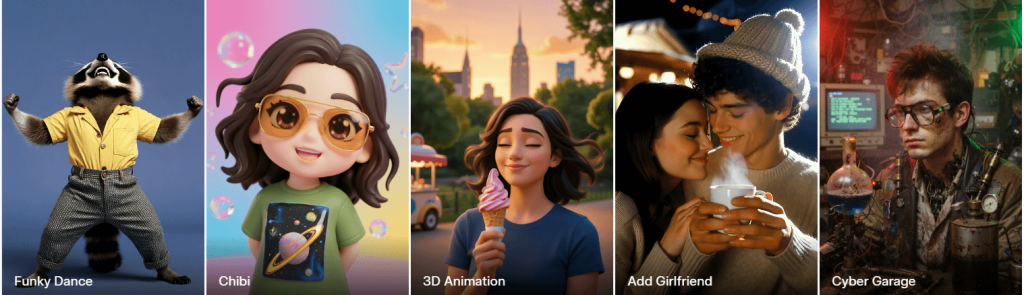
It focuses on staying faithful to your original image while adding natural movement. In practice, this makes it one of the more reliable tools when you want the output to actually look like your photo or illustration brought to life, rather than a completely new interpretation.
What It’s Best For
Quick social media clips (Reels, TikTok, Instagram)
Product teasers and simple marketing motion shots
Animating anime, illustrations, or stylized artwork
Fast idea testing and prototyping where keeping the exact look and composition matters
What Happened in Our Test
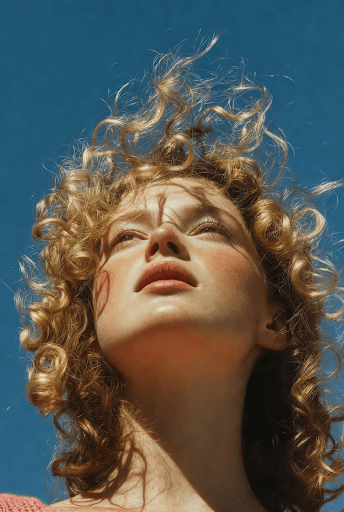
We used identical neutral prompts on every tool. Grok Imagine was consistently fast — most clips finished in 30–60 seconds. Subtle and medium motions (gentle wind, slow camera push, light breathing, or fabric movement) felt natural and physics-aware. Subject consistency was excellent on products and stylized images. The portrait handled small movements well but showed occasional warping around eyes or skin during stronger expressions or head turns. Prompt adherence worked reliably for simple directions but sometimes simplified more complex camera choreography.
Test Image
Tested Output
Click the link below to check the output:
Strengths
- Outstanding subject and style preservation — stays true to your input better than most
- Very fast generation times
- Natural-looking subtle and medium motion
- Strong performance on stylized and anime-style images
- Fewer heavy content restrictions, giving more creative room
Weaknesses
- Maximum clip length is still short (around 5–10 seconds, with coherence dropping on longer attempts)
- Face fidelity can break during big expressions or talking-head movements
- Occasional artifacts or unexpected motion when using aggressive prompts
- Some generation-to-generation variation (normal for current video models)
- Not the strongest for precise, multi-second cinematic camera work
Mini Review Table
| Aspect | Score (out of 10) | Notes |
| Ease of Use | 9.0 | Simple upload + short prompt, very straightforward |
| Realism | 8.0 | Excellent natural/subtle motion and physics |
| Control | 7.0 | Good for basic-to-medium moves; limited advanced choreography |
| Speed | 9.0 | One of the quickest tools available |
| Value | 8.0 | Competitive once you have access |
Who Should Use It
Grok Imagine suits social creators, marketers, product people, and illustrators who want to move from static image to usable motion quickly while keeping strong visual consistency. It’s especially useful if you’re already inside the Grok ecosystem. It’s less ideal right now if you need long clips, flawless talking heads, or heavy cinematic directing.
Pricing Notes (Updated March 2026)
Free access to image-to-video has been removed. As of mid-March 2026, generating videos with Grok Imagine requires a SuperGrok subscription (roughly $30/month). This plan includes daily video limits that vary but are generally enough for regular testing and content creation. There are no meaningful free video generations left for most users worldwide. If you’re on a tight budget, you may want to test a few clips during any available trial period or compare with other tools that still offer limited free tiers.
Bottom line: In March 2026, Grok Imagine remained one of the strongest image-to-video tools for creators who prioritize speed, subject fidelity, and natural motion. It delivers usable clips faster than many competitors, making it a solid daily driver once you have access. It won’t replace every specialized tool, but for turning still images into quick, shareable videos, it frequently gives the best balance of quality and efficiency.
2. Leonardo AI
We put Leonardo.ai through a full 30-day test using the same portrait, product photo, landscape, and anime images we used for every tool. As both a creator and marketer, we needed clips we could actually post or hand to clients — not just pretty demos.
What It’s Best For
- High-quality social media loops and short video clips
- Stylized animations and anime-style motion
- Consistent brand visuals with motion
- Creators who want more control than simple “upload and go” tools
What Happened in Our Test
Leonardo generated smooth, floating movement with realistic low-gravity motion — the suit fabric shifted naturally, dust particles gently kicked up, and the camera had a nice slow orbit feel while keeping the helmet reflections and lighting consistent. The glowing Earth in the background stayed stable without major distortion.
It handled the complex lighting and metallic textures of the spacesuit well. However, during stronger movements, small artifacts appeared around the helmet edges and visor. Overall, the output looked polished and usable for social media or concept videos.
Test Image

Tested Output
Click the link below to check the output:
Strengths
- Excellent motion quality on stylized and anime images
- Strong prompt adherence and style locking features
- Clean, professional-looking outputs ready for social media
- Good balance between speed and quality
- Powerful canvas and upscaling tools if you want to refine clips further
Weaknesses
- Face fidelity drops noticeably on realistic portraits during movement
- Generation can feel slower during peak hours on lower plans
- Motion length is usually limited to 4–8 seconds
- Occasional artifacts on complex backgrounds or fast movements
- Free tier runs out of credits very quickly for video
Mini Review Table
| Aspect | Score (out of 10) | Notes |
| Ease of Use | 8.5 | Clean dashboard, but motion settings take some learning |
| Realism | 7.5 | Great on stylized; average on photorealistic faces |
| Control | 8.5 | Strong style locking and prompt tools |
| Speed | 7.0 | Decent but can slow down on busy servers |
| Value | 8.0 | Good once you’re on a paid plan |
Who Should Use It
Leonardo.ai is ideal for social media creators, marketers, concept artists, and indie designers who need consistent, brandable motion clips. It’s especially strong if you already create a lot of illustrations or stylized visuals. Skip it if you mainly work with hyper-realistic portraits or need very long clips.
Pricing Notes (as of April 2026)
Free tier: Very limited video credits — runs out fast
Apprentice ($12/mo): Basic access, enough for light testing
Artisan ($30/mo): Most popular for regular creators
Maestro ($60/mo): Best for heavy users who need priority speed and more tokens
Video generation uses tokens quickly, so plan your budget accordingly.
Bottom line: Leonardo.ai is one of the best choices in 2026 if you work with stylized or illustrated content and want motion that looks professional and on-brand. It’s not the absolute fastest or cheapest, but the quality and control make it worth the subscription for serious creators and marketers.
3. Veo3AI
Veo3ai.io is based on Google’s advanced video generation model. It excels at turning text prompts or reference images into short, highly realistic clips — typically 8 seconds — with native audio, dialogue, sound effects, and strong physics understanding.
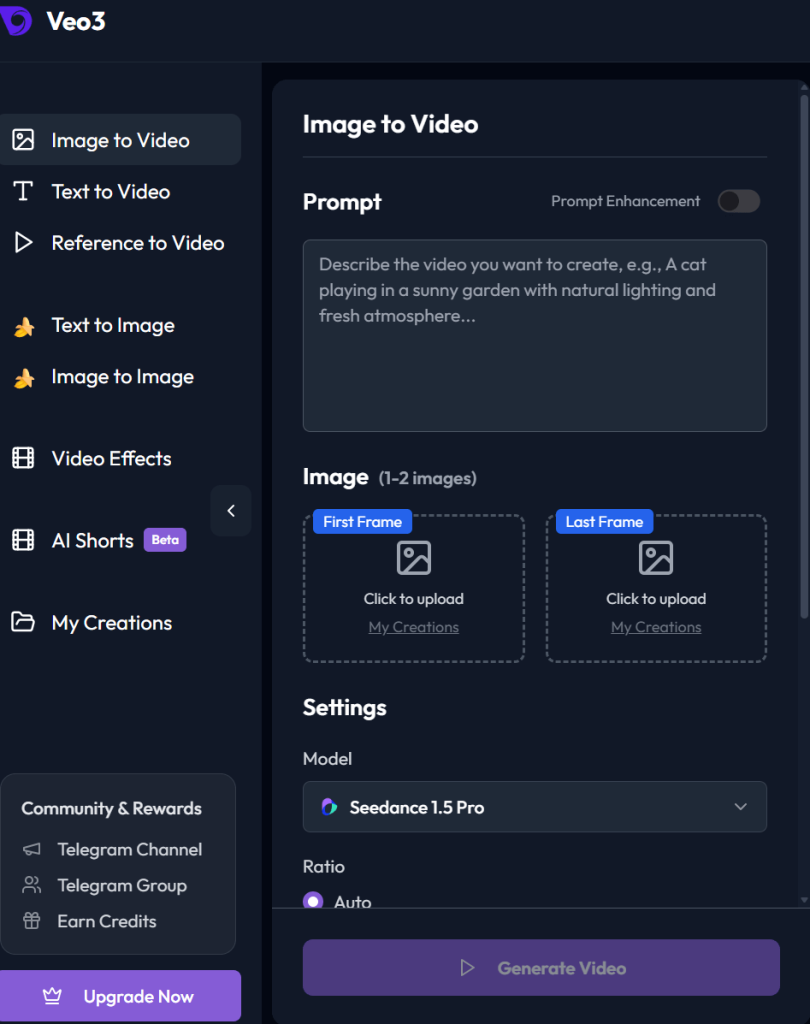
It stands out for photorealism and cinematic quality rather than pure speed or simplicity.
What It’s Best For
- Cinematic, realistic video clips with natural lighting and physics
- Storytelling and narrative scenes with dialogue or ambient sound
- High-production marketing assets and concept videos
- Cases where you need believable human movement, expressions, and audio
What Happened in Our Test
The product shot had smooth, professional-grade rotations with accurate reflections and shadows.
The realistic shot was impressive for subtle movements, with strong lighting and skin detail, but bigger head turns or expressions sometimes introduced minor warping or uncanny moments. Prompt adherence was excellent for cinematic camera moves, and native audio added a huge advantage when we tested simple talking or ambient scenes.
Test Image
Tested Output
Click the link below to check the output:
Strengths
- Top-tier photorealism, lighting, and real-world physics
- Native audio generation (dialogue, sound effects, ambient noise) with decent lip-sync
- Strong character and scene consistency, especially with reference images (“Ingredients to Video”)
- Cinematic camera control and smooth motion
- High output quality, with upscaling options to 1080p or 4K in newer updates
Weaknesses
- Short clip length (usually capped around 8 seconds)
- Face fidelity can still slip into uncanny valley during expressive or fast movements
- Generation is a bit slow than faster tools like Grok Imagine
- Access and limits feel restrictive for heavy daily use
- Occasional audio glitches
Mini Review Table
| Aspect | Score (out of 10) | Notes |
| Ease of Use | 7.5 | Clean but requires learning the system |
| Realism | 9.0 | Currently among the best for photorealism and physics |
| Control | 8.5 | Excellent cinematic prompts and reference image support |
| Speed | 6.0 | Slower than competitors, especially at higher quality |
| Value | 7.0 | Premium quality but expensive at scale |
Who Should Use It
Veo3 io suits filmmakers, professional marketers, advertisers, and storytellers who prioritize cinematic realism and built-in audio over raw speed or low cost. It’s a strong choice if you’re already in the Google ecosystem (Gemini users) and need high-production clips. It’s less ideal for quick social experiments, heavy daily volume, or budget-conscious creators.
Pricing Notes (as of April 2026)
You can generate image to video for free using veo3.io
Bottom line: Veo3 io is currently one of the most realistic image-to-video (and text-to-video) tools available in 2026, especially when you want cinematic polish and audio in one package. It delivers breathtaking results for storytelling and marketing, but the speed, cost, and short clips mean it works best as a high-end tool rather than an everyday driver.
4. Pixverse AI
Pixverse AI is a fast, mobile-first AI video generator perfect for short-form social content. It prioritizes speed, ease of use, and fun effects over cinematic realism.
Pixverse AI launched in late 2023 as a generative video tool designed to turn text prompts or still images into short video clips quickly and with minimal hassle. The process is simple: type what you want or upload an image, and within moments you get a video polished enough to post right away.
Since launch, it has gained a massive following — more than 60 million users worldwide and over 10 million downloads on Google Play. Much of this growth comes from how well it serves creators focused on social platforms.
In-Depth Look: Core Capabilities and User Experience
Pixverse offers a comprehensive creative toolbox that supports the entire video creation journey.
Generation Modes
The foundation of the platform. You can create dynamic scenes from text prompts (Text-to-Video) or bring static images to life (Image-to-Video).
A standout feature is Fusion mode, which intelligently merges up to three images into one unified, story-driven video scene. This opens up exciting possibilities for more complex narratives.
Enhancement Tools
To improve flow and polish, Pixverse includes several post-production features:
- Extend tool — seamlessly adds new actions or scenes to existing clips
- Transitions — creates smooth shifts between frames
- Lip Sync — impressively accurate at matching mouth movements to text or audio, making voiceovers feel natural
- Sound effects and camera movement presets (pan, zoom, crane shots) that add depth and cinematic flair
Creative Effects
This is where Pixverse shows its strong social media DNA. It offers a large library of one-click effects designed for trend-driven content, including “Muscle Surge,” “Dance Revolution,” and “Old Photo Revival.” These effects let anyone create eye-catching visuals without advanced editing skills.
What Happened in Our Test
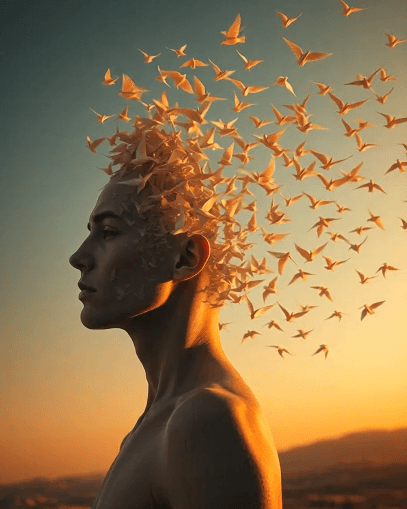
The product shot gave smooth, playful floating motion. It performed best on stylized and illustrated content rather than photorealistic faces.
Test Image
Tested Output
Click the link below to check the output:
Strengths
- Extremely fast generation
- Excellent mobile apps with full functionality
- Fun, viral one-click effects and templates
- Simple, beginner-friendly interface
- Affordable pricing with daily free credits
- Strong Fusion, Extend, Lip Sync, and camera preset features
Weaknesses
- Short clip length (typically 5–8 seconds)
- Realism and face fidelity drop on photorealistic portraits
- Limited precise control over complex camera moves
- Credit system burns quickly at higher quality
- Inconsistent physics and artifacts on detailed scenes
Mini Review Table
| Aspect | Score (out of 10) | Notes |
| Ease of Use | 9.0 | Extremely simple, especially on mobile |
| Realism | 6.5 | Fun for stylized content; weaker on photoreal faces |
| Control | 6.5 | Good basic presets; limited fine control |
| Speed | 9.5 | One of the fastest tools tested |
| Value | 8.0 | Strong for short-form on a budget |
Choose Pixverse if:
- You primarily create on mobile
- Your monthly budget is between $10–$30
- Your content is aimed at TikTok, Instagram Reels, or other short-form platforms
- You value speed, playful effects, and ease of use over cinematic quality and precision
Consider other tools if:
- You need videos longer than 8 seconds
- Your project demands photorealistic output
- You require precise control over camera movement and visual elements
- You work mainly on the desktop
- You’re producing content for professional clients or high-quality YouTube channels
Pricing Notes (as of April 2026)
- Free tier: Daily credits + earn more by watching ads. Limited resolution and features.
- Paid plans: Start from ~$9.99/month (Standard) up to $29.99 (Pro) and higher for Ultra tiers. Heavy video use consumes credits faster, so moderate users get the best value.
Final Verdict:
Pixverse AI is worth your money if you create short-form social videos on mobile and prioritize speed and fun over perfect realism. It delivers quick, shareable clips from still images with impressive ease.
5. Meta AI
Meta AI offers a straightforward image-to-video tool often called Vibes. You upload a still image or start from a prompt, add a short motion description, and it generates short video clips — usually 5–8 seconds. You can easily create your product video for marketing in Meta platforms. It’s deeply integrated into Meta’s ecosystem and focuses on casual, fun, shareable content.
What It’s Best For
- Quick social media clips for Instagram Reels, Facebook, and WhatsApp
- Casual creators who want fast, no-fuss animations from photos
- Fun experiments, memes, and light marketing assets
- Users already inside the Meta app ecosystem who value simplicity and zero cost to start
What Happened in Our Test
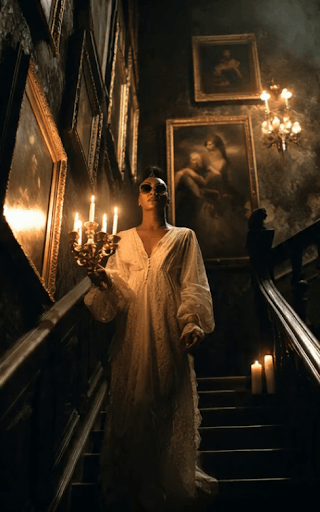
We tested Meta AI with the same set of images, including an atmospheric scene of a woman in a night dress standing on stairs, holding a lamp, with paintings on the wall behind her and soft dramatic lighting.
The output showed the woman gently swaying with subtle breathing motion and the lamp light flickering softly. The fabric of the night dress moved lightly, and there was a slight atmospheric glow around the lamp. However, the motion felt quite basic — more like a gentle wobble than natural, believable movement. The paintings in the background stayed mostly stable but showed minor warping and flickering. The woman’s face softened noticeably during any head movement, and the overall physics felt light and floaty rather than grounded.
It handled the moody lighting reasonably well but lacked depth and realism compared to stronger tools. The anime character and product shots were similarly basic but usable, while realistic portraits remained the weakest point.
Test image
Tested Output
Click the link below to check the output:
Strengths
- Extremely simple and fast to use — no complex prompts needed
- Completely free to start with generous daily limits for casual use
- Seamless integration inside Instagram, Facebook, and WhatsApp
- Good for quick, fun, shareable social content
- Built-in sharing and remix features (Vibes feed)
Weaknesses
- Motion is often basic and less natural than dedicated tools
- Face fidelity and physics can break easily on realistic or complex scenes
- Short clip length with limited control over camera moves
- Inconsistent quality — some generations feel janky
- Paid “increased video creation” subscription needed for heavy daily use
Mini Review Table
| Aspect | Score (out of 10) | Notes |
| Ease of Use | 9.5 | Easiest among all tools — just upload and go |
| Realism | 6.0 | Basic motion; struggles with complex physics and faces |
| Control | 5.5 | Very limited — few advanced options |
| Speed | 8.5 | Quick generations, especially on free tier |
| Value | 8.5 | Excellent free tier; paid upgrade for heavy users |
Who Should Use It
Meta AI is best for casual creators, social media users, and marketers who want fast, free animations from images without learning curves. It’s great if you already live inside Instagram or Facebook and need quick Reels content. Skip it if you need realistic motion, precise control, longer clips, or professional-quality output.
Pricing Notes (as of April 2026)
- Free tier: Generous daily limits for image-to-video (Vibes). Enough for light personal or testing use.
- Increased Video Creation subscription: Paid upgrade for unlimited or higher-volume video generation (pricing varies by region, often tied to Meta Premium tests).
- No heavy upfront cost, but heavy users will eventually hit free limits and need the paid option for consistent daily work.
Bottom line: Meta AI (Vibes) is one of the simplest and most accessible image-to-video options in 2026, especially if you want free, fast clips for social media. It won’t compete with top tools on realism or control, but for everyday casual use inside the Meta ecosystem, it’s surprisingly effective and worth trying first.
6. Aiimagetovideo Pro
This tool promises to turn any still image into animated video clips with no sign-up, no downloads, and no watermarks. It positions itself as an accessible aggregator that combines multiple AI engines for quick photo-to-video conversion.
What It’s Best For
- Casual social media clips for TikTok, Instagram Reels, and Shorts
- Quick experiments and personal fun animations from everyday photos
- Beginners or budget-conscious creators who want zero barriers (no login, no payment)
- Simple motion like subtle breathing, light camera moves, or basic environmental animation
What Happened in Our Test
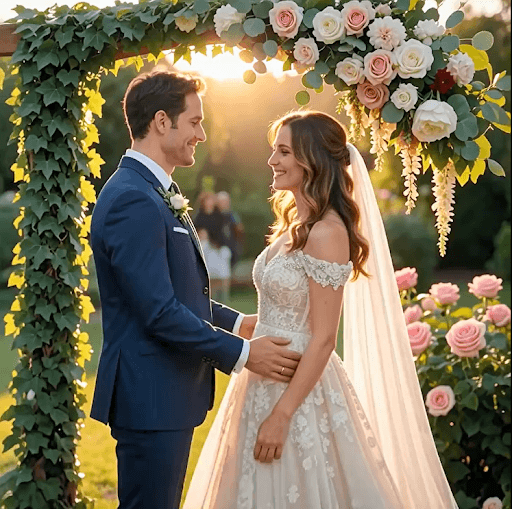
We tested it with the same set of images, including a romantic wedding photo of a couple kissing.
The generated clip showed the couple with gentle head movement, slight lip motion during the kiss, and soft breathing animation. The wedding dress fabric moved lightly, and there was a subtle romantic glow around the scene. However, the motion felt basic and floaty — more like a soft wobble than natural, tender kissing motion. The faces showed noticeable softening and some warping around the lips and eyes during movement. Background details (flowers, lighting, and attire) had minor flickering and inconsistency.
It handled the emotional mood reasonably well for a quick clip, but the realism and fine facial details fell short compared to more advanced tools. Stylized or simpler scenes performed better than this detailed romantic portrait.\
Test Image
Tested Output
Click the link below to check the output:
Strengths
- Completely free to start with no sign-up required
- Very simple upload-and-generate process
- Claims no watermarks on free outputs
- Fast processing (often 30–90 seconds)
- Supports multiple models (YesChat, Vheer, Hailuo-style) and prompt-based motion control
- Good for quick, shareable social clips without any cost barrier
Weaknesses
- Motion quality is often basic and less natural than dedicated tools
- Face fidelity and fine details (like facial features or complex textures) frequently soften or warp
- Short clip lengths with limited advanced camera control
- Inconsistent results across generations — some clips feel janky
- Free tier likely has hidden daily limits or lower priority during peak times (common in “unlimited free” tools)
Mini Review Table
| Aspect | Score (out of 10) | Notes |
| Ease of Use | 9.5 | Extremely simple — upload image + prompt and go |
| Realism | 5.5 | Basic motion; struggles with faces, lips, and kissing physics |
| Control | 6.0 | Accepts prompts but limited fine-tuning options |
| Speed | 8.0 | Fast for free tier, usually under 90 seconds |
| Value | 8.5 | Excellent if it stays truly free and watermark-free |
Who Should Use It
Use this tool if you’re a casual creator or hobbyist who wants to quickly animate photos (including romantic or wedding shots) for social media without paying or signing up. It’s ideal for light personal projects, memes, or testing ideas. Skip it if you need realistic motion, professional consistency, longer clips, or high-quality romantic/emotional output — stronger dedicated tools like Grok Imagine, Leonardo.ai, or Veo 3 will deliver better results.
Pricing Notes (as of April 2026)
- Free tier: Promoted as no sign-up, no watermark, with monthly credits or daily generations. Processing is fast and open to all.
- Higher quality or higher volume may push users toward paid upgrades or pro models (common pattern with aggregator platforms).
- In practice, many “unlimited free” tools have soft limits or lower priority queues. Always test current daily allowance before relying on it for regular content.
Bottom line: Photo to Video AI Free is one of the easiest entry points in 2026 for turning images (including wedding and romantic photos) into short animated clips without any cost or signup. It delivers usable results for casual social media and personal projects, but the motion realism and facial details fall noticeably short of top dedicated tools. Great for quick tests or light use — test it yourself to see if the free tier meets your daily needs.
7. Artlist
Artlist is best for YouTubers, short filmmakers, and content creators who need high-quality, modern royalty-free music, sound effects, and stock footage in one place. It works especially well for creating consistent audio branding across video series, vlogs, and short films.
What happened in our test
We tested it with the same set of images, including a dynamic action shot: one person shooting from a running car while another person is jumping out of the same moving car.
The generated clip showed basic motion — the car continued moving, the shooter had slight arm movement, and the jumping person had a simple leap animation. However, the motion felt floaty and unrealistic. The jumping person’s body looked stiff and weightless, with noticeable warping around the limbs and clothing. The shooter’s pose broke slightly during the movement, and background elements blurred unnaturally. Overall physics and realism were weak, especially for fast action like jumping from a moving vehicle.
It performed better on slower, simpler motions but struggled significantly with dynamic action scenes involving people and vehicles.
Test Image

Tested Output
Click the link below to check the output:
Strengths
- Large, well-curated library of modern, cinematic, and genre-specific music
- Clearlist tool effectively prevents or resolves YouTube copyright strikes
- Once published during an active subscription, the license for that specific project generally remains valid
- All-in-one platform (music + SFX + footage + templates)
- Good search and organization features
Weaknesses
- Licensing terms have become stricter — new projects generally require an active subscription
- Customer service is frequently slow when handling cancellations, downgrades, or refund requests
- Some users feel betrayed by the change from older “perpetual” wording to subscription-tied publication windows
- Growing focus on AI tools has frustrated traditional creators who prefer human-composed music
Who should use it
Artlist is ideal for active content creators and YouTubers who plan to maintain a subscription long-term and want a convenient all-in-one audio + footage solution. It suits filmmakers building ongoing series who are comfortable keeping the subscription active. It is less suitable for one-off projects or creators who want true perpetual rights without ongoing payments.
Pricing notes (as of April 2026)
- Standard plan: ~$9.99–$14.99/month (billed annually) or higher monthly
- Pro plan: Higher tier with more downloads and advanced features
- Licenses are tied to the subscription duration for new projects
- Many users recommend downloading license PDFs immediately after
Bottom line: Artlist still delivers strong music quality and practical protection for active creators, but the evolution of its licensing model and customer service experiences have created noticeable distrust among long-term users. Many now weigh it carefully against alternatives like Epidemic Sound or Soundstripe before committing to long-running projects.
Where AI Image-to-Video Still Fails
Sometimes, when you look at the result, you feel a quiet sadness. The picture you gave was so clear, so full of life — yet what came back feels like a dream that couldn’t quite wake up properly.
After testing many tools with real images — a couple kissing at their wedding, a woman standing on stairs with a lamp in the night, a person jumping from a running car while another shoots — I saw the same problems appear again and again.
Here is where AI image-to-video still struggles in 2026:
Unnatural hand and face motion
Hands often look like they belong to someone else. Fingers bend in impossible ways or simply melt. Faces, especially during movement, lose their soul — eyes become glassy, smiles turn stiff, and expressions feel slightly wrong, like a person trying too hard to look natural.
Drifting identity across frames
The person you started with slowly changes. The groom’s face becomes slightly different by the fourth second. The woman on the stairs loses her exact features. The jumper’s clothes change color or shape mid-motion. What begins as one person ends as someone vaguely similar.
Overactive or lifeless motion
Give a simple prompt like “gentle wind” and sometimes the whole scene starts dancing wildly. Other times you ask for action — a person jumping from a moving car — and the body moves like it has no weight, floating unnaturally through the air.
Weak product-detail preservation
Put a clean product shot in and watch the logo blur, the texture disappear, or small details melt away. What was sharp and professional in the photo often becomes soft and generic in the video.
Physics problems
Cloth doesn’t fall naturally. Hair moves as if underwater. When someone jumps from a running car, their body rarely respects gravity or speed. The world in these clips often feels slightly broken.
Awkward lip movement and eye behavior
When lips move, they rarely match real speech. Eyes blink at strange times or stare without life. In emotional scenes like a wedding kiss, the tenderness you hoped for often turns into something slightly uncomfortable.
Prompt mismatch
You write “slow camera push-in with gentle emotion” and the tool gives a fast zoom with random shaking. The AI still struggles to truly understand what you actually want.
These failures are not small things. They are the reason many creators still cannot fully trust AI image-to-video for important work. Technology can surprise you with beauty in simple moments, but in complex scenes — especially those involving people, emotion, or precise action — it often reminds you that it is still learning how to see the world the way we do.
How to Get Better Results from AI Image-to-Video
Most people give the machine a picture and a long sentence, then feel disappointed when the result looks strange. The truth is simpler: AI image-to-video still needs your help. It works much better when you speak to it gently and clearly.
Here are the things that actually make a difference:
Start with the right source image
Choose a clean, well-lit photo. The sharper and clearer your original image, the better the video will be. Avoid blurry shots, heavy shadows, or complex crowded backgrounds. A simple, well-composed photo of one or two people gives far better results than a busy scene. If your image is old or low quality, try restoring or upscaling it first.
Use one clear motion instruction, not five competing actions
This is the most important rule.
Instead of writing “the woman slowly turns her head, smiles, the wind blows her hair, camera pushes in, and light flickers,” just say:
“gentle head turn with soft smile.”
Too many instructions confuse the AI. One clear idea almost always produces smoother, more natural movement.
Keep backgrounds simple when consistency matters
If you need the person to stay recognizable across the clip, keep the background plain or softly blurred. Complex backgrounds with many details (like paintings on a wall or busy streets) often cause flickering and warping. Simple backgrounds help the AI focus on the main subject.
Match prompt style to your use case
- For social media/Reels: Use words like “smooth loop”, “gentle float”, “cinematic slow motion”.
- For product shots: Say “slow rotation”, “gentle floating”, “clean studio movement”.
- For emotional scenes: Try “soft breathing”, “tender movement”, “quiet emotion”.
The more specific and calm your language, the better the AI understands what you want.
Generate multiple versions and compare
Never trust the first result. Generate 3 to 5 versions of the same image with slight changes in the prompt. Some will be surprisingly good, others will fail. Pick the best one and use that as your starting point.
Use image-to-video for short shots, not full storytelling
Right now, these tools are excellent for 5–10 second moments — a gentle kiss, a slow camera push, a floating product, or a simple action. They are not yet good at telling complete stories. Use them for short, beautiful clips, then edit them together in CapCut or any simple editor.
Upscale or edit after generation
The final step matters. After generating the clip:
- Upscale it for better quality
- Fix small artifacts in CapCut or Runway
- Add your own music or sound effects
- Color grade it slightly
A good AI clip + light editing often looks much more professional than a perfect AI clip with no finishing.
Best Use Cases for AI Image-to-Video
Let me tell you something simple and true.
AI image-to-video is not magic. But in certain quiet corners of creation, it has already become remarkably useful.
Product ads and ecommerce mock promos
Take one clean photograph of your product. Let the AI give it a gentle float, a slow rotation, or a soft reveal. In moments, you have something that looks like a real studio shot. For small brands and quick social ads, this is quietly powerful.
Social media posts and Shorts
A single portrait can breathe. A fashion shot can feel the wind. A landscape can wake up with soft movement. For creators who need to speak every day on Reels or TikTok, this tool removes the heaviest part — waiting for the video to exist.
Storyboards and pre-visualization
Before you shoot a single frame, you can see how the scene might feel. Directors and storytellers use it to show clients the quiet emotion of a moment. It turns flat drawings into living thoughts.
Music and mood clips
Sometimes you just want the image to dream along with the music. A lonely street at night, a face lost in memory — the AI can add that gentle pulse of life that makes the music feel deeper.
Character concept animation
An illustrator draws a character. With one quiet prompt, the hair moves, the eyes soften, the breathing begins. Suddenly the character is no longer paper — she has begun to live.
Before/after creative demos
Show the world the difference. A still product becomes alive. A flat design gains depth. A simple portrait turns into something that feels almost human. These small transformations speak louder than long explanations.
Who Should Not Rely on AI Image-to-Video Yet
There are moments when we must be honest with ourselves.
This technology is still young. It has beauty, but it also has limits.
Do not rely on it yet if:
Your team needs every single frame to be perfect and controllable.
You are doing high-end commercial work where brand consistency must never waver.
You are trying to tell a long, complete story without heavy post-production.
You work in regulated industries where the output must be perfectly predictable every single time.
In these places, traditional methods — real cameras, skilled editors, patient hands — still speak with greater certainty.
AI Image-to-Video vs Traditional Motion Design
AI image-to-video is like a very fast sketch artist. It can show you the feeling of a moment almost instantly. Traditional motion design is like a master painter who spends days perfecting every detail.
AI wins when you need speed, iteration, and quick testing. It turns one photo into motion in under a minute. For prototypes, social content, and early concepts — it saves weeks.
Traditional motion design still wins when precision, emotional depth, and absolute control matter most. When the client says “make the hand movement exactly like this,” or when every pixel must follow brand rules, human craft remains irreplaceable.
The wise creator uses both. Let AI give you the first spark. Let skilled hands finish the painting.
Final Verdict
After testing many tools with real images — wedding kisses, night scenes with lamps, people jumping from moving cars — here is what I truly believe in 2026:
Best overall tool
Grok Imagine — It gives the best balance of speed, subject consistency, and natural motion right now.
Best for beginners
Meta AI (Vibes) — So simple that anyone can start in seconds, completely free to try.
Best for realism
Veo 3 — When you want the clip to feel almost like it was filmed, this is currently the strongest.
Best for speed
Pixverse or Grok Imagine — If you need many quick versions fast, these two move like the wind.
Best for budget-conscious users
Photo to Video AI Free or Meta AI — When money is tight and you just want to experiment, they let you begin without opening your wallet.
Choose according to your real need, not the loudest marketing. The tool that feels calm and useful in your hands is the right one.
FAQ
- What is the best AI image-to-video tool?
There is no single best tool. Grok Imagine currently offers the best everyday balance. Veo 3 leads in realism. Choose based on whether you need speed, quality, or zero cost.
- Can AI turn one image into a video?
Yes. That is exactly what image-to-video does. It takes your still photo and adds believable motion.
- Is there a free AI image-to-video generator?
Yes. Meta AI and Photo to Video AI Free let you start without payment. They have limits, but they work for casual use.
- Which AI image-to-video tool looks most realistic?
Veo 3 currently produces the most film-like results, especially with lighting and physics.
- Can AI image-to-video keep the same face consistently?
Sometimes. Grok Imagine and Leonardo.ai do better than most, but faces can still soften or drift in longer or more dramatic movements.
- Is image-to-video better than text-to-video for ads?
Yes, almost always. Starting with your own image gives you much better control over composition, lighting, and brand consistency.