
Introduction: What Is A2E.ai?
AI video generators are becoming increasingly common compared to a few years ago. However, many of them come with strict prompt filters and restrictions that can be frustrating for users, because it means that certain styles or themes are simply off-limits.
Try A2E AI alternatives
More control, faster output, and fewer creative limits.
Enter A2E.ai — an open creative environment and an uncensored AI video generator that allows users to create animated clips, talking avatars, voice-driven characters, and image-to-video scenes with fewer restrictions than many mainstream AI tools.
Quick Overview of A2E.ai
A2E is an acronym for Avatars To Everyone.
A2E.ai is a web-based AI creation tool that transforms simple prompts, images, or voice inputs into short animated videos. The tool combines several AI tools in a single interface, so that creators can experiment with different kinds of content without switching between multiple services.
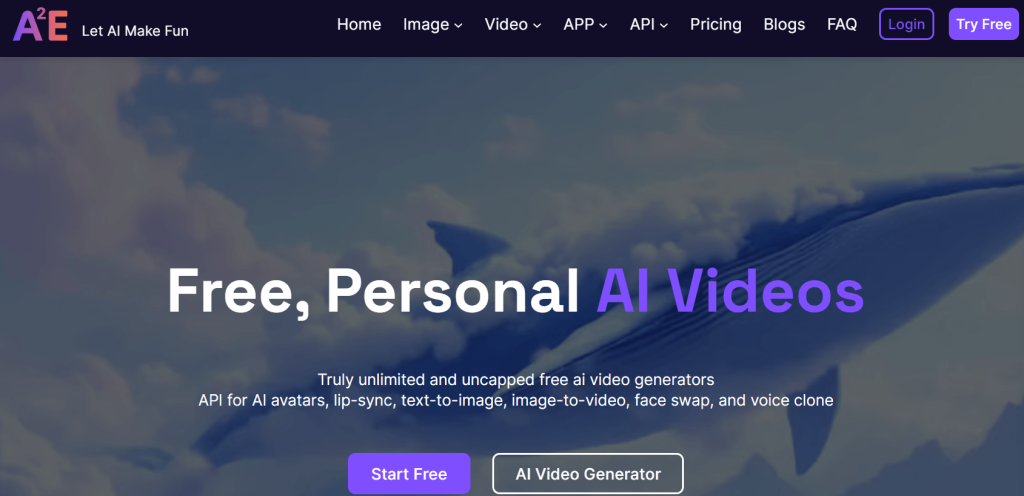
The main attraction of A2E.ai is its AI video generator, whereby users can describe a character, an environment, and a mood, and the system renders that idea as a moving scene. But beyond text-to-video generation, the tool also includes several related tools that expand what users can create.
It also offers an image-to-video animator, with which a still image can be turned into a video. This is particularly useful for animating characters, artwork, or AI-generated portraits because it often produces more stable results than generating a scene entirely from text.
Another feature is its AI avatar system, with which users can create talking characters that dialogue using text inputs or cloned voices. Surprisingly, these avatars can be used for short presentations, storytelling clips, or even social media content. Combined with lip-sync technology, the avatars can match speech with facial movement to produce a more natural video result.
A2E.ai also provides additional tools such as voice cloning, face, head, and cloth swapping, lip syncing, virtual try-on, AI subtitle remover, and all sorts of media editing features that creators can use to modify existing images or videos. For instance, a user could generate a character image, animate it into a video clip, and then add voice narration through the avatar system. All in one place!
In addition, its creative freedom allows for a wider range of visual ideas and storytelling styles. Therefore, all the attention that A2E.ai is getting from enthusiasts is well-deserved.
First Impressions: Getting Started with A2E.ai
Like many modern AI tools, A2E.ai runs in a browser, and that means creating an account. This is the first step for every new user.
Account Setup
The sign-up process is straightforward and only takes a few minutes. After logging in, users gain access to the tool’s main dashboard, where the different AI tools are listed.
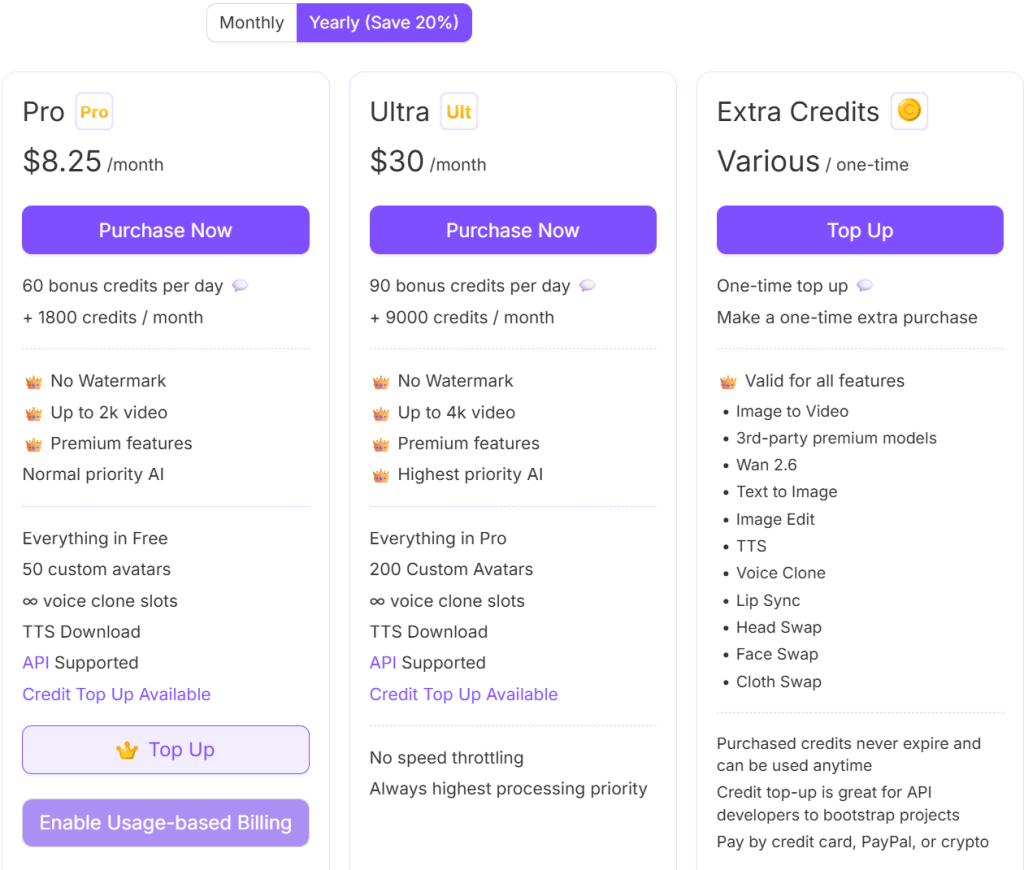
Moreover, A2E.ai operates on a credit-based system (i.e., every video clip, avatar animation, or image transformation generated uses a small amount of credits). Free users usually receive a limited number of credits to test run before deciding whether to upgrade to a paid plan.
Dashboard and Interface
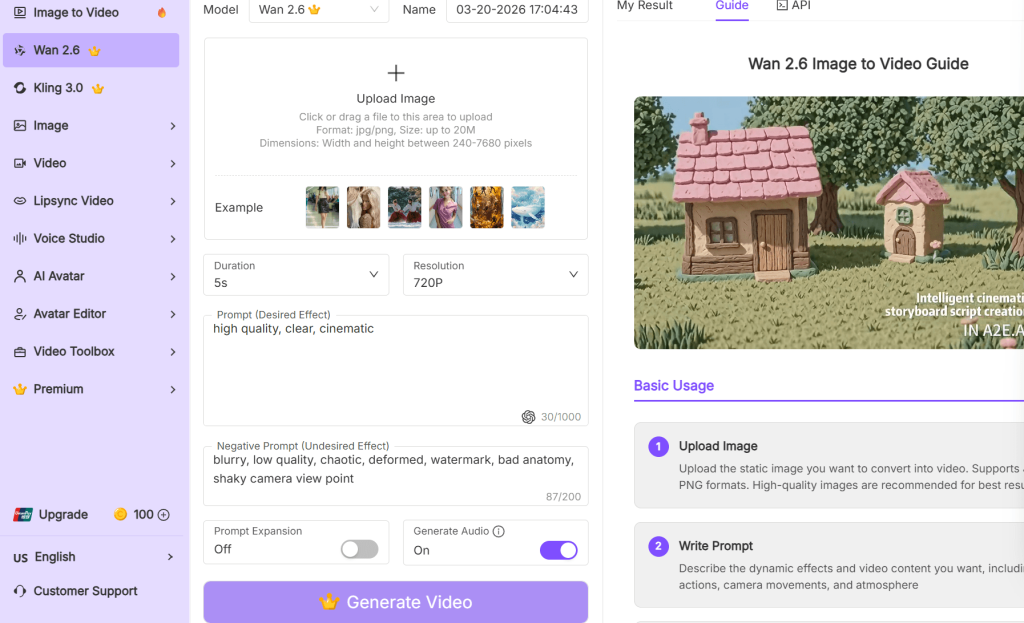
Once inside the dashboard, the interface is fairly simple to navigate. The main creation tools are grouped into categories, and the interface is so intuitive that even beginners can start creating content almost immediately.
First Video Generation Experience
Creating a video usually starts with entering a prompt or uploading an image, and the rendering process normally takes anywhere from a few seconds to a few minutes (i.e., it depends). But once the video is ready, it appears in the preview window where users can watch it, download it, or generate another variation.
Early User Experience
Overall, the first experience with A2E.ai is fast and experimentation-friendly, and its workflow is just as simple.
More so, the generator encourages the kind of creative exploration that many heavily restricted AI tools limit, making it appealing to creators who explore diverse concepts and themes.
How A2E.ai Works
At a basic level, A2E.ai works by turning prompts, images, or audio input (uploads) into short animated videos using a variety of AI video generation models.
Prompt-Based Generation
A simple way to create content on A2E.ai is through a text prompt. This process requires the user to describe a scene in plain terms but in detail. The prompt can include details such as the type of character in the scene, the setting or environment, the action taking place, and the visual style or mood.
Media Inputs
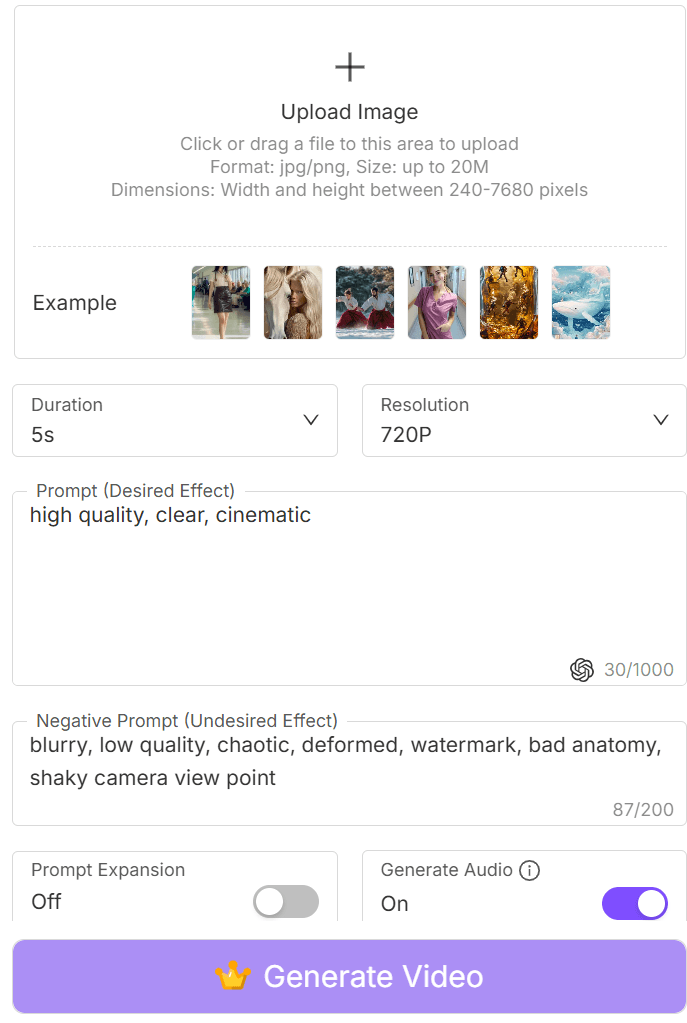
Text prompt is but one out of a few ways to generate on A2E.ai. There is the image-to-video generation method, with which users can upload an image for the AI to animate.
Another option is talking photo generation, where a static image is animated so that the character appears to speak. What’s more? When this is combined with voice input or text-to-speech tools, the result can look like a digital presenter delivering dialogue.
The Generation Process
Once the text prompt or media input is entered, the system processes the request while the AI models interpret the description, construct frames for the animation, and render the idea into a short video clip.
The process is completed in a matter of seconds or longer (i.e., depending on the complexity of the scene, the chosen model, and the user’s available credits). But once the generation is complete, the result will appear in the preview window where users can watch the clip, generate alternative variations, or download the finished video.
Core AI Video Generation Capabilities
The centerpiece of A2E.ai is its ability to generate short animated videos using AI and inputs (e.g., prompts, images, or characters). This makes it possible for creators to produce video content much faster than traditional animation workflows.
Although there are several different tools, most of A2E.ai’s creative power comes from a few key video-generation features.
Text-to-Video Generation
For text-to-video generation, the user simply describes a scene using written prompts that describe a character, an environment, or an action taking place, and the AI attempts to turn that description into a short animated clip.
Image-to-Video Animation
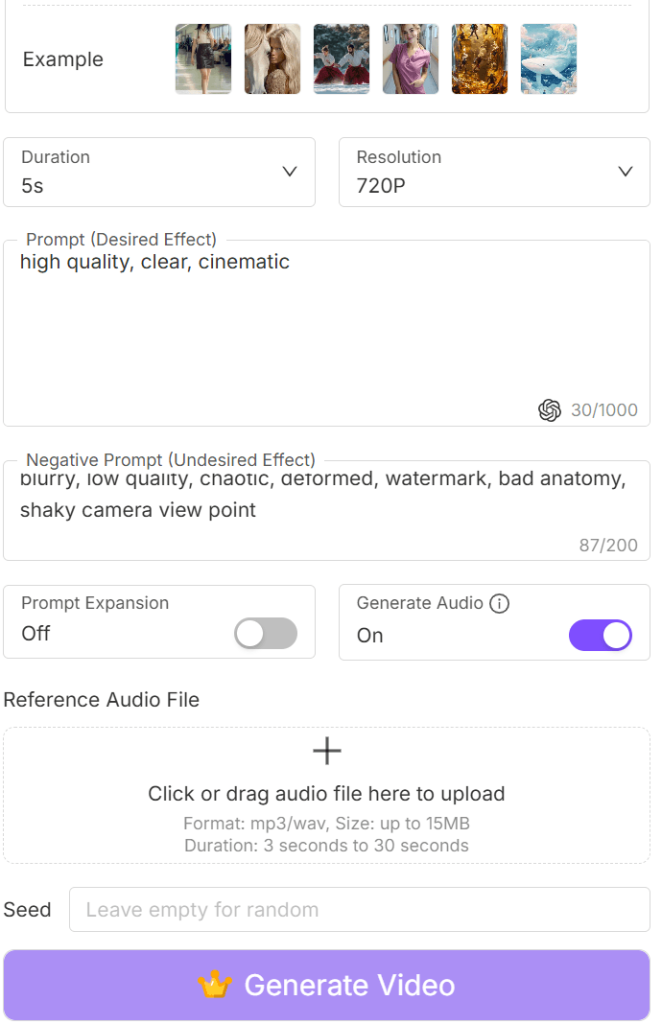
Another feature of the A2E.ai is image-to-video animation, where users can upload a still image/picture for the AI to animate.
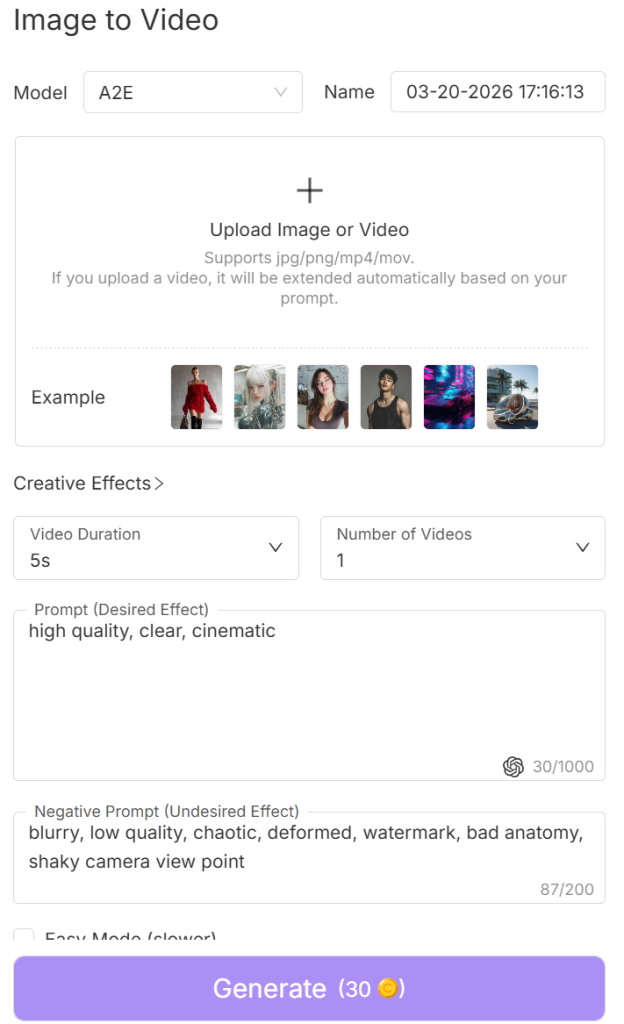
This is often used to bring characters or artwork to life (i.e., the character can be animated to move, look around, or even perform simple actions).
Talking Avatars
There is also a tool for creating digital characters that can deliver spoken dialogue based on text or recorded audio, called talking avatars.
Once a voice track is added, the AI synchronizes the avatar’s mouth movements with the speech, creating the effect of a character speaking directly to the viewer. These avatars have multiple uses (e.g., for short presentations, storytelling videos, or social media presenter content).
Actor Animation
Another interesting feature is actor-style animation, where characters or images can be animated into expressive video clips, which means that the characters will move, react, or perform simple gestures within the scene.
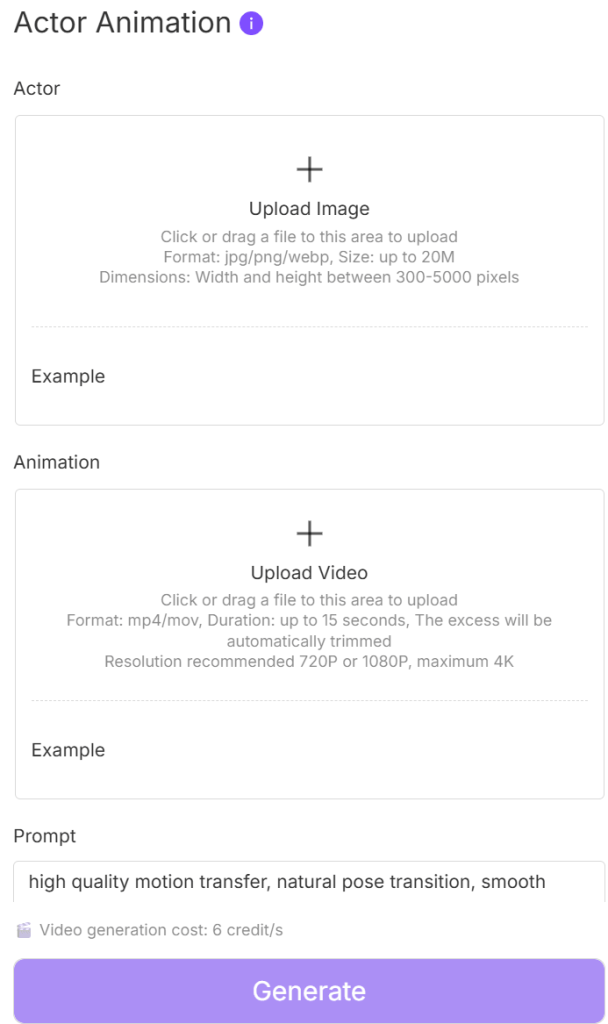
Taken together, these capabilities allow A2E.ai to function as more than just a single-purpose generator, but also a workspace for transforming ideas into motion and experimenting with different graphic styles.
AI Editing and Manipulation Tools
Beyond generating videos from prompts or images, A2E.ai also includes a collection of editing and transformation tools that creators use to modify existing visuals.
For many creators, this is where the tool becomes particularly useful, because this is where the experimentation is.
Face Swap
One of the more widely used features on the A2E.ai is the face-swapping tool that allows a user to replace the face of a character or person in an image or video with another face. The AI simply blends the new face (replacement) naturally so that lighting, angle, and facial positioning match the original scene.
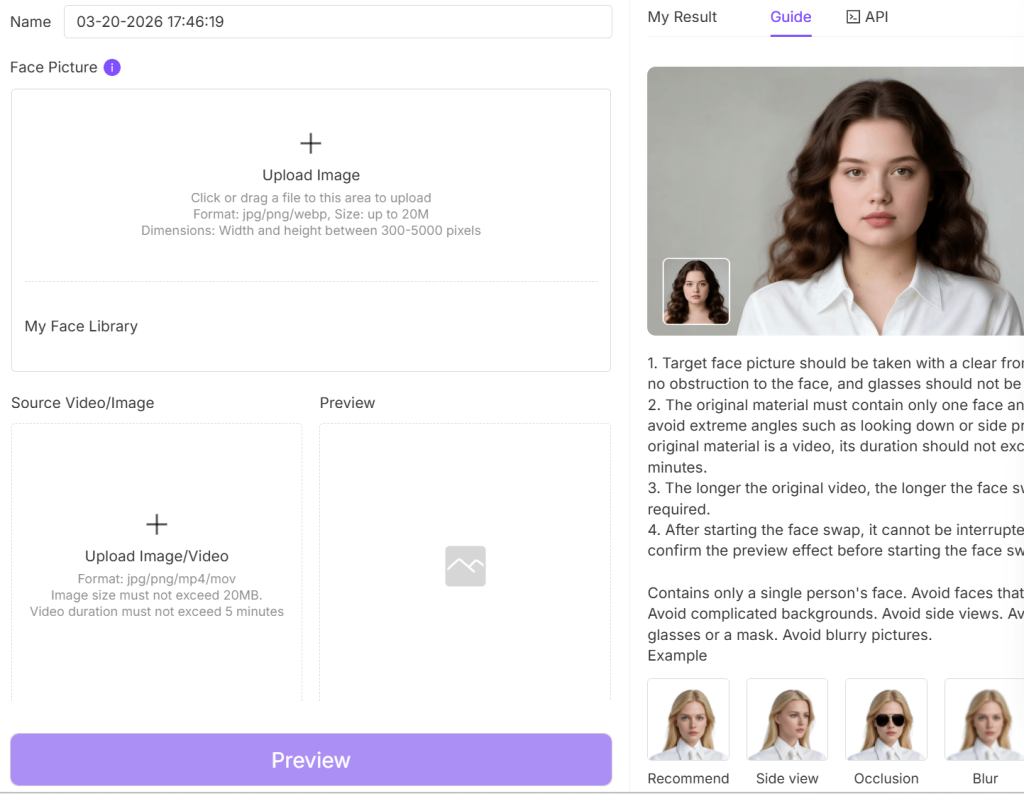
Head and Character Swapping
This is closely related to face swapping. However, it is different in that the system only swaps a few of the subject’s facial features to transform their identity.
Clothing and Style Swapping
With this feature, users can change certain visual elements such as clothing or stylistic details within an image or a video frame, making it possible to refine the appearance of the character or even adjust the visual tone of a scene.
Image Enhancement and Refinement
The generator offers some basic image enhancement and refinement features to improve clarity, adjust details, or clean up visual imperfections in AI-generated images (i.e., from text prompts) before they are animated into video clips.
Why These Editing Tools Matter
What makes these tools particularly valuable is how they fit into the overall creative workflow, transforming characters, parody, or even exploring uncensored themes.
A creator could generate an AI character portrait, refine the image quality, and then use the improved version as the base for an image-to-video animation; all within the same environment.
AI Voice, Lip-Sync, and Avatar Features
While video generation is the main attraction, there are features that can bring characters to life through voice and facial animation.
Voice Cloning
AI voice generation and cloning are two of the most interesting capabilities of A2E.ai. Basically, users can create synthetic speech that their characters or avatars will speak naturally within a video.
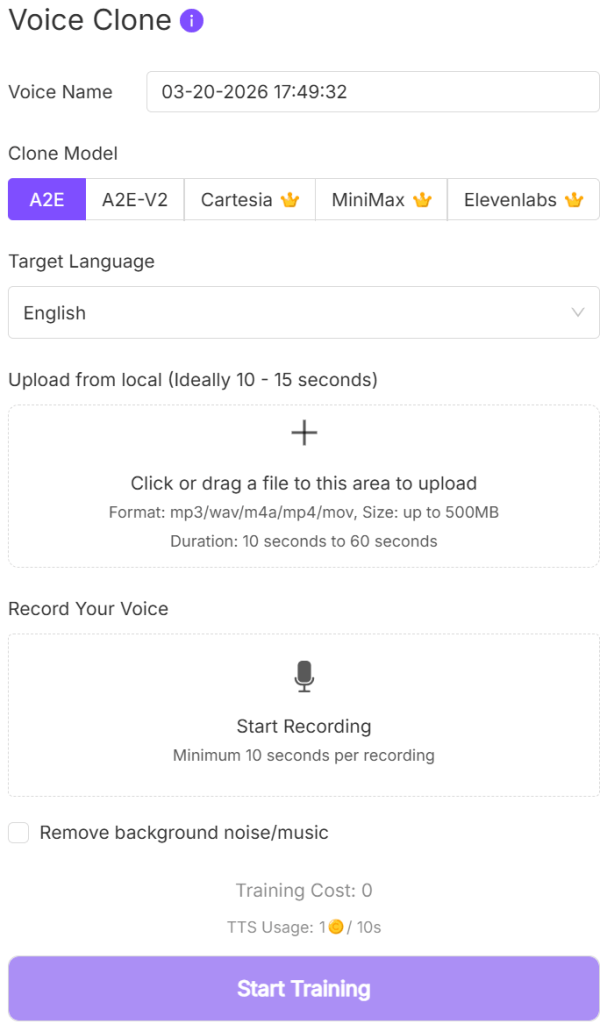
More so, the creator can simply type the dialogue for the AI to convert into audio and then choose a tone, accent, or speaking style that will better match the character they are creating.
Lip-Sync Technology
To make the avatar videos look more realistic, A2E.ai also uses lip-sync technology. The technology automatically adjusts the character’s mouth movements so that they match the speech (i.e., it synchronizes the facial animation with the audio).
The result hereafter is a character that appears to talk naturally.
AI Avatars
The avatars can be thought of as AI-generated digital presenters that can speak, react, and appear on screen, delivering dialogue.
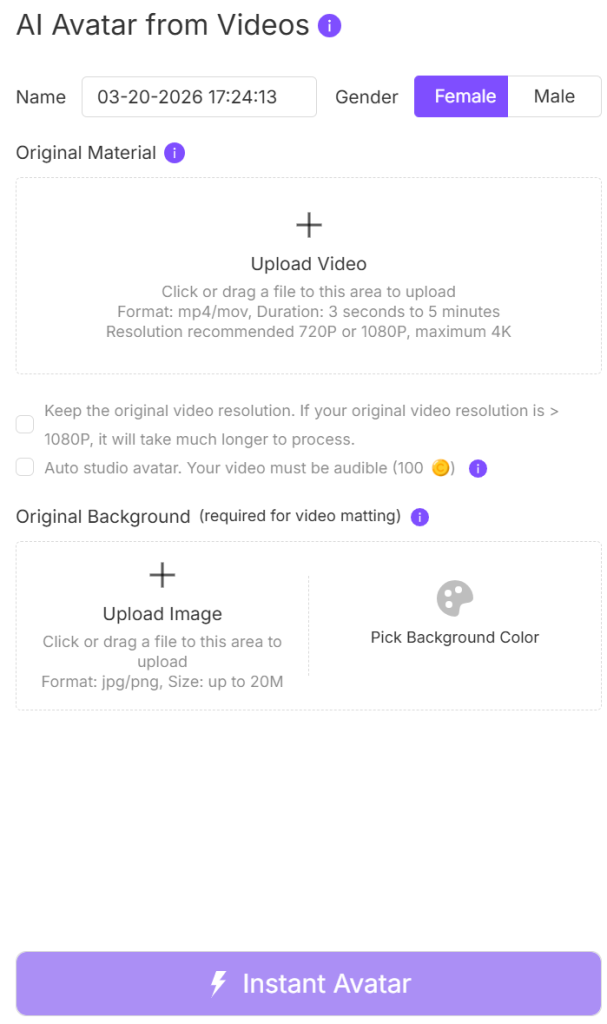
In conjunction with the lip-sync technology, the avatar becomes much like a presenter in a traditional recording for short informational videos, educational presentations, marketing clips, or social media posts, but this time, with no camera setup.
Expanding What AI Video Creation Can Do
By combining voice generation, lip-sync animation, and avatar tools, A2E.ai expands beyond simple text-to-video generation to a tool where users can create interactive characters of their liking.
AI Models and Technologies Powering A2E.ai
Behind the scenes, the capabilities of A2E.ai are powered by several advanced AI models for video generation and modification, image synthesis, and avatar animation. These models are responsible for interpreting your prompts, generating visual frames, and turning static images or descriptions into videos while you (users) interact with a simple prompt interface.
Multiple Generation Models
A2E.ai integrates several models that specialize in different aspects of media generation. Models like the Wan 2.6, Veo 3.1, Nano Banana Pro, Flux, Kling 2.6, Flux.2, Seedream 4.5, Nano Banana 2, Z-Image, Wan 2.6 Flash, Kling O1, Veo 3.1, Seedance 1.5 Pro, A2E Voice Clone, MiniMax, Cartesia, and Elevenlabs.
Some are perfect for creating smooth motion and animation, some for style and theme, while others focus more on visual detail and convincing results.
How Models Affect Visual Style
The choice of AI model influences the:
- The overall visual style of the scene.
- The level of detail in characters and environments.
- The smoothness of animation and motion.
- How closely the video follows the prompt description.
- How fast it happens (i.e., generation speed).
In any case, creators can always try different models using the same prompt to see which one will produce the most satisfying result.
Balancing Speed and Quality
More complex models produce richer detail and better motion, but they can take longer to process. Simpler models, however, always generate results faster but with fewer visual details.
Therefore, the balance between generation speed and visual quality is important for users who are testing ideas and experimenting (iteration).
Developer Features and API Integration
In addition to its creator-focused tools, A2E.ai also has features that are exclusively for developers and businesses. This side of the generator is proof of how the technology can be used beyond simple video creation, such that external software and services can access its AI models programmatically.
API Access for Developers
The API access is one of the most important developer tools on the generator. Through the API, developers can link their platforms directly to A2E.ai’s generation engines.
As a result, developers can build applications that use A2E.ai’s capabilities in the background to generate videos directly on their app interface.
AI Avatar MCP System
The AI Avatar MCP system framework can be used to develop dynamic avatars for applications. Avatars that can interact, present information, or act as a guides within the app.
Streaming Avatars and Real-Time Interaction
When combined with the voice generation and lip-sync technology, developers can use the avatar function to create virtual assistants, interactive learning platforms, or digital hosts for online services that respond or present in real time.
Why Developer Access Matters
The developer access offers an infrastructure where creators who want to integrate A2E.ai’s features into their own products equally benefit from the generator.
Video Quality and Output Performance
The real test of any AI video generator is the quality of the videos it produces. And the quality, dependent on factors such as the prompt, the model being used, and the complexity of the scene. Etc.
Motion Quality
Scenes with limited movement (e.g., characters turning their head, subtle gestures, or slow environmental motion) are smooth and natural. However, that reduces when complex actions or multiple characters are involved.
Character Consistency
Features like image-to-video animation produce very consistent results because the character already exists in the starting image. When generating everything from a text prompt, however, subtle changes in facial features or body positioning can sometimes appear between frames.
Therefore, it is better to start with a character image (either generated or inputted) and then animate it for better consistency.
Rendering Quality
A2E.ai videos can be cinematic, animated, or more illustrative, depending on the model used, and their lighting effects, color grading, and background elements are just as remarkable.
Resolution and Video Length
A2E.ai is primarily for short AI-generated clips rather than long-form videos, and the resolution and export quality are suitable for social media posts, concept visuals, or short storytelling sequences.
Pros of Using A2E.ai
A2E.ai appeals to a wide range of users, and for the right reasons.
- Flexible Prompt Creativity
A2E.ai allows users to experiment with a wider variety of prompts, test unusual visual ideas without running into constant restrictions, and encourages creative exploration.
- Multiple Video Creation Methods
Rather than relying on a single generation method, users can create content through text-to-video prompts, image-to-video animation, avatar-based video generation, or character animation tools.
Such that one might start with an image and animate it, while another user might generate a scene entirely from a written prompt.
- Avatar and Voice Tools in One Generator
A single generator handles speech generation, lip-sync animation, and digital presenters, all within the same environment.
- Fast Experimentation Workflow
The workflow is simple, and this allows users to test prompts and generate multiple variations within seconds. This fast feedback loop is especially helpful for creators who prefer to generate several variations and choose the one that works best for them.
- Developer and API Access
There are also its developer-friendly features. With API access available, developers and startups can integrate video generation and avatar tools directly into their own applications.
- Broad Creativity Compared to Other Generators
A2E.ai is an experimentation-friendly environment where users get to test ideas, explore different visual styles, and push the boundaries of AI-generated video content in such a way that other generators will struggle to match.
Pricing and Plans
A2E.ai uses a credit-based pricing system that allows users to generate videos, avatars, and other media depending on the number of credits available in their account.
Free Access
Every new user on A2E.ai automatically starts with the free access plan. This allows them to explore the generator after sign-up, but it goes without saying that free access only grants access to a fraction of the tool’s capabilities (e.g., slower generation speeds, limited credits, or reduced access to some advanced tools).
Credit-Based Generation
Each generation on A2E.ai (e.g., a video clip, avatar animation, or image transformation) uses a certain number of credits, and the number of credits required each time depends on the AI model being used, the complexity of the generation, and the length or resolution of the video.
Nevertheless, credits can be bought and earned.
Paid Plans and API Pricing
Lastly, there is a paid plan for users who intend to generate content more frequently, as well as an API-based pricing for developers, startups, and software companies who want to integrate A2E.ai’s generation tools into their own products and applications.
Overall, the pricing model is one that you get to start small, experiment with the tools, and upgrade only if you decide to use the generator more seriously.
A2E.ai vs. Other AI Video Generators
AI video and image generators have become common. Some offer a flexible and experimentation-focused environment, and others focus more on cinematic realism, structured video production, or corporate presentation workflows.
Understanding how A2E.ai compares with some well-known alternatives can help you (users) decide which one best fits your needs.
A2E.ai vs. Runway ML
When compared to Runway, A2E.ai offers a lot more flexibility, prompt experimentation, fewer prompt restrictions, and a broader range of media tools. Runway ML, however, produces cinematic results, especially for complex video scenes, and its interface is also designed with professional video workflows in mind.
A2E.ai vs. Pika
Both generators were made for short clips and animations. The only difference is that A2E.ai’s capabilities go beyond just video generation (i.e., it extends to avatars, voice features, and media manipulation tools). In contrast, Pika is specifically for producing smooth, short clips and animations with impeccable aesthetics.
So, creators who want a specialized video generator may prefer Pika; those who are for a more experimental all-in-one generator cannot resist A2E.ai.
A2E.ai vs. Mage.space
Although Mage.space is primarily known for AI image generation, it has also expanded into video-related tools. What both generators have in common is a similar philosophy of flexibility and creative freedom.
A2E.ai vs SoulGen
SoulGen is usually among the first few when AI generators for creating realistic characters are listed.
SoulGen is all about realism within AI image generation, but A2E.ai handles that just as easily, and it even does it with a broader multimedia toolkit.
Where A2E.ai Stands
A2E.ai emerges as a well-rounded generator with an open creative environment and a variety of tools and features that serve many use cases/purposes.
Who Should Use A2E.ai?
A2E.ai appeals to a fairly wide range of users because of its video generation, character modification, avatar tools, and flexible prompt features.
Experimental AI Creators
The generator uses a flexible prompt system and multiple generation methods that make it easy to explore unusual concepts, stylized visuals, experimental animations, test new ideas, and discover interesting results.
Indie Animators and Visual Storytellers
While it does not replace full animation software, A2E.ai can help independent creators to generate visual scenes, character animations, or concept clips that support storytelling projects and even visualize raw ideas before developing them further in dedicated editing tools.
Social Media Content Creators
The generator’s ability to make short clips and animated avatars makes it especially useful to creators who publish content regularly.
Prompt Engineers and AI Enthusiasts
Another category is those who enjoy experimenting with the AI tools and models, and refining prompts and testing different variations to bring out A2E.ai’s creative value.
Needless to say, the process of experimentation itself becomes part of the creative experience for the AI enthusiasts.
Developers Building AI Media Applications
Thanks to its API and developer features, software developers and startups working on AI-driven media tools, virtual assistants, or avatar-based applications may find A2E.ai particularly useful as a backend generation engine.
Who Might Not Benefit as Much
Users who need highly polished, long-form cinematic video production may find other generators more suitable, because A2E.ai is mainly for short clips and animations.
Final Verdict
A2E.ai’s mix of prompt-based video generation, avatar tools, and multiple creation methods makes it easy to experiment and test more creative concepts in an open environment.
More importantly, creative freedom and iteration are where it delivers the most value. You (users) can try ideas quickly, refine them, and explore different visual directions without needing advanced editing skills.
That said, it is still not a replacement for professional video production tools.