
AI text to video sounds a little like magic at first. You write a few lines, press a button, and a video appears—as if it was waiting there all along. It feels simple. Almost too simple.
Over the past couple of years, AI text to video has improved fast. You can now create short clips, marketing-style videos, even scenes that try to feel cinematic. Still, the results don’t arrive fully formed just because you typed something clever. They depend on smaller, less glamorous things—what kind of tool you’re using, how you phrase your idea, how patiently you shape the output. The difference between a usable video and an awkward one is often just a few words, or a slightly better thought.
In plain terms, AI text to video means turning written instructions into video. Sometimes it’s a prompt. Sometimes it’s a script. Sometimes just a rough idea written in a hurry. The system reads it and tries to build something visual from it. What you get back, though, isn’t always the same kind of video. One tool might generate visuals from scratch. Another might quietly stitch together stock footage. Another might give you a digital presenter who speaks your words without ever getting tired. They all fall under the same name, but they behave like completely different things.
This guide isn’t here to impress you with promises. It’s here to show you how these tools really work when you use them for a while—where they help, where they fall short, and how people quietly adapt their workflow to make them useful. We’ll talk about the different types of tools, how to write prompts that don’t fall apart, what limitations still exist, and what most reviews say without quite saying it directly.
Because once you understand those small details, the magic starts to feel a little more real.
What AI Text to Video Really Means in 2026
The three main types of AI text-to-video tools
“AI text to video” sounds like one clean idea. It isn’t. By 2026, it has quietly split into a few different paths. They all begin with text, but they don’t end in the same place.
1) Pure generative (cinematic) tools
These tools try to imagine. You describe a scene—maybe a rainy street, a slow camera move, a certain mood—and the system attempts to build it from nothing. When it goes right, the result can feel surprisingly alive, almost like a fragment from a film. And when it goes wrong, things bend a little—faces shift, light behaves strangely, details don’t stay where they should.
You use these when you want something visual, something that feels new. Not perfect, but interesting.
You get style. You lose stability.
2) Script-to-video assembly tools
These are more practical. They don’t try to imagine anything. They take what already exists and arrange it neatly. You give a script, and the tool fills the gaps with stock clips, images, text, transitions. It feels less creative, but more dependable.
If you need a quick video for a post, a simple explainer, or something that just needs to “work,” these tools rarely argue.
You get structure. You lose originality.
3) Avatar or presenter video tools
Here, the video speaks back to you. A digital person appears, looks at the camera, and delivers your words. No lighting setup. No camera. No retakes.
It can feel a little strange at first. But for training videos, internal updates, or tutorials, it does the job quietly and consistently.
You get reliability. You lose a bit of human warmth.
All three are called “AI text to video.” That’s where the confusion begins. Because they are not three versions of the same thing—they are three different answers to three different needs.
And if you choose the wrong one, the result feels wrong almost immediately.
Why so many people misunderstand this category
Most people don’t get confused because the tools are complicated. They get confused because everything is presented together.
You’ll see lists—“best AI text to video tools”—where completely different systems sit side by side. A cinematic generator next to an avatar tool. A marketing builder next to an experimental model. As if they are competing for the same job.
They’re not.
It’s like comparing a camera, a news anchor, and a video editor—and asking which one is better.
Even the demos don’t help much. A short clip can look impressive in isolation. Five seconds of smooth motion, nice lighting, maybe a dramatic angle. But real use is longer. It involves changes, retries, adjustments. That’s where differences show up.
So people try the tools with high expectations. And then something feels off. Not broken—just not what they imagined.
That small gap between expectation and reality—that’s where most frustration lives.
What AI text to video is good at right now
If you use these tools in the right place, they can be genuinely helpful. Not magical—just useful in a quiet, practical way.
Short cinematic clips work well. A few seconds of atmosphere, a visual idea, something that sets a tone. These tools handle that better than longer sequences.
Ad ideas are easier to explore now. You can try different concepts quickly—change the setting, the mood, the pacing—without committing too much time or cost.
For social content, the simpler tools are often enough. You write something, and within minutes, you have a video that fits the format. It may not be unique, but it does the job.
Explainers are another strong area. Whether through assembled visuals or a digital presenter, turning a script into a clear video has become faster than before.
And sometimes, you just need to show an idea. Not finish it. Just show it. In those moments, even a rough AI-generated clip can say more than a page of text.
In all these cases, the real advantage is not perfection. It’s speed. The ability to try, adjust, and try again.
What it still struggles with
There are still places where things don’t quite hold together.
Consistency is one of them. A character might change slightly from one shot to another. A background might shift without warning. It’s subtle, but noticeable.
Complex motion is another. Fast actions, detailed movements—they often look a bit off, like something is missing underneath.
Long stories are harder. Keeping everything connected over time—same style, same logic, same flow—still needs human control.
Then there’s precision. If you want exact timing, exact framing, exact details, text alone doesn’t always give you that level of control.
Human details are improving, but not perfect. Hands, expressions, eye movement—these small things still reveal the illusion.
And branding can be tricky. Logos, product details, exact colors—they don’t always come out right, which makes final, client-ready work a bit risky.
None of this means the tools are useless. It just means they have a shape. They work well in some areas, less in others.
The people who get the most out of AI text to video don’t fight these limits. They work around them. They let AI handle the fast, flexible parts—and step in where control really matters.
Once you understand that balance, things start to feel simpler.
How We Evaluated AI Text-to-Video Tools
Before diving into any tool breakdowns, it helps to lay out exactly how we put them through their paces. Without a solid framework, picks can come off as random guesses. And in this field, where hype often drowns out the facts, transparency is key.
We skipped the flashy one-tap demos or those perfect clips on landing pages. The real test? Pushing these tools to crank out stuff that’s actually practical for everyday work.
Evaluation criteria
No tool nails every category perfectly—we didn’t hunt for an all-around champ. Instead, we broke it down into real-world angles that matter, depending on what you’re building.
Sticking to the prompt: Does the video match your description, or does it wander off track?
Look and feel: Beyond just crispness, we checked if lighting, framing, and the whole vibe rang true.
Natural movement: Movements that flow smoothly, not jerky or fake, especially in dynamic shots.
Staying consistent: Keeping characters, props, or backgrounds the same across shots.
User-friendliness: How fast can you turn a concept into a video? Is the setup straightforward or a hassle?
Tweakability: Once generated, can you refine it easily without wiping the slate clean?
How quick it is: Total time from prompt to polished result, including quick retries.
Cost vs. payoff: Does the quality make the price tag worthwhile compared to other options?
Ideal crowd: Best for solo creators, marketing teams, hobbyists, or pros?
Every tool shines in some spots and lags in others. That’s what makes choosing right for your needs so important.
Real-World Tests We Ran
To avoid cherry-picked examples, we stuck to straightforward prompts anyone might use—no crazy outliers, just typical jobs.
Urban cinematic vibe: A moody cityscape with specific lighting and camera pans to gauge style and flow.
Product promo: Basic ad for an everyday item, testing if it’s clear, snappy, and ready to use.
Fantasy setup: Wild, made-up world with creatures or effects to see creative limits.
Quick lesson video: Simple explainer on a basic topic, focusing on structure and timing.
Talking presenter: Script read by an on-screen person, checking lip sync and lifelike delivery.
Social clip: Short, punchy video for feeds, emphasizing speed and shareability.
Kept ’em basic by design. Struggles here usually mean bigger issues with tougher ideas.
What We Ignored (Mostly)
AI video demos can wow you at first, but not all that glitters is gold.
- Cherry-picked showreels that hide average results.
- Buzzwords like “Hollywood-level” or “pro studio magic” without proof.
- Sheer buzz or user numbers—fame doesn’t equal fit.
- Tools that dominate “best of” lists thanks to sponsorships.
Our take? Hours of hands-on trials, noting the little annoyances and how they hold up over sessions. That’s the stuff that reveals true character—steady patterns over flashy claims. Once you cut through the noise, the standout options snap into focus.
Best AI Text-to-Video Tools by Use Case
This is the category most people imagine when they hear AI text to video. You describe a scene, and the system tries to bring it to life—camera movement, lighting, atmosphere, everything. It feels close to filmmaking, but it doesn’t behave like traditional video tools. It’s more like directing something that doesn’t always listen.
What matters here is not just how “good” the output looks in a single clip, but how the tool handles motion, style, and control over time. And this is exactly where the differences show up.
There isn’t a single “best” AI text to video tool. The better question is: best for what?
Once you shift to use cases, the landscape becomes clearer—and a lot less frustrating.
Below, tools are grouped by the kind of work they actually handle well. Each one has a place. None of them solve everything.
Best for cinematic AI-generated scenes
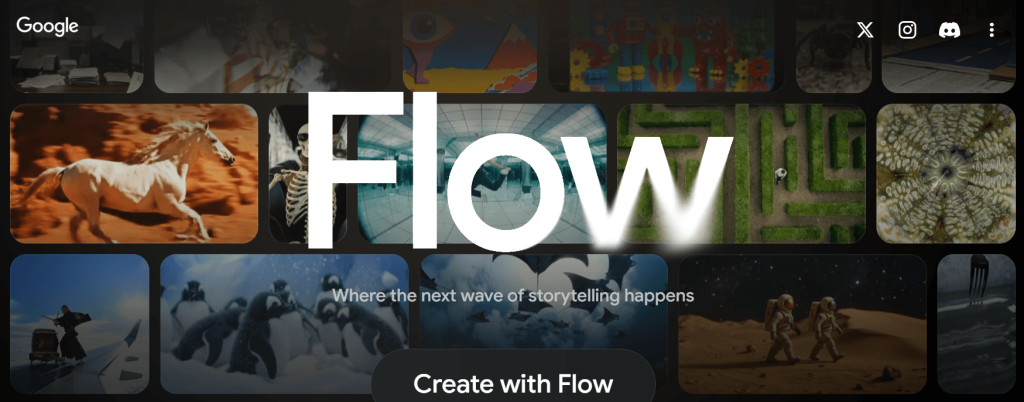
There’s a moment, usually after the second or third try, when you realize Google Flow is not just another “type a prompt, get a clip” tool.
At first, it behaves like one. You describe something—a place, a person, a mood—and it gives you a short video. It looks clean. The lighting makes sense. Movement feels more grounded than what older tools used to produce.
Then you try to build on it. That’s where Flow starts to feel different.
Google Flow doesn’t just generate—it remembers (sometimes)
Most AI video tools feel like starting over every time. You write a prompt, get a clip, and the next attempt forgets everything about the previous one.
Google Flow tries to break that pattern.
You can create a subject—a character, a scene, even a specific look—and reuse it across clips. They call these “ingredients.” It’s a simple idea, but it changes the experience. Instead of chasing random outputs, you begin to shape something that carries forward.
It doesn’t always stay perfectly consistent. A face might shift slightly. A detail might move.
But compared to starting from zero each time, it feels like progress. Not a perfect memory—just a little less forgetting.
Where it feels strong
Short scenes are where Flow is most comfortable.
If you ask for a cinematic moment—a person walking through soft light, a quiet street at dusk, something with atmosphere—it often delivers something usable. Not always stunning, but often believable.
Motion has improved. There’s weight to it now. Characters don’t drift as much. Backgrounds hold together longer. You can extend a shot, and sometimes it continues naturally, as if it understands what came before.
There’s also an attempt at control. Camera angles, movement, framing—you can guide these things. And occasionally, it listens closely enough that you pause and think, okay, this is getting somewhere.
Where it still slips
Then you push it a little further.
You ask for something specific. A camera tracking left. A continuous shot. A precise movement. The output looks good—but not exactly what you described. This happens more than you’d expect.
Flow understands intention better than instruction. It gets the feeling of what you want, but not always the exact mechanics.
Consistency is another quiet issue. At a glance, scenes match. But look closer—small changes appear. Over multiple clips, those small changes start to matter.
And there are limits you can’t really work around yet. Short clip durations. Credit systems. Occasional blocks on prompts that seem harmless. Access that depends on region or plan.
None of these stop you from using it. But they shape how far you can go.
Who will actually enjoy this
If you want something fast, predictable, and finished in one go—this will frustrate you.
Filmmakers testing ideas. Creators building short sequences. People who are okay with trying, failing, adjusting, and trying again.
Flow doesn’t remove effort. It just changes where the effort goes.
A more honest way to see it
It’s easy to look at demo videos and think this replaces traditional filmmaking. It doesn’t. Not yet.
What it does is lower the barrier to starting. You can explore an idea visually without a camera, without a crew, without waiting.
But finishing something—making it consistent, controlled, intentional—that still takes work.
So Flow sits somewhere in between.
Not just a generator. Not quite a full editor. Something is in progress.
And maybe that’s the most accurate way to describe it:
It’s a tool that shows you a glimpse of what you meant— but still asks you to meet it halfway. Not as a finished tool. But as something that is learning, slowly, how to listen.
Best for marketing and social video creation
There’s a certain type of AI video tool that tries to impress you with visuals.
And then there’s OpusClip Agent Opus, which does something quieter—but in many ways, more practical.
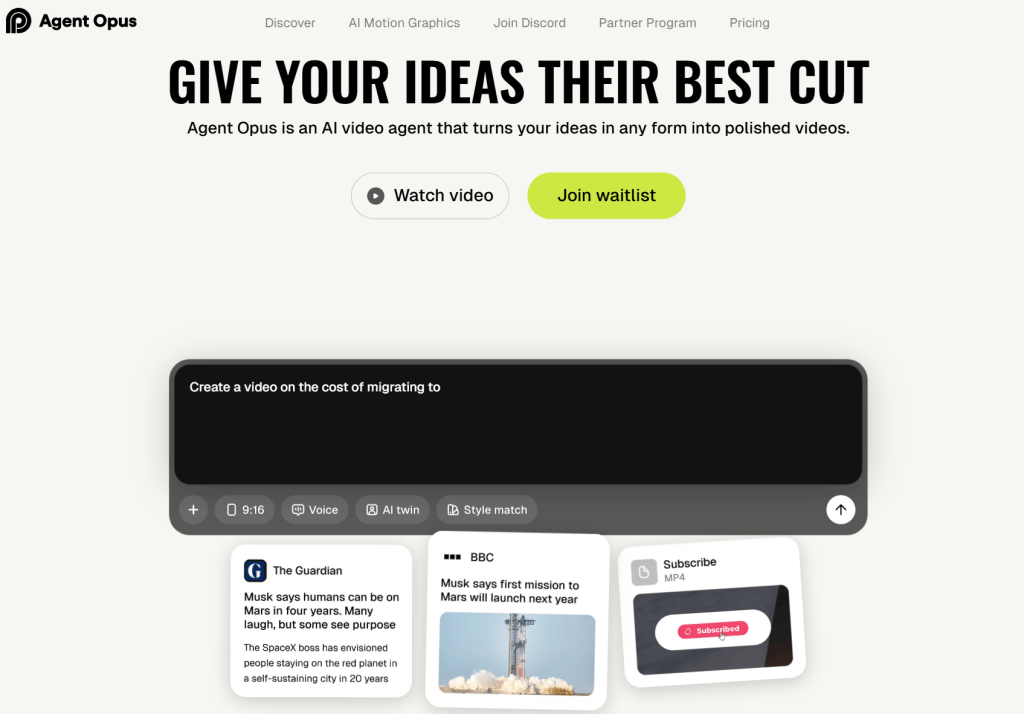
It doesn’t ask you to imagine a scene from scratch. It asks you for material. A headline. A blog post. A YouTube link. Even a rough idea. And then it starts building a video around it, almost like a small team working behind the scenes.
It doesn’t start with visuals. It starts with structure.
Most “AI text to video” tools begin with a prompt and try to turn it into visuals.
Agent Opus begins somewhere else.
You give it something real—a news article, a script, a piece of content—and it breaks it down. It finds the core idea, shapes a narrative, builds a script, and then starts assembling the video piece by piece.
You can almost see the steps happening:
- research
- scripting
- selecting visuals
- adding motion
- editing
- voice
It feels less like generation, more like coordination.
That shift matters. Because the final video usually makes sense.
Where it feels strong
The biggest strength here is control.
You are not fighting the tool to get what you want. You guide it. Adjust pacing. Change structure. Modify tone. It responds in a way that feels closer to editing than prompting.
Another thing it does well is blending real-world assets with AI elements. Instead of generating everything, it pulls relevant visuals—clips, images, references—from actual sources. Then it layers motion graphics on top.
The result feels grounded.
Not overly synthetic. Not random.
If you’re making content that needs to be understood quickly—news breakdowns, educational clips, social videos—this approach works surprisingly well.
There’s also the “motion graphics” layer. Text, highlights, small animations—it adds energy without making the video feel artificial. It doesn’t scream AI. It just feels like modern editing.
The “creative team” idea (and why it works)
Agent Opus presents itself as a kind of AI team—researcher, scriptwriter, editor, voice actor.
That could have been just branding.
But in practice, you do feel those layers.
The hook is shaped differently from the body. The pacing changes where it should. The voiceover aligns with the visuals. It’s not perfect, but it’s coordinated.
And coordination is something many AI tools still lack.
Where it struggles
This is not a tool for imagination-heavy work.
If you want surreal visuals, fantasy worlds, or cinematic storytelling from pure prompts, this won’t satisfy you. It’s not trying to invent new worlds—it’s trying to explain existing ones.
It also depends heavily on structure. The better your input (clear article, defined topic, strong idea), the better the output. Vague inputs lead to generic videos.
And while control is a strength, it can also mean more decisions. If you want something fully automatic, you might feel slowed down.
What the output actually feels like
The videos feel finished.
Not in a “Hollywood” sense, but in a practical one. Clean cuts. Clear message. Good pacing. Watchable from start to end without confusion.
They don’t feel experimental. They feel usable.
That’s a big difference from many generative tools, where the output looks impressive but hard to apply directly.
Who this is really for
Agent Opus makes the most sense for people who need volume with quality.
content creators making short-form videos
agencies handling multiple clients
startups explaining products or ideas
educators turning information into visual content
If your goal is to publish consistently, not just experiment, this fits naturally.
Final thought
Some AI video tools try to replace creativity.
Agent Opus doesn’t. It organizes it.
You bring the idea. It helps shape, build, and present it in a way that people can actually watch.
It’s less about creating something from nothing—
and more about turning something messy into something clear.
And right now, that might be the more useful kind of AI.
Best for avatar and presenter-led videos
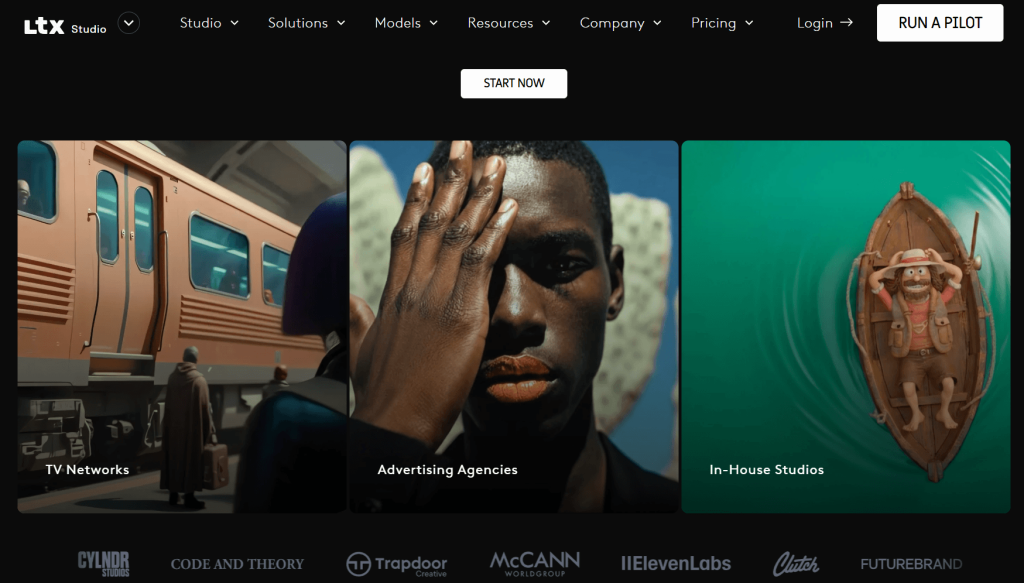
There’s a certain kind of tool that doesn’t try to impress you loudly. It just sits there, does its job, and leaves you thinking about it later. LTX 2 feels a bit like that.
At first glance, it looks strong on paper—4K output, smooth frame rates, even native audio. The kind of specs that make you pause for a second. But specs are easy. What matters is how it behaves when you actually try to create something with it.
And that’s where things get interesting.
First Impressions
If you give LTX a clear, physical instruction, it listens. Almost too well.
You say: “a woman walks to the window, pauses, looks outside.”
It gives you exactly that. The timing, the framing, even the small movements—it follows closely, like a careful student copying from a book.
But if you say: “she feels uncertain… something is wrong,”
the video still looks correct—but something inside it feels empty.
It’s like watching an actor who remembers all the lines but forgets why they’re saying them.
LTX understands what happens, but not always why it matters.
Where LTX 2 Really Shines
There’s no point denying it—this tool can look beautiful.
Visual quality is its strongest trait.
Frames are clean. Lighting feels controlled. Textures—skin, fabric, glass—often hold together better than you’d expect.
If you keep things simple, the results can be surprisingly convincing:
- One subject
- One clear action
- One consistent light source
In these conditions, LTX almost forgets it’s an AI model. It behaves more like a camera placed in the real world.
You’ll notice:
- Stable compositions
- Minimal flicker
- Good depth and lighting balance
Even when something goes wrong, it doesn’t collapse dramatically. It just… softens a little.
Quiet failure, not chaotic failure.
Motion: Clean, But a Bit Lifeless
Movement in LTX is disciplined. Controlled. Predictable.
And that’s both good and bad.
If the scene is simple—a slow camera push, a person standing, a gentle action—it looks solid. Almost mechanical in its precision.
But once things become more dynamic, something breaks—not visually, but physically.
You might see:
- Movements that feel slightly weightless
- Reactions that happen a fraction too late
- Actions that don’t quite influence each other
It’s like watching motion that was calculated, not experienced.
A punch lands, but the air doesn’t react.
An explosion expands, but the timing feels off.
Everything moves—but not together.
Consistency: Strong in Small Moments, Weak Over Time
LTX does well when it doesn’t have to remember too much.
Short clips? Fine.
Single scenes? Often stable.
But stretch it—even slightly—and the cracks start to show.
Characters change subtly.
Lighting shifts when it shouldn’t.
Details reset between moments.
It’s not that the model fails completely—it just forgets things slowly.
Like someone telling a story and missing small details each time they repeat it.
Where It Struggles (And You Will Notice)
Some limitations show up again and again:
- Human behavior feels slightly off
(people move correctly, but not naturally) - Interactions break down
(hands touching water, objects reacting physically) - Crowds and complexity reduce detail quickly
- Emotion doesn’t translate well
(expressions appear, but don’t feel connected)
There’s a moment you’ll recognize—when a video looks right, but your brain quietly says: something is missing.
That’s the limit.
Who LTX 2 Is Actually For
LTX is not trying to replace everything. And it shouldn’t.
It works best for:
- creators who want high-quality short clips
- artists experimenting with visual ideas
- workflows where clarity matters more than emotion
It’s especially appealing if you care about:
- open systems
- flexible workflows
- having more control over how things are generated
But if your goal is deep storytelling, emotional scenes, or long-form narrative—you’ll start to feel its boundaries quickly.
Final Thought
LTX 2 is not the most complete AI video tool right now. It doesn’t try to be.
What it does instead is focus on structure, clarity, and visual discipline. And in that narrow space, it performs surprisingly well.
It gives you something usable. Something stable. Something you can build on.
Just don’t expect it to understand the story the way you do.
Because right now, it can follow your words.
But it doesn’t quite feel them yet.
Best for teams and business workflows
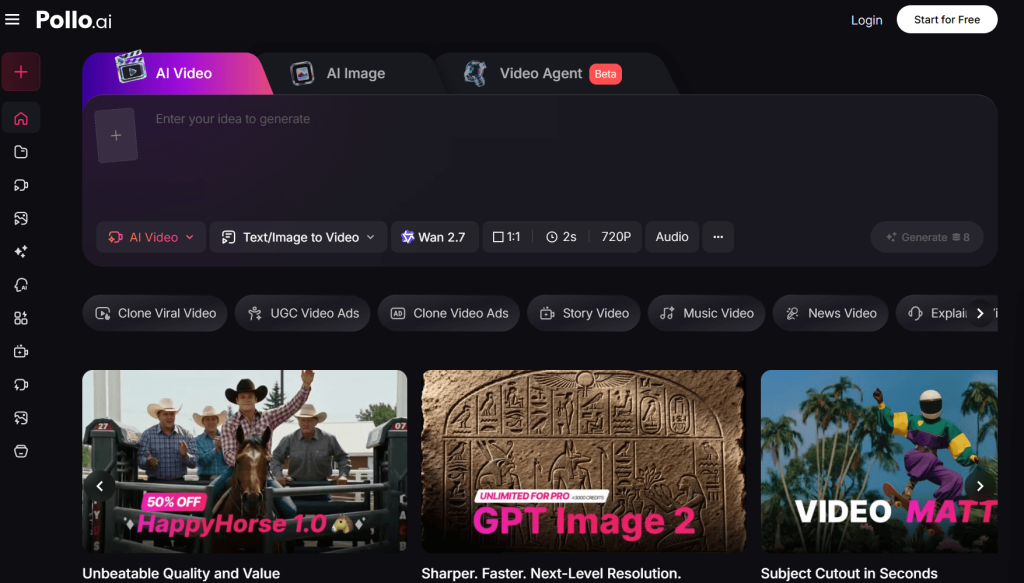
The first thing you notice about Pollo AI is how easy it is to start.
No complicated setup. No long onboarding. You sign up, and within a minute, you’re already looking at a clean interface with clear options—text to video, image to video, model selection.
There’s no friction.
And that matters more than people admit. Many AI tools feel powerful but exhausting. Pollo AI doesn’t. It feels… approachable.
Maybe even a little too approachable, in the sense that you might underestimate what’s happening underneath.
The Real Idea Behind Pollo AI
Pollo AI is not just a “text to video generator.” It’s more like a control panel for multiple AI engines.
Instead of building one perfect model, it gives you access to many:
- cinematic generators
- animation-focused tools
- fast, social-content engines
You switch between them depending on what you need.
This is both its biggest strength—and its biggest source of confusion.
Because if you don’t understand which model to use, the results will feel random. But once you do, the platform starts to make sense.
Where Pollo AI Actually Works Well
After spending time with it, a pattern becomes clear. Pollo AI is strongest when you treat it like a production workspace, not a magic button.
1. Fast Content Creation
If your goal is to turn ideas into short videos quickly—this is where Pollo AI feels comfortable.
You can:
- paste a prompt
- test different models
- generate multiple variations
- pick the one that works
For social media, ads, or quick experiments, this speed is valuable. You’re not chasing perfection—you’re exploring options.
2. Model Flexibility (This Is the Real Feature)
Most tools lock you into one “style.” Pollo AI doesn’t.
You might start with one model for realism, switch to another for motion, then try a third for stylistic output.
At first, it feels messy.
Later, it starts to feel like control.
Because different ideas need different engines. And Pollo AI quietly accepts that instead of pretending one model can do everything.
3. Playful but Useful Effects
Some features feel almost unnecessary at first—AI dance animations, novelty effects, quick enhancements.
But then you realize where they fit.
Not everything needs to be cinematic. Sometimes you just need something:
- quick
- eye-catching
- shareable
And in those cases, Pollo AI leans into creativity without overcomplicating things.
The Part Most Reviews Skip: It’s Not Always Predictable
Here’s the honest part.
Because Pollo AI uses multiple models, the experience can feel inconsistent.
You might:
- get a great result on one try
- switch models and get something completely different
- adjust the same prompt and see unexpected changes
This isn’t a bug. It’s the nature of the system.
But if you expect stable, repeatable output every time, it can feel frustrating.
Pollo AI rewards experimentation. It doesn’t reward rigid expectations.
Character Consistency: Better Than Expected, Still Limited
One feature that stands out is the ability to reuse references for characters.
It works—up to a point.
You can maintain a general look across scenes, which is useful for:
- branding
- simple storytelling
- recurring visual identity
But if you push it too far—different angles, lighting, complex actions—the consistency starts to drift.
Not broken. Just… less reliable.
Enough for short content. Not enough for full narrative control.
Editing and Enhancement: Helpful, Not Professional-Grade
The built-in editing tools are practical.
You can:
- enhance resolution
- tweak visuals
- apply effects
They help you finish a video without leaving the platform.
But they don’t replace real editing software.
Think of them as:
“good enough to publish quickly,” not “precise enough for full control.”
And honestly, that’s fine. That’s what this platform is aiming for.
Who Pollo AI Is Actually For
Pollo AI makes the most sense for people who want speed and flexibility over perfection.
It works well for:
- content creators making short videos regularly
- marketers testing different ideas quickly
- small teams without a full production pipeline
- beginners who don’t want to learn complex tools
It’s less suited for:
- filmmakers needing tight control over every frame
- long-form storytelling
- projects where consistency must be exact
Final Thought: A Useful Tool, If You Accept What It Is
Pollo AI doesn’t try to be the best at one thing.
It tries to be useful across many things.
And that means you have to meet it halfway.
If you come in expecting one-click perfection, it will disappoint you.
If you treat it like a flexible workspace—something you experiment with, adjust, and guide—it becomes genuinely helpful.
It’s not a finished solution.
It’s a working environment.
And for many people right now, that’s exactly what AI video creation needs to be.
What AI Text to Video Does Better Than Most People Expect
There’s a quiet shift happening with AI text-to-video tools. Not the loud kind you see in demos—the kind where everything looks perfect for eight seconds. Something more practical.
If you spend enough time with these tools, you start noticing where they actually help. Not in replacing full production. Not in making films overnight. But in speeding up the messy, early parts of creation—the parts most people underestimate.
That’s where the real value is right now.
Where these tools genuinely save time
The biggest advantage isn’t quality. It’s momentum.
There are moments in any project where you’re stuck—not because you don’t have ideas, but because turning those ideas into something visible takes too long. AI text-to-video shortens that gap.
Idea visualization
Instead of explaining a concept in words, you can show a rough version of it in minutes. It may not be perfect, but it’s enough to make the idea concrete. That alone changes how quickly decisions happen.
Ad testing
You can try multiple directions without committing to a full shoot. Different hooks, tones, or visuals—generated quickly, compared side by side. Not final ads, but strong enough to guide what’s worth producing for real.
Content prototyping
Before investing time in editing or design, you can build a rough version and see if it works. This saves effort later. You fail faster, which is useful.
Rough storyboarding
Traditional storyboards take time and skill. Here, you can generate visual sequences directly from prompts. They’re imperfect, but they communicate flow, pacing, and mood far more clearly than static sketches.
Short clip production
For quick social content, intros, or simple visuals, the output is often already usable. Not every clip needs to be cinematic. Sometimes “good enough and fast” is exactly what you need.
In all these cases, the tool isn’t replacing the work. It’s compressing the early stages of it.
Why beginners can get value faster than before
A few years ago, making video content required at least some familiarity with editing software. Timelines, layers, transitions—it was a barrier, even for simple ideas.
That barrier is smaller now.
With AI text-to-video, you can start with something as simple as a sentence. The system handles:
- scene creation
- basic motion
- sometimes even voice and pacing
You don’t need to understand editing to get a first result.
That doesn’t mean expertise is irrelevant. Skilled users still get better outcomes. But the difference is this: beginners are no longer starting from zero.
They’re starting from something visible.
And that changes the learning curve. Instead of building everything manually, they can iterate—adjust prompts, compare outputs, and improve step by step.
It feels less like learning software, and more like shaping ideas.
Where the output can already feel commercially useful
There’s a point where something stops being “just a demo” and starts being usable. AI text-to-video has reached that point—but only in certain contexts.
Short-form content
For platforms where speed matters more than perfection, AI-generated clips can work as-is or with minimal editing. Especially when the goal is to grab attention quickly.
Prototypes
When pitching an idea, showing a rough video often communicates more than slides or documents. Even imperfect visuals can make a concept feel real.
Mood-driven creatives
If the goal is atmosphere rather than precision—lighting, tone, visual style—these tools can deliver surprisingly effective results. Not exact, but expressive.
Internal concept work
Teams use these tools to explore directions before committing resources. It’s faster to test ideas this way than to plan everything in detail upfront.
In these situations, the value isn’t perfection. It’s clarity and speed.
How to Write Better AI Text-to-Video Prompts
There’s a moment most people go through with AI text-to-video.
At first, you assume the tool isn’t good enough. Then, slowly, you realize something else—the way you describe the scene changes everything.
A vague idea produces a vague video. A structured idea gives the model something to work with.
The goal isn’t to write longer prompts. It’s to write clearer ones.
A simple prompt structure that works
You don’t need a complicated formula, but having a basic structure helps more than people expect.
A practical way to think about it is:
subject + action + setting + camera + lighting + style + mood + format goal
Not every prompt needs all of these, but the more specific you are about the visual parts, the better the result tends to be.
For example:
A young woman walking through a quiet street at night, light rain falling, camera slowly tracking from behind, soft streetlights reflecting on wet pavement, cinematic style, calm and slightly melancholic mood, short film shot
This works because it tells the system:
- who is in the scene
- what they’re doing
- where it happens
- how the camera behaves
- how the scene should feel
Without that structure, the output becomes guesswork.
Weak prompt vs strong prompt examples
The difference is usually not dramatic—it’s just more precise.
Example 1
Weak prompt:
A man running in a city
Improved prompt:
A middle-aged man in a dark coat running through a crowded city street at dusk, camera following from the side, slight motion blur, neon lights reflecting on wet pavement, tense mood
Why it works better:
The improved version defines environment, lighting, and camera perspective. The model doesn’t have to guess.
Example 2
Weak prompt:
A beautiful landscape
Improved prompt:
A wide aerial shot of a mountain valley at sunrise, low fog rolling between hills, warm golden light, slow cinematic drone movement, peaceful atmosphere
Why it works better:
“Beautiful” is subjective. “Sunrise,” “fog,” and “aerial shot” are concrete.
Example 3
Weak prompt:
A product ad
Improved prompt:
Close-up of a glass perfume bottle on a marble surface, soft studio lighting, slow rotating camera, reflections on glass, minimal background, luxury commercial style
Why it works better:
It defines composition and intent, not just the idea.
Example 4
Weak prompt:
A fantasy scene
Improved prompt:
A glowing forest at night with floating particles of light, a lone figure walking through, camera slowly pushing forward, blue and purple tones, mystical and quiet mood
Why it works better:
It anchors the “fantasy” in specific visuals and motion.
Prompt details that often improve results
Small details can change the output more than you expect.
Camera movement
Words like tracking shot, dolly-in, aerial, static frame help guide motion. Without them, movement is random.
Composition
Close-up, wide shot, over-the-shoulder—these shape how the subject appears in the frame.
Lighting
Soft light, harsh shadows, golden hour, neon glow—lighting often defines the entire mood of a scene.
Pacing
Slow motion, real-time, quick cuts—these cues influence how the clip feels, even if the duration is short.
Texture and detail
Wet pavement, dusty air, reflective glass—these add realism and depth.
Realism vs stylization
If you don’t specify, the model guesses. Saying photorealistic vs animated or stylized makes a clear difference.
Emotional tone
Words like tense, calm, nostalgic, eerie don’t always work perfectly, but they help shape the direction.
Individually, these seem small. Together, they reduce randomness.
When to stop rewriting the prompt and start editing
This is where many people get stuck.
They keep rewriting the prompt, hoping for a perfect output. Sometimes it works. Often, it doesn’t.
There’s a point where changes in wording stop making meaningful improvements.
You’ll notice it when:
- results become slightly different, but not better
- the same issues keep appearing
- small adjustments don’t fix core problems
At that stage, more prompting has diminishing returns.
That’s when it makes sense to switch approaches:
- pick the best version you’ve generated
- trim or combine clips
- add voice, music, or text separately
- use editing tools to fix pacing or structure
AI text-to-video is rarely a one-step process. It’s closer to rough generation followed by refinement.
Knowing when to stop prompting—and start shaping the result—is part of getting consistent outcomes.
Which AI Text-to-Video Workflow Fits Different Types of Users
One of the easiest ways to get disappointed with AI text-to-video is to copy someone else’s workflow.
What works for a marketer won’t feel right for a filmmaker. What helps a teacher may feel too rigid for a content creator. The tools are flexible, but the way you use them needs to match what you’re trying to get done.
Instead of asking, “Which tool is best?” it helps to ask, “What kind of workflow fits how I work?”
Best workflow for marketers
For marketers, speed matters more than perfection.
You’re not trying to create one flawless video. You’re trying to test multiple ideas, see what resonates, and move quickly.
A practical workflow often looks like this:
- start with a simple script or hook
- generate several short variations
- test different tones, visuals, or openings
- pick what performs best and refine that version
AI text-to-video is especially useful here for:
- ad creatives (trying different hooks and visuals)
- social media testing (fast iterations instead of long production cycles)
- product promos (quick, clear messaging with basic visuals)
- campaign content (producing volume without heavy editing)
The key is not to aim for perfection on the first try. It’s to generate options quickly and improve based on what works.
Best workflow for creators
Creators tend to use these tools differently. It’s less about testing and more about expression.
You might start with an idea—a scene, a mood, a concept—and use AI to explore it visually.
A common approach:
- write a loose idea or scene
- generate a few variations
- keep the parts that feel right
- combine or edit them into something cohesive
This works well for:
- short videos (especially for platforms that reward frequent posting)
- intros and visual hooks
- storytelling support (filling gaps between scenes or ideas)
- visual experiments (trying styles you wouldn’t normally produce)
Here, the tool becomes more of a creative partner than a production system. You’re not just executing—you’re exploring.
Best workflow for startups and SaaS teams
For startups, clarity matters more than aesthetics.
You need to explain what your product does, show how it works, and communicate ideas quickly—often before everything is fully built.
A typical workflow might be:
- outline the key message or feature
- generate simple visuals to support it
- assemble a rough explainer or demo-style video
- refine only what needs to be clear
AI text-to-video fits well for:
- demo visuals (showing concepts before final UI is ready)
- explainers (turning scripts into simple videos quickly)
- onboarding content (basic guides without full production)
- launch assets (fast visuals for announcements and updates)
The goal isn’t polish. It’s communication.
If the viewer understands the idea, the video has done its job.
Best workflow for educators and trainers
In education, usefulness comes from clarity and repetition.
You don’t need cinematic visuals. You need content that explains ideas in a way that’s easy to follow.
A simple workflow often works best:
- break a topic into small sections
- write short, focused scripts
- generate supporting visuals for each concept
- combine them into short lessons
This approach is effective for:
- micro-lessons (short, focused learning units)
- concept visuals (showing ideas that are hard to explain with text alone)
- presentation-based content (structured, step-by-step explanations)
AI helps reduce the effort required to create visual aids. Instead of building everything manually, you can generate rough visuals and focus on the teaching itself.
Best workflow for designers and filmmakers
For designers and filmmakers, AI text-to-video is rarely the final step. It’s part of the thinking process.
You’re not trying to produce the finished piece. You’re trying to explore direction.
A typical workflow might look like:
- describe a visual idea or scene
- generate variations with different styles or moods
- study what works—lighting, framing, tone
- use those insights in real production
This is especially useful for:
- moodboards (moving beyond static references)
- previsualization (testing shots before shooting)
- story ideas (exploring scenes quickly)
- aesthetic testing (trying different visual directions)
The value here is not in the output itself. It’s in how quickly you can explore possibilities.
Final Verdict
AI text-to-video in 2026 is not one tool. It’s a collection of approaches that solve different problems in different ways.
Choosing the right one matters more than choosing the “best” one.
Right now, technology is most useful where speed matters more than perfection.
It helps you think faster. Test faster. Build rough versions faster.
But it still struggles when the work demands control, consistency, and polish.
If you treat it as a shortcut to finished films, it will disappoint you.
If you treat it as a fast, flexible creative assistant, it becomes surprisingly valuable.
That difference—expectation versus reality—is what separates frustration from usefulness.