
Quick Verdict
Synthesia is an AI video platform for business, and it efficiently produces structured, professional, and multilingual AI video content. However, that efficiency comes at a cost.
Moreover, its results are satisfying for enterprises, corporate training, and internal communication workflows. Yet, the tool offers no creative freedom, experimental features, or cinematic storytelling.
The Trade-off between Creativity and Structure: Where Synthesia Stands
AI video tools have gradually become a part of our everyday work and lifestyle. From training materials to marketing content, more businesses and creators are relying/leveraging on AI to speed up the process and cut production costs.
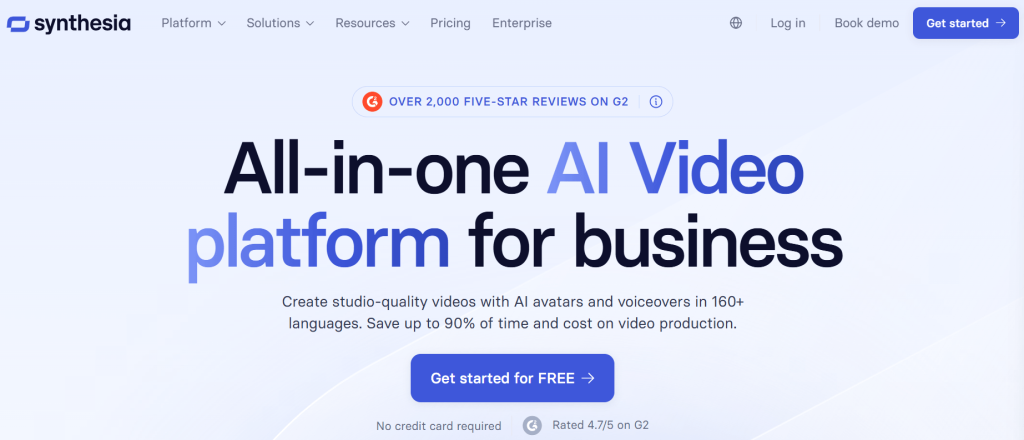
Some tools focus on creativity, making it possible for users to generate scenes based on their ideas and imagination, experiment with styles, tell stories, and even see different variations of those ideas. Others take a more structured approach, which means less freedom, less flexibility, and more consistency; however, users get professional results in return.
Synthesia clearly falls into the second category because it helps users (e.g., businesses or teams) to turn scripts into professional videos that are easy to produce and scale. But not without a few trade-offs.
Overview of Synthesia
Synthesia is an AI video generator that serves the main purpose of helping businesses create videos quickly, consistently, and at scale.
Moreover, it is designed such that the system transforms written scripts into video presentations that are delivered by an AI avatar. So, users are not creating the video from their imagination as they would with tools like Runway or ZenCreator.pro.
On the upside, this makes Synthesia very useful for creating training and onboarding content, internal communication videos, corporate presentations, as well as educational and instructional materials because clarity, speed, and consistency matter more in these areas.
However, this efficient, predictable, and easy-to-scale workflow also hints that Synthesia does not leave much room for free-form storytelling, dynamic visuals, or creative experimentation. Basically, it is a tool for delivering information in video form.
Onboarding and Workflow
Using Synthesia feels very much like using a web app. Therefore, every first-time user is required to create an account before gaining access to the main dashboard, which also serves as the workspace for creating the professional video.
To start with, users/creators get to choose how they start (i.e., either by selecting a template or starting from scratch/a blank project). More so, these templates are somewhat helpful for beginners, since they come with pre-structured scenes and layouts for common use cases like training or presentations.
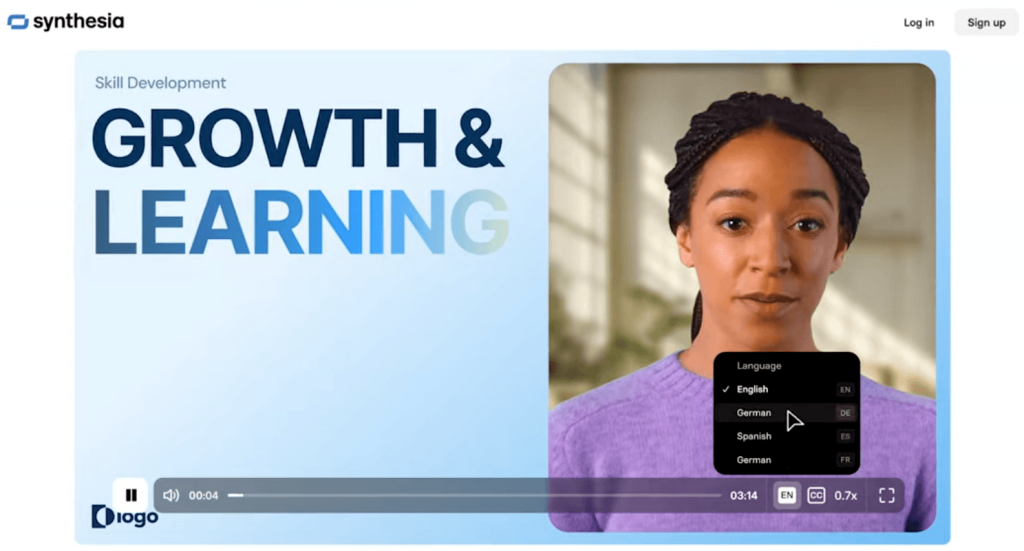
The user then selects an avatar (i.e., the digital presenter that will deliver the script). This is a key part of the experience because the avatar automatically becomes the “face” of the video. It is worth noting that there is a wide range of avatars to choose from; however, each one is designed to present in a calm and professional manner.
Then there is the script, which is essentially the backbone of the video. The script can be typed directly into the editor or pasted as written content (your choice) for the system to convert into a spoken dialogue. Moreover, each block of text usually corresponds to a scene, so users are basically building their presentation video slide by slide with the AI.
It doesn’t end with the script. The scenes can still be edited, and users can even add text overlays, insert images or video clips, and adjust the layouts with minimal effort. In any case, users can proceed to generate the video once the scenes are organized into a slide-like format and everything else is ready.
The rendering and generation process usually takes a minute or more. From there, you (users) can preview the video, download it, or go back to tweak/make some more changes.
What Stood Out During Use: Our Observations
One of the highlights of using Synthesia across different scenarios was how fast the entire process was and how consistent the outputs were by default. More so, the overall workflow was very predictable and efficient, and the experience was smooth and beginner-friendly.
Another noteworthy thing was that there is a limit to how much users can push the system creatively because they are working within a structured framework. However, this can be considered a strength for the right use case.
Core Features and Capabilities of Synthesia
From a simplistic viewpoint, Synthesia is just a tool that transforms scripts into clean and professional video outputs. But from a practical and closer viewpoint, it does a lot more.
AI Avatar Video Generation
Video generation is the centerpiece of Synthesia, so users get access to a large library of AI avatars that act as digital presenters (i.e., over 240 avatars that speak well over 160 languages). These avatars deliver the script in a manner that makes them ideal for training videos, explainers, and internal communication.
And from a first-hand viewpoint, these avatars are not exactly expressive or dramatic. So, think “professional presenter,” not “actor.”
Custom Avatars (Digital Twins)
Synthesia also makes it possible for businesses that want something more personalized to create custom avatars based on real people. Although this feature is mostly used by companies (i.e., enterprise users) who want a consistent face across their brand, as well as their training or communication videos.
Text-to-Video Workflow
Everything in Synthesia revolves around a simple workflow of writing or pasting a script into the editor for the system to transform into a video. Therefore, there is no need for cameras, microphones, or editing software.
More so, content production becomes incredibly faster, especially for users who are working with large volumes of information.
Multilingual Voiceovers and Localization
One of the most practical features is its ability to generate videos in multiple languages (i.e., more than 160 languages and accents), allowing creators to localize the same content without re-recording anything.
In real use, this feels less like a bonus feature and more like a core advantage, especially for global teams.
Templates and Scene Builder
The generator uses a slide-based system for building videos. So each scene is more or less a slide, where you can edit text, visuals, and your avatar. Templates, however, speed up the process by providing ready-made layouts for common use cases.
Media Integration (Images, Videos, Screen Recordings)
The workflow is not limited to avatars and text because users can add images, background videos, and even screen recordings to their scenes. This helps to break the monotony of having an avatar on screen the entire time during tutorials or product walkthroughs.
AI Script Assistance
There is also basic AI assistance that helps users to generate or refine scripts. It may not be the most advanced writing tool out there, but it’s good enough to get ideas moving or clean up rough drafts.
Video Translation and Dubbing
Beyond generating videos in different languages, the generator can also translate existing content, and, by implication, users can take one video and adapt it for different audiences without having to rebuild from scratch.
API and Integrations
This feature is exclusively for teams, developers, and organizations. This makes it possible for them to automate video creation or embed Synthesia’s capabilities into their workflow.
Collaboration and Team Workflows
Multiple people (i.e., teams) can work on the same project on the web-based tool to review content and maintain consistency across all their videos. This supports team collaboration, but it also confirms that Synthesia clearly leans toward business use rather than individual creators.
Enterprise Governance and Security
Synthesia offers features related to security, permissions, and content control to larger companies that need to manage content at scale.
Interactive Video Capabilities
When the tool is needed for training or adopted in learning environments, Synthesia offers minimal interactive elements that make it possible for the viewers to engage with the content/video rather than just watch it passively.
Taken together, these features and capabilities work hand-in-hand to produce professional videos quickly and consistently.
Video Quality and Output Performance
Synthesia delivers exactly what it promises, but not much beyond that. The quality is solid, consistent, and perfect for professional use.
The generated videos always come out clean and stable. And there is no flickering, no strange artifacts, and no unpredictable results like you might get from more experimental AI video tools — almost like they were pre-produced.
Not only that, but the avatars themselves also hold-up well visually. They appear sharp, well-lit, and presented appropriately for a corporate setting. The accurate lip-sync makes the delivery clear and easy to follow. In most cases, users (you) might not even need multiple attempts to get something usable because the first output is often good enough.
However, avatars do not move much (i.e., beyond subtle head motions and minimal gestures). So, there is no real sense of dynamism in the presentations. And although the tool’s repetitive delivery style helps to maintain consistency, the presentations inevitably lose their uniqueness when the tone and pacing remain the same even across different videos or topics.
In addition, users should not expect dramatic camera angles or complex scene transitions, because the tool does not aim for cinematic depth. Nevertheless, the outputs are rendered in standard high-definition formats that are suitable for web use, and they can also be exported for professional use.
Overall, the output quality is reliable, clean, and professional but also very predictable, making it perfect for delivering information clearly.
AI Avatars: Realism vs. Limitations
Synthesia revolves around its AI avatar system, and realistically, the experience of every user depends on how well these avatars work for them.
At first glance, the avatars are impressive. They appear polished, well-lit, and professionally presented. And in a standard business context (i.e., training videos or internal presentations), they do exactly what users would expect. Their eyes look forward, as though facing a camera; they are audible, and they maintain a consistent presence throughout the presentation. Therefore, Synthesia’s reliability is not in question.
The facial movements of the avatars are generally in sync with the voice, and the lip-sync is accurate enough that it does not distract from the message. More so, they move their heads subtly and add some micro-expressions just to add a semblance of interactive gestures.
Moreover, avatars do not show much emotional variation, so they have a very limited range of expressions. This means that there will be no significant difference in their delivery even if the script is serious, exciting, or conversational. This is not a flaw, no! The system is not just designed for emotional storytelling.
In addition, most avatars are framed from the waist up or shoulders up, their gestures are minimal, and they are not physically expressive. Therefore, anything other than corporate content will likely not portray enough personality, engagement, or human presence.
That said, these limitations don’t matter as much when the generator is used in the right context (e.g., for training, onboarding, and informational videos). What really matters is clarity, consistency, and a neutral and professional tone.
Breaking Down the “Creative Freedom” Limitation
Synthesia draws a line when it comes to creative freedom. And this is evident in how controlled, safe, and predictable its workflow is. However, to really understand this limitation, it helps to break it down into three parts.
1. Content Restrictions (What You’re Allowed to Create)
Synthesia enforces strict usage policies around what users can and cannot generate —content moderation. This implies that users are restricted from creating anything that falls into categories like NSFW content, explicit material, or anything considered sensitive or controversial. Not only that, but certain tones or themes can equally trigger a restriction.
From a business standpoint, where a safe and compliant environment is a prerequisite, this makes sense. However, it can be a deal-breaker for a creator who needs a more flexible workspace.
2. Structural Limitations (How You Build Videos)
Beyond content rules, the way users can create videos is limited to a slide-based workflow, whereby each scene functions like a presentation slide, where you (the creator) place your avatar, add text, insert media, and then move to the next scene.
While this makes the process easy to follow, creators are confined to working within predefined layouts and boundaries.
3. Creative Constraints (What You Can Express)
Even if creators work within the rules and structure of Synthesia, there is still a limit to how expressive the videos can be (i.e., no strong emotions, no humour, no dynamic scenes, and no human presence). Everything still stays within the narrow range of “professional presentation.”
The Real Takeaway
It is imperative for users to know that Synthesia’s limitation is not by accident but by design. And that it prioritizes safety over openness, structure over flexibility, and consistency over creativity. Which is why it works so well for enterprise use.
So, if you are looking for an unrestricted or highly creative AI video tool, this isn’t it.
What Synthesia Replaces — And What It Doesn’t
After using Synthesia across different scenarios, it becomes very clear that it excels in certain areas and that there are some aspects it was never designed to handle.
What Synthesia Replaces Effectively
Synthesia can completely remove the need for traditional video production workflows. Unlike the traditional way of creating training videos, which involves writing scripts, recording presenters, setting up cameras, editing footage, and hiring voice actors for different languages, Synthesia reduces that entire process to pasting a script in an editor and selecting an avatar. And the result thereafter is cheaper and far easier to scale. More so, it is efficient and can save hours (or even days) of work.
What Synthesia Does Not Replace
This generator does not replace video editing software or filmmaking tools because it does not support timeline editing, advanced transitions, layered effects, or the detailed control over every frame like professional video software does. More so, its structured format makes it incapable of producing visually rich scenes.
And most importantly, it does not replace creative AI video generators. Because when it comes to tools designed for open-ended generation (i.e., where you can experiment with styles, visuals, and storytelling), Synthesia does not compete in that space at all.
Therefore, Synthesia is best understood as a replacement for repetitive, presenter-style video production.
Who Synthesia Is Best Suited To
Synthesia is clearly not meant for everyone. It is optimized for specific users and use cases.
Its capabilities are well-suited for enterprises and organizations that deal with large volumes of communication (e.g., training materials, onboarding videos, or internal updates), because it provides an easy way to standardize and distribute information efficiently.
It offers more value to HR teams and L&D (Learning & Development) professionals who would have had to organize video shoots or repeat training sessions. Because they now get to transform their scripts into consistent video modules in minutes.
Corporate marketers also benefit, particularly when they are working on structured content such as product explainers or feature walkthroughs. As long as the goal is clarity and consistency rather than creativity, Synthesia fits right in.
Creators and teams who publish video content at scale are beneficiaries, and the same applies to educators and trainers. They can now convert their written materials into videos that can be used for online courses, as instructional content, or as educational modules.
It is worth noting that there is a common thread in all these real use cases: Communication, efficiency, and scale.
Who Might Not Benefit As Much
On the flip side, Synthesia and its restrictive environment might be too limiting for a creative workflow. More so, filmmakers or storytellers may not be satisfied with the simplicity and lack of human presence/emotional depth in their presentations.
Similarly, it may be incompatible with social media content creators whose content revolves around personality, energy, or graphic variety. And for NSFW or experimental creators; Synthesia is simply not an option due to its strict content policies and controlled environment.
The bottom line is that Synthesia is a great tool, but only if you use it for what it was built for.
Real Customer Feedback and Market Reputation
Looking beyond features and firsthand use, the general perception of Synthesia across the market tells a very consistent story. On checking user reviews from platforms like G2, Capterra, and other SaaS communities, we can clearly point out what people love about it and where they feel it falls short.
What Users Value Most
Its ease of use was one of its talking points, even for people with no video editing background. They also commended how simple and guided the workflow was from script to video, and without friction.
Another major advantage users talk about is its speed in comparison with traditional video production, because what would normally take hours or days can now be done in minutes.
Many businesses also applauded its multilingual support because it allows them to create content in multiple languages without hiring additional talent.
Common Frustrations and Complaints
Its lack of creative flexibility was one thing. However, another recurring issue was pricing, especially for individuals or small teams who claimed that access to key features (e.g., custom avatars) is locked behind higher-tier plans.
Some users also cited the limited expressiveness of the avatars. They were displeased by how the avatars struggled with emotion, energy, or dynamic delivery when they (users) attempted to create more engaging or human-like content.
Overall Market Sentiment
The overall sentiment is actually quite balanced because most users see Synthesia as a business productivity tool. And when judged on those terms, it performs very well.
The satisfaction is highest among users who need structured and repeatable video content, who value speed and consistency, and those who operate in corporate or educational environments.
On the other hand, the dissatisfaction comes from users who expect creative control, who want dynamic or engaging storytelling, and those who compare it to generative or entertainment-focused tools.
Pricing and Value Breakdown
Synthesia positions itself clearly as a professional platform, not a casual or hobbyist tool. This also explains why pricing is one of the most frequently discussed aspects among users.
Synthesia uses a credit-based system and subscription, and every new user gets free entry-level access. And unlike most tools, this is a genuinely usable free plan (i.e., not just some limited-time trial) because users are given 1200 credits, which is renewed every month. With the free (basic) plan, you (users) get to create a limited number of videos, experience the video generation workflow, and access a set of avatars and features.
The paid plans (subscriptions), however, are in three levels. The Starter plan for light individual use/solo users, the Creator plan, which is also the most popular tier, and the Enterprise plan for teams, which grants full access to all of Synthesia’s features and capabilities.
These plans serve different needs and purposes (e.g., the Creator plan reveals the platform’s real production capabilities, while the Enterprise plan is ideal for a scalable business infrastructure); therefore, the benefits, the overall user experience, and the use case differ with each one.
Is It Good Value for Money?
This depends entirely on how you plan to use it.
For an individual user, the pricing may seem high, considering the platform’s creative limitations. However, its value becomes much clearer for a business or creator, producing regular video content.
For such use cases, Synthesia can replace filming equipment, presenters or voice actors, and editing workflows. And that translates into time saved, lower production costs, and a faster turnaround.
Synthesia vs. Other AI Video Tools
Arguably, Synthesia is not trying to compete on the same terms as most AI video platforms, many of which are racing toward greater creative freedom and visual experimentation. Its priorities are to provide structure, clarity, and scalability for business communications.
When placed alongside more creative tools like Runway ML and Pika, the difference in priorities becomes glaring because these tools allow for experimentation with prompts, styles, motion, and effects for dynamic results. In contrast, Synthesia offers very little of that flexibility, and its workflow is intentionally constrained. Yet, it produces clear and structured communication videos.
A closer comparison can be made with HeyGen because it is also an avatar-based video generator, and they both offer text-to-video workflows, AI presenters, and strong multilingual capabilities. However, they are still distinguishable because HeyGen is a flexible tool that offers a level of customization and variation in how its videos are presented; while Synthesia is not.
Therefore, Synthesia is best understood as a specialized tool for business communication, corporate presentations, and brand alignment.
Final Verdict
Synthesia stands an efficient AI video tool for delivering messages, and it is suitable for use cases where speed, consistency, and scalability are prioritized over creativity (i.e., for enterprise training, onboarding, and structured communication). In those scenarios, it can genuinely replace traditional video production workflows and save teams a huge amount of time.
In short, choosing Synthesia is choosing to trade flexibility and creative freedom for efficiency and reliability.