
AI has recently gained the ability to turn images into short videos and is therefore taking the industry by storm. In the past, creating videos would require hours of tedious animation and editing. Now, with generative AI, people can simply upload an image to an AI tool and get a video back instantly.
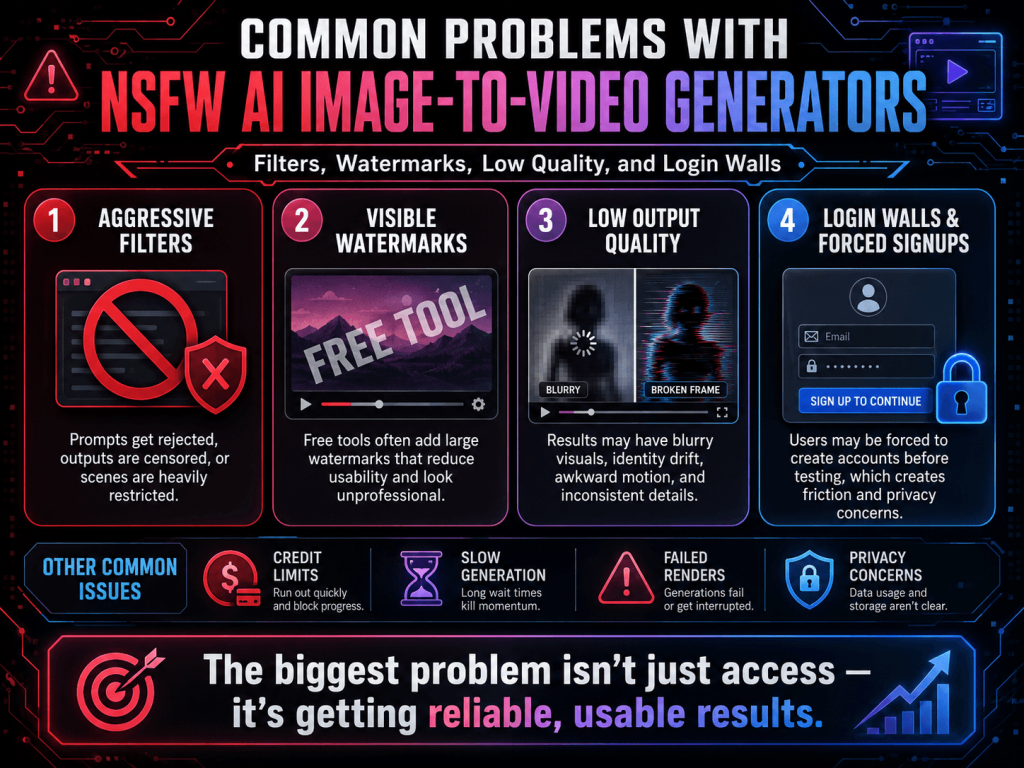
The user base for AI image-to-video generating tools spans from creators and marketers to casual users and hobbyists, and there’s no doubt these tools have excited them all. On the other hand, there’s no doubt that many users have expressed extreme frustration with various aspects of the tools. The most documented frustrations have emerged from the NSFW AI image-to-video generator. One platform has such strict moderation that most image prompts get flagged. Another refuses to allow users to export the videos without their logo printed at the bottom. Several others generate videos with poor-quality motion, and some others won’t even let users try the tool without creating an account.
Individually, all of these issues are small and probably insignificant. However, cumulatively, they are the very definition of an impediment to the creative process. Most users are not looking for completely unrestricted tools but care the most about the workflow being less restrictive, more streamlined, and able to create AI videos with the least amount of disruptions. That’s why identifying problems should be prioritized.
Why So Many Users Become Frustrated With AI Video Tools
Initially, many AI image-to-video generators look enticing. Their landing pages boast cinematic motion, realistic animation, speedy renders, and the ability to fully express your creativity. However, the tools can provide a jarring experience.
For example, one of the tools may:
- Block simple commands
- Slow down exports behind paywalls
- Reduce output quality
- Rewrite prompts automatically
- Force mandatory sign-ups
- Restrict downloads
- Overload users with limitations after only a few generations
Although some of these restrictions may not seem too impactful, when combined, they create a workflow that is not reliable and can not be trusted. Because of these restrictions, many users leave to find other options after only a few AI video generations.
Overly Aggressive Content Filters
A lot of people have things to say about how moderation gets done and about filtering systems.
A lot of image-to-video tools use automation to filter out prompts and label them as unsafe or inappropriate. It’s understandable, to an extent. Moderation is done for legal, ethical, and platform safety reasons.
An extreme application of too much moderation and oversaturation results in filtering, effectively disabling countless prompts that aren’t even threatening.
This has happened with things like:
- fantasy artwork
- stylized characters
- artistic portrait prompts
- cinematic scenes
- emotional storytelling visuals
- dramatic lighting descriptions
Some people experience inexplicably triggered filters. They say things that worked yesterday, get denied today with an unknown reason. Filters may deny things directly or change things for them. This is the most frustrating part for people who use these systems.
Changing what they get helps, because most people can deal with simple requests. What becomes unmanageable for them is systems that feel arbitrary.
Hidden Prompt Rewriting
One lesser-known issue is hidden prompt rewriting. Some AI video generators process prompts before generating them. The modifications can include:
- Soothing descriptions
- Reduction of motion
- Removal or reduction of instructions
- Removal of visual components
- Change of visual style
In these cases, the prompt is accepted; however, the output may be quite different from what the user wanted. The main confusion is that users feel the AI model is weak, while in reality, they have very little control over the generation, as the prompts are adjusted heavily before generation. Users want systems that are more faithful to the prompts and less over-correcting.
Watermarks That Make Videos Unusable
Watermarks are really annoying. Some sites claim to give users “unlimited generations” or free use, but every video you download has a giant watermark on it. For casual testing, this doesn’t really matter, but for creative projects, it does. Watermarks make video use difficult for:
- Social media
- Portfolio
- Presentation
- Client projects
- Commercials
- Branding
This is a very annoying paradox where users get “free” exports, but the final creations are limited. In some cases, users must buy a subscription or use a paid credit system to get the watermark removed. Since many users have started using AI video tools, the ability to download projects, as opposed to being able to generate as much as possible, is much more valuable.
Low Motion Quality and Distortion
Another source of frustration is output quality. Some AI image-to-video tools are still developing, with the majority of them failing to handle motion at all. This creates a range of annoying issues, such as:
- Flickering frames
- Distorted faces
- Unstable camera movement
- Inconsistent lighting
- Warped backgrounds
- Unnatural motion transitions
These issues become even more annoying during long video generations or in fast-moving scenes. Sometimes an image looks so crisp that the animation is almost a shame if it distorts to an unusable degree.
Users eventually come to realize that video quality largely depends on:
- The way motion is handled
- The initial image’s quality
- How rendering is done
- The way the model is done
- The way one translates prompts
This is why most artists will choose tools that will take the time to focus on obtaining good, high-quality, and stable visual effects rather than pursuing a big and flashy visual effect.
A more simplistic way of working with a clear, precise flow of motion is far superior to an overly complex way of working with lots of animated visual effects.
Login Walls and Forced Account Creation
Another of the many frustrations of most users is having to create an account to use the product. The requirements for some platforms include verifying your email, creating a password, verifying your phone number, providing payment information, and signing up for a subscription before the user is allowed to make even a single video.
It is not surprising that most users are frustrated. For many content creators, the ability to use an AI generator is exploratory. Users want to be able to perform a single test and iterate to review the results of multiple tests in a short time.
As users have to go through many stages of the application to get a sense of the functionality of the application and how to use it, a longer workflow application is required.
The trend toward a greater number of searches for AI image-to-video applications that do not require a sign-up is clear. Users prefer applications that have:
- Reduce unnecessary barriers
- Allow quick testing
- Simplify access
- Avoid excessive onboarding
- Respect privacy expectations
It is no longer the case that convenience is secondary to creativity.
Slow Rendering and Usage Queues
Users get frustrated by additional wait times. Some AI video platforms are really great in demos, but become slow during actual use, and users report the following problems:
- Long queue times
- Slow rendering
- Overloaded servers
- Failed attempts
- Limited processing windows
AI video creation is often experimental by nature. People need to do this multiple times in order to get the desired effect. When videos take several minutes to generate and sometimes fail, the fun of creating becomes a chore. Usually, people would opt for a tool that is simpler and more effective with more reliable, faster results over more advanced options any day.
Confusing Credit Systems
There are lots of new platforms without real subscriptions. Instead, they offer credit-based systems. This may sound like an upgrade, but they can easily become confusing. Users may discover that:
- HD exports cost extra credits
- Longer videos consume more credits
- Advanced motion settings require premium access
- Retries use additional credits
- Rendering speed depends on the payment tier
Because of all this, creators end up being unsure of the final cost of the videos they want to make. This ultimately ends up being a huge barrier to the ability to experiment creatively. Instead of coming up with new ideas, they’re trying to be more sparing with credits.
Privacy Concerns Around Uploaded Images
More and more people are getting worried about their privacy since AI image-to-video systems need photos uploaded by users to generate animations. The problem is that many users do not fully understand:
- How long are uploads stored
- Whether prompts are saved
- If uploaded media trains future AI models
- Whether deleted content is actually removed
- How user activity is tracked
These questions are important if you upload images of your personal files, your clients’ files, or your private ideas. All of this causes concern, even for the platforms that have privacy policies that make sense. Users now prefer tools that:
- Explain privacy policies clearly
- Reduce unnecessary data collection
- Simplify workflows
- Avoid excessive account requirements
What people want most is clarity and straight talk, not confidence-inspiring marketing.
Why Users Eventually Start Looking for Alternatives
Most creators do not actively seek out “uncensored” or “unlimited” tools. They generally get there out of frustration over time. This comes after:
- Blocked prompts
- Unstable outputs
- Excessive moderation
- Watermark restrictions
- Confusing credits
- Forced logins
- Poor-quality exports
Users naturally begin searching for alternatives with fewer barriers. In reality, most people are simply looking for:
- Smoother workflows
- Better prompt consistency
- Stable motion quality
- Easier access
- Fewer interruptions
- More transparent systems
The demand is less about removing all safeguards and more about improving the overall user experience.
What Users Should Actually Look For in an AI Video Tool
As AI image-to-video tools continue evolving, creators prefer to use selective tools. As users gain experience, less emphasis is placed on marketing, and more attention is paid to:
- The consistency and clarity of user prompts
- The consistency of motion
- The ability to export work
- Simplicity of workflow
- The reliability with which tools render
- The opacity with which user privacy is respected
- Moderation with increasing reason and good judgment.
Tools that are easy to use are the most predictable. A tool does not need to eliminate all limitations to be good. More often, creators seek systems that reduce the amount of pointless resistance.
Where Simpler Tools Like Pixwith Fit In
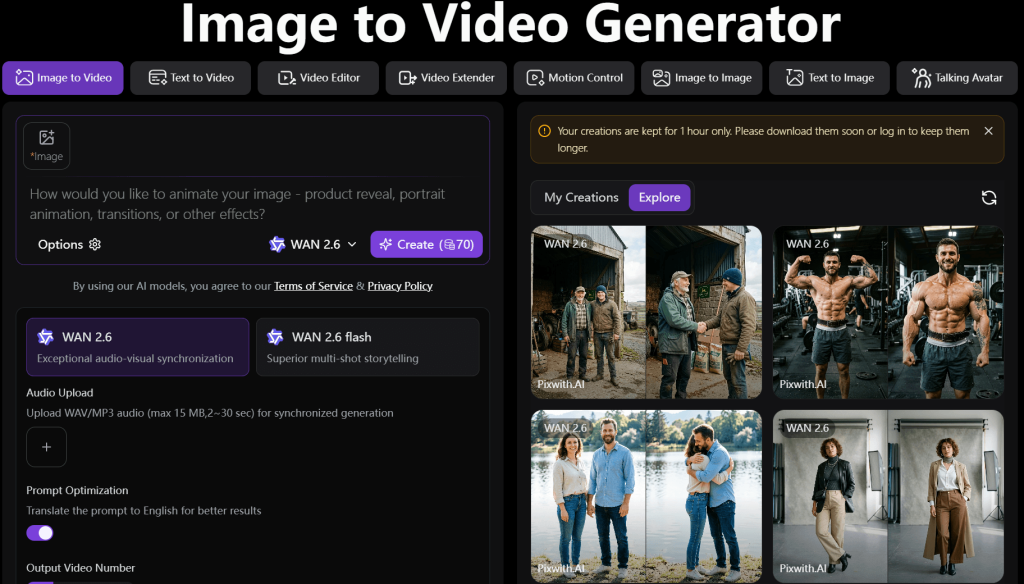
Some AI video platforms have lots of tools, but also lots of layered restrictions and confusing controls. This is where tools like Pixwith appeal to many creators.
Instead of being overwhelmingly complicated, this platform uses more user-friendly tools, focusing more on direct image-to-video tools. A lot of users prefer the product more than the marketing promises of aggressive tactics around “unlimited” generation or “uncensored” systems.
A less interrupted, faster, more streamlined workflow tends to be a significantly better creative experience.
Conclusion
The rise of AI Image-to-video tools has by far favored the video creativity field, but it has also accompanied some frustrations. Right from aggressive filters, hidden prompt rewriting, watermarks, login walls, low-quality motion, and confusing credit systems, users now realize that the biggest problem is not actually the video generation, but everything else that comes with it.
Creators are not looking for total anarchy; they need systems that are reliable and practical. In fact, they are becoming more interested in the quality of the workflow than the output quality.
What other alternative do you need? Avoid common blockers with a simpler AI image-to-video alternative like Pixwith, and welcome smoother workflows, fewer interruptions, and a more direct creative experience.