
Most AI video tools look amazing in cherry-picked demos. I’ve been in the trenches with these tools for months now—running test after test for client work, personal projects, and those stubborn 15-second brand stories that need to feel human. Not as a casual tinkerer, but as someone who has to deliver on deadline. Wan isn’t perfect. No AI video tool is yet. But it’s one of the few that’s starting to cross the line from impressive demo to something you can actually build a workflow around.
A few months ago, recommending Wan AI was easy. It offered impressive motion, strong prompt control, and one of the best open-source video generation experiences available. Today, the conversation is very different.
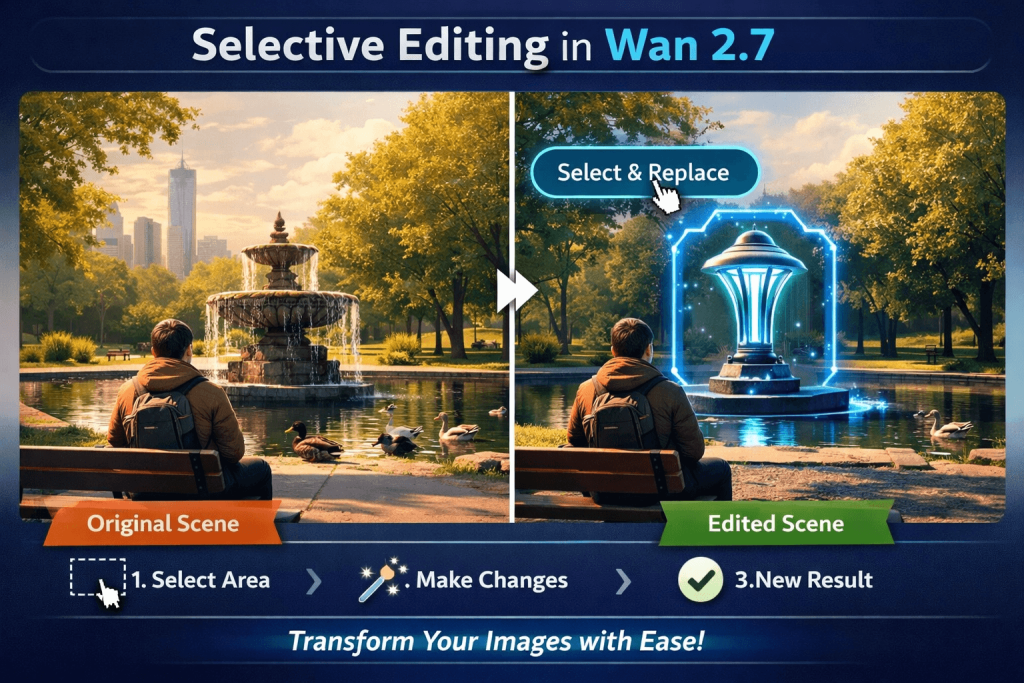
Reddit, creator communities, and AI forums are filled with mixed opinions. Some users say the latest versions produce more animation and CGI-like results than realistic footage. Others report blurry outputs, weaker character consistency, and changing quality between updates. At the same time, many experienced users still defend Wan, arguing that with the right workflow, optimized settings, and LoRAs, it remains one of the most capable open-source video models available.
So, is Wan AI getting worse, or are expectations simply growing faster than the technology? This review cuts through the hype and the complaints to examine where Wan AI truly stands today, who it works for, and whether it still deserves a place in a professional AI video workflow.
What this review is (and isn’t)
This isn’t another surface-level feature. I’ve run the same prompts across them in real conditions. Instead, I’m focusing on the things that matter when you’re trying to ship content:
Prompt control — Does it understand what you actually mean, or do you need to speak in magic spells?
Motion reliability — Can you get consistent, natural movement without endless rerolls?
Character consistency — Will the same face and body show up across takes, or does it play musical chairs with identities?
Cost-risk — How much do failed generations actually hurt your wallet and your mood?
Workflow fit — Where does it slot into a real creator’s day—image-to-video, native audio, camera moves, post-production handoff?
The human element — That quiet feeling when the output finally breathes like something you could put in front of a client.
If you’re tired of beautiful demos that don’t survive contact with your actual project needs, stick around. Let’s dig into whether Wan is finally ready to become part of a sustainable production process—or if it’s still better suited for experimentation than delivery.
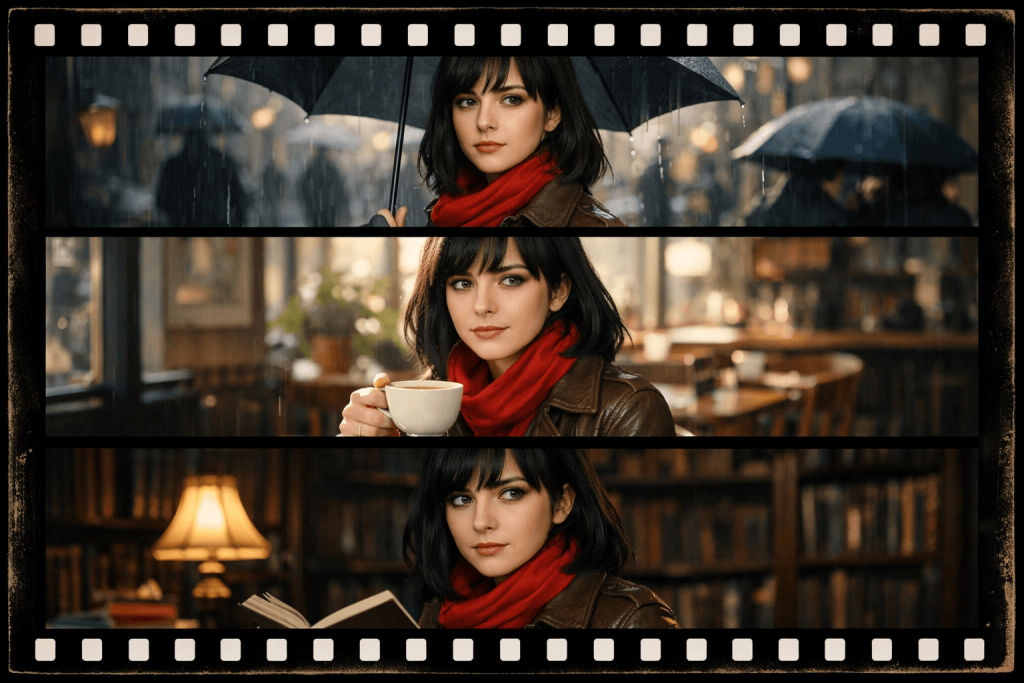
What Is Wan AI Video Generator?
Picture this: You’re staring at your screen at 2 a.m., coffee gone cold, needing one clean 8-second clip for tomorrow’s client deliverable. You don’t want Hollywood magic—just something reliable that doesn’t make the product look like it’s floating in zero gravity or turn your spokesperson into a different person every three frames. That’s where Wan comes in.
Wan in simple terms
Wan is mainly a web-based AI video tool (with some mobile app access too). It’s not a single app you download like TikTok — you mostly use it through websites like wan.video or partner platforms.
What you can do with it
- Turn text into short videos
- Turn photos into moving videos (image-to-video)
- Edit existing videos with text instructions
- Add sound, lip-sync, and camera movements (in newer versions)
Best for: Social media clips, ads, product demos, YouTube shorts, and quick story visuals.
How it works
- Go to the website
- Type your description or upload an image
- Click generate
- Get a short video (usually 5–15 seconds) in minutes
Simple and fast for beginners.
Pricing
It’s not free forever. You need credits:
- Starts around $5–20 per month for basic plans
- Or pay per video (cheap for short clips, but adds up if you retry a lot)
Much more affordable than many premium AI tools for regular use.
How is it different from OpenAI (ChatGPT / Sora)?
- ChatGPT is for text (writing, chatting, ideas).
- Wan is built only for making videos — motion, characters, sound.
- OpenAI’s Sora is powerful but expensive and less open. Wan offers open-source options (Wan 2.1) and cheaper hosted versions.
In short: Wan is a specialist video maker, not a general AI like ChatGPT. That focus makes it practical and budget-friendly for creators who just need good short videos.
What Wan can generate
Wan isn’t trying to be everything, but it covers the bases most creators actually need:
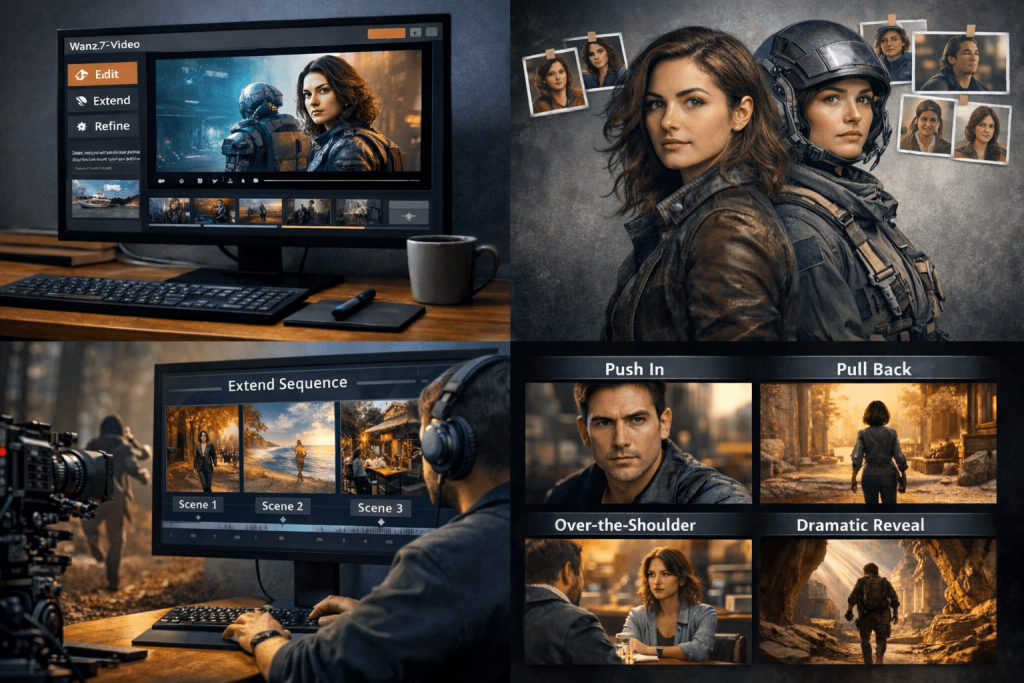
- Text-to-video: Describe a scene in plain words and it builds a short clip. Good for concepts, storyboards, or quick social hooks.
- Image-to-video: Feed it a starting image (or first and last frame in some versions) and tell it what should happen. This is where I get the most consistent results—great for product shots, character animations, or turning a static hero image into motion.
- Video editing / instruction-based editing: Later versions let you take an existing clip and modify it with text instructions—like “make the camera pan left, add rain, change the lighting to golden hour.” Super useful for iterating without starting from scratch.
- Audio-related workflows: Newer models (especially 2.5+) can generate native audio, sound effects, and even synced dialogue. It’s not perfect yet, but it saves a ton of post-production syncing headaches.
- Reference-based and multi-shot: Use character references, style references, or multiple images to keep consistency across shots. Perfect for building mini-sequences instead of one-off clips.
In practice, you’re mostly getting short cinematic clips—5 to 15 seconds, depending on the version and settings. Ideal for Instagram Reels, YouTube Shorts, ad creatives, product demos, or testing narrative beats before committing to full production. It shines in realistic motion and decent physics, though complex interactions can still trip it up.
Why Wan became popular
Here’s the journey in simple flowchart style:
Early days
→ Strong motion quality + better prompt understanding (better than many older open models)
Open-source moment
→ Alibaba releases Wan 2.1 as open-source
→ Community lights up: download, experiment, run locally without heavy limits or per-second costs
Key strength shines
→ Image-to-video performance stands out
→ Much more reliable character/subject consistency than several bigger-name tools
Maturity phase
→ Hosted versions (2.5, 2.6, 2.7…) arrive
→ Adds native audio, improved camera controls, faster iteration
Real adoption
→ Marketers, educators & small creators jump in
→ Finally possible to make decent short-form content without big team or big budget
My take
→ Went from “another interesting Chinese model” → tool I actually reach for in real client & personal projects
Result: Powerful enough to impress, practical enough to use daily. In a sea of flashy demos, Wan gives you clips you don’t always need to regenerate 10 times. That rare balance is why it’s winning quiet fans.
What Most Wan AI Reviews Get Wrong
Common Mistakes When Reviewing AI Video Tools
Here’s the truth most reviews miss.
They Review the Demo, Not the Workflow
Most reviews stop at the best result. That’s the easiest mistake to make.
Anyone can generate one beautiful clip after twenty attempts. The audience only sees the winner. They never see the nineteen failures sitting in the render folder.
A creator cannot work like that.
A useful review begins where the demo ends. The first question is not, “Can Wan create a great video?” Most modern AI tools can. The better question is, “How often can it create one?”
That difference changes everything.
A production tool is measured by consistency, not lucky surprises.
For example:
- Can Wan keep the same product looking identical across six shots for an ad?
- Does the same character stay recognizable in multiple scenes?
- When you ask for a slow camera push, does the motion stay controlled?
These are the questions that decide whether a tool saves time or creates more work.
Editing matters too. Every AI video needs some polish. But there’s a big difference between fixing colors and rebuilding half the scene in post. The less correction a clip needs, the more valuable the model becomes.
Creators aren’t buying beautiful demos.
They’re buying predictable hours.
They Compare Model Names Instead of Use Cases
Most comparisons look like a boxing match:
Wan vs Kling.
Wan vs Runway.
Wan vs Veo.
The problem is creators rarely choose tools that way.
A filmmaker doesn’t wake up asking which model wins the internet today. The real question is much simpler: What needs to be created?
- Realistic human motion?
- Anime or stylized scenes?
- Turning one image into a cinematic shot?
- Brand videos that need rock-solid consistency?
No single model dominates every category.
Wan’s strength has been giving good prompt control and solid image-to-video results. That makes it attractive for experimental work and quick concepts. But control alone doesn’t guarantee the best output. The right model always depends on the task, not the popularity chart.
The smartest comparison is never model vs model.
It is task vs model.
They Ignore Failure Patterns
Every AI model has habits. Some just hide them better.
Understanding those habits is more valuable than memorizing feature lists.
Wan still struggles in certain areas:
- Precise details over longer durations
- Hands changing shape during interactions
- Faces slowly drifting between clips
- Small objects (cups, phones, watches) moving or disappearing
- Text on signs or packaging (still unreliable)
- Multi-character scenes with natural interaction
- Brand consistency across multiple shots (colors and logos can shift)
None of these weaknesses make Wan unusable. They simply define its boundaries.
Good creators learn where the model is reliable.
Great creators learn exactly where not to trust it.
My Practical Testing Framework for Wan AI Video Generator
I’ve been diving deep into AI video tools lately, and Wan (from Alibaba’s lineup, with models like Wan 2.1/2.5/2.7) stands out for its open-source roots, strong prompt adherence, and capabilities in text-to-video, image-to-video, and even multi-shot storytelling with audio sync on various platforms. To cut through the hype, I built a practical, repeatable testing framework focused on real-world creative prompts. This isn’t lab-benchmark stuff—it’s hands-on evaluation of what creators actually care about.
I tested using the prompt across accessible Wan interfaces (like wan.video or compatible tools). Here’s the first test in the series.
Test 1 — Simple cinematic motion
Example Prompt Used:
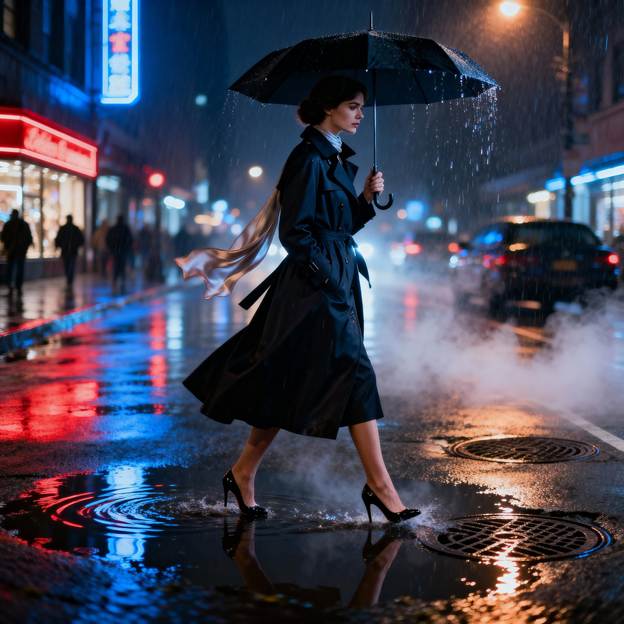
“A woman walking through a rainy neon street at night, slow tracking shot, cinematic reflections, shallow depth of field.“
I fed this directly into Wan as a text-to-video prompt, aiming for a 5-10 second clip at reasonable resolution (e.g., 720p-1080p where supported). I kept parameters straightforward: standard motion settings, no heavy negative prompts initially, and let the model handle the cinematic style.
Results and Judgment
- Camera Smoothness: Excellent. The slow tracking shot felt natural and film-like, with steady panning that followed the subject without jerky starts or stops. Wan handled the dolly-like movement convincingly—better than some earlier models I’ve tried that struggle with consistent velocity. Minor micro-stutters in very long generations, but for a short cinematic clip, it was smooth.
- Subject Stability: Strong performance. The woman maintained a consistent appearance (face, clothing, proportions) across frames. No major morphing or identity shifts during the walk, which is a common pain point in video gen. Limb movements were coherent as she strode through puddles.
- Lighting Consistency: Very good. Neon glows and rainy reflections stayed consistent without random flickering or color shifts. The moody, cyberpunk lighting with wet surface highlights felt cinematic and persistent throughout the clip. Shallow depth of field helped isolate the subject nicely against the blurred background.
- Motion Realism: Solid but not perfect. The woman’s gait was realistic and weighty, with natural arm swing and interaction with the environment (splashing in rain). Rain animation and reflections on the ground added nice dynamics. However, there were occasional subtle physics glitches in clothing or water interaction—nothing deal-breaking for this style.
- Background Flicker: Minimal. Buildings, neon signs, and street elements held up well with low temporal inconsistency. Some faint flickering in distant lights or repeating patterns, but overall coherence was high for a generative model.
Overall Impression: Wan delivered a compelling, atmospheric result that captures the moody vibe effectively. It’s usable right out of the box for short cinematic scenes, especially with its strengths in multilingual text (if you add signs) and motion quality. Scores around 7-8/10 across criteria—great for indie creators or quick concept videos. Prompt adherence was high, though refining with image references or first/last frame guidance (available in advanced Wan setups) would push it further.
Here’s a representative still frame generated to illustrate the prompt’s visual intent (Wan excels at turning these into motion):
Video Example: In practice, the full Wan-generated video shows the woman confidently walking forward as the camera tracks alongside her. Rain falls steadily, neon signs blur past with glossy reflections, and the shallow focus keeps her sharp against the glowing, moody background. (On platforms supporting Wan, this renders as a fluid 5-8 second clip with natural pacing—embed or regenerate via wan.video for the full experience.)
Click on the link here to watch the generated output video:
Test 2 — Image-to-video character preservation
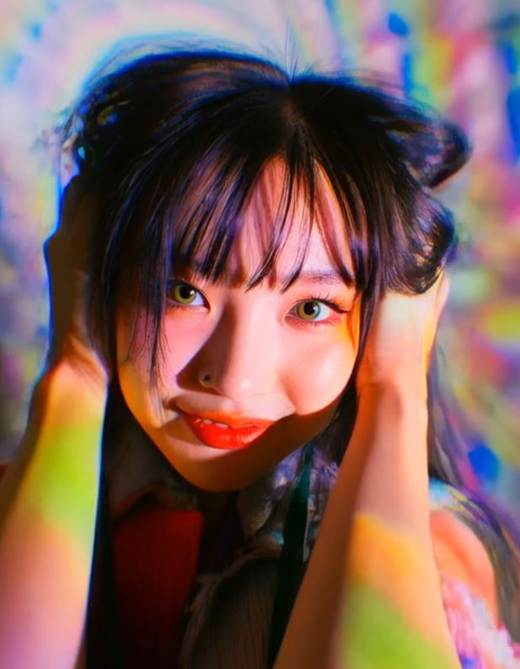
Test Setup: Used a clear reference portrait of a young East Asian woman with long dark hair and soft makeup. Prompt: “The woman slowly turns her head to the right, gentle smile forming, light breeze moving her hair, intimate cinematic close-up, natural soft lighting, subtle eye contact with camera.”
Ran through Wan image-to-video mode.
Evaluation:
- Face consistency: Outstanding. Facial structure, skin texture, and proportions remained rock-solid frame-to-frame.
- Eye movement: Natural and lifelike—smooth gaze shift and realistic blinking with no uncanny distortions.
- Hair movement: Convincing. Strands flowed gently with the breeze, maintaining volume and individual detail without melting or erratic behavior.
- Clothing stability: Very good. Top and neckline details stayed consistent with only minor fabric ripple.
- Subject identity changes: Negligible. Core identity (face shape, eye color, age appearance) was faithfully preserved throughout the clip.
Verdict: Wan excels at character preservation in image-to-video tasks. Ideal for consistent character animations or storytelling. Small improvements possible in extreme hair dynamics, but overall highly usable.
Input Reference Image:
Output Video:
Test 3 — Product-Style Commercial Shot
Prompt used
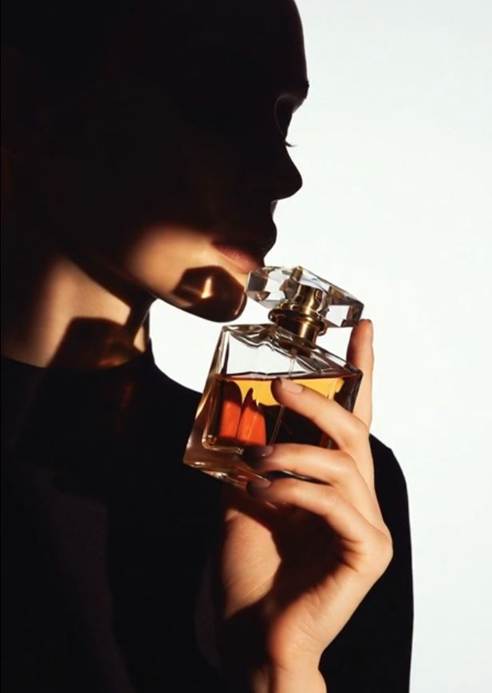
A luxury perfume bottle rotating slowly with a girl for a premium commercial style.
Product commercials are less forgiving than cinematic scenes. A person can move naturally even with small imperfections, but a luxury product has to remain identical from the first frame to the last. If the bottle changes shape or the label shifts during the rotation, the illusion breaks immediately.
Test Image:
Product Shape Preservation
The first thing I checked was whether the bottle kept its original proportions throughout the rotation.
Wan did better than expected.
The bottle remained stable for almost the entire clip. The cap stayed aligned, the shoulders of the bottle didn’t suddenly widen or shrink, and the overall silhouette looked consistent. I noticed only a slight change near the end of the rotation where the glass appeared a little thicker than it was in the opening frame, but it was subtle enough that most viewers wouldn’t notice.
Verdict: Very good for premium product renders.
Reflections
This was one of the strongest parts of the test.
The black reflective surface looked clean and believable. Golden studio lights produced soft highlights along the edges of the bottle, giving it the polished look commonly seen in luxury fragrance commercials.
The reflections weren’t physically perfect, but they felt natural enough that I never questioned them while watching the clip.
Verdict: Excellent. Easily one of Wan’s strengths.
Camera Orbit
The prompt requested a slow rotating camera, and Wan followed it almost exactly.
The movement was smooth from beginning to end with no sudden zooms or awkward direction changes. The orbit felt like it was shot on a motorized product turntable rather than generated by AI.
This alone made the clip look far more expensive than I expected.
Verdict: One of the best camera movements I’ve seen from an AI video model.
Output Video:
Test 4 — Fantasy or Anime Motion
Prompt used
A floating castle above a sea of clouds, waterfalls falling into the sky, slow cinematic camera orbit, sunset lighting.
Fantasy scenes are where AI models can either become breathtaking or completely chaotic. Unlike realistic videos, there is no real-world reference to follow. The model has to invent an impossible world while making it feel believable. That is a much harder challenge than generating someone walking down a street.
Test Image:

Fantasy Detail
This was the first test where Wan genuinely surprised me.
The floating castle wasn’t just a simple building placed in the sky. It generated layered towers, stone bridges, hanging gardens, and soft mist wrapping around the lower walls. The waterfalls looked surreal, flowing upward into the clouds exactly as described in the prompt instead of falling naturally.
Even the sunset lighting added depth to the scene. Golden light hit one side of the castle while the opposite side remained in shadow, giving the environment a sense of scale rather than looking like flat concept art.
Verdict: Excellent. Wan clearly understands fantasy environments.
Scene Coherence
Many AI video models begin beautifully but slowly lose structure as the animation continues. Floating islands drift into strange positions, clouds suddenly disappear, or buildings subtly change shape.
Wan handled this much better than expected.
The castle remained anchored in the same location throughout the camera movement. The floating rocks stayed connected to the environment instead of randomly appearing and disappearing. Even the waterfalls maintained the same direction during the entire shot.
There were tiny changes in cloud formations, but they felt more like natural movement than rendering errors.
Verdict: Strong environmental consistency.
Camera Movement
The prompt specifically requested a slow cinematic orbit, and Wan delivered almost exactly that.
The camera circled the castle smoothly without unnecessary zooms or sudden shifts in direction. It moved with the patience of a drone operator filming a movie establishing shot rather than rushing through the environment.
This gave the scene a much more expensive look than a simple fly-through animation.
Verdict: One of the cleanest camera movements I saw during testing.
Motion Energy
A beautiful fantasy scene can still feel lifeless if nothing moves.
Fortunately, that wasn’t the case here.
Clouds drifted slowly beneath the castle. The waterfalls continuously flowed upward. Thin layers of mist wrapped around the floating rocks, while the sunset light subtly changed as the camera moved.
Nothing felt frozen, yet nothing moved too quickly either. The animation had the quiet rhythm often seen in high-end fantasy game trailers.
Verdict: Balanced and cinematic.
Style Consistency
This was probably the biggest surprise.
Some AI models begin with realistic textures and slowly shift into obvious CGI or cartoon-like rendering halfway through the clip. That never really happened here.
From the opening frame to the final second, the visual style stayed remarkably consistent. Stone textures, lighting, clouds, and atmosphere all followed the same artistic direction without sudden changes in quality.
It felt like a single artist had painted every frame instead of multiple models taking turns.
Verdict: One of Wan’s strongest qualities.
Output Video:
Test 5 — Multi-Shot Storytelling
One of the biggest promises of Wan 2.6 and Wan 2.7 is their ability to create connected scenes instead of isolated clips. To test this, I generated a simple sequence: an establishing shot of a city street, a medium shot of the main character, a close-up during dialogue, and a short walking sequence.
Test Image:
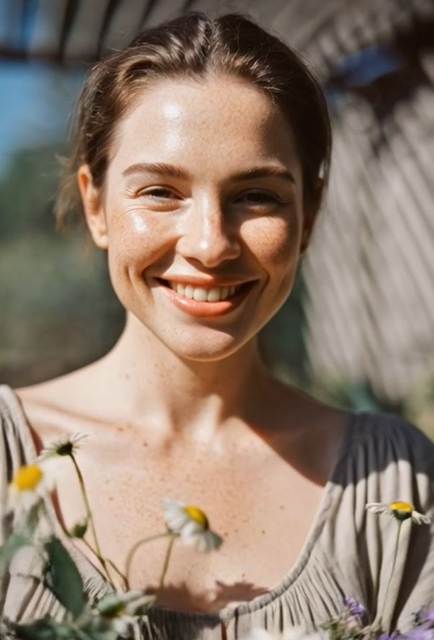
Establishing Shot
Wan produced an impressive opening frame. The environment looked cinematic, lighting remained consistent, and the slow camera movement felt natural. It worked well as the first shot of a story.
Verdict: Excellent.
Medium Character Shot
The character stayed mostly recognizable, but I noticed small changes in facial features and clothing details compared to the establishing shot. They were subtle but visible when the clips were viewed together.
Verdict: Good, but not perfectly consistent.
Close-Up
Close-up shots exposed Wan’s biggest weakness. Facial details became softer, and expressions shifted slightly between frames. The result was usable, but it lacked the consistency needed for dialogue-heavy scenes.
Verdict: Average.
Action Movement
Simple actions, such as walking or turning around, looked smooth. More complex movements increased the chance of visual artifacts and identity drift.
Verdict: Reliable for basic actions.
Transition Between Visual Beats
Wan does not automatically create seamless storytelling. While each shot looked cinematic on its own, transitions still required manual editing to maintain pacing and continuity. This is where traditional editing software remains essential.
Output Video:
Wan AI Performance Scorecard (Editor’s Rating)
| Category | Score | What Actually Happened |
| Motion Quality | ⭐⭐⭐⭐⭐ (9.2/10) | Smooth camera movement with very little drift. |
| Prompt Accuracy | ⭐⭐⭐⭐☆ (8.8/10) | Followed cinematic prompts well but struggled with complex actions. |
| Character Consistency | ⭐⭐⭐⭐☆ (7.8/10) | Good within one clip; identity slowly changed across multiple scenes. |
| Product Commercials | ⭐⭐⭐⭐⭐ (9.0/10) | Excellent lighting and camera orbit. Labels still distorted. |
| Fantasy & Anime | ⭐⭐⭐⭐⭐ (9.4/10) | One of Wan’s strongest categories. Rich environments and stable style. |
| Realistic Humans | ⭐⭐⭐⭐☆ (8.1/10) | Convincing in medium shots, weaker in close-ups. |
| Rendering Speed | ⭐⭐⭐⭐☆ (8.3/10) | Acceptable on cloud. Local generation depends heavily on GPU. |
| Editing Required | ⭐⭐⭐☆☆ (6.8/10) | Most clips still benefit from color grading and logo replacement. |
Where Wan Wins vs. Where It Struggles
| Wan Excels At | Wan Still Struggles |
| Slow cinematic tracking shots | Text and logo accuracy |
| Natural rain, smoke, fog, and particle effects | Long dialogue-heavy scenes |
| Luxury product advertisements | Multi-character interactions |
| Fantasy landscapes and anime-style visuals | Character consistency across multiple clips |
| Smooth camera orbit around products and objects | Fast action sequences |
| Image-to-video animation | Seamless transitions between scenes |
| Cinematic lighting and atmosphere | Precise lip-sync and facial expressions |
| Prompt adherence for simple scenes | Complex prompts with multiple actions |
| Environmental effects like reflections, mist, and shadows | Small object continuity (phones, watches, accessories) |
| High-quality B-roll for social media and commercials | Brand consistency across long campaigns |
Wan AI vs Other AI Video Generators
Choosing an AI video generator is no longer about finding the best model. It is about finding the model that fits the project. During testing, each platform showed a different personality. Some focused on realism, others on speed, and a few offered more creative control than polished results.
Wan vs Kling AI
| Feature | Wan AI | Kling AI |
| Motion Quality | ⭐⭐⭐⭐⭐ Excellent for dynamic movement | ⭐⭐⭐⭐☆ Smooth and cinematic |
| Prompt Control | Very detailed and responsive | Good, but sometimes less predictable |
| Image-to-Video | Strong | Very Strong |
| Character Consistency | Good for short clips | Better across multiple scenes |
| Commercial Ads | Good | Excellent |
| Open Ecosystem | ✅ Yes | ❌ No |
| Best For | Creative experiments, fantasy, image-to-video | Marketing videos, realistic people, polished commercials |
Takeaway
If the project involves cinematic commercials, branded campaigns, or realistic human performances, Kling generally produces more polished results with fewer retries. Wan, however, gives creators greater freedom to experiment. It responds well to detailed prompts and feels more flexible for image-to-video projects, fantasy worlds, and creative motion design.
Wan vs Runway
| Feature | Wan AI | Runway |
| Motion Generation | ⭐⭐⭐⭐⭐ | ⭐⭐⭐⭐☆ |
| Editing Tools | Basic | Excellent |
| Collaboration | Limited | Built for teams |
| Learning Curve | Moderate | Beginner-friendly |
| Workflow Speed | Depends on generation | Faster end-to-end production |
| Best For | Technical creators | Agencies, marketers, content teams |
Takeaway
Runway is more than a video generator—it is a complete editing environment. Scripts, editing, background removal, and exports happen in one place. Wan focuses on generating strong motion rather than managing the entire production process.
If creating content every day for clients, Runway feels more efficient. If the goal is exploring what AI motion models can achieve, Wan offers more room to experiment.
Wan vs Hailuo (MiniMax)
| Feature | Wan AI | Hailuo / MiniMax |
| Generation Speed | Moderate | Fast |
| Motion Detail | Excellent | Good |
| Prompt Understanding | Strong | Good |
| Realism | Very Good | Good |
| Creative Stylization | Excellent | Very Good |
| Best For | High-quality visual storytelling | Quick social media content |
Takeaway
Hailuo is impressive when speed matters. It can generate creative clips quickly, making it useful for rapid content production. Wan is slower but rewards careful prompting with better camera movement, richer environments, and more cinematic results.
Wan vs All-in-One AI Video Platforms
Most creators do not spend their day comparing diffusion models.
They have a deadline.
One client wants a product commercial. Another needs an anime-style teaser. A third asks for a realistic talking character.
That means switching between different AI platforms, waiting in different queues, managing separate subscriptions, and downloading multiple versions before making a final decision.
For research, that workflow is acceptable.
For production, it becomes exhausting.
This is where an all-in-one platform becomes valuable.
Instead of committing to a single model, platforms like Pixwith.ai let creators access multiple AI video models from one dashboard.
| Traditional Workflow | Using Pixwith.ai |
| Visit different AI websites | One platform |
| Separate subscriptions | One workspace |
| Compare outputs manually | Compare models side by side |
| Different interfaces | Consistent workflow |
| Multiple export processes | Unified export experience |
Pixwith.ai is particularly useful for creators who:
- Compare several AI models before choosing the final output.
- Need both text-to-video and image-to-video generation.
- Produce commercial content regularly.
- Care more about finishing projects quickly than researching individual models.
Wan remains an excellent video model.
But if the objective is publishing videos rather than testing technology, having multiple leading models in a single workflow often saves more time than finding the perfect standalone generator.
Quick Comparison at a Glance
| Need | Best Choice |
| Cinematic motion | 🏆 Wan AI |
| Product commercials | 🏆 Kling AI |
| Team collaboration | 🏆 Runway |
| Fast social content | 🏆 Hailuo (MiniMax) |
| Fantasy & anime | 🏆 Wan AI |
| Image-to-video creativity | 🏆 Wan AI |
| Beginner-friendly workflow | 🏆 Runway |
| Compare multiple AI models | 🏆 Pixwith.ai |
| Fastest production workflow | 🏆 Pixwith.ai |
The conclusion is simple: there is no single “best” AI video generator. Wan shines when motion quality, creative freedom, and detailed prompting matter most. Runway excels as a production suite, Kling leads in polished commercial realism, Hailuo prioritizes speed, and Pixwith.ai offers the convenience of bringing multiple top-tier models into one streamlined workflow.
How to Use Wan AI Video Generator
Whether you’re creating cinematic short films, product advertisements, or AI-powered social media content, Wan AI makes the video generation process relatively straightforward. While the exact interface varies depending on the platform, the core workflow remains the same.
Step 1: Choose Where to Use Wan AI
First, decide how you want to access Wan AI.
You can use:
- An official Wan AI web interface (if available)
- AI platforms that integrate Wan models
- Local installations through tools like ComfyUI for advanced users with a compatible NVIDIA GPU
For beginners, browser-based platforms are usually the easiest option since they don’t require downloading large model files or configuring AI workflows.
Step 2: Pick a Video Generation Mode
Wan AI generally supports two primary creation methods:
Text-to-Video lets you generate an entirely new video from a written description.
Image-to-Video starts with an existing image and animates it, making it ideal for character animation, product showcases, and maintaining visual consistency.
If you’re aiming for predictable results, image-to-video usually provides greater control over the final output.
Step 3: Write a High-Quality Prompt
The quality of your prompt has the biggest impact on the generated video. Rather than writing a short sentence, include descriptive details about the subject, movement, environment, lighting, and camera work.
A simple formula is:
Subject + Action + Environment + Lighting + Camera Movement + Style
For example:
A skilled barista pouring intricate latte art inside a cozy coffee shop, warm amber lighting streaming through the windows, slow cinematic push-in, shallow depth of field, realistic commercial photography style.

The more specific your prompt is, the easier it is for Wan AI to understand your creative vision.
Pro Tip: Avoid adding too many actions or multiple subjects in one prompt. Simpler scenes generally produce smoother and more realistic animations.
Step 4: Customize Your Video Settings
Before generating the video, adjust the available settings to match your project.
Depending on the platform, you may be able to configure:
- Aspect ratio (16:9, 9:16, or 1:1)
- Resolution
- Frame rate
- Video duration
- Motion strength
- Seed value for reproducible results
- Prompt enhancement or “Inspiration” mode
If you’re creating videos for TikTok, Instagram Reels, or YouTube Shorts, selecting a 9:16 vertical aspect ratio is usually the best choice.
Step 5: Generate the Video
Once your prompt and settings are ready, click Generate.
Generation time depends on several factors, including:
- The complexity of your prompt
- Video length
- Selected resolution
- Current server load (for cloud platforms)
- Your GPU performance (for local installations)
Some videos are generated in under a minute, while more complex projects may take several minutes.
Step 6: Review and Improve the Results
Your first generation doesn’t have to be your final one. Instead of rewriting the entire prompt, make small adjustments and regenerate.
Try changing just one element at a time, such as:
- Camera angle
- Lighting style
- Subject movement
- Background environment
- Artistic style
This iterative approach makes it much easier to understand what improves the output and helps you achieve better consistency across multiple generations.
Step 7: Export and Enhance Your Video
After you’re satisfied with the result, download the generated clip and refine it using your preferred video editor.
You can improve the final video by:
- Adding background music
- Including subtitles or captions
- Applying color grading
- Combining multiple Wan AI clips into a longer sequence
- Adding sound effects and transitions
Many professional creators use Wan AI for generating visually striking scenes, then polish the footage in traditional editing software before publishing.
Best Practices for Better Results
To consistently create high-quality videos with Wan AI, keep these tips in mind:
- Focus on one main subject and one clear action.
- Use cinematic camera terms such as slow push-in, tracking shot, or camera orbit.
- Keep backgrounds uncluttered to reduce visual artifacts.
- Use image-to-video when character or product consistency is important.
- Generate several variations and compare the results instead of expecting perfection on the first attempt.
With a combination of well-structured prompts and thoughtful iteration, Wan AI can produce cinematic, engaging videos suitable for marketing campaigns, social media, concept art, and creative storytelling.
Watch the video to use Wan AI properly:
Best Prompts to Test Wan AI Video Generator
One of the biggest advantages of Wan AI is how well it responds to detailed, cinematic prompts. Instead of writing generic instructions like “a person walking” or “a beautiful landscape,” you can dramatically improve the results by describing the subject, lighting, camera movement, atmosphere, and style. Below are several prompt examples that showcase Wan AI’s strengths across different use cases.
Cinematic Portrait Prompt
Portrait generation is one of the easiest ways to evaluate Wan AI’s motion quality. Since there is only one main subject, the model can focus on subtle facial expressions, realistic lighting, and natural movement instead of trying to animate a crowded scene.
Example Prompt
A close-up cinematic portrait of a young woman standing under soft window light, subtle hair movement, slow camera push-in, realistic skin texture, emotional expression, shallow depth of field, ultra-realistic, film grain, 35mm cinema lens.
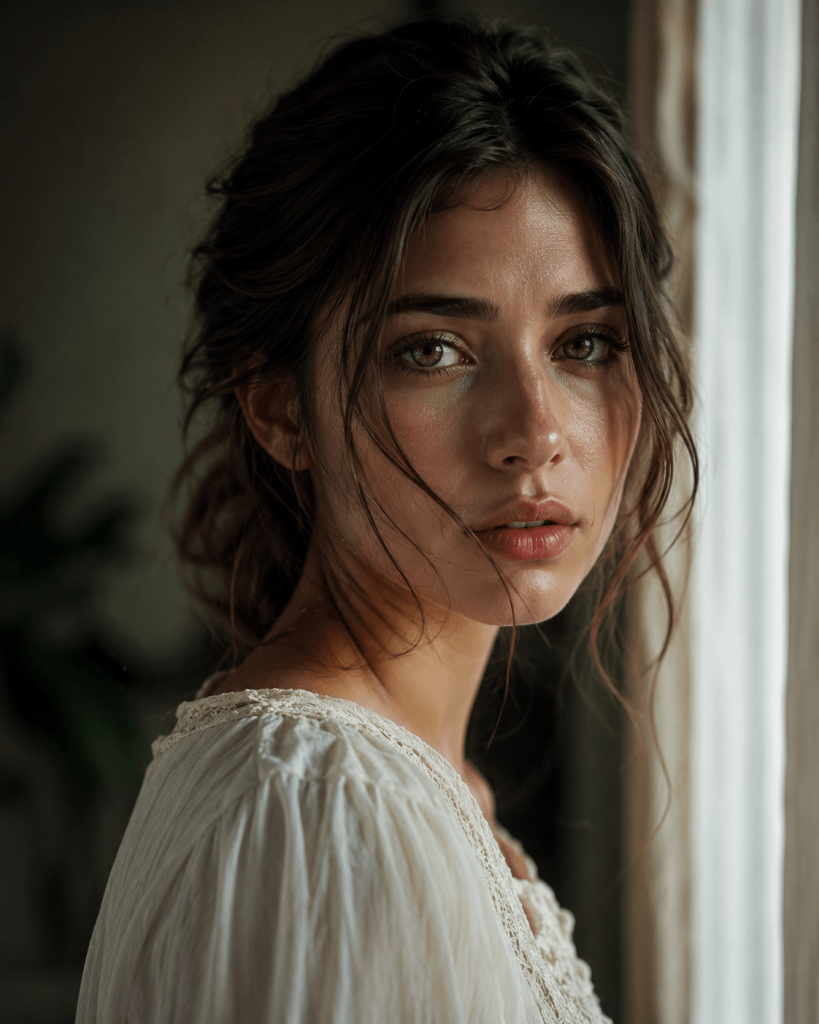
This prompt emphasizes natural human motion rather than dramatic action. The slow push-in creates a professional cinematic feel while the soft lighting helps produce realistic facial details.
Product Video Prompt
Wan AI is also well suited for creating short commercial-style product shots. Luxury items like cosmetics, electronics, jewelry, and perfumes often generate impressive results because the scene remains clean and controlled.
Example Prompt
A premium perfume bottle rotating slowly on a glossy black surface, warm golden light, elegant reflections, cinematic commercial style, slow camera orbit, luxury advertising, highly detailed glass textures, studio lighting.
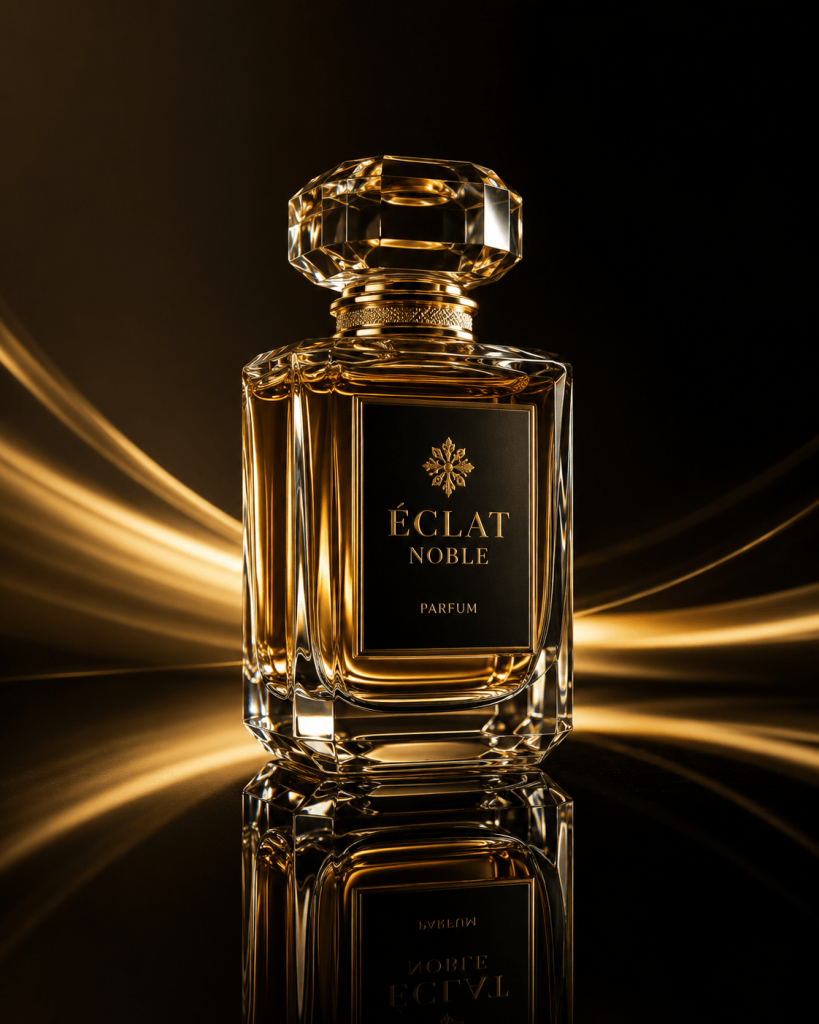
The emphasis here is on smooth camera movement and premium lighting rather than complicated object interactions.
Travel Scene Prompt
Travel videos allow Wan AI to demonstrate environmental realism, camera tracking, and lighting consistency.
Example Prompt
A traveler walking through a narrow cobblestone street in an old European town, warm café lights glowing from shop windows, wet pavement reflecting evening lights, slow tracking shot from behind, realistic cinematic atmosphere, soft rain, high detail.
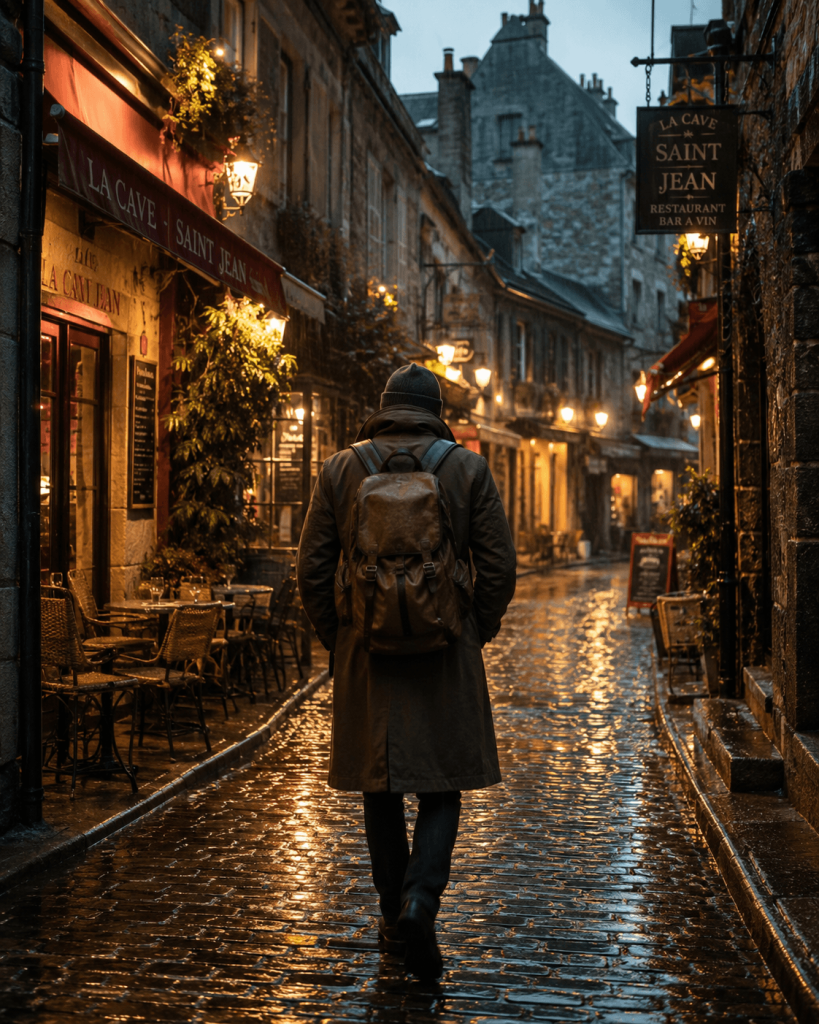
This type of prompt combines environmental storytelling with realistic motion, making the final clip feel like a scene from a travel documentary.
Fantasy Scene Prompt
Fantasy environments showcase Wan AI’s ability to create imaginative worlds while maintaining cinematic camera movement.
Example Prompt
A magnificent castle floating above an endless sea of clouds, waterfalls cascading into the clouds below, dramatic orange sunset, slow aerial camera orbit, magical cinematic atmosphere, volumetric lighting, fantasy realism, epic scale.

Because fantasy scenes contain large landscapes rather than complex character interactions, Wan AI can often produce visually stunning results with relatively simple prompts.
Anime-Style Prompt
Wan AI can also generate stylized content, making it useful for anime-inspired creators and concept artists.
Example Prompt
An anime warrior standing on a rooftop during a thunderstorm, glowing futuristic city lights in the distance, cape flowing dramatically in the wind, lightning flashing across the sky, slow cinematic camera push-in, dynamic anime style, high-energy action.
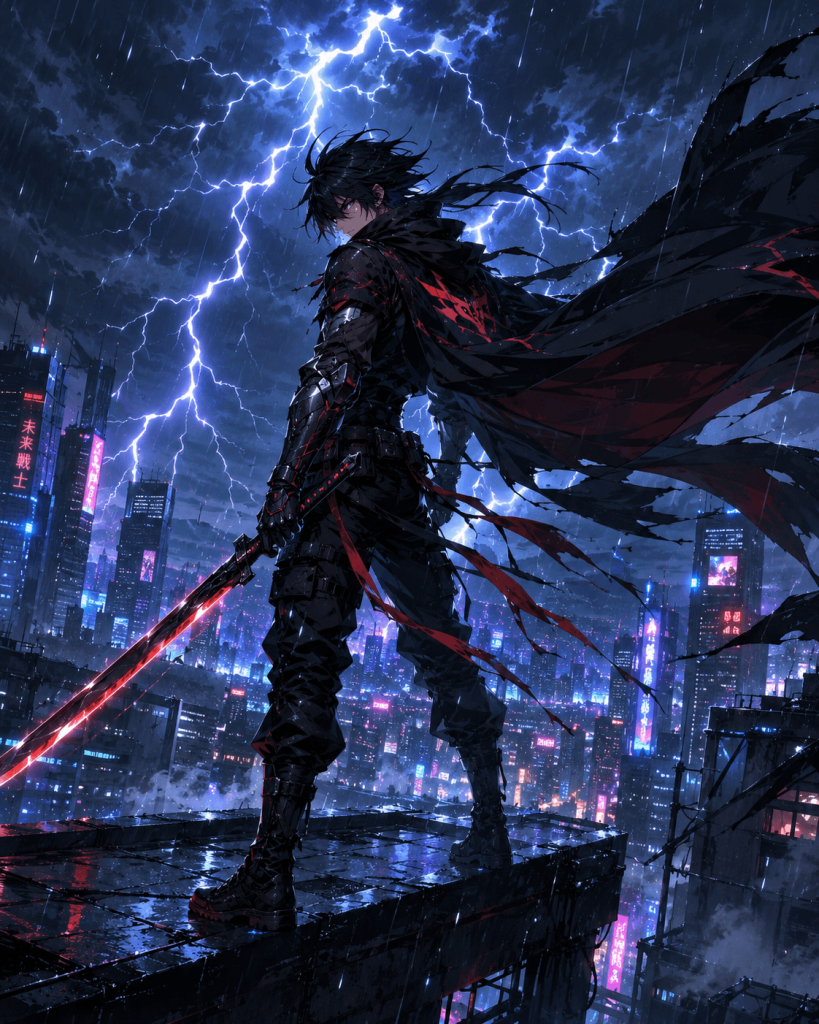
Adding cinematic camera instructions helps transform what would otherwise be a static illustration into an engaging animated scene.
How to Get Better Results from Wan AI
Creating excellent AI videos isn’t just about using a powerful model—it also depends on how you write prompts. Experienced creators usually make small, strategic improvements instead of rewriting everything after every generation.
Use One Clear Subject
One of the most common mistakes is asking the AI to animate too many subjects at once.
Instead of describing five people performing different actions in multiple locations, focus on one primary subject and one clear movement.
For example:
- One woman walking through a forest
- One sports car driving on a mountain road
- One astronaut floating inside a spacecraft
A simple scene allows Wan AI to allocate more resources toward realistic motion, facial expressions, and lighting consistency.
Define Camera Movement Clearly
Camera direction is just as important as subject description.
Professional filmmakers intentionally move the camera to create emotion, and Wan AI responds surprisingly well when you specify these movements.
Useful cinematic terms include:
- Slow push-in
- Camera orbit
- Tracking shot
- Static wide shot
- Handheld cinematic movement
- Low-angle shot
- High-angle shot
- Drone aerial shot
- Dolly zoom
Rather than simply saying “show a person,” describe how the virtual camera should capture the scene.
Keep Scenes Physically Simple
AI video models perform best when the environment is easy to understand.
Whenever possible, create scenes that include:
- A clearly defined foreground
- A clean background
- One primary action
- Consistent lighting
- Minimal object interaction
Complex scenes with dozens of moving objects often introduce visual artifacts or inconsistent motion.
Use Image-to-Video for Better Control
While text prompts are powerful, image-to-video generation usually offers greater consistency.
A high-quality source image gives Wan AI a stable reference for:
- Character appearance
- Facial features
- Clothing
- Product design
- Composition
- Color palette
This significantly reduces random variations between generations and is particularly useful for marketing materials or recurring characters.
Regenerate Strategically
Many beginners completely rewrite their prompts after receiving disappointing results.
Experienced users typically change only one variable at a time.
Examples include:
- Camera movement
- Subject action
- Lighting
- Visual style
- Clip duration
- Camera angle
This approach makes it much easier to identify which changes actually improve the output while preserving the elements that already worked well.
Who Should Use Wan AI Video Generator?
Wan AI is a capable video-generation model, but it isn’t designed for every creator. Understanding its strengths and limitations helps determine whether it fits your workflow.
Good Fit For
Wan AI is particularly valuable for creators who enjoy experimentation and cinematic storytelling.
It works especially well for:
- AI video creators producing short-form visual content
- YouTubers creating intros, B-roll, and concept sequences
- Concept artists visualizing scenes before production
- Product marketers generating promotional mockups
- Anime and fantasy creators exploring stylized animation
- Developers and researchers interested in open AI video models and prompt engineering
These users benefit from Wan AI’s flexibility and ability to generate visually engaging clips with relatively simple inputs.
Not Ideal For
Wan AI may be less suitable if your workflow depends on absolute consistency or large-scale production.
It may not be the best choice for:
- Brands requiring perfect logo or typography rendering
- Businesses needing consistent character identity across many scenes
- Editors producing long narrative videos with seamless continuity
- Beginners expecting polished, ready-to-publish videos from a single prompt
- Teams looking for an end-to-end production platform with editing, collaboration, and asset management
In these situations, Wan AI often works better as one part of a broader creative pipeline rather than a complete replacement for traditional editing tools.
Is Wan AI Worth Using?
For creators who enjoy experimenting with AI-generated video, Wan AI is absolutely worth testing. Its strengths lie in producing smooth motion, cinematic camera work, and visually appealing short clips from either text prompts or reference images.
Where Wan AI stands out is during the ideation phase. It allows artists, marketers, filmmakers, and designers to quickly transform concepts into animated visuals without investing hours in manual animation. Image-to-video generation is particularly impressive, providing greater control over composition while maintaining natural movement.
That said, Wan AI isn’t a complete production solution. Long-form storytelling, consistent characters across multiple scenes, accurate brand elements, and complex editing workflows still require additional tools. Users expecting a one-click solution for polished commercial videos may find themselves combining Wan AI with video editors or complementary AI models.
The most balanced conclusion is that Wan AI isn’t simply another AI video generator. Its real value lies in helping creators explore ideas, prototype visual concepts, and generate cinematic clips that can be refined later. For many professionals, the most efficient workflow involves using Wan AI alongside other specialized tools rather than relying on it alone.
Hardware Requirements for Running Wan AI
If you’re planning to run Wan AI locally instead of using a hosted service, your hardware plays a significant role in generation speed.
For the best experience, consider:
- NVIDIA GPU with ample VRAM (higher VRAM allows larger resolutions and longer clips)
- Modern multi-core CPU
- At least 32 GB of system RAM for complex workflows
- Fast SSD storage for loading models and checkpoints
Users with high-end GPUs can often generate short clips much faster than those using entry-level hardware, though actual performance varies depending on model size, resolution, optimization techniques, and workflow settings.
Tips for Faster Wan AI Generation
If your videos take too long to generate, several workflow optimizations can significantly reduce rendering time.
Some popular techniques include:
- Generate at a lower resolution first, then upscale the final result.
- Start with shorter clips before attempting longer animations.
- Use optimized workflows designed by the community.
- Close unnecessary GPU-intensive applications before rendering.
- Test prompts using fewer frames before committing to full generations.
A faster workflow allows you to iterate more quickly and spend less time waiting between prompt revisions.
Better Alternative: Why Some Creators May Prefer Pixwith.ai
While Wan AI excels as a powerful video-generation model, many creators prioritize convenience and workflow efficiency over experimenting with a single model. This is where platforms like Pixwith.ai can offer practical advantages.
When Pixwith Makes More Sense
Pixwith.ai may be a better choice for users who want a streamlined creative experience without managing multiple tools or platforms.
It is especially useful if you want to:
- Access multiple AI video models from one interface
- Create videos without learning the technical differences between models
- Compare outputs quickly to find the best result
- Generate both text-to-video and image-to-video projects
- Produce social media clips, advertisements, teasers, and marketing visuals
- Avoid switching between separate AI services for different tasks
For creators working on tight deadlines, having multiple generation options in a single platform can significantly reduce production time.
Suggested CTA
Wan AI is an impressive option for motion-focused video generation and creative experimentation. However, if your goal is to produce polished, publishable videos instead of evaluating one model in isolation, Pixwith.ai offers a more streamlined workflow. By bringing together multiple AI video models in one place, it allows creators to generate clips from text or images, compare different outputs, and choose the version that best matches their project—all without juggling multiple platforms.
FAQ
What is Wan AI Video Generator?
Wan AI Video Generator refers to a family of AI video-generation models and tools capable of creating videos from text prompts, images, or other supported inputs. Depending on the version and hosting platform, it may offer text-to-video, image-to-video, and additional experimental capabilities for generating short cinematic clips.
Is Wan AI Free?
Some versions of Wan, particularly open-source releases such as Wan 2.1, are available for self-hosting or community use. However, many hosted platforms charge credits, subscription fees, or usage-based pricing for access. Always review the pricing model of the platform you’re using before starting large projects.
Is Wan Good for Image-to-Video?
Yes. Image-to-video is widely regarded as one of Wan AI’s strongest capabilities. Starting with a high-quality reference image helps maintain character appearance, product details, and scene composition while allowing the model to generate smooth, realistic motion.
Can Wan Create Long Videos?
Wan AI is currently best suited for generating short cinematic clips. Although some hosted implementations are expanding support for longer sequences and multi-shot generation, maintaining consistent characters, environments, and storytelling across extended videos still requires additional editing and planning.
Is Wan Better Than Kling AI?
Neither model is universally better. Wan AI is particularly strong for motion quality, open-model experimentation, and flexible workflows, while Kling AI is often favored for polished commercial-style visuals and user-friendly generation. The better choice depends on your content goals, production process, and preferred creative style rather than overall popularity.
What Is the Best Wan AI Alternative?
If you’re looking for a simpler workflow with access to multiple AI video-generation models, Pixwith.ai is a practical alternative. Rather than relying on a single model, it enables creators to experiment with different generation options from one platform, making it easier to produce text-to-video and image-to-video content for social media, advertising, and creative projects.