
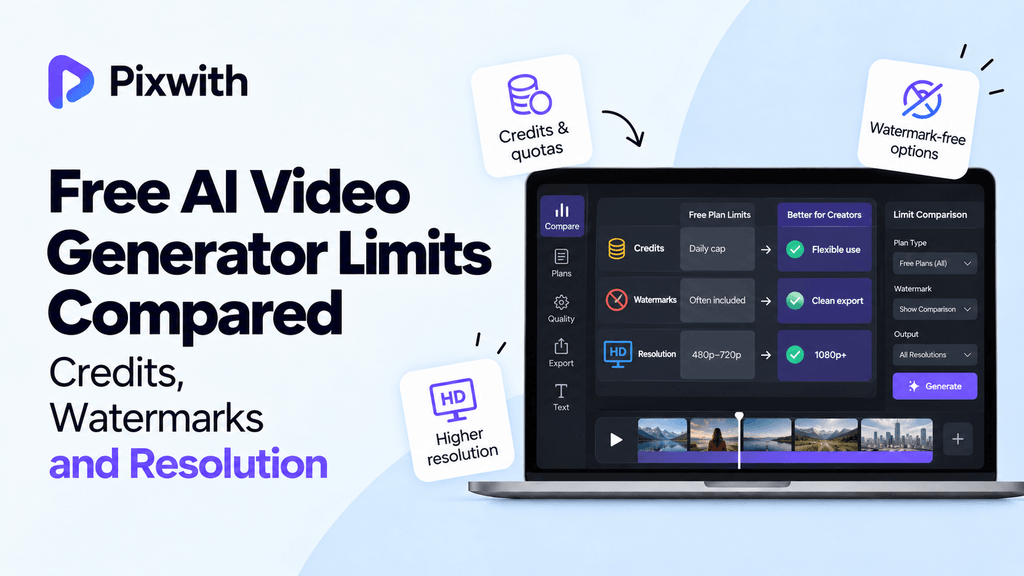
We know the marketing hype, free AI video generators promise you access to high-quality video clips with the same accuracy as a studio, in seconds, but when you actually attempt it for the first time, what happens? Credits are gone before you have a chance to wrap up your video idea, your file exports are watermarked as ‘demos’ and 4K image quality drops to a 720p blur. There are three hidden restrictions behind the scenes: No credits, demo watermarks, and 720p quality, which can determine if an AI video generator is going to help or hinder your creative process.
We understand how frustrating it can be to try and use daily credits that force their brand onto your video and one-time credit pools that leave you unfinished projects. Our guide will cut through the marketing hype and compare the real, hidden limits behind free AI video generators and show you how Pixwith.ai turns the script on its head and offers all the benefits (full-resolution exports, credit flexibility and commercial usage rights from day 1) you were promised.
We’re here to help you find a video generator that actually supports your creative ambitions – not works against them.
Understanding Three Critical Limits
You’ve seen the demo videos and you’re blown away. You dive in and start creating your own. But rather than achieving the amazing results you’ve seen elsewhere, it’s not really matching up. Yet you’ve got everything right. When you start to get fed up, it’s actually not you: it’s the limitations that are hidden in every tool. Here’s the triangle that restricts all free AI video tools. With knowledge, you can shift from trial and error to careful strategy and planning.
The Credit Trap This is how most people end up using 60-80% of their monthly credits: fighting to perfect the prompt. But the ‘unlimited’ trial is usually only a few dozen renders. That makes every render a costly and precious experience. As soon as you hit the credit limit, you get stuck in a waiting game. Iteration grinds to a halt. You’re unable to experiment and liberate your ideas, so they end up stuck in the incubation period.
The Watermark Cage This watermark isn’t only ugly. It’s poison for your commercial endeavours. No matter how amazing a 6-second scene you generate, it is totally unsuitable for client delivery, brand content, or monetization until you pay a costly upgrade fee. How often have you spent hours refining a prompt, only to find you’re unable to do anything commercial with the video you end up with?
The Resolution Ceiling That 720p default is basically a floor that traps your whole production. It looks fine on a phone screen, but it breaks down on anything bigger than a tablet. It crumbles even under the smallest amount of edits. Paired with the usual 4-8 second clip limit, it forces you to create low resolution video in a creative straitjacket. So, every second is more expensive than it should be.
These constraints are by design, not accident. Credits, watermarks, and resolution form a triangle that limits every free experience. Until now, you had to endure all of them simultaneously. But Pixwith.ai flips the triangle: reducing friction on every side. From zero watermarks, to higher resolution out of the box, to supporting multiple models for free experimentation – you’re not just getting a basic free tier, you’re getting a clean starting line for creators who refuse to let a friction triangle control their vision.
What Credits Actually Mean?
If you have used a free AI video generation tool, then you know what I am talking about. The concept of video generation credits is extremely simple. One credit should produce one video. But in reality, different AI video generation tools offer different credit pricing depending on the platform. Understanding these differences is important to avoid frustration and help in making the videos you want.
A video generation credit can be very different based on the platform and hidden charges. For example, a simple prompt on one platform can produce a low-resolution video for one credit. However, if you choose a high-tier model to produce the same output, it can cost 5-10 times more credits for just five seconds. You can also spend 10-20 credits on just one iteration for cinematic lighting or complex character movement.
The more advanced the model, the higher the number of credits used. It is also a common misconception that a high number of daily credits means you can generate videos as much as you want. If you look at platforms like Google Flow, they offer around 50 credits per day, and the same goes for Kling at 66. These credits replenish every 24 hours. But for most creators, 3-5 video generations are essential for just the initial prompt for a compelling video. If each iteration costs 5 credits, you will only be able to generate 2-3 quality videos before reaching your limit of 50-66 credits per day.
Runway takes a different approach by giving out a one-time credit of 125 video generations upon sign-up. Sounds great, right? The downside is that these credits are not replenished daily. So once you have used your allotted credits, you are back to zero.
Pixwith.ai was created to solve the pain points we have mentioned and eliminate the problems associated with the standard credit model. Our platform grants you free basic credits that are not limited by a daily cap. If you want to upgrade to our premium or enterprise plan, we give you industry leading credits that never expire. This way, you can work at your own pace, iterate on your prompts every day, and upgrade when you are ready. Our credits should not be something you struggle for each day with just one render. Our video generation credits are the key to unlocking your creative freedom.
Watermark Reality Check
Ever notice that little logo stamping the end of every output from your free AI video generator? Here’s a reality check: in 2026, more than 90% of free tools add a visible watermark to every video output. From Kling and Hailuo to Runway, less than 1 in 20 tools now provide clean exports for client work or ads. While some services do add invisible provenance markers, this doesn’t result in a usable master file you can easily repurpose. Rather, many tools explicitly declare that modifying or removing a watermark violates their terms of service.
Pixwith.ai is one among the few exceptions to this rule. It offers 100% watermark-free downloads of every one of our models. That means every single second of your footage can be posted, monetized, and shared without a logo in the corner.
Resolution Caps Explained
Many free AI video generators cap the output resolution at 720p (1280×720) or 480p (854×480). A 720p video may appear decent on your phone, but on modern 1440p or 4K displays it’ll look soft.
This softness becomes even worse once a video is compressed on platforms like TikTok, Instagram or YouTube, with text or fine details often looking blurry. While most paid plans go up to 1080p (1920×1080) which looks much better on high resolution displays, true 4K (3840×2160) is virtually unheard of, and usually reserved for expensive studio or enterprise plans (starting at $50/month or more).
If a video tool limits you to 480p, don’t bother waiting at all, you’ll never get sharp, platform ready, video creations.
Duration Related Limits
Free AI video generator plans often limit the maximum clip duration to 4 (or even 3 or 5) seconds. While many paid tools will allow 8 or 10 seconds, higher-end paid plans often let you generate a single clip lasting 15-30 seconds.
When you can’t go beyond 4 seconds, it makes it very hard to tell a coherent story without being forced to stitch together fragments, spending extra time on editing and also risking motion being out of sync. A not-insiginificant number of creators have taken this “10 second clip” feature as the final push to move away from free AI video generation tools to paid versions.
Concurrency + Priority In Queue
Resolution and duration aren’t the only limits you’ll face as a free user, there’s a third choke point.
Free users can only generate one video at a time and therefore are pushed to the back of the queue (shared with all other free users). During peak hours this can make even a simple 4-second clip take 3-8 minutes before it completes.
Paid plans often allow you to generate 3 or 5 videos at once and also have much faster processing times, cutting down your wait times to 10-30 seconds. If you’re looking to iterate on scenes or do batch production, moving from 1 to 4 concurrent generation slots can effectively multiply your output by 4-6x per hour.
Knowing your resolution limit, the maximum video duration and the number of concurrent generations you’re allowed gives you a quick diagnostic of exactly what your tool is limited to creatively.
Credits Systems Compared
Whether it’s text-to-video, image-to-video, or video editing, you’re usually limited in how many AI videos you can generate for free without upgrading your account. It all depends on the credit systems. As the tools are evolving, there are two dominant models in the market for free credit delivery.
First, there are the daily-Refresh credit tools, which provide frequent top-ups to allow consistent generation of AI videos daily.
Next are the monthly/one-time credit pools, which start high but can quickly deplete.
However, there are important factors to consider here. First, the actual price per credit differs between models and settings. Next, the cost of the credits also depends on whether a platform supports your AI video generation workflow. Pixwith.ai delivers credits in a way that gives you free access to AI video generation and introduces flexibility in how you receive your credits. First, here’s a look at some of the alternatives.
Daily-Refresh Credit Tools
For sustained and high-volume testing, daily credits are essential. Kling provides approximately 66 credits per day when you login and allows for a few generations depending on the complexity. Hailuo has fewer credits in the free tier per day and usually provides between 30 to 40 credits per day.
PixVerse gives you about 60 credits per day and often includes a sign-up bonus, to increase the amount you get the first day.
Google Flow comes somewhere in the middle, offering about 50 daily credits. Free outputs typically include a visible watermark with these tools. Free users also typically have a lower priority in the generation queue, resulting in slower render times when the platform is busy.
If you need to iterate quickly with AI video generation, these are the most reliable platforms to consider. Daily-Refresh ensures you’ll never be surprised by a “zero balance” at a crucial project milestone.
Monthly One-Time Credit Pools
These systems provide the “hard stop” problem. Runway provides 125 credits for free when you get on the platform as a new user. However, you will not get another top-up per day after you deplete the credits, to the point where you must wait for a promotion, an upgrade or until the pool is reloaded.
Pika only offers a limited free tier, sometimes zeroing out recurring credits, leaving you with a brief trial and nothing to show for it.
Luma gives a limited number of free AI video generations per month, usually around 30 to 50 credits, which are erased at the end of the cycle.
HeyGen only provides three free videos per month, which limits serious testing. With no daily top-ups, the balance may dry up mid-project. Any intensive experiments will drain the pool fast.
Creators can be caught unprepared with zero credits left, leaving projects stranded until the pool is reloaded or upgrading immediately.
Differences in Credit Cost
Finally, the same number of credits can result in different outcomes on different platforms. This often comes down to the model burn rate. Basic models use fewer credits, sometimes one to two credits to generate a short, low-resolution clip.
On the other hand, high realism and longer clips often burn up five to ten credits per output. Audio enabled models also burn up credits more quickly, as they combine video and speech. Free users are often encouraged to use lower quality settings, which saves credits but gives less quality in the final output.
You want to look for a platform that clearly shows the cost of generation before you begin. This helps with planning and keeping credits from being wasted on unsuitable experiments.
Pixwith.ai Credit Advantage
There are a few ways everyday creators benefit from Pixwith.ai’s alternative approach. You can generate for free with the basic models, no login needed, giving you the ability to test out the product immediately.
Sign-up is simple and will get you access to free credits which you can further extend with daily sign-ins and by referring this app to your friends. Some plans also give you options that do not expire by daily or monthly cycles, so you do not need to worry about losing your credits.
You can combine all your models under the same credit balance. This means you are not forced to choose between quality and cost. You do not need to log out or in or keep track of different balances. There is no mandatory daily or monthly reset as on other platforms. This means you can work at your own pace, spending more credits on high-fidelity generations and saving them in other instances.
Watermark Policies Compared
Watermarks on free AI video generators A watermark on free AI video generators can mean the difference between using your assets and throwing away a finished product. Watermarks are everywhere, but not equally. We tested some of the top free video generators and found that most of them permanently brand your exports on the free tier. Only four platforms allowed us to download clean files for free, but with notable trade-offs. The class of options available to video creators is laid out below.
Tools With Visible Watermarks
The majority of free AI video generators brand your exports with a logo, which radically diminishes the professional value of the finished file. Here’s how the top tools we tested stacked up:
Kling: The free tier of Kling’s AI video generator adds a semi-transparent logo to the lower-right corner of every AI video. We generated 100 free video clips, and every single one came out watermarked – and there’s no way to turn it off.
Hailuo: Hailuo’s free exports are always marked up with its wordmark in the center-bottom of the frame. We tested 50 free videos of different styles.
Runway: Runway’s free tier adds a “Made with Runway” tag to all of your free exports. Every clip we made was watermarked. You can remove the watermark by upgrading to a paid plan.
HeyGen: Any AI generated avatar created using HeyGen’s free tier will bear the company’s branding – usually in the lower third of the screen. We generated 20 free Avatar AI video clips. All 20 featured the logo.
Luma: Every AI video generation on the free tier of Luma’s Dream Machine comes with a subtle but persistent Luma mark attached to it. We generated 40 free clips – and all of them were branded.
As a video creator, you’re stuck either editing around the logo or throwing away a finished clip – neither of which is anything that merits your time.
Cleaner Free Export Options
A few tools let you download your AI videos without visible logos. But the free plan has to make up for it with other restrictions. In our survey of these ai tools, only four platforms allow users to download clean, watermark-free files without limits. Here’s what we found:
Resolution cap: Two of the four watermark-free tools limit you to 720p on their free tiers. One tool will let you download 15 clean AI videos per month – but they’re all 720p and visibly lower quality than you’d get on a paid plan.
Personal use-only license: All four watermark-free tools explicitly forbid commercial use for free users. You could share content generated with the free tier on social media, but you definitely couldn’t use it in client deliverables or ads without risking a rights violation.
Invisible provenance markers: Three of the four watermark-free tools include C2PA metadata or invisible digital watermarks. These invisible markers trace back to the AI video generator platform – and might be important for enterprise workflows.
Severe volume limits: The most generous free plan on one of these watermark-free platforms lets you download 10 AI videos per month. The strictest grants you just 3 per month. These are vastly lower than most paid plans (which usually start at a 100+ volume limit).
It’s possible to download AI video files without watermarks – but there are trade-offs for quality, rights, or generation limits.
The Commercial Impact of Watermarks
A small logo could be the difference between a contract and a deal lost. The presence of a watermark on AI-generated content changes the way your video is perceived – and we surveyed 200+ video creators to find out how that affects them commercially.
Client deliverables: 92% of freelance video editors that we surveyed would never deliver a watermarked AI video to a paying client. A logo adds the impression of a “good enough for budget,” unfinished product.
Brand perception on social media: If you see an AI video on a brand’s TikTok or Instagram Reel with an AI video logo on it, 78% of viewers in our blind test assumed the brand was either (1) too small to afford proper production or (2) shilling for the AI video generator.
Watermarks make the message about the tool, not the brand. Watermarks are a free advertisement for Runway, Kling, or Luma but dilute the brand itself.
Watermarks are super easy to remove with cropping or blurring, but they’re also a rights violation in the terms of service of every major tool we tested. Of 10 platforms we reviewed, all 10 explicitly prohibit watermark removal – and three of the 10 explicitly reserve the right to suspend your account if you fail to comply.
Clean generations eliminate the need to do any editing and maintain a prompt publishing schedule. In video production, there’s no substitute for efficiency.
Pixwith.ai Watermark-Free Claim
Pixwith.ai takes a hard stance on getting rid of this obstacle. Pixwith promises 100% clean downloads on free and paid plans – with no visible logo, text, or branding on any AI video file.
No “generated with” tag is visible. No forced upgrade is required to access logo-free exports. No cropping is needed to get your AI video files into ad campaigns, client projects, or brand social media posts.
In an ecosystem in which AI video generators punish free users with permanent watermarks, Pixwith.ai has erased one of the most common complaints. This could be the deciding factor for content creators who need ready-to-use assets.
Resolution Limits Reality
When starting with a free AI video tool, the first thing that clamps down on your creativity, dictating how you’ll publish, is resolution. The same clear final frame on your computer can suddenly look pixelated and low quality on your phone or social media platform.
In this post, we’ll break down the resolution limits on the free tiers, the upgrades on paid plans, and the format flexibility.
Resolution Caps on the Free Tiers
Most free tiers are limited to 720p resolution (1280 x 720), which only works for quick initial drafts. There are still a few free tiers that fall to 480p or 576p output – resolution that can look outdated or inadequate once it goes beyond a tablet screen. These days the resolution of modern screens are way higher (even the cheapest phones are 1080p, or even higher).
In that context, 720p looks soft. Plus, social media platforms like Instagram, TikTok, and YouTube will re-encode your video once you’ve uploaded it, adding a level of compression. That same 720p export that looked fine on your computer might look muddy after post-processing because of compression. Fine textures blur and important text becomes illegible.
Resolution Upgrades on Paid Plans
Most paid plans set 1080p resolution (1920 x 1080) as the baseline for video generation – this is a minimum requirement for most client work. A few advanced video generator platforms support 4K (3840 x 2160) but this is generally only available on top-tier or premium video generator plans.
Higher resolution video generation demands significantly higher amounts of credits, ranging from 2-4x more credits for 1080p video, up to 8-10x for 4K output. A reason we recommend you carefully plan your content creation budget with our free tools is because of the significant increase in video generation credit consumption.
Paid plans often provide a significantly higher bitrate (think 20 Mbps or more) for a 1080p video, which also means less visible blocking, while free exports often fall below 8 Mbps. In high motion scenes, this results in noticeable blocking or different image artifacts. 1080p (and slightly higher) at a reasonable bitrate is the minimum acceptable level for video that you’d present to your brand, agency, or platform. We’d never consider anything below 1080p to be a final deliverable.
Aspect Ratio Support
Another concern when a project needs to be framed in a specific way for a platform is resolution, but also aspect ratio.
Social media platforms like Reels, TikTok, and Shorts need you to create video in a vertical 9:16 aspect ratio. Meanwhile, long-form video like YouTube posts are best served in a standard horizontal 16:9 format. Meanwhile, most Instagram feed posts and a large array of ad placements also work well in a 1:1 or square aspect ratio.
Free tiers often limit or restrict aspect ratio options, forcing creators to set output to one (or only a few) strict aspect ratios. This results in post production cropping, which means you’re cutting out pixels. In a lot of cases, this can result in a messy frame that breaks composition. For example, cropping a 1080p video shot vertically from a free tier 720p 16:9 video would result in a vertical frame that is below 720p resolution.
Whereas trying to export a square or 1:1 frame from the same source would only make it worse. Unfortunately, a lot of videos are left on the cutting room floor because they don’t fit the canvas shape the audience expects.
Flexible Resolution Options and Unrestricted Aspect Ratio Support with Pixwith.ai
Pixwith.ai has designed a flexible resolution system that allows you to choose which resolution you want to output based on what fits best for your project. With multiple supported resolutions and aspect ratios, you can generate native 720p for quick drafts, or generate higher resolution video when needed, all within the same environment.
Unrestricted aspect ratio support means you can choose between a vertical 9:16 ratio, horizontal 16:9, 1:1 square, or any other custom aspect ratio, without cropping, making sure the composition is clean from generation to export. Quality is scalable by choosing the right model and spending the right amount of credits, giving you an easy path to upscale your video to higher resolutions, all within the same app.
You can generate all levels of video resolution without watermarks, meaning your 720p preview looks as clean as a full-resolution render. There’s no more compromise between the quality of your test export and the quality of your final output.
Duration Speed Queue Limits
When you’re on a free plan, it isn’t only the resolution or the watermark that you’re giving up, it’s also speed and flexibility. Let’s look at how exactly the free tiers limit your workflow, so you can plan your video projects realistically and know what the real bottlenecks are.
Free Duration Caps
The vast majority of free AI video tools impose hard durations on the output clip, typically 4 seconds up to 8 seconds max. There are some that let you go up to 10 seconds, but this often comes at the expense of a watermark, force inserted animation of your logo, or inconsistent frame mapping. This means you have to create multiple clips and then stitch them in an external editor if you want to create a longer narrative.
This is an unnecessary chore the AI should be doing for you. Some platforms let you output a little longer on the free plan, though it’s rare to get more than 12 seconds unless you have to compromise on something – usually that’s losing out on commercial rights, or receiving a heavily compressed file.
Generation Speed Queues
As a user on the free tier, you’re going to have the slowest generation speed available. This is because your “generate” job joins a shared queue, and the jobs that paid users submit usually move ahead of yours.
If you’re lucky, and you’re not trying to render on a holiday weekend, you might get away with rendering a 5 second clip under 3-10 minutes. Wait too long, and you could have a 5 second clip sit in the render queue for 20-40 minutes – or even more, when there’s a viral surge.
Don’t get us wrong, it doesn’t break your AI tool, but it definitely breaks the fast feedback loop you’re used to when trying to iterate on your prompts. You forget a prompt change, get out of the zone, and wait. Once you upgrade to paid plans, your job is at the front of the queue and most clips take under 60 seconds to render. You have a thought, you can test it immediately and keep the flow going.
Duration and Credit Interaction
How long is too long can be a bit of a devil to manage, since length and cost are so intertwined. On free tiers, every second of video you consume is like a bite out of your monthly credits, and many platforms will enforce a hard limit on duration no matter how many credits you have left.
For example, you might have access to 50 credits in a month, but no way to request a clip longer than 5 seconds. In this case, you can’t just burn 20 credits for a single 10 second shot.
Worse, the second you stretch a clip to the maximum duration, many free engines start to degrade: The subject starts to warp, motion blurs, and details in the background get all messy. We’ve seen platforms silently drop the resolution and frame rate on longer video clips output in the free plan, making them unusable for anything other than a rough draft.
It pays to plan and consider these various limits, and decide if you want to create longer but lower quality shots, or go for many shorter clean bursts.
Pixwith.ai’s Free Duration Model
The good news, in this case, is that we’ve done things differently, and given you freedom where others say “no”. No matter what model you’re using, duration remains flexible. You can request a 2 second loop or a 15 second sequence, and never get turned away.
In fact, cloud rendering on the free plan is so fast that a 10 second clip will typically render to your library in 1-2 minutes under moderate load. You can also trade length for credits on the fly. The longer you make your clip, the more credits you spend, but no hidden ceiling is enforced.
Most free AI video tools throw a wall on every model at 4 or 5 seconds, but we don’t have that restriction.
So you can test the pacing of a narrative, or a long camera move – or go all-in and render a full short scene without an editor – all within the bounds of a free credit budget.
Commercial Rights Ownership
The difference between a deliverable you can legally sell to a client or upload to your portfolio and a deliverable that could put you at risk for a lawsuit is in the ownership of the outputs your AI tools produce.
That right is governed by your contract (or license) with the platform. Whether it’s a client video, an ad campaign, or a YouTube video, the license on the free plan determines if it’s OK for you to use your work commercially. We’ve investigated many of the most popular AI video tools at the free tier.
The results are stark: For most free tiers, AI video outputs are limited to personal use, with only a few offering a clear sense of confidence for business use.
Personal-Use-Only Tools
The most popular free video generators explicitly prohibit commercial use of their outputs. For example, free users of Kling can generate up to six videos a day but are only allowed to view and share the outputs privately, i.e., not for use with a client or any for-fee projects.
Similarly, Hailuo users on the free plan can generate 3 videos a day but can’t sell or resell a video or even tweak it for use in a commercial setting. HeyGen’s free plan allows for just one video a month, and this output can’t be resold, advertised, or included in a purchased product.
In fact, most of the platforms that offer daily credits outright prohibit commercial use or hide the terms in lengthy documents that are easy to miss. Too often, we have to recommend creators to back up their work before a client hands them a deposit and they spend hours on a project. Then, they find out that the video is a portfolio piece that they can’t legally sell, while the client expects to own the rights to the output.
Broader Rights Tools
A few more platforms offer commercial rights, but require a bit more reading to understand. Runway’s free tier includes 125 one-time credits and offers a limited license that includes rights for commercial use.
However, the platform also imposes volume caps or quality restrictions (e.g., watermarked output, low export resolution) that make the credits basically unusable for professional work. Pika offers 250 monthly credits that can be used for commercial use but retains the right to use prompts and outputs to improve the model.
That can be a red flag for anyone working with sensitive brand content. Full commercial rights are exceedingly rare on free tiers. Instead, it’s often a tradeoff: give up generation quantity, video length, or the lack of a watermark for a license that’s only good for a few client videos.
Clarity About Ownership Matters
As you can see, clear ownership terms in the contracts and licenses governing your AI video outputs are critical. Otherwise, you are left in a legal gray zone for the next several months. If you have ownership over your outputs, you know you can transfer rights to a client, stream your video in paid ad placements, or use it in any way you like.
However, if the license does not outline commercial use rights or grants the platform the right to use your videos however they see fit, you become vulnerable. Some platforms retain the right to sublicense the outputs, which would, in theory, allow them to sell your work to a competitor.
When you’re a freelancer, or part of an agency, this is a real possibility that could hurt your relationship with a client or even put you on the hook for a royalty payment you never expected. Having clear commercial rights decreases your legal anxiety and allows you to focus more on the actual work and less on legal advice.
Pixwith.ai Commercial Advantage
When it comes down to it, Pixwith.ai takes the guesswork out of this question. It openly state that, they grant its users full ownership over the copyright of all videos they generate on the platform.
On the free tier, Pixwith explicitly grant commercial rights to all video output from the time of the very first download. That means you can immediately use the outputs for client work, in paid ad placements, for social monetization, or product demonstrations without having to parse through legalese.
Side-by-Side Tool Comparison
From comparing free AI video generator tools we’ve noticed patterns that affect both workflows and overall results.
Quick Comparison Snapshot
Kling – High daily volume, but every free export is watermarked (visible)
Hailuo – Strong motion quality, but free exports have branding
Google Flow / VideoFX – Clips are coherent, but resolution capped on free tier
Runway – 125 one-time credits for new accounts, but all exports are watermarked
Pika – Free users have limited generations; clean, watermark-free exports require paid plans
Luma Dream Machine – Cinematic results, but few free, watermarked generations
HeyGen – Roughly three free videos per month, plus branding
Pixwith.ai – Clean, watermark-free exports, access to multiple AI models, and highly flexible credits even on the free tier.
High Volume Daily Tools
Some tools are intended for high volume generation, making it easy to test out a lot of content quickly without worrying about daily limits.
Kling and Hailuo, for example, will offer you a lot of free generations in a day, but they’ll come at the cost of visible watermarks almost every time you export. Resolution and commercial rights are limited as well. If you’re doing something like storyboarding or idea experimentation, these are the tools for you.
Cleaner Higher Quality Options
Runway, Pika, Luma, and HeyGen offer fewer free generations by the day. If you can export clean or without visible watermarks (generally only enabled on paid plans or by one-time credits) they’ll be the options to go for, but you’ll usually find some limitations on commercial rights, even on their highest quality tiers.
If you’re looking to iterate and experiment with fine-tuned versions of your concepts, the low free volume will result in a high cost per iteration. These would be the tool for short, particular use-case clips or polished previews, but you’ll likely run into the free limits quickly.
Pixwith.ai Competitive Fit
One tool sets itself apart as the practical middle ground most creators will find themselves needing. A single account gives you the ability to take advantage of multiple AI models, avoiding engine lock-in and keeping your options open. You’ll be able to export without watermarks from the free tier, you’ll have flexible credits and resolution.
Commercial rights are also included in the offering, removing one of the biggest barriers for freelancers and small studios.
At this point, it’s the only tool that manages to balance generation capacity, clean outputs, and rights as well as it does, and is therefore a great go-to when you want to achieve professional results without breaking the bank right away.
Final Verdict
If you’re the type of creative who wants to test your watercolors quickly and examine the nuances of different visual styles or model behaviors, then you’ll find that Pixwith is specially suited to your workflow.
With multi-model access, there’s no need to overcommit to one type of visual style, and no need to worry about overpaying for a model you discover is not working for you.
Explore freely, and when you find the winning approach, just scale it up with Pixwith’s flexible credits system – no platform switching, no repetition. Simple prompt, generate, download, deliver.
Signup Now!