
AI video tools have found their place in everyday applications, as well as in professional use cases. Some AI image-to-video generators are renowned for speed and for producing consistent video content with minimal effort, some are practical for professional-grade results, and some are more permissive and push the very creative boundaries of AI, even if that means a bit more work.
Tired of Expensive Runway Alternatives
More Control, Faster Output, And Fewer Creative Limits.
Try Now
Runway AI, however, is positioned at the forefront of AI video generation for its remarkable performance. From transforming still images into moving scenes to generating clips from text descriptions, it represents a transition from simple video content generation to something closer to digital filmmaking.
It creates visually rich and far more expressive videos without traditional production tools, and this opens up new possibilities for creators across industries. It is the kind of generator that makes users think bigger about storytelling, visuals, and the extent of the AI’s capabilities.
But beyond the initial impression, there is a question of whether Runway is practical for day-to-day use, or if it is better suited for high-effort, high-impact projects where time, experimentation, and multiple iterations are part of the process.
This review takes a grounded look at Runway AI from that perspective. It examines not only what the generator can do, but how it performs in real-world use, particularly in image-to-video generation, where the expectations for both quality and reliability are high.
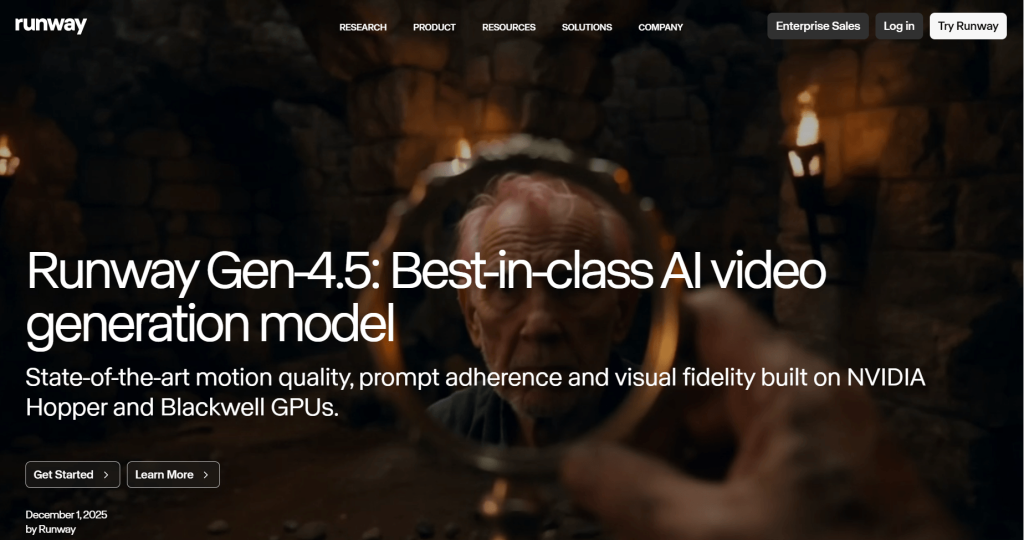
Runway AI —An Overview of Its Video Generation Ecosystem
Runway AI is a browser-based creative AI platform that is built around a growing set of AI tools that help users to create, edit, and experiment with visual/graphic content in one place.
Runway brings together multiple tools and capabilities for video generation, editing, and refinement under a single workspace, giving users more room to shape how their videos are created. You can start with a written idea (prompt description), a still image, or even an existing video, and then build from there using the AI tools to modify, animate, or enhance your content — all in the one place. Runway is nothing short of a full creative suite.
At the core of this ecosystem are its advanced video generation models, commonly referred to as the Gen series, or Gen-4, Gen-4 Turbo, and Gen-4.5. The Gen-4 and Gen-4 Turbo models handle image-to-video generation and also manage consistency. The Gen-4.5 is a high-end text-to-video model that interprets and transforms text prompts into animated sequences. The Gen-4.5 and Gen-5 prioritize motion quality, scene coherence, and stylistic expression, and this is why their outputs usually appear more cinematic compared to simpler AI tools. Not just basic motion or simple transitions, the system aims to create scenes with a sense of depth, movement, and visual style.
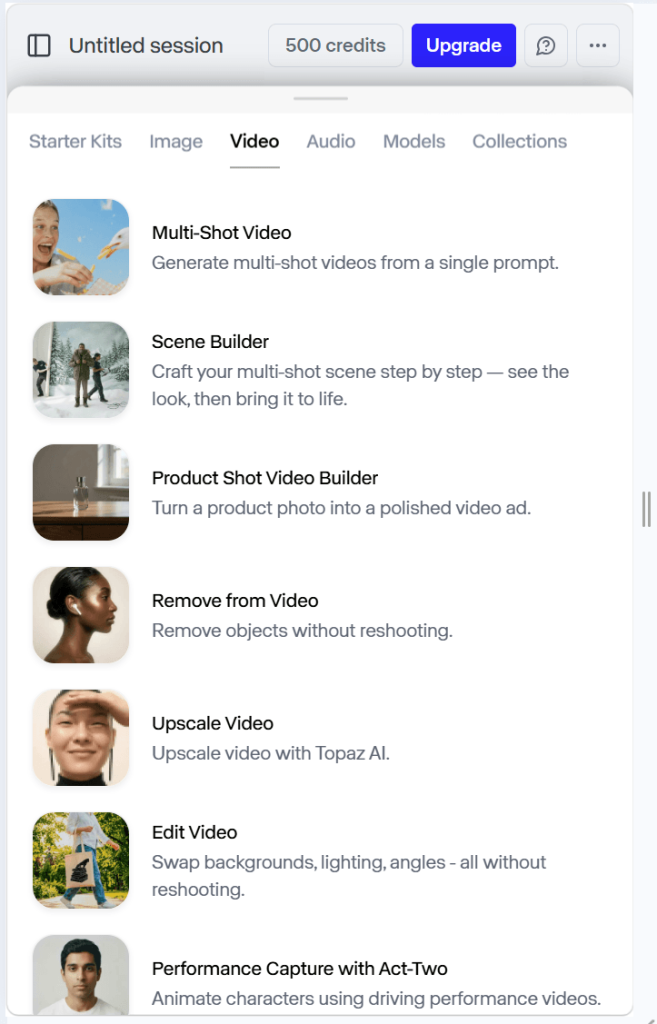
But Runway doesn’t stop at generation. It also includes features for modifying and adjusting whatever you created (e.g., background removal, character movement, object manipulation, and scene adjustments). The Aleph model, for video editing and transformation, gives creators the ability to do more than just accept whatever the AI produces—they get to shape their results more intentionally.
This setup is what makes Runway closer to a creative studio/lab than a quick-use, simple AI generator. It is glaringly designed for people who want to explore ideas, test different looks, and build something meaningful over multiple steps (something crafted, not automated). At the same time, that broader range of tools means there is more to learn and more decisions to make during the process.
In simple terms, Runway is better understood as a creative workspace, not just an AI generator.
Core Features Breakdown: What Runway Actually Offers Creators
Runway is a collection of tightly integrated video tools that can define motion, composition, and style, and in many different ways. This gives it a cinematic edge; however, there are core features that play specific roles in the workflow and shape the overall experience of using it.
One of the most central features is its ability to generate video from both text and images. With the text-to-video feature, users describe a scene using natural language, and the system attempts to bring it to life with motion, lighting, and composition. With image-to-video, however, users get to animate still images into a moving sequence. Both approaches aim for cinematic clips, as opposed to the basic (literal) animations that most generators produce.
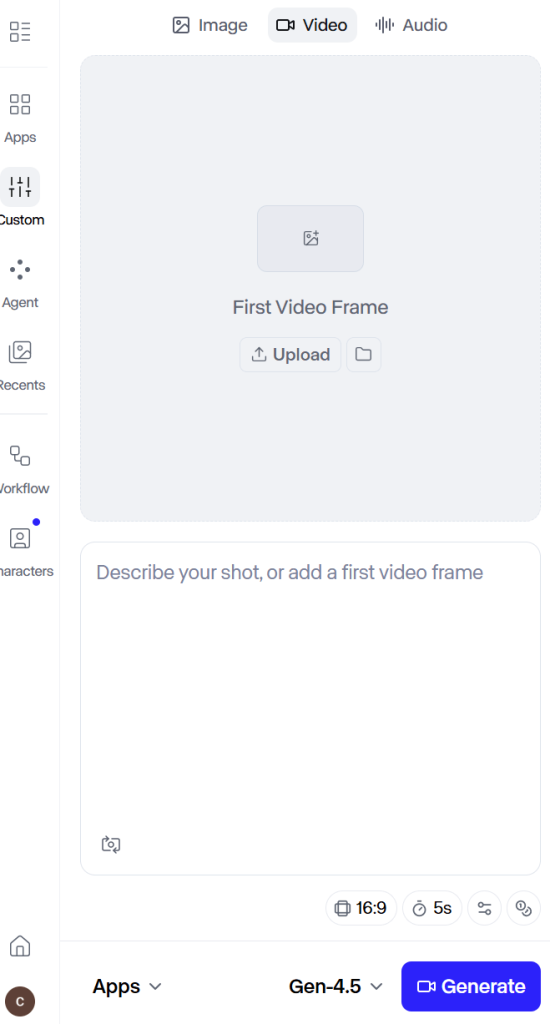
Runway also introduces features for influencing how motion happens within a scene. This makes it possible to guide movement in specific areas, adjust how elements behave, or experiment with different visual directions instead of relying entirely on the AI’s interpretation. More so, it adds a layer of creative input, but with additional steps in the workflow.
In addition, camera behaviour and scene framing. Runway allows you to simulate camera movement such as panning, zooming, tracking shots, or perspective within generated clips to create a stronger sense of depth and realism. It is a subtle feature, but it makes Runway’s videos appear like they were filmed with a real camera, and it enhances immersion.
Another feature is the style, direction, and cinematic effect. Users can experiment with different visual aesthetics (e.g., something realistic, stylized, or entirely abstract), push creative boundaries, and test new visual directions without switching tools/generators.

Moreover, Runway includes tools for modifying and refining videos after they have been created (i.e., users can adjust some elements within a scene, enhance the graphics, or make specific changes instead of starting over). These editing capabilities complete Runway AI.
Taken together, these features highlight what Runway is really offering: a set of tools that allow you to guide, adjust, and refine what the AI produces.
Image-to-Video Performance: Can Runway Turn Still Images into Usable Motion?
At a surface level, Runway delivers visually impressive results. The clips it generates often carry a sense of depth and movement. Moreover, the system not only adds motion effects, but it also attempts to interpret the scene and extend it naturally.
However, performance is not defined by the visual quality of the results alone. A key factor is subject consistency —how the faces, bodies, objects, and other elements within the image remain stable as they move. Runway maintains this consistency well. But slight distortions can still appear when working with complex graphics or scenes.
Prompt structure and input quality also influence the image-to-video performance. Even so, the system does not always produce the same result from similar inputs, and this introduces a variability that creators who are aiming to produce repeatable results across multiple clips might find unreliable.
From a firsthand viewpoint, it is easy to get usable motion and output. However, it may take multiple attempts (e.g., adjusting inputs, refining prompts, or generating several variations) to get a specific result.
In practical terms, Runway’s image-to-video feature excels at generating compelling motion and expressive clips, but there is no guarantee of precision or repeatability.
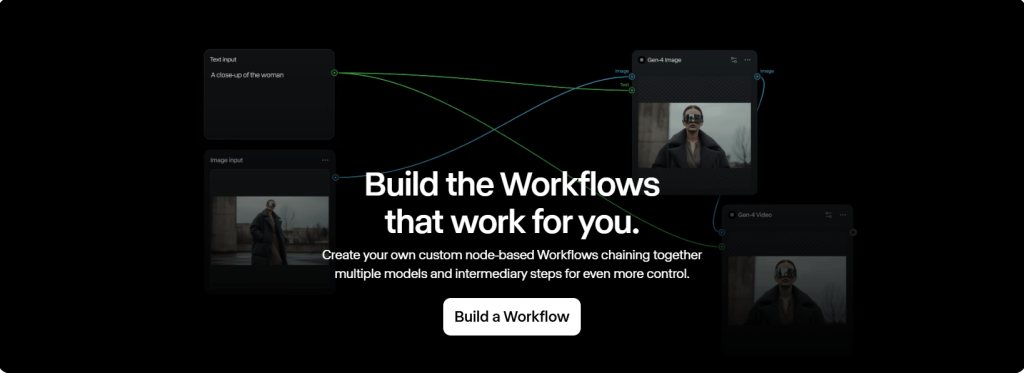
Workflow Reality and Usability: How Runway Performs Day to Day
The real test of any AI video tool is how it fits into a regular workflow.
Runway AI runs in a clean, browser-based interface, and it is easy and simple to access. However, ease of access rarely translates to ease of use. The system comprises multiple features, layers of control, and other advantages, and, by implication, users, creators, and teams need to understand and figure out how they influence the final result. Therefore, it is not a one-click, minimal effort system. It is comprehensive.
A typical workflow is a cycle of preparing an input (i.e., text prompt or image), generating a clip, reviewing the result, and then refining or regenerating, if necessary. This iteration cycle is an integral part of using the generator effectively. It is difficult to work around.
In real use, small changes in wording or input details can lead to noticeably different outputs — prompt sensitivity. Although this makes the experience flexible and explorative, it also adds uncertainty and reduces efficiency in day-to-day use.
More so, it is an effective approach to generate clips, review them, and repeat the process. However, the approach is relatively time-consuming, and it makes Runway less suited for situations where speed and consistency are both required.
Output Quality vs. Consistency: Cinematic Results at What Cost?
Runway AI’s videos are cinematic, immersive, and remarkable at their best. The lighting, motion, and every other element are composed like carefully crafted scenes rather than simple AI-generated clips.
However, there can be variation between outputs. This is a general challenge for all AI video tools. Even when similar inputs are used, the results can still differ noticeably (i.e., some results can be cohesive and some incomplete or visually inconsistent).
In addition, maintaining consistent subjects, styles, or motion across multiple clips can be difficult — continuity. For creators working on a series of videos or a structured project, this lack of consistency means additional work, mostly when the tone deviates or there is a flaw in motion and visual details.
Runway is indeed capable of delivering standout results, but those results are not always repeatable on demand. The generator is good at producing individual high-quality moments but less reliable when it comes to creating a steady stream of uniform outputs.
This distinction matters in content creation, as well as professional applications, because variability may not be a drawback for workflows where each clip is treated as a unique piece. However, use cases like content branding, social media series, and frequent publishing schedules count on uniformity.
To put it simply, Runway’s performance is peak, but it is less stable across repeated use. It delivers on its promise of cinematic quality, but at the cost of unpredictability.
Speed, Credits, and Efficiency
Runway is a relatively fast AI image-to-video generator. However, since perfect results often come after a few iterations, the overall turnaround for a single usable clip can be longer than expected due to multiple attempts. And this can slow down production for creators working on tight schedules.
More so, it uses a credit-based system. By implication, every attempt to generate a video consumes credits, regardless of whether the output is usable or not. In a manner of speaking, experimentation on Runway comes at a cost, and the total credit usage per result depends on the number of attempts it takes you to refine and perfect the video.
It also goes without saying that the high cost of refinement indirectly affects efficiency in workflows where consistency is harder to achieve.
Frankly, the cost may be negligible to a creator or a team that is producing content occasionally or working on high-value projects. More so, the refined video and the overall experience might justify the time and credit investment. However, the rate might be unpalatable for users who only create content frequently (e.g., for daily social media posts or ongoing campaigns).
In real use, Runway has a great creative potential, but its efficiency depends heavily on how it is used.
It performs best in situations where time and iteration are part of the process, and not as much in workflows that demand fast, repeatable output at scale.
Who Runway AI Is Best For (And Who It’s Not)
Not every AI video tool is meant for the same type of users. Therefore, their strengths will only matter if they align with the kind of work being done.
The generator is best suited to users, creators, enthusiasts, filmmakers, designers, and storytellers who are not only trying to bring ideas and imagination to life but are just as interested in shaping/directing how the scene appears and the animation plays out.
If you belong in this category, Runway AI’s flexibility, cinematic output, and range of tools offer you so many meaningful advantages. You get to test ideas as they are, refine motion, and explore different styles.
In addition, the system also works well for concept development. For users whose intent is to visualize an idea, explore a direction, or create a distinctive concept, Runway is an ideal platform/kind of environment. Moreover, the AI’s variability can actually be of use here by offering different interpretations of the same input.
On the downside, Runway is less suited for users like social media managers, marketers, and content creators who value speed and volume. Runway’s approach (i.e., multiple iterations and variable outputs) is not compatible with their tightly scheduled workflows.
From a firsthand viewpoint, Runway AI is not for beginners who are looking for a simple, plug-and-play experience. Its interface is not overly complicated, and access is not limited; however, it is very unlikely to get consistent results from the system at random with no knowledge of AI video tools.
Ultimately, Runway is best for creative exploration and high-impact visuals, but less ideal for routine and repeatable content production.
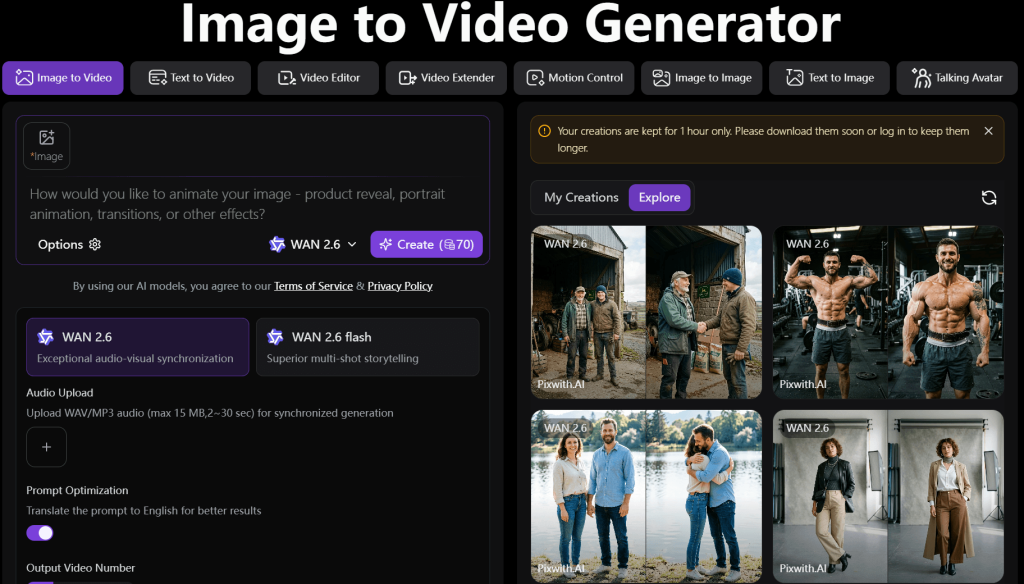
A Simpler, All-in-One Alternative for Everyday Video Creation — Pixwith AI
Runway is a powerful AI video platform, but it is not always the simplest choice. It is designed as a creative environment, and it gives users more control over motion, style, and scene development, but that control often comes with a more involved process.
However, Pixwith AI is worth considering as a more practical and accessible alternative for speed, ease of use, and consistent output.
Unlike Runway’s depth, creative approach, and layered workflows, Pixwith AI (also called Pixwith.ai) is designed as an all-in-one AI video platform that brings image-to-video and text-to-video generation together within an interface, allowing creators to move from idea to output with fewer steps and less friction. It prioritizes efficiency.
Pixwith.ai is simple, and it reduces the need for deep prompt engineering or repeated iterations, and this makes it far more approachable for everyday users. All users, experienced or new, can start generating usable content immediately and with no complications.
In terms of performance, Runway AI does produce more cinematic and stylized results. Pixwith.ai makes up for the difference with speed, predictable results, and a streamlined process.
In practical terms, the comparison comes down to priorities, and not about one being better than the other. The choice is less about features and more about workflow.
Runway favours creative depth and control. Pixwith favours ease of use and everyday reliability.
Real-World Use Cases: Where Runway Truly Shines
Runway AI may not be the most efficient AI image-to-video generator for everyday, high-volume content creation. Nevertheless, it performs exceptionally well in scenarios where creativity and visual impact are paramount.
The AI generator is exclusively for short-form storytelling. If you are working on narrative content like a short film, a visual sequence, or just an experimental clip, you can benefit from Runway’s ability to simulate cinematic motion and atmosphere. Not only that, but its flexibility in style and scene interpretation also means you will get far more expressive results.
In addition, designers, marketers, and creative teams can also use it to bring their ideas to life and better communicate direction and intent to their audiences, as opposed to the conventional static mockups and written descriptions — concept visualization.
Its ability to produce stylized and sometimes abstract graphics also makes it applicable for creative experimentation like music videos and artistic projects. Variability can also be an advantage in these contexts, as its unexpected results can enhance the final piece.
Another ideal use case is for creating high-impact visual content (i.e., a purposeful animation that stands out). For example, a single cinematic clip for a campaign or presentation, the time and effort are worthwhile.
Across these use cases, Runway clearly performs better when the process allows for exploration, adjustment, and multiple attempts.
In that sense, its value is highest in projects where quality, style, and creative direction matter more than efficiency.
Limitations and Drawbacks You Should Know
The AI is inherently variable; therefore, some aspects of the videos might vary significantly across generations, even with similar inputs. That being the case, some outputs may come out polished and visually coherent, and occasionally, some may still require additional refinement attempts.
The system’s iteration-heavy workflow can also be considered a drawback because users who aim for specific outputs might need to generate multiple versions, modify inputs, or refine prompts just to get the results they desire. Even so, this trial-and-error workflow can slow down your productivity if you rely on/expect fast turnaround times.
In addition, since each attempt consumes credits, regardless of quality and whether or not it is a success, the effective cost to produce a usable clip is also variable (i.e., it depends on the number of tries and it cannot be predicted). By implication, high-impact AI-generated videos will automatically cost more credits.
In terms of usability, Runway’s interface is clean and organized. However, beginners and users with no prior knowledge of its features and no experience in AI prompting might not be able to make the most of it.
Taken together, these limitations define Runway AI’s working boundaries. And clearly, it is a tool that rewards experimentation and patience.
Final Verdict: Is Runway the Best Everyday Image-to-Video Tool?
Runway AI is, without question, one of the most capable AI video generators, and its superior cinematic and expressive video generation capabilities gives it an edge. More so, it offers more depth for users who are seeking artistic control, atmosphere, and visual storytelling.
However, when evaluated as an everyday image-to-video tool, it does not pass as an efficiency-first system. The need for multiple iterations, its output variability, and credit consumption make it less practical for everyday fast and repeatable workflows. Even so, in environments where content needs to be produced regularly for social media, marketing, or high-volume publishing — its limitations make it somewhat restrictive.
Nevertheless, its strengths are fully realized when it is approached as a creative production platform for crafting standout visuals, experimenting with ideas, and producing high-impact animations.
Pixwith.ai and its approach to image-to-video generation (i.e., its simplicity, faster turnaround, reliable delivery, and usable results with fewer iterations) is a more streamlined solution and a better alternative for everyday use.
Ultimately, Runway is not the best tool for every situation. But in the right hands and for the right purpose, it is one of the most powerful options available.