
So you generate your first AI video, it actually looks good, you’re kind of proud of it, and then you notice the little logo sitting in the corner the whole time. Yeah. That happens to basically everyone the first week they try one of these tools.
I got asked about this enough times that I figured it was worth actually writing down properly instead of just answering it in DMs over and over. Is there a free AI video generator with no watermark? Sort of. It’s complicated in a way most “top tools” lists don’t really explain, so let’s get into it honestly.
Why do free tools slap a watermark on everything anyway?
Running these models costs real money. Like, a lot of it. Every video generation is chewing through GPU compute somewhere, and that compute isn’t cheap even at scale. So companies give away free tiers to get people in the door, but they need a way to keep the free tier working for their business.
The watermark is basically doing two jobs at once. It’s advertising: every video someone shares with your logo on it is a tiny ad for your tool. And it’s also a soft nudge toward the paid plan, because nobody wants their client-facing video walking around with someone else’s branding stamped on the corner.
So when you see “free AI video generator,” pretty much assume there’s a watermark somewhere unless it explicitly says otherwise. That’s just how the business model tends to work.
Are there actually watermark-free free options?
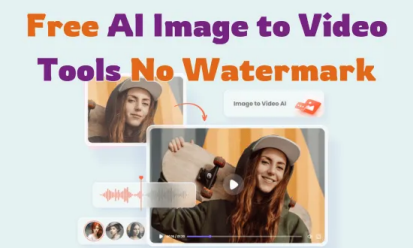
Yeah, a handful, but usually with a catch. Here’s roughly what I’ve seen across different tools:
Some offer a limited number of watermark-free generations per month before it kicks back to watermarked or paid. Others remove the watermark only on certain export resolutions: free but low-res and clean, or free but higher-res with the logo. And some just don’t watermark at all but cap you hard on clip length or generations per day to make up for it.
None of this is a trick exactly. It’s just how these companies balance giving stuff away for free with still being able to pay their compute bills. Worth knowing going in so you’re not surprised later.
What creators actually need to think about here
If you’re making content for personal fun, honestly the watermark barely matters. Nobody scrolling TikTok cares that there’s a small logo in the corner of your dancing cat video.
But if you’re making anything client-facing an ad concept, a product demo, something going on a brand’s actual channel a watermark is a real problem. It looks unfinished, and worse, it makes it obvious you used a free tool, which isn’t exactly the vibe you want when you’re trying to look professional.
Somewhere in between is stuff for your own channel that you actually care about: a YouTube video, a portfolio piece, whatever. There, the watermark is more of a judgment call; some creators genuinely don’t mind it; others find it kills the whole thing.
A thing people don’t think about: “no watermark” doesn’t always mean “yours to use however you want.”
This one trips people up. Just because a video came out without a logo stamped on it doesn’t automatically mean you own full commercial rights to use it anywhere for anything. Free tiers especially often have licensing terms buried in there; sometimes it’s fine for personal use but not commercial, sometimes there are usage caps, and sometimes the platform reserves rights
to showcase your generation in their own marketing.
I know, nobody reads terms of service. I get it. But if you’re putting a video in front of paying clients or running ads with it, it’s genuinely worth the five minutes to check what the free tier actually allows. Way better than finding out the hard way.
How to actually find a decent watermark-free option
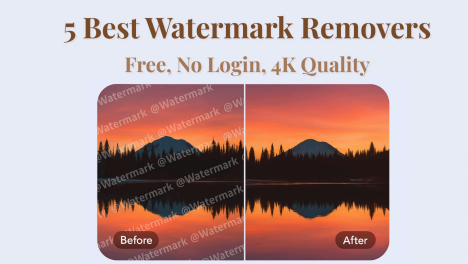
A few practical things that have worked for me:
Check the free tier limits before you commit time to a project. Some tools give you a handful of clean generations a month, which is honestly plenty if you’re not doing this daily.
Look at export settings closely. Sometimes the watermark toggle is buried in a settings menu rather than being obvious upfront.
Don’t assume “no watermark visible in the preview” means the exported file is clean too. I’ve been burned by this exact thing: previewed clean, exported with a logo.
And if a tool advertises “100% free, no watermark, no limits” with zero explanation of how that’s sustainable, be a little skeptical. Somebody’s paying for that compute somewhere, even if it’s not obviously you.
At Pixwith ai, we’ve tried to keep this part simple and upfront rather than burying it in fine print, since half the frustration with this stuff is just not knowing what you’re actually getting before you generate something.
FAQ
Is there really a completely free AI video generator with no watermark at all?
A few exist with generous free tiers, but most balance this with generation limits, lower export resolution, or capped clip length. Fully free with zero restrictions is rare and worth double-checking before you build a project around it.
Why do some tools charge just to remove the watermark?
Because generating video is compute-heavy and expensive to run. The watermark removal fee (or paid tier) is usually how these companies cover that cost while still offering something free to try.
Does the watermark affect video quality?
No, it’s just an overlay. But some free tiers do bundle lower resolution with the free/watermarked option, so it’s worth checking those two things separately.
If you’re testing this out, it’s worth generating a couple of clips first before deciding whether the watermark situation actually works for what you need. Every platform handles it a little differently, and five minutes of testing tells you more than any list of “best tools” ever will.