
You no longer have to be an expert to create stunning videos for your social media ads, marketing campaigns, product promotions, or just about anything. With just a few sentences, AI video generators can create entire videos for you in seconds.
However, getting the AI to create a video that actually fits your vision is a whole different story. You need to type in strong descriptive prompts that will give the generator a clearer picture of what you want to see. Weaker prompts will likely result in generic clips with awkward movements, poor lighting, and too much clutter.
If you are experiencing such issues, then don’t fret. This guide is here to help you write better prompts that actually work.
Why Effective Prompts Matter
Getting a better AI-generated video usually comes down to how well your prompts are written. Unfortunately, most people think this means writing essay-length prompts, assuming that more words yield better results. They don’t.
If you write prompts in this way, the AI model steps in and makes more creative decisions on your behalf. As a result, the final output won’t meet your desired expectations. On the other hand, a clear prompt provides more direction and guides the tool on how you want the scene to look and feel.
This is quite important for video generation because you aren’t describing a single static image. You are describing every scene as it happens. So you have to be clear on your subject’s movements, how the camera should behave, and what happens next.
Having details like ‘slow camera push’, ‘a person moving towards the camera’, or ‘sunlight changing across the room’ can have a significant impact on the final clip. This is because it helps:
- Set up the scene clearly.
- Provide more visual context to the AI
- Reduce the number of wasted attempts
The goal here isn’t to make these prompts extremely long and complicated. It’s to provide the necessary details clearly so that the AI has enough information to work with.
The 6 Crucial Elements to Include in Your Prompt
You don’t have to come up with different formulas every time you are writing your prompts. With these six elements, you’ll write better prompts and get more consistent results across all your videos.
Describe the Subject
When writing your prompts, you need to tell the AI exactly what should appear in any given scene. To do this, you first need to identify the main character or object in your video. Then describe the aforementioned in detail. Whether it’s appearance, clothing, colour, size, or make, ensure everything that actually matters is captured.
For example, instead of typing:
‘A car on the road.’
Use this instead:
‘A black BMW SUV car driving along a busy street.’
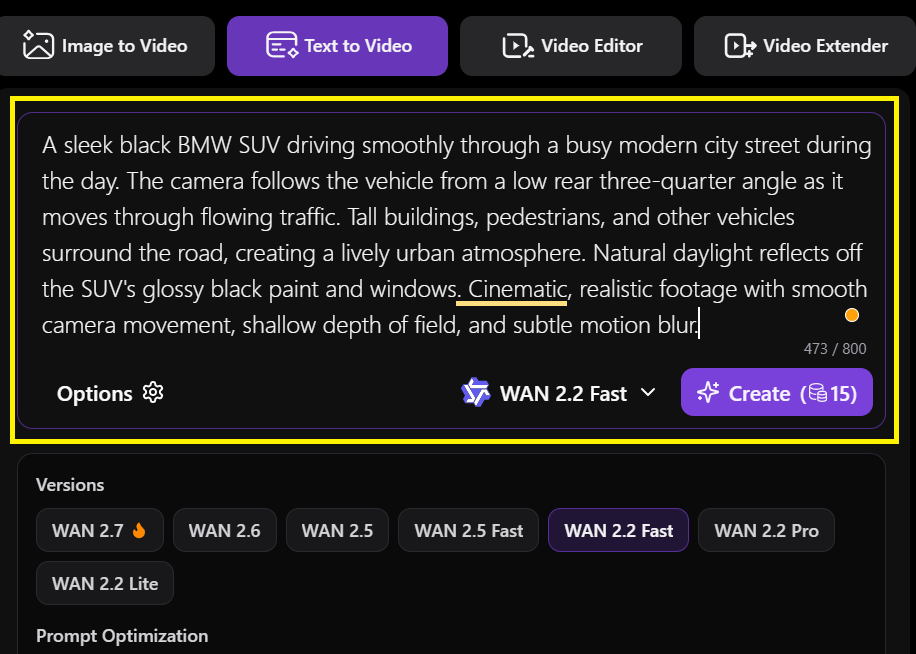
This is more precise and visually clear, making it easier for the AI to interpret.
Describe the Movements
Unlike pictures, where you are working with a single frame, videos are all about movement. So you are not working with space alone, but also time. That means every movement should be accounted for.
Use clear action words to describe motion, timing, transitions, and scene flow. With these, you are not only describing what it should look like, but also what is happening.
For example, ‘A young man in a tracksuit running fast towards a glass office building.’
Specify the Setting
In your prompt, you need to describe the surrounding environment where the scene occurs. Don’t focus on the main character alone and leave the AI hanging to fill in the gaps. Things like location and background elements should all feature.
Add Camera Behaviour
This controls the cinematic feel and tells the AI how you want the camera to record different scenes. Such terms include:
- Zoom in or out
- Slow pan
- Tracking shot
- Overhead shot
- Slow zoom, etc.
For example, ‘Zoom in the camera slowly towards the car.’
Include Lighting and Atmosphere
They set the mood and the general appearance of your videos. How you describe the lighting in your prompts will affect realism and emotion.
For example, ‘Warm bright natural light fills the room to create a calm atmosphere.’
Define the Visual Style
Finally, you need to define your visual identity in your prompts depending on what the video is intended to do. Terms like cinematic, minimalist, animated, or commercial style will describe the aesthetics of the video.
The Simple AI Video Prompt Formula That Works
Coming up with an effective AI video prompt doesn’t need to be an overwhelming or complicated process.
Here’s a simple formula that covers the most important aspects and works well across different platforms.
Subject + Environment + Action + Camera + Lighting + Style + Mood
This framework provides the AI with enough direction to understand how you want the video to look and how the scene should move.
Example:
‘A woman is drinking coffee.’
While this prompt is clear, it leaves so many unanswered questions. You can make this prompt more specific by applying the formula above.
‘A young woman in her 20s wearing a black leather jacket sits alone beside the window in a busy modern cafe, sipping coffee from a black ceramic mug as she stares outside the window. Warm evening sunlight enters through the window. The camera slowly pushes in from a medium shot. Cinematic, photorealistic style with a calm, cozy atmosphere.’
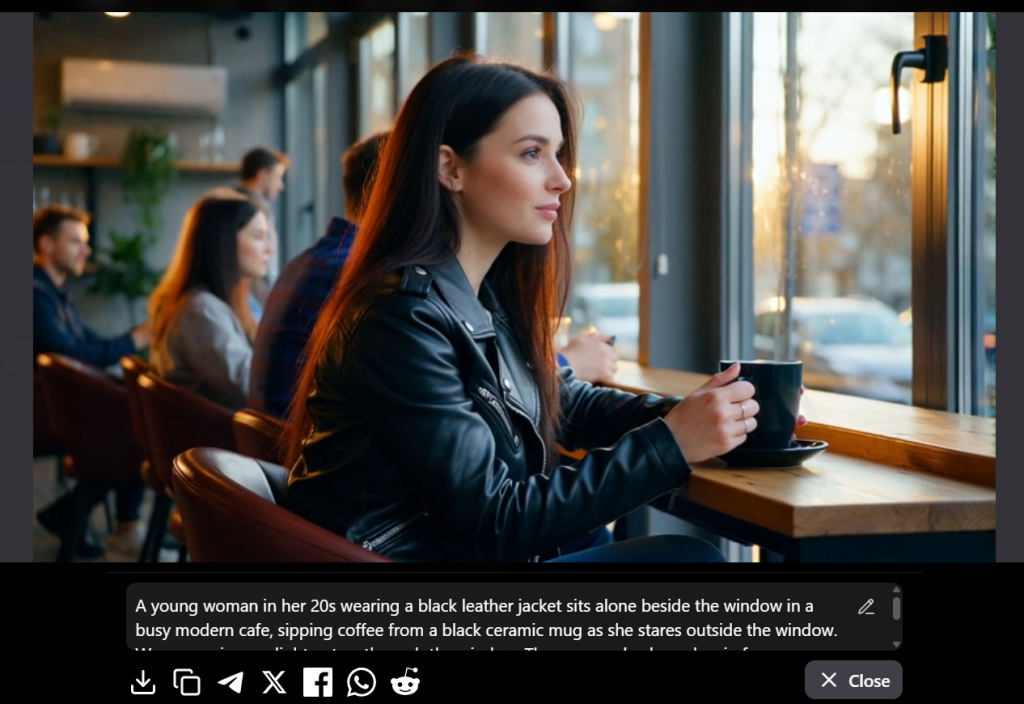
This second prompt leaves no room for second-guessing. It identifies the subject (a young woman), environment (a modern cafe), action (sipping coffee), camera (slowly pushes in), lighting evening sunlight), and style and mood (cinematic, photorealistic).
This formula isn’t set in stone. You don’t need to include all the pieces in every prompt. The key is to treat the formula as a starting point, then refine it based on what you want to change.
5 Tips for Getting Better Results from Free AI Video Generators
Your prompts need to be specific, not overloaded
Don’t write long, confusing sentences. Instead, use simple, direct words that describe what matters.
Keep your clips short
These generators handle short movements better compared to long scenes. Therefore, when handling complex motion, you can generate clips of around 5 seconds each, then combine the multiple clips into a longer video.
Use reference images
Upload a picture of the main character or object from the start to ensure the AI remains consistent and helps prevent the video from changing mid-scene.
Start simple, then iterate
You don’t have to go big on your first prompt. Generate the video first, then look at what worked and what didn’t. From there, you can adjust the relevant parts of the prompts.
Match your prompt to the platform
What is the video intended for? Is it Facebook? Instagram Reels? Youtube? Or a website? Depending on where it will be used, always remember to include the aspect ratio and ensure the subject is within the frame.
Common Mistakes to Avoid When Writing AI Video Prompts
Being too vague when writing prompts: a prompt like ‘a dog running’ leaves everything to chance. There’s simply too much left out for the AI to decide.
Forgetting to add the camera movement: when you focus more on the subject and forget to add camera directions, it causes the AI to guess poorly.
When you treat videos like photos: using prompts meant for pictures will lead to stiff imagery.
Ignoring lighting and mood leaves frames flat and lifeless: There’s a big difference between ‘a kitchen ‘ and ‘a modern kitchen lit by soft morning window light’.
Using PixWith to Create Better AI Video
By now, you know what a strong prompt looks like, the dos and don’ts, and a simple formula to use as reference when writing these prompts. The next step is to select a tool that can turn these instructions into compelling videos.
PixWith is an ideal AI that provides user-friendly tools to create AI-generated videos from text or images. It works well for everyone. Whether you are making a social media clip, promo video, or brand content, this tool has you covered.
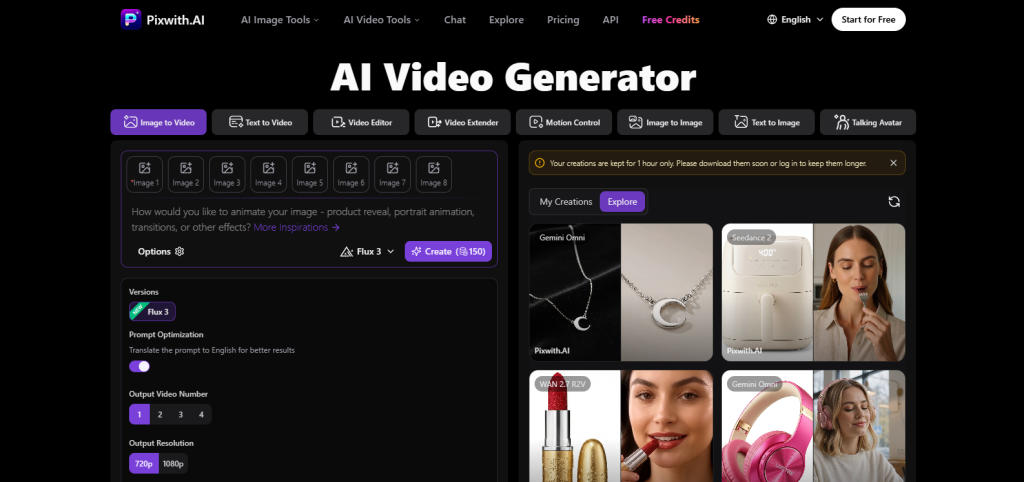
With PixWith, you can take the prompting tips we’ve discussed above and put them to use right away. And it’s pretty simple if you apply the formula above. Just make sure you describe the subject, environment, camera movements, lighting, and style.
The good thing about PixWith is that it lets you deploy top-tier generative models such as Kling, Sora, Google Veo, and Seadance all from one dashboard. On top of that, this platform ensures the videos generated are watermark-free. Therefore, you can brand and monetize your videos without restrictions.
Practical AI video prompt examples
Product Promotion
‘A premium black watch displayed on a slowly rotating C-shaped watch display stand in a luxury boutique. As the watch rotates, the soft lighting highlights its screen and a celestial theme detailing. The camera smoothly pushes in towards the watch in a clean, cinematic, and photorealistic commercial style.’
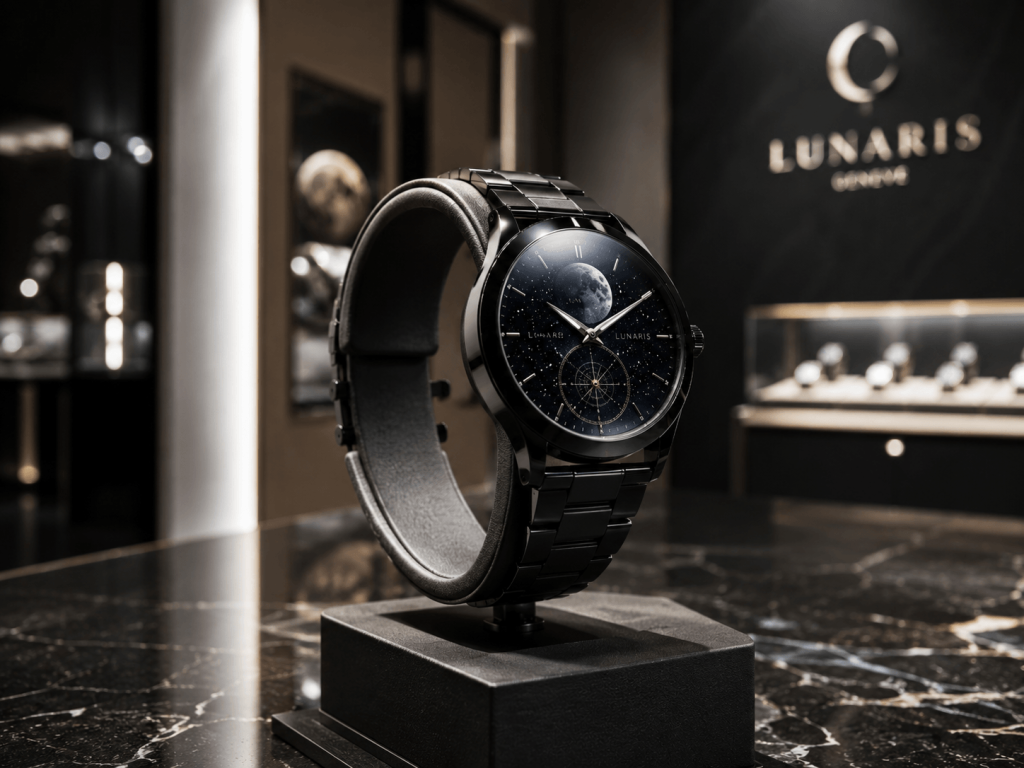
This prompt focuses entirely on a single product. It uses the movement of the camera to create a sophisticated advertising feel.
Brand Storytelling
‘A young woman works late in her art gallery, carefully preparing paintings for an exhibit. As morning arrives, she opens the door and receives the first guest with a warm smile. The camera slowly follows them through the open spaces as she shows the guest one of her paintings. Warm natural lighting, cinematic and realistic style, authentic and optimistic mood.’
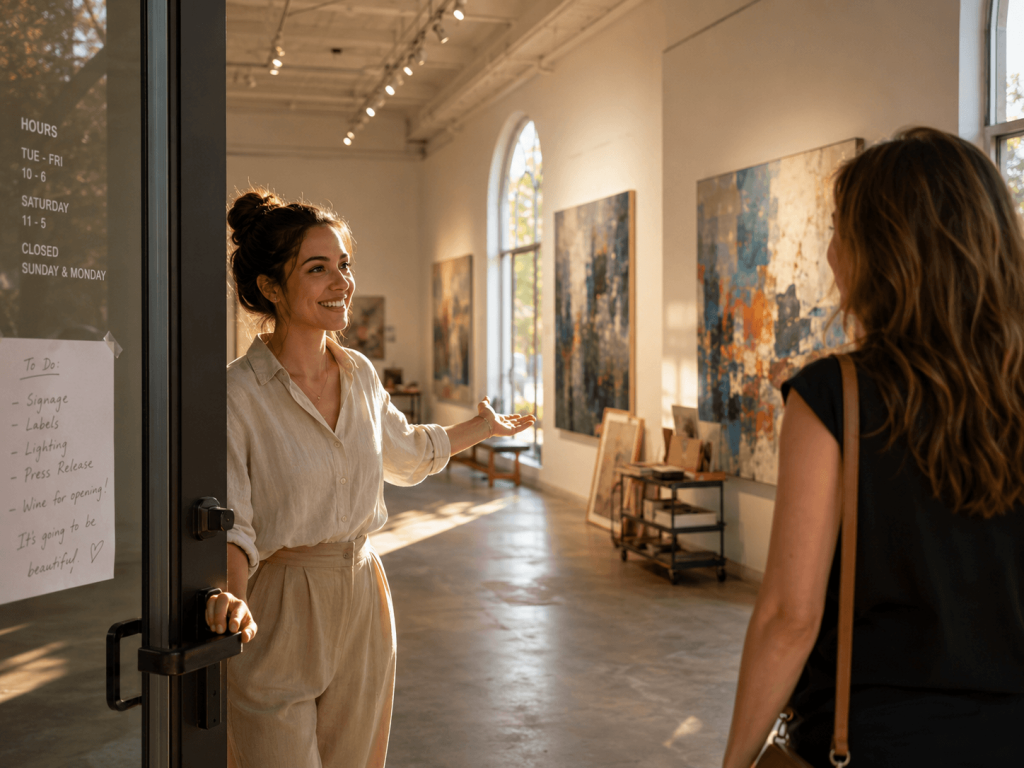
This focuses less on a product and more on creating an emotional connection with the audience.
Write better prompts for free AI video generators
Well-written AI video prompts are the secret sauce to creating stunning videos. And the best prompts for AI video generators aren’t complex. They’re clear, specific, and intentional.
And you don’t have to worry about being perfect with your first attempt. Start simple, see the result, then make the necessary changes. Over time, with practice, you’ll nail down what works best for your videos and the quirks to avoid.