
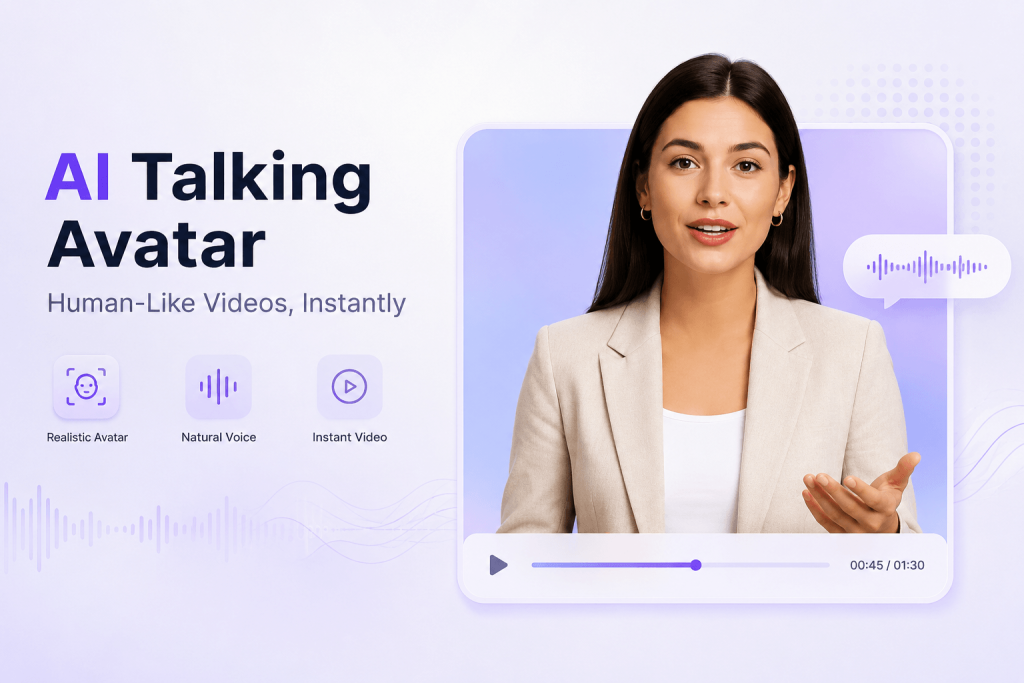
The Problem Isn’t Video Creation — It’s Staying Consistent
Video used to require the camera, good lighting, a microphone that worked, video editing software and quite a bit of courage to be in front of a camera and speak. That was the limiting factor for most people.
The thing about creating, teaching, marketing, and small business owners is that there’s never a shortage of ideas. The problem is that they are creating videos every week, but they’re either overwhelmed or they’re spending money that they don’t have. An AI talking avatar changes that math. Script is written, digital presenter is read, and no camera, no retakes, no studio.
This article explains the inner workings of these free AI talking avatar generators, when they are really helpful, and how you can make them sound non-stereotypical and not robotic.
What Is a Free AI Talking Avatar Video Generator?
It’s a tool that at its most fundamental level converts written text into an audio-visual recording of a human voice. It’s a product of a combination of a couple of technologies in action:
- AI Avatar Generation: Creation of a virtual human (or avatar) with realistic movements and speech.AI Avatar Generation: The process of creating a virtual human (or avatar) with realistic movements and speech.
- Text to Speech (TTS): That is, turning your script into spoken words that sound like a real person.
- Lip synchronisation: The ability to sync up the lips with the audio, in real-time.
- Small facial expressions and gestures: Make face not look frozen
- Video rendering: Turning all that into a completed video that you can download…
The basic workflow looks like this: Script → AI Voice → Avatar Animation → Final Video.
Imagine a marketing group which is attempting to launch a new item. They don’t need to plan a shoot, hire a presenter, and record several takes, they write one script and have it translated into a number of languages in a couple of hours. The use of these tools is the “real world” equivalent of speed without a production crew!
Why Talking Avatar Videos Are Different From Other AI Videos
Most coverage of AI video tools lumps everything into one category. But talking avatar tools solve a different problem than scene-based AI video generators.
| Traditional AI Video | AI Talking Avatar Video |
| Focuses on scenes and visuals | Focuses on communication |
| Good for cinematic or narrative content | Good for explanation and presentation |
| Needs storytelling prompts | Starts from a written script |
| Often replaces filmed footage | Creates a digital presenter |
The difference is important since humans react to faces. You can use a voiceover over stock footage to explain something, but you can’t create a connection like a face looking in the direction of the camera and talking to the viewer. In the process, AI avatars bring back the human element to content that feels otherwise automated..
My First Attempt at an AI Talking Avatar Video
I want to walk through this from experience rather than theory, because the first few tries usually don’t go the way people expect.
Step 1: Starting With a Simple Script
I opened with something plain: “Welcome to our AI productivity guide…” Nothing clever, just a direct line meant to be spoken out loud rather than read on a page. That distinction turned out to matter more than I expected. Scripts written for reading tend to use longer sentences and formal phrasing. Scripts meant to be spoken need rhythm — short clauses, natural breaks, the kind of wording you’d actually say to a colleague.
Step 2: Choosing the Right Avatar Style
Most tools offer a handful of avatar personalities:
- Professional presenter — steady, formal, suited to B2B or corporate messaging
- Educational instructor — calm and clear, good for training material
- Social media creator — energetic, casual, built for short-form platforms
- Brand spokesperson — consistent look and tone tied to a company identity
The choice isn’t cosmetic. A SaaS company explaining a new feature needs a presenter that reads as credible. A TikTok clip needs energy and pace. A training video needs calm, unhurried delivery so the information actually lands. Picking the wrong style creates a mismatch that viewers notice even if they can’t name why something feels off.
Step 3: Making It Sound Natural
This is where most beginner attempts fall apart. A few adjustments make a real difference:
- Keep sentences short
- Build in natural pauses
- Write the way you’d talk, not the way you’d write a report
- Cut anything that sounds like a press release
Compare these two lines:
Stiff: “Our software provides innovative solutions for business optimization.”
Better: “Looking for a faster way to manage your workflow? Here’s how our tool helps.”
The second version reads like a person talking to another person. The avatar can only work with what you give it — a robotic script produces a robotic-sounding video no matter how good the animation is.
Best Use Cases for Free AI Talking Avatar Video Generators
1. Social Media Content
Short daily clips, quick educational bits, product tips, or news recaps all suit this format well. The avatar gives viewers a consistent face to recognize across a feed, even if the person behind the account never appears on camera.
2. Product Demonstrations
Full production shoots for product videos are expensive and slow to update. An avatar can walk through features, explain a new release, or answer frequently asked questions — and when the product changes, you just update the script instead of rebooking a shoot.
3. Online Courses and Training
Language lessons, corporate training, and tutorials benefit from a presenter who never gets tired, never needs a new take, and can be re-recorded in minutes when the material changes. Course creators also get a consistent instructor across every lesson, along with faster translation into other languages.
4. Small Business Marketing
A small business rarely has the budget for actors, a video crew, or a rented studio. An avatar tool closes that gap, letting a two-person team produce marketing videos that look close to what a much larger company might produce.
What Actually Makes a Good AI Talking Avatar Video
It’s tempting to assume the fanciest tool automatically wins. In practice, three things matter more than the software itself.
Lip synchronization that actually matches. The mouth movements need to track the rhythm of the speech, not just move in a loose approximation. Poor sync is usually the first thing viewers notice, even if they can’t explain what feels wrong.
Voice delivery with some texture to it. A flat, evenly-paced voice reads as artificial almost instantly. Look for tools that let the voice speed up, slow down, and pause the way a real person would while talking.
The script matters more than the technology. This trips up a lot of beginners. There’s an assumption that a more advanced AI model automatically produces a better video. In reality, a well-paced, conversational script running through a decent avatar tool will usually outperform a weak script running through the most advanced one available. Technology can only deliver what you write.
Common Mistakes Beginners Make
Writing like a press release instead of a person. Fix this by reading your script out loud before generating anything. If it sounds awkward coming out of your own mouth, it will sound worse coming from an avatar.
Making the video too long. Start with 15 to 60 seconds and one clear message. Longer videos increase the chance of dead spots and awkward pacing, especially for a first attempt.
Picking an avatar personality that doesn’t match the audience. An energetic, fast-talking avatar delivering a compliance training module feels wrong. Match the tone of the presenter to what the viewer expects to see.
Ignoring consistency. If you’re building a channel or a brand presence, keep the same tone, visual style, and voice personality across videos. Viewers build familiarity with a consistent presenter the same way they would with a recurring human host.
How to Create Your First Free AI Talking Avatar Video
Step 1: Prepare your script
Stick to one topic, open with a strong first line, and end with a clear call to action.
Step 2: Pick an avatar
Choose from professional, friendly, creative, or educational styles based on where the video will be published and who’s watching it.
Step 3: Generate and review
Check the voice quality, the lip sync, the pacing, and how the avatar looks overall before publishing.
Step 4: Publish across platforms
One video can be repurposed for YouTube Shorts, TikTok, Instagram Reels, LinkedIn, and landing pages on your own site.
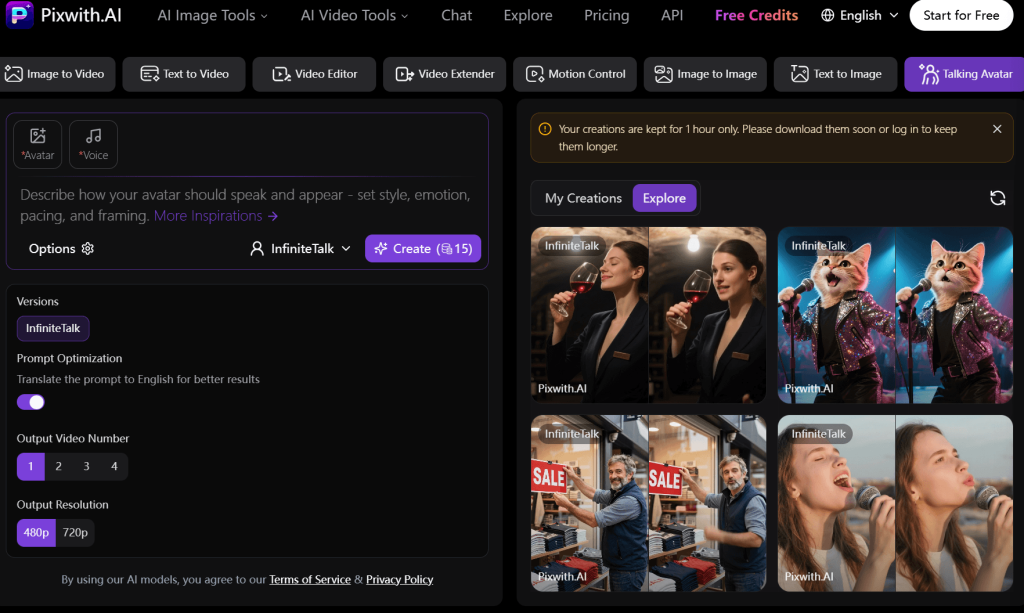
Why Try Pixwith’s AI Talking Avatar Video Generator
Pixwith helps creators turn a plain script into a finished talking avatar video without recording equipment, a studio, or editing experience. It’s built for people who need to move from idea to finished video quickly:
- Turn simple ideas into full avatar videos
- Generate presenter-style content faster than a traditional shoot
- Fits creators, marketers, educators, and small business owners
- Works alongside the rest of a modern content workflow
If you’ve been putting off video because of the production hurdle, this is a low-effort way to test the format. Start creating your own AI talking avatar video with Pixwith today:
The Future of AI Avatar Videos: From Digital Presenters to Personal AI Hosts
The next stage of this technology points toward more personalized applications — customer support videos generated on the fly for individual users, AI-powered teaching assistants that adjust pacing to a student, virtual brand ambassadors that stay consistent across every market, and instant multilingual content without hiring separate voice talent for each language.
None of this replaces the value of human creativity or a genuine on-camera presence. What it removes is the production barrier that’s kept a lot of good ideas stuck as drafts. When the cost of making a video drops from a full production day to a few minutes at a keyboard, more people end up actually making the video instead of just planning to.