
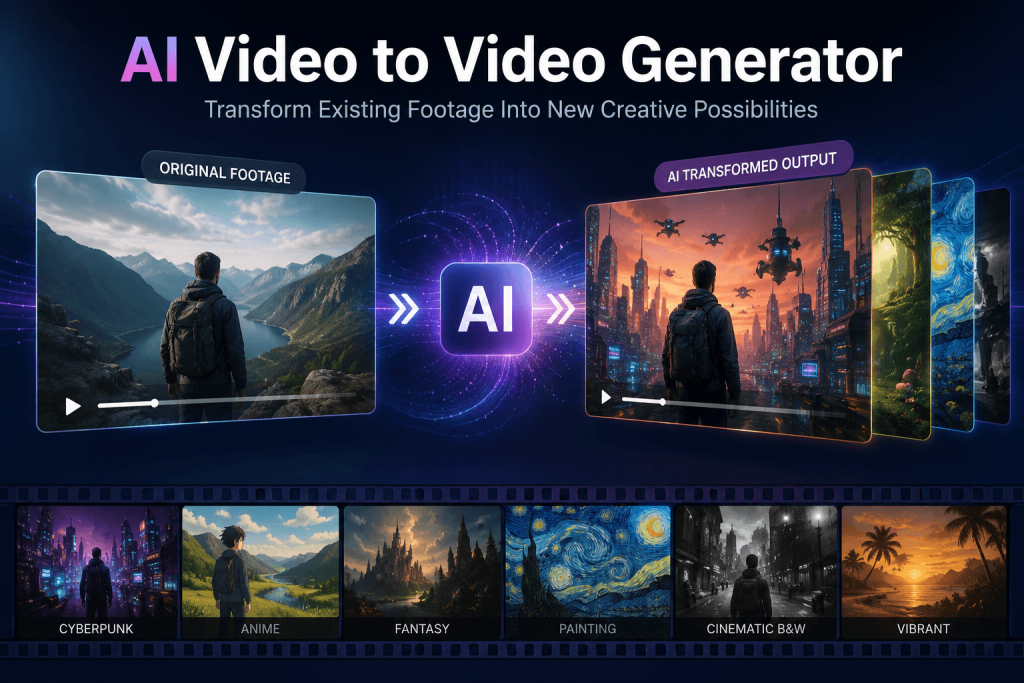
The Problem Isn’t Making a Video, it’s Making Ten of Them
Most creators don’t struggle to film something. They struggle to keep up with everywhere that footage needs to live. One clip you shot on your phone might need a TikTok cut, a YouTube Shorts version, an Instagram Reel, maybe a paid ad variant on top of that — and each of those often looks better with its own visual treatment.
The old way of handling this is grinding through the same footage over and over: reworking the edit, layering effects, color grading each version, exporting, then doing it again for the next platform. It works, but it eats hours you don’t have, and it usually requires editing chops most creators picked up the hard way. Worse, it limits how much you can actually experiment, because every new visual idea costs you another round trip through the timeline.
An AI video to video generator changes that math. Instead of rebuilding a scene from scratch for every variation, you start from footage you already shot and let AI reshape it into something new. The filming happens once. The reinvention happens as many times as you need it to.
What Is an AI Video to Video Generator?
The concept is simpler than it sounds: you upload a video you already have, describe how you want it to change, and the tool transforms the footage based on that instruction.
That’s a different starting point than text-to-video. Text-to-video builds a clip out of nothing but a written idea — there’s no source material, just imagination turned into motion. Video-to-video starts with real footage: real movement, real timing, real framing, and reshapes what’s already there.
Say your original clip shows someone walking down a city street. With an AI video to video generator, that same walk could become:
- A neon-lit cyberpunk city
- An anime-style scene
- A cinematic, movie-trailer look
- A fantasy world backdrop
- A polished product-ad aesthetic
Same motion, same subject, completely different world around it.
Why This Is Different From Traditional Editing
Traditional Editing Works Frame by Frame
Editing software built for professionals asks you to think in timelines, keyframes, layers, masks, and effects libraries. That’s exactly what gives pros so much precision — but it’s also why testing five different looks for the same clip can eat an entire afternoon.
AI Works From Intent, Not Instructions
With AI-driven tools, you’re not managing individual technical steps. You’re describing what you want:
- “Make this scene look like a big-budget movie.”
- “Turn this product clip into a luxury commercial.”
- “Set this in a futuristic city.”
The creator stays focused on the idea. The tool handles translating that idea into the visual execution.
The Real Advantage: Getting More Out of Footage You Already Have
Most write-ups about AI video tools focus on generating brand-new clips from a prompt. The bigger, quieter shift is what this does for content you’ve already filmed.
One Clip, Several Different Assets
Picture a fitness creator with one workout video sitting on their camera roll. From that single piece of footage, AI transformation can produce:
- A cinematic fitness commercial
- A punchy, motivational social clip
- An anime-inspired training scene
- A high-end gym advertisement
- A short vertical cut built for feeds
That’s five distinct pieces of content pulled from one filming session — no reshoots, no new locations, no extra crew.
The payoff is straightforward: more output, less time behind the camera, and a much faster way to test what actually resonates with an audience before committing to a bigger production.
There’s also a practical business case here that’s easy to miss. Filming is usually the most expensive, most logistically painful part of content production — booking locations, coordinating people, dealing with weather or lighting that doesn’t cooperate. Once that footage exists, transformation is comparatively cheap and fast. That flips the usual cost structure: instead of spending most of your budget on production and treating post-production as an afterthought, the footage becomes a reusable asset you can keep reshaping as trends, platforms, and campaigns change.
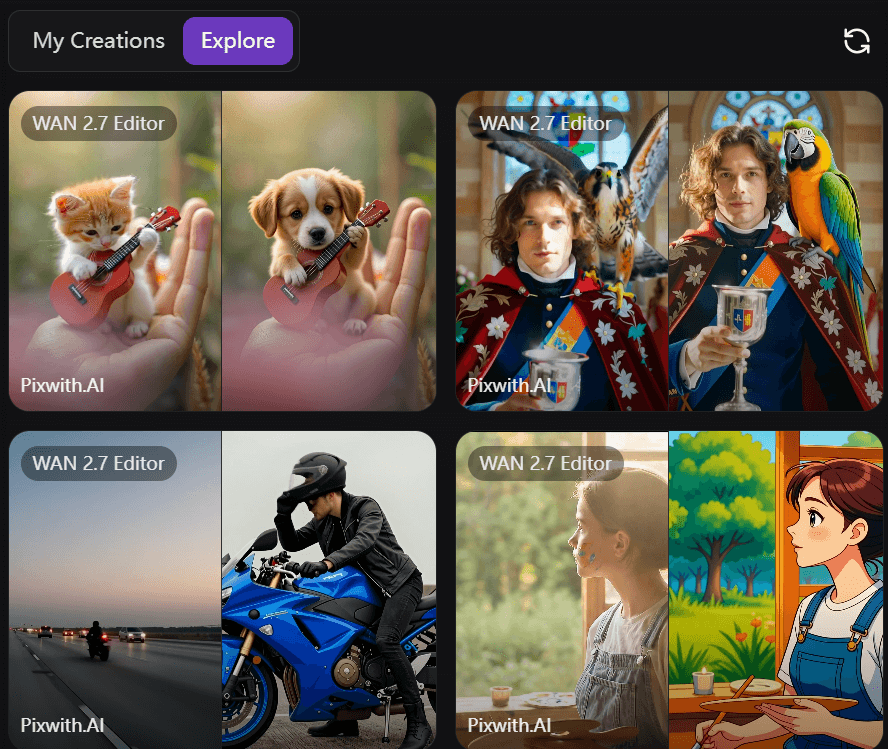
How Creators Are Actually Using These Tools
Social Media Content
Creators lean on video-to-video transformation to switch up visual styles, jump on trends without reshooting, and produce format variations for every platform from one source clip. A single dance video, for example, can turn into several stylistically different versions built for different feeds and audiences.
Marketing and Advertising
Brands are running product demos, testimonials, and standard promo footage through AI transformation to produce premium-looking ads, seasonal campaign variants, and localized versions — all without booking new shoots for every idea marketing wants to test.
Film and Storytelling
Independent filmmakers use it earlier in the process: testing how a scene might look in different visual styles, exploring mood and tone, and figuring out an aesthetic direction before spending real production budget chasing it. A director unsure whether a scene reads better as gritty realism or stylized fantasy can generate both and compare them side by side, rather than arguing it out in a planning meeting.
Education and Training
Even training material and tutorial footage benefits. Content that would otherwise sit flat and functional can be reshaped into something more visually engaging, without re-filming the underlying lesson. A company recording internal training videos, for instance, can turn a plain screen-and-narration clip into something closer to a polished explainer, which tends to hold attention longer than a static recording ever could.
What Actually Makes a Good AI Video to Video Generator
It’s less about a checklist of features and more about what the tool lets a creator actually do.
Real creative control. Can you steer the style, the movement, the mood — or does the tool just apply one fixed look to everything?
Respect for the original footage. A strong tool keeps the subject recognizable, the motion natural, and the scene structure intact while it applies the new style. If your subject warps or the motion turns choppy, the transformation isn’t doing its job.
Range. Cinematic looks, animated styles, artistic effects, and commercial-grade polish all need to be on the table — not just one aesthetic dressed up five different ways.
A workflow that doesn’t fight you. Upload the footage, describe the transformation, generate the result, then refine the direction. That loop should feel quick enough that you actually want to try a second or third version.
Mistakes Creators Make With AI Video Transformation
Expecting AI to Rescue a Bad Source Clip
AI reshapes what’s there — it doesn’t invent quality that was never in the footage. A shaky, poorly lit clip with an unclear subject is still a shaky, poorly lit clip after transformation, just with a filter over the top. Start with reasonably stable footage, a clear subject, and decent lighting, and the results improve dramatically.
Writing Vague Prompts
“Make this video better” gives the tool almost nothing to work with. Compare that to something like: “Transform this street scene into a cinematic sci-fi city with neon lighting, realistic camera movement, and a dramatic atmosphere.” The second version gives the AI an actual direction to run with, and the output shows it.
Treating AI as the Whole Creative Process
The tool is a collaborator, not a replacement for creative thinking. Storytelling instincts, a sense of what an audience wants, and a clear concept still have to come from the person behind the project. AI handles execution faster — it doesn’t hand you the idea.
Skipping the Review Pass
It’s tempting to generate a result and export it immediately, especially when the first attempt looks decent. But the creators who get the most out of these tools treat the first generation as a starting point, not a finished product — checking motion consistency, adjusting the style intensity, and making small tweaks before calling it done.
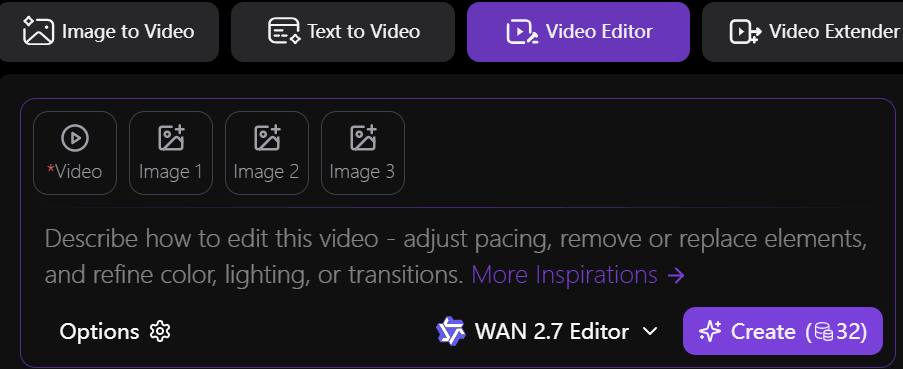
Step-by-Step: Turning One Clip Into a New Version
Step 1: Upload your original footage. This can be a raw clip, a demo, or existing creative content — anything with real motion to build from.
Step 2: Describe the style you’re after. Be specific: “cinematic Hollywood style,” “anime-inspired animation,” “luxury commercial look,” or “fantasy environment” all give the tool something concrete to aim for.
Step 3: Review the result and adjust. Fine-tune the style, the motion, the atmosphere, or smaller visual details until the clip matches what you had in mind.
Step 4: Export and put it to work. Pull versions built for TikTok, YouTube, Instagram, or a marketing campaign — each tailored to where it’s actually going to live.
Why This Is Becoming the New Normal for Content Production
The old model went something like this: professional software, a professional editor, and a budget to match. That combination locked a lot of creators and small brands out of certain kinds of production entirely.
The newer model looks different: an idea, some AI assistance, and a much shorter path to a finished result. That doesn’t take creativity out of the equation — if anything, it puts more weight on having a strong idea in the first place, since execution is no longer the bottleneck. What it does remove is the technical distance between imagining something and actually seeing it on screen.
This matters most for the people who never had access to a full production budget in the first place: solo creators, small brands, and teams juggling five other priorities alongside content. AI video-to-video doesn’t replace skilled editors or professional productions — it lowers the floor for what’s possible without them, which is exactly why more creators are treating it as a standard part of the workflow rather than a novelty.
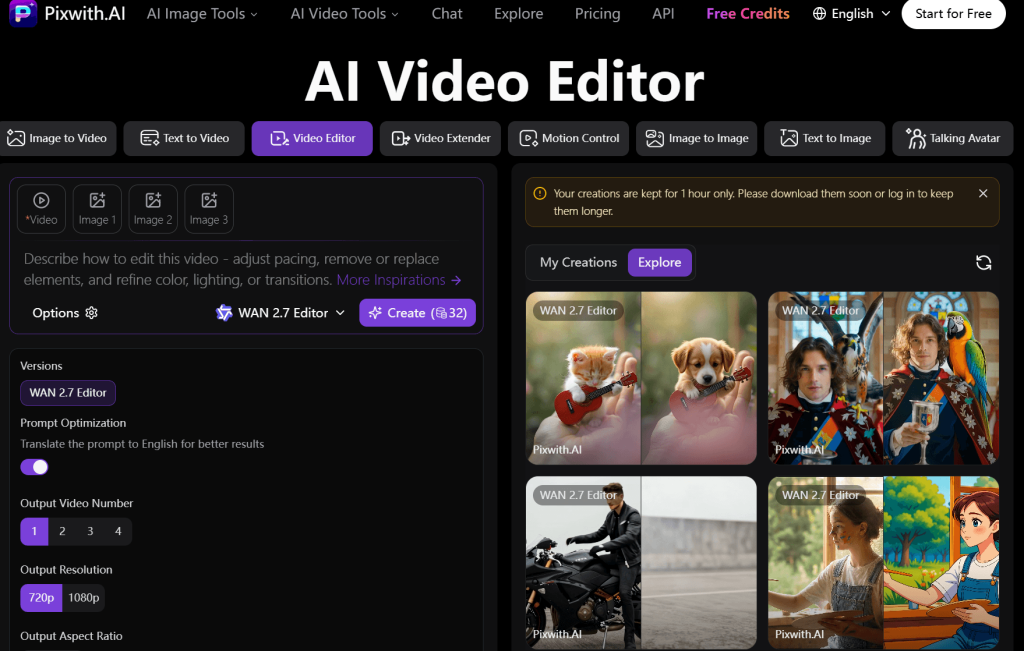
Try AI Video to Video Editing With Pixwith
If you’re already sitting on footage and looking for more ways to reshape it, AI video-to-video editing is a faster route into experimenting with new styles, concepts, and visual directions. Pixwith AI Video Editor lets creators turn existing clips into new creative versions without needing a professional editing background.
FAQ
What is an AI video to video generator?
It’s a tool that takes footage you already have and reshapes it based on a written description — changing the visual style, setting, or atmosphere while keeping the original motion and subject intact.
Can AI transform an existing video into another style?
Yes. Rather than generating a clip from scratch, video-to-video tools apply a new look — cinematic, animated, or stylized — onto footage that already exists, keeping the underlying motion and structure.
Is AI video editing easier than traditional editing?
For style experimentation, generally yes. Traditional editing requires manual work across timelines, keyframes, and effects. AI-driven tools let you describe the outcome you want and generate it directly, which cuts out a lot of the manual steps.
What videos work best with AI transformation?
Clips with a clear subject, stable motion, and decent lighting tend to transform the most cleanly. Shaky or poorly lit source footage limits how good the final result can look.
Can businesses use AI video-to-video tools for marketing?
Yes. Brands are already using these tools to turn product demos and testimonials into polished ads, seasonal campaign variants, and localized versions without commissioning a new shoot for each one.