
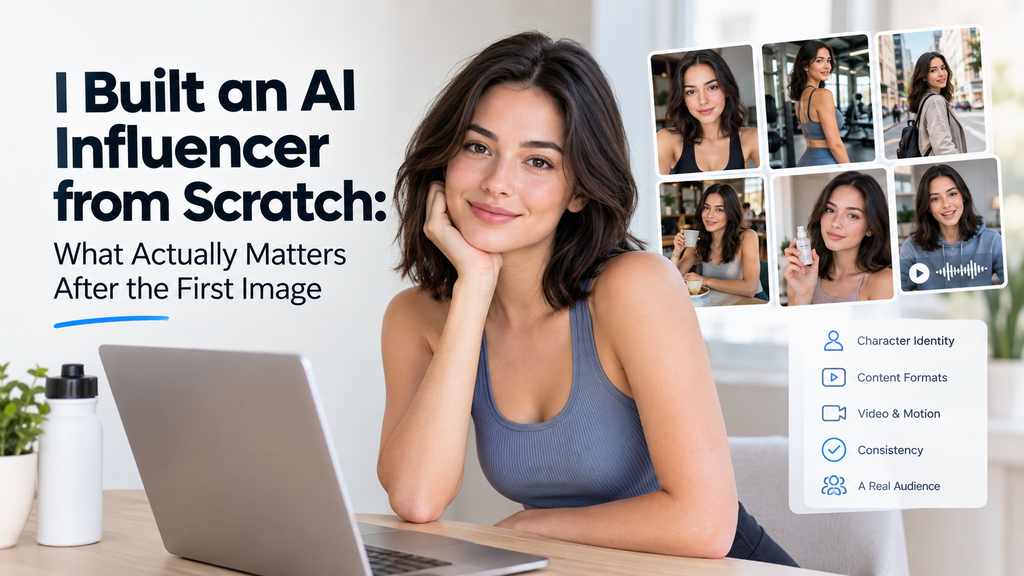
I thought making an AI influencer meant generating a convincing face. After the first image came out looking great, I realized that was maybe 10% of the job.
The real test starts when you ask the same character to show up in another location, wear a different outfit, move naturally, hold a product, speak on camera, and appear from a different angle, all while still looking like the same person. Most tools handle the first image fine. The problems show up around image number six.
So here’s the idea I’ll use throughout this post: don’t judge a free AI influencer generator by its best portrait. Judge it by whether it helps you build a repeatable content system.
I Stopped Thinking About an “AI Influencer” as a Face
An influencer is a mix of identity, personality, niche, visual style, voice, and a recurring content format. A realistic face covers only the first item.
Take an AI fitness creator. My first attempt at a description was “attractive woman, gym clothing.” That’s too loose. Every new generation gives the model another chance to reinterpret her, so she drifts.
What worked better was writing down:
- Age range
- Hairstyle
- Facial characteristics
- Clothing palette
- Personality
- Area of expertise
- Target audience
- Recurring locations
- Camera style
- Vocabulary
- Content topics
The vaguer the character, the faster she changed between posts.
My “20-Post Test” for an AI Influencer Generator
Most articles about AI influencer generators show a handful of good-looking outputs. I wanted to know what happens across a whole content series, so I test across 20 posts. It breaks down into five checks.
Test 1: Neutral portrait. Generate the baseline influencer and save it as your reference. Write down face shape, hair, eyes, skin characteristics, approximate height and build, signature wardrobe, and overall visual style.
Test 2: Change the environment. Put the same character in a café, a bedroom, a street, an office, and a gym. Ask one question: is this still the same person?
Test 3: Change the outfit. Try casual, formal, and sportswear. Watch for changes in the face, hair, apparent age, and body proportions. Outfits break more characters than people expect.
Test 4: Change the camera angle. Generate a close-up, a medium shot, a full-body shot, a side angle, and a walking shot. This is where consistency usually gets harder.
Test 5: Turn the character into video. Move from stills to walking, speaking, product interaction, a reaction shot, and a short social clip. Video exposes weaknesses that a carefully picked portrait can hide.
The Character Bible Changed My Results More Than Longer Prompts
I spent too long writing longer and longer prompts. What helped more was a one-page document I now call a Character Bible. It has six sections.
Identity. Name, age range, physical characteristics.
Personality. For example: curious, slightly sarcastic, knowledgeable but never preachy.
Audience. Who follows this creator? For example: 20 to 35-year-old urban runners who want practical fitness advice.
Content pillars. Keep it to three to five topics. For a running creator: beginner running tips, gear, recovery, and city running routes.
Visual rules. Lighting, lens feel, framing, colors, locations, and wardrobe.
Things that should never change. Facial structure, eye color, hairstyle, and one distinctive accessory.
You can copy this straight into your own project. When a generation goes wrong, you check it against the Bible instead of guessing what to tweak.
Then I Created a Content System Instead of Generating Random Pictures
Once the character was stable, I stopped asking “what should I generate today?” and started filling a set of formats:
- Format A, talking advice: the creator speaks directly to the camera.
- Format B, lifestyle moment: the character naturally uses or runs into something.
- Format C, product demonstration: the influencer interacts with a product.
- Format D, mini story: setup, problem, action, result.
- Format E, reaction or opinion: a short creator-style response to a topic.
With formats in place, you’re filling an editorial calendar. That makes production faster and keeps the character’s world consistent.
Why Video Is Where an AI Influencer Starts Feeling Like a Creator
Many pages ranking for this topic now mention video, lip-sync, or animation, but most still frame the process around generating a persona or single pieces of content.
My view is that images establish identity and motion establishes personality. Video adds gestures, pacing, facial expression, camera movement, voice, product interaction, and storytelling. A still image of a character can look right. Only when she picks up a product and talks about it do you find out whether she feels like a person you’d follow.
That’s the point where I moved my testing to PixWith.
My Practical Workflow for Creating AI Influencer Videos With PixWith
Step 1: Establish the character. Create or select your influencer reference. Don’t produce dozens of assets yet. Finalize the identity first.
Step 2: Define the shot before writing the prompt. For example: medium close-up, creator sitting beside a window, speaking naturally toward the camera. Deciding the shot first cuts down on random results.
Step 3: Describe movement separately from appearance. I split every prompt into four parts:
- Appearance: 24-year-old virtual fitness creator, shoulder-length dark hair, grey athletic top.
- Movement: She looks into the camera, smiles briefly, raises the running shoe and turns it toward the lens.
- Camera: Slow handheld push-in.
- Environment: Bright apartment with soft natural morning light.
Keeping these apart means you can change one without accidentally rewriting the others. You can reuse the framework for any character.
Step 4: Generate several short clips instead of one long video.
- Clip 1, hook: 3 to 5 seconds
- Clip 2, demonstration: 5 to 8 seconds
- Clip 3, explanation: 5 to 10 seconds
- Clip 4, call to action: 3 to 5 seconds
Short scenes make consistency problems easier to spot and fix. If the face drifts in clip three, you redo clip three, not the whole video.
Step 5: Try different AI video models. No single model is best for every shot. A slow talking-head clip and a walking shot can call for different strengths. PixWith works as an all-in-one AI video workflow where you can try different video-generation approaches instead of building your whole influencer setup around one model.
Three AI Influencer Videos I Would Create First
Experiment 1: “Morning Routine” creator video. Prompt concept: the same virtual fitness creator wakes at 6:30 AM, makes coffee, puts on running shoes, and leaves the apartment. Natural morning light, documentary-style handheld camera. Purpose: lifestyle storytelling.
Experiment 2: Product UGC. Prompt concept: a virtual skincare creator holds a serum bottle near the camera, rotates it slowly, puts a small amount on her hand, and explains the texture. Purpose: brand and UGC content.
Experiment 3: Direct-to-camera tip. Prompt concept: a virtual travel creator sits in a quiet café, looks into the camera, and shares three packing mistakes. Purpose: TikTok, Reels, and Shorts.
I Would Measure Consistency, Not Just Image Quality
Judging a generator by how good one output looks tells you very little. I use a small scorecard instead:
| Metric | What to check |
| Face consistency | Does the influencer stay recognizable? |
| Body consistency | Do proportions change noticeably? |
| Wardrobe continuity | Do specified details stay intact? |
| Scene realism | Does the character belong in the environment? |
| Motion quality | Do gestures and movement look natural? |
| Product integrity | Does the product stay recognizable? |
| Publishability | Would you actually post it? |
Then I track one number, the Publishability Rate:
Publishability Rate = usable generations ÷ total generations × 100
For example, if you generate 20 clips and 13 are usable, that’s 13 ÷ 20 = 65%. It’s a simple number, but it keeps you honest about how much of your output you’d really use.
The Most Common Failure Isn’t “Bad AI,” It’s Identity Drift
When a character falls apart, it usually happens in one of five ways:
- Face drift: the facial structure changes between posts.
- Age drift: the character suddenly looks several years older or younger.
- Style drift: a natural lifestyle creator starts looking like a fashion ad.
- Personality drift: captions and videos stop sounding like the same person.
- World drift: the creator has no recognizable environment or recurring visual universe.
What helped me fix these:
- Stronger reference materials
- Stable character descriptions
- Recurring visual rules
- Shorter shots
- Changing fewer things in a prompt at once
- Reusable prompt templates
Don’t Make the AI Influencer “Perfect”
Hyper-polished output tends to read as advertising instead of creator content. If you keep asking for perfect skin, perfect lighting, and perfect composition, you get something that looks like a campaign.
I got better results by asking for imperfect framing, ordinary environments, slight handheld movement, natural pauses, uneven lighting, casual wardrobe, and normal daily activities. Believability often comes from controlled imperfection. Many tools sell “hyper-realistic” and “commercial-quality” personas, but people follow creators who feel like they filmed something on a Tuesday.
Build the Audience Before You Try to Monetize the Character
The usual pitch is “create an influencer, then make money.” I’d slow that down. The order that makes sense to me is persona, then content, then recognition, then trust, then commercialization.
As a starting point for a content mix, I’d try:
- 70% useful or entertaining content: tips, stories, entertainment.
- 20% personality and world-building: daily life, opinions, recurring situations.
- 10% promotional: product mentions or sponsored-style content.
Treat these as an experimental starting framework, not universal rules. Adjust them based on what your audience responds to.
Transparency Is Part of the Brand Strategy
This doesn’t have to read like legal boilerplate. A few habits are worth keeping:
- Don’t impersonate real people without permission.
- Don’t fabricate endorsements.
- Don’t mislead people into thinking fictional experiences really happened.
- Make clear where relevant that the creator is a fictional virtual character.
- Get the right rights and consent for any source images.
- Follow each platform’s disclosure requirements.
Some newer AI influencer tools now address consent, rights, and responsible source-image use directly. That tells me this has become a normal part of the category.
So, What Should You Look for in a Free AI Influencer Generator?
Instead of ranking tools, here’s a checklist to run any of them through:
- Character consistency
- Reference-image support
- Image-to-video capability
- Natural human motion
- Multiple aspect ratios
- Prompt control
- Output quality
- Commercial-use terms
- Reasonable generation cost
- Fast iteration
The question that matters most: can the tool help you make the 30th post with the same character, not just an impressive first one?
Final Thoughts: Build a Character People Recognize, Not Just an AI Face
After testing AI influencer creation this way, the biggest shift for me was seeing that generation quality isn’t the whole problem. Continuity is. A virtual influencer that lasts needs a recognizable identity, a consistent world, repeatable formats, useful content, and production you can keep up.
If you already have an influencer concept or a reference image, PixWith is a practical place to start turning that character into short-form AI videos and trying out different scenes, movements, and creative directions. You can create your AI influencer videos with PixWith and see how your character holds up past the first image.