
Kling AI’s image-to-video generation enables creators to add depth, movement, and presence to images and static visuals. With its ability to extend a composed and styled image into a short and dynamic video, the function/feature bridges the gap between photography and motion.
Moreover, it opens up a wide range of creative possibilities for a single image to become more expressive, more immersive, and more adaptable across different formats and for many use cases. But that raises the question of how well it performs in real use, how usable the outputs are, and how much of the original photo remains intact after animation.
Image-to-Video Generation on Kling AI: What Really Happens
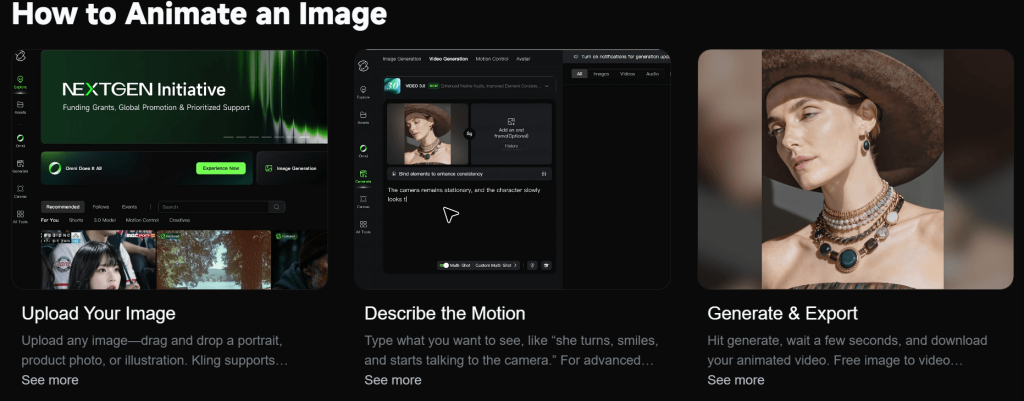
In a traditional animation or video editing workflow, the software analyses the photo (image) and “moves” the pixels to simulate motion. With Kling AI, however, the system uses the input (image) as a starting reference, and then it generates entirely new frames that approximate what that image might look like in motion — probabilistic, not exact.

Technically, the system analyses the faces, objects, lighting, depth, and general composition in the image. From there, it constructs a sequence of frames that will match both the image and the prompt. However, it rebuilds each frame based on what it believes should be there as the scene evolves. It does not always preserve the original details.
In practice, this means that the identity of the image is liable to be interpreted, not locked in place. By implication, the face may appear unchanged, but certain features might drift between the frames, and a product might retain its overall shape, while its edges or reflections can change.
The system is adept at producing believable movement, lighting transitions, and camera effects. But because each frame is generated separately, continuity is not guaranteed.
Moreover, the model prioritizes plausibility over precision. Therefore, it tries to create an appealing motion, even if that means slightly altering the original image (i.e., its shape, proportion, or details).
Taken together, the image is more like a guide, and the final video is the model’s best attempt at animating the elements in the image. Basically, a controlled transformation.
Why Some Images Transform Well—and Others Fall Apart
On Kling AI, two photos can go through the exact process (i.e., same settings and similar prompts) and produce completely different outcomes. And this comes down to structure interpretation, clarity, and visual complexity in the image.
In real use, an ideal image for image-to-video generation on Kling AI must have a clear subject, a clean separation between foreground and background, and enough detail. In these cases, the system has less ambiguity to deal with; therefore, it can maintain a more stable representation of the scene.
On the other hand, images that are cluttered or overly complex introduce uncertainty. When there are multiple subjects, overlapping elements, busy backgrounds, or unclear focal points, the model will be forced to make interpretive decisions as it generates each frame and, by implication, some elements may shift, edges may blur or morph, and the overall composition might lose stability.
The same principle applies when comparing subjects to environments. A clean landscape with gradual depth (e.g., a mountain scene or a city skyline) usually performs better because motion can be applied more broadly. More so, camera movement or atmospheric effects do not require precise structural consistency. However, when the photo has a main subject (i.e., a human face or a product), the margin for error becomes much smaller because even the slightest deviations will be noticeable.
To put it simply, the clearer and more structured the image is, the easier it is for Kling AI to produce stable motion. The more complex or ambiguous the image is, the more likely the system is to reinterpret it.
Where Kling AI Delivers: Its Strength
For all its limitations, Kling AI genuinely delivers results that are polished, cinematic, and convincing. These are usually the outputs that make people stop and think, “This actually looks like real footage.”
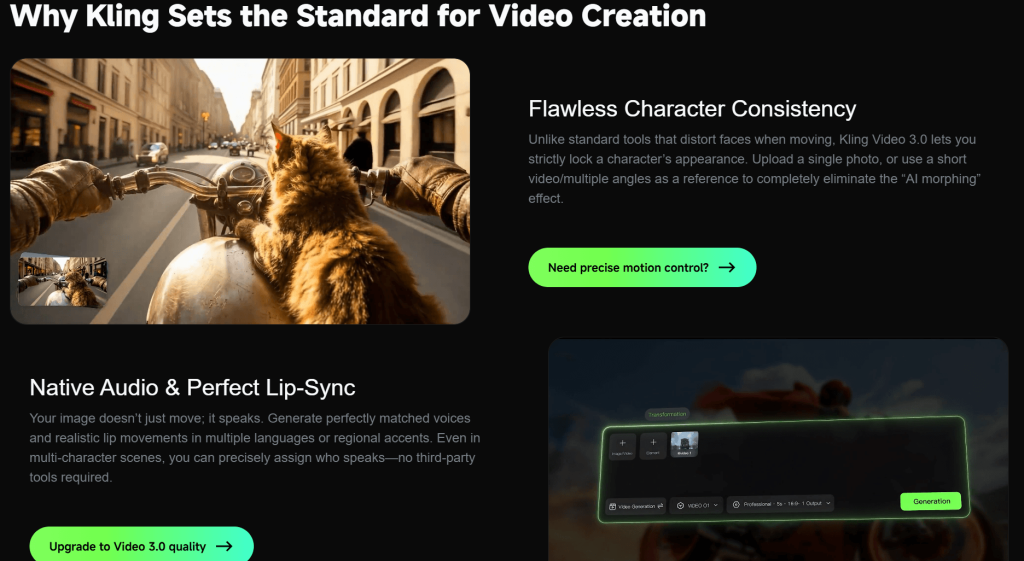
The generator consistently introduces depth and perspective in its animations. More so, it can simulate motion around the subject with push-ins and pans, and make the animation more immersive, stable, and believable.
In addition, it handles environmental motion surprisingly well — lighting changes, soft shadows, atmospheric haze, and background movement. A breeze moving through a scene, a gradual shift in light, or a faint glow effect can enhance the image without putting too much strain on its structure. These elements add life to the scene subtly and effectively.
Moreover, Kling AI adds a cinematic “feel” to its outputs with blur, depth of field, and lighting variation. This is less about accuracy and more about perception. The system is just good at producing aesthetically pleasing videos, whether for social media, teasers, or visual concepts.
What stands out is that the outputs usually hold together when the subject remains relatively stable and the motion is introduced through the camera or the environment.
Overall, Kling AI’s image-to-video generator delivers impressive results.
The Trade-Off: Motion vs. Image Fidelity
From a firsthand viewpoint, creators are likely to push for more dynamic results because of the generator’s capabilities. However, the details in the original image will be unstable or lost across the frames.
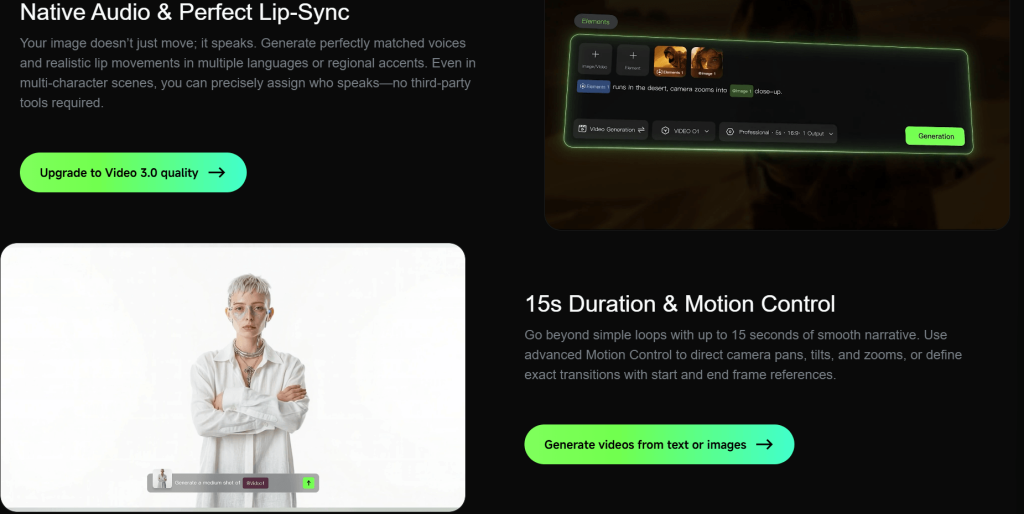
Creators might try to animate facial expressions, add body movement, introduce environmental effects, and include camera motion all at once, and that sounds like a richer and more engaging video. But in practice, every additional layer of motion gives the system more room to reinterpret the image.
More so, image fidelity reduction is gradual, and the inconsistencies will compound and become very noticeable.
Nevertheless, this trade-off is tricky because motion and fidelity are both valuable to the image-to-video generation workflow. Motion brings the image to life, and fidelity keeps the subject/object recognizable and intact. Therefore, creators must find balance.
In practice, the generator produces stable outputs when motion is minimal and intentional (i.e., it can enhance and extend the original image without significantly altering it). Conversely, prioritizing motion over control makes it possible to generate more dynamic outputs, but it often comes at the cost of accuracy and consistency.
Working with the Tool: How Creators Get Usable Results
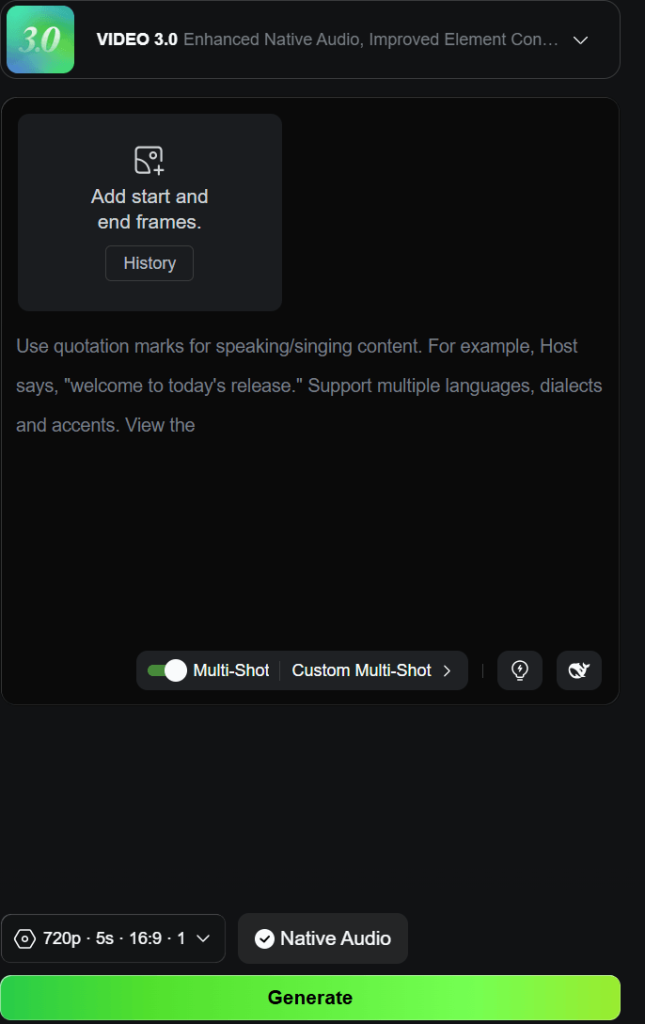
Creators who aim for good results do not rely on one-shot generations. They work with the system, adjust their inputs accordingly, and recognize what the generator responds well to.
It starts with image selection. Experienced users/creators are very selective because not every image is worth animating. Therefore, it is advisable to go for images with clear subjects, simple compositions, and minimal visual noise because they hold up far better during generation. More so, the AI image-to-video generator gets to focus its effort on producing stable motion rather than reconstructing the scene.
In addition, creators focus on one layer of movement/motion at a time because a camera push, a lighting shift, or a minimal environmental effect is often enough to bring the image to life without introducing instability. The moment users stack multiple types of motion (e.g., subject movement, camera movement, and environmental changes), the chances of distortion increase. So the approach must be intentional, not ambitious.
Even so, a generation might have minor issues overall, but still contain a few seconds where everything aligns (i.e., no visible distortion, stable identity, and smooth motion). So, users can always cut and use the good segments, from all-or-nothing to practical and efficient.
Iteration also plays a big role. Rather than changing everything between generations, creators can make small and controlled adjustments, either by refining the prompt slightly, by simplifying the motion, or by swapping in a cleaner image. This also helps to build a better understanding of how the system responds to inputs (i.e., text prompts and images) for more predictable results and fewer wasted attempts.
In essence, Kling AI is better approached as a creative tool that needs guidance.
Where Kling AI Image-to-Video Generator Fits in a Real Content Workflow
Kling AI’s image-to-video feature is one piece within a larger creative workflow, and its purpose is to add motion and visual interest that would otherwise take significantly more time to create.
In most real-world scenarios, creators do not rely on a single generated clip from start to finish. They build content in stages. The original image might be a photoshoot or an AI-generated image. Kling AI can then step in to add motion and bring the static asset to life. After that, the output can be exported into an editing software for trimming, or text and audio enhancement.
More so, the generator can be used to transform a static product image into a short animated segment that adds depth and movement to the promotional video. A portrait can be turned/extended into a cinematic shot that fits into a larger narrative.
It is also effective in short-form content workflows (e.g., TikTok, Reels, and Shorts) because they prioritize quick and visually engaging clips. Therefore, even a few seconds of smooth animation might be enough to capture viewers’ attention. In this context, the limitations of Kling AI become less of a problem. Social media content creators do not need long or perfectly stable sequences. They just need brief dynamic moments.
At the same time, it is important to recognize that the generator does not guarantee consistency across multiple attempts.
Final Verdict
Kling AI uniquely introduces natural movement, depth, and atmosphere to its outputs. In terms of image-to-video generation, it equally delivers high-value and cinematic results for many practical use cases. However, it does not perfectly preserve the original image or photo.
Even so, the more complex the image or the motion, the harder it is for the system to maintain accuracy.
For creators who understand these trade-offs, Kling AI can be a useful addition to the workflow (especially for short-form content and fast visual iterations). However, users who expect a perfect control over the process or exact replication of the photos might find the generator unpredictable and limiting.