
Transforming an image into a video with AI sounds simple, but the process is rather unpredictable because the character or subject might move too much or not at all, the lighting and style can change halfway through the clip, and even small details like facial features or textures can be inconsistent from frame to frame. The real challenge is control.
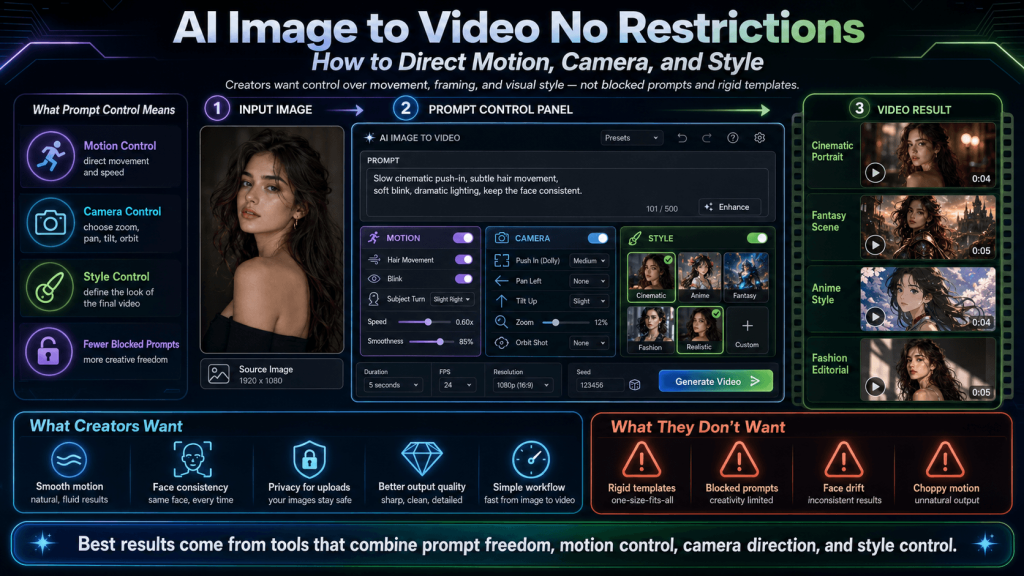
Moreover, “no restrictions video generator” takes on a completely different meaning in this context. It is not about safeguards, but about the limitations that prevent creators from guiding the system. Creators should be able to influence motion, control the camera, and maintain a consistent visual style from start to finish.
This is why prompt control has become such a critical topic in AI image-to-video generation. Prompts are no longer just descriptions; they are instructions that define the animation. And when prompts are allowed to express intent fully, there is always a noticeable difference in quality and predictability.
In this guide, the focus is on control, not just access. Creators will learn how to direct motion, how to use camera prompts to stabilize and enhance their scenes, and how to lock in style for consistent visuals.
Why Most Prompts Fail in Image-to-Video Generation
It is easy to assume that the AI image-to-video generator is the problem whenever an output is dissatisfying, but that is not always the case.
Image generation prompts are written as static descriptions, while those of a video are inherently about timely change. When creators describe an image, they intend to capture a single moment. However, when generating a video, they intend to have the system understand how that moment should evolve (i.e., which elements moves, which stay still, and how everything transitions from one frame to the next).
A common mistake is being too vague about motion. Phrases like “a person moving” or “wind blowing” do sound descriptive, but they leave too much room for interpretation. Without a clear direction, the system guesses.
Moreover, some prompts fail for the exact opposite reason: they overwhelm the model with instructions. Some users treat prompts like long paragraphs and pack multiple actions, styles, and scene changes into a single prompt. So, instead of following a clear sequence, the AI blends the instructions/descriptions to produce a chaotic animation.
In addition, many prompts leave out behaviour in their scene description. For example, a prompt might clearly define a character and environment but never specify who is moving, in which direction, or at what pace. When that information is absent, the AI again fills the gaps, often introducing motion where none was intended.
In essence, AI models are constantly trying to resolve ambiguity. Therefore, when the instructions are unclear, they have to rely on the patterns they learned during training to “complete” the scene. Sometimes, this works, but more often, it disconnects from the creator’s original idea.
A well-structured prompt gives the AI specific signals to follow, thereby reducing guesswork and improving consistency. In image-to-video generation, clarity is key.
Directing Motion: How to Control Movement Using Prompts
Motion control is achievable by breaking prompts down into smaller, understandable parts.
However, a prompt like “a woman walking” leaves too many unanswered questions. So, is she walking toward the camera or away from it? Is the movement slow and calm, or fast and energetic? Is her body the only thing moving, or is the breeze blowing through her hair as well? These are questions that the system will make assumptions about.
This is why simple and grounded wording works best. Terms like “slowly,” “gently,” “subtly,” and “steady” can guide the intensity of movement. More so, they act as constraints that will keep the animation under control and prevent the model from overcompensating.
In addition, it also helps to distinguish subject motion from environmental motion. A character might remain mostly still while the hair, clothing, or background elements carry the motion. For instance, a “wind gently blowing through hair” description will produce a more stable and natural-looking result than trying to animate a full-body movement. This approach is simple, but it still gives the scene life.
Camera Direction: The Secret to Stable and Cinematic Results
Camera direction is a more reliable way to shape a scene. In fact, many of the most stable and cinematic AI-generated videos rely less on complex character movement and more on controlled camera behaviour. When used correctly, camera prompts can guide the viewer’s attention, add depth, and create the feeling of motion (even when the subject itself remains relatively still).
The reason camera control works so well is simple: it reduces the burden on the AI image-to-video model. Camera movement shifts the responsibility of producing cleaner, and more predictable results to framing and perspective.
More so, basic camera instructions are usually enough. A slow push-in, for example, can add intensity and focus without introducing instability. A gentle pull-back, however, can reveal more of the environment and create a sense of scale. Similarly, side-to-side panning or slight tilts also simulate subtle and natural movement.
In portrait-style videos, where facial consistency is significant, camera direction/controlled camera movement can mask even imperfections.
It’s also important to think of camera prompts as part of storytelling. The way a scene is framed and revealed can change how it is perceived. A slow zoom toward a subject can create emotional focus, while a wider pull-back can introduce context. These are subtle choices, but very significant.
In short, creators can get better results by simplifying subject motion and letting the camera do the work. Camera direction restores control.
Style Control: Keeping Visual Consistency Across Frames
Even when motion and camera direction are handled well, many AI-generated videos still fall apart visually. This is what creators call a style drift, and it remains one of the most noticeable weaknesses in image-to-video generation.
Style, in this context, is not just about realistic or animated appearances. It encompasses the entire visual identity of the scene, from lighting quality to colour palette to texture detail to rendering approach to overall mood. And a change in any of these elements can ruin the animation.
Moreover, style drift happens because, without guidance, the AI model reinterprets details as the video progresses. Therefore, simply mentioning a style once at the beginning of a prompt is usually not enough. The model needs consistent reinforcement of how the scene should look.
Even so, effective style control comes from clarity and repetition. A direct and specific visual tone description (e.g., cinematic lighting, soft shadows, warm colour grading, or anime-style rendering) can anchor the output. Not only that, but reinforcing the elements within the prompt ensures that they remain present throughout the sequence.
In addition, style is closely tied to mood — mood anchoring. When the mood is clearly defined (e.g., calm, dramatic, dreamy, or high-energy), the visual consistency will improve. This is because the AI gets a stronger reference point that it can use to maintain coherence across frames.
Style control also has practical implications for creators who are working on branded content, storytelling, or series-based visuals. Consistency is very essential because shifts in style can break immersion, weaken identity, and reduce the overall quality of the output.
In the broader context of prompt control, motion brings the scene to life, the camera shapes how it is viewed, but style ensures that it remains visually coherent from beginning to end.
Prompt Structuring: How to Combine Motion, Camera, and Style
With structure, well-written prompts become far more predictable and easier for the AI to follow.
One of the most effective ways to approach this is to think of prompts as layered instructions rather than a single block of text.
In a typical effective prompt, all the elements have their roles. The scene sets the foundation by describing the environment and context, the subject defines the main focus of the scene, the motion instructions specify what changes over time, the camera direction determines the perspective/ viewing angles, and the style instructions lock in the visual identity for consistency.
When prompts follow this kind of structure, the generation model receives a sequence of clear signals instead of a cluster of conflicting ideas. And this reduces ambiguity.
Most importantly, a structured prompt is easy to refine, reuse, and repeat.
Just like a blueprint, they guide the model step by step, reduce guesswork, and improve the outputs.
Practical Prompt Examples for Better Control
Understanding the theory behind motion, camera, and style is important, but real progress comes from seeing how these elements work together and recognizing patterns of clear instructions that can produce stable and intentional results.
- A good example is a slow push-in shot with minimal subject movement (i.e., the prompt keeps the subject stable and lets the camera create motion):
“A portrait of a woman standing still, soft wind gently moving her hair, camera slowly pushes in toward her face, cinematic lighting, warm tones, consistent style.”
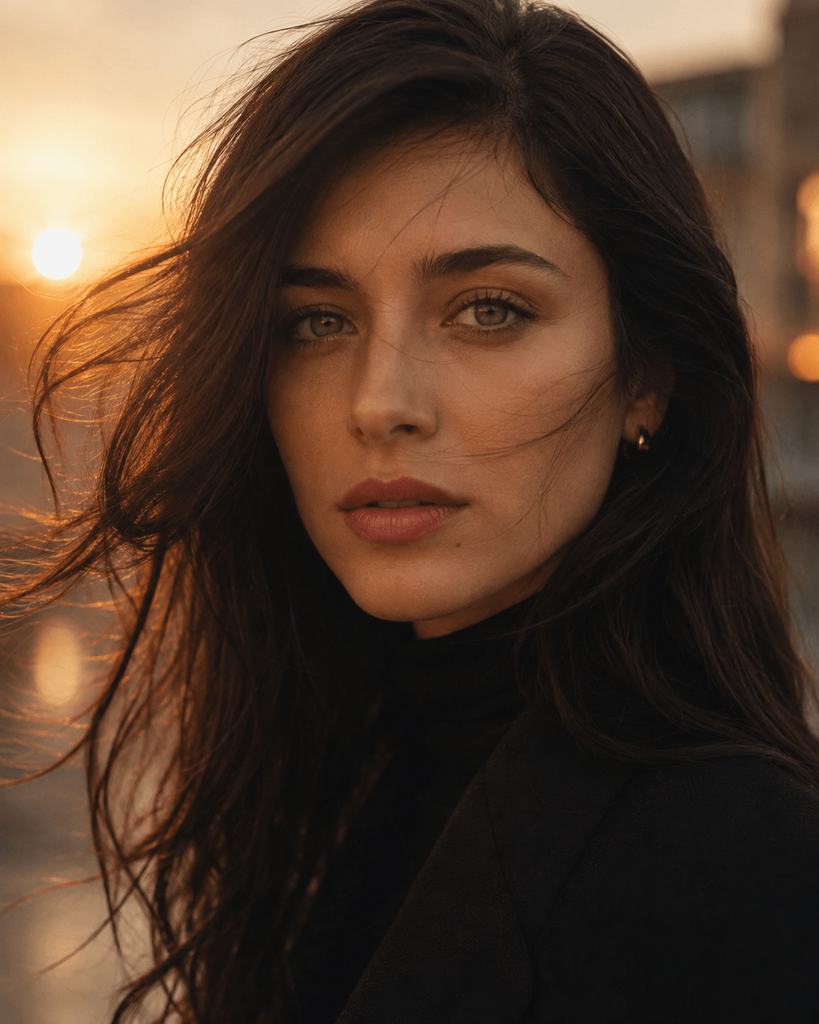
What works here is the balance because the subject remains controlled, the motion is subtle, and the camera carries the visual progression. This inherently lowers the chances of distortion.
- For subtle facial movement, simplicity is key. Therefore, small and natural actions always work better:
“A close-up portrait of an African boy-child, subject looking forward, subtle blinking and gentle breathing, no sudden movement, soft lighting, consistent facial details.”
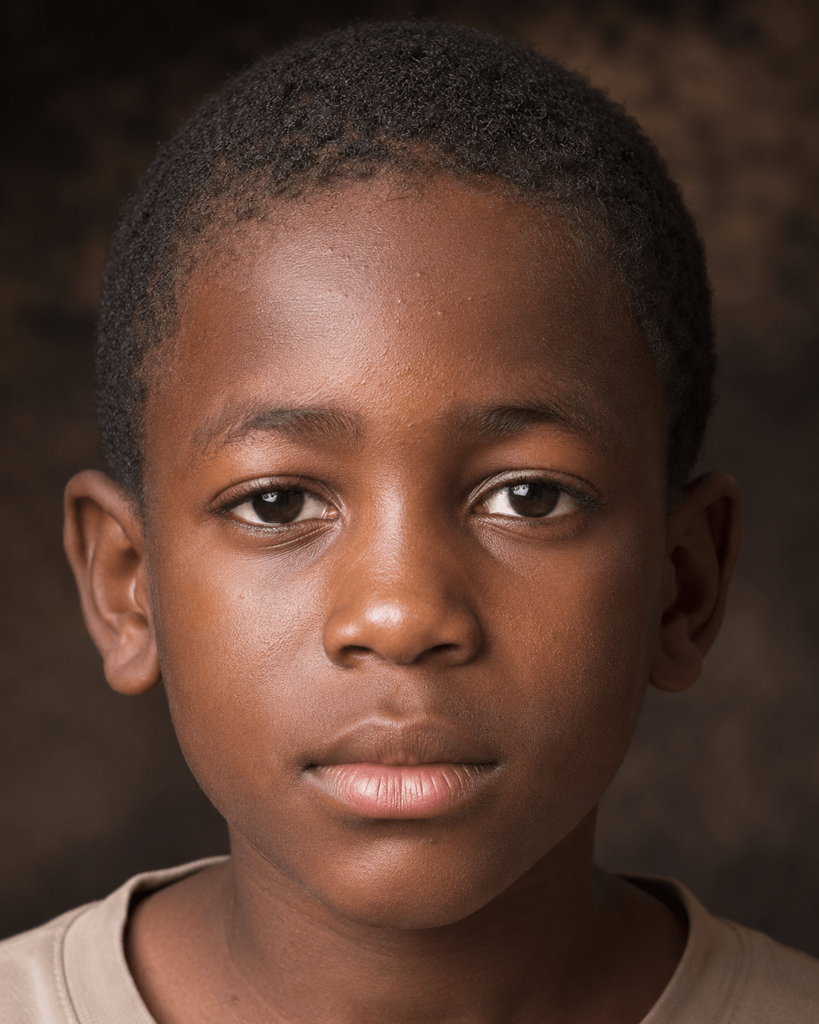
This kind of prompt avoids overloading the model by limiting motion to very small actions. It also preserves the identity and prevents the face from changing across frames.
- Environmental motion is another effective way to add life without introducing instability:
“A fair lady, standing still in an open field, wind gently blowing through grass and hair, background moving softly, camera remains steady, natural lighting.”
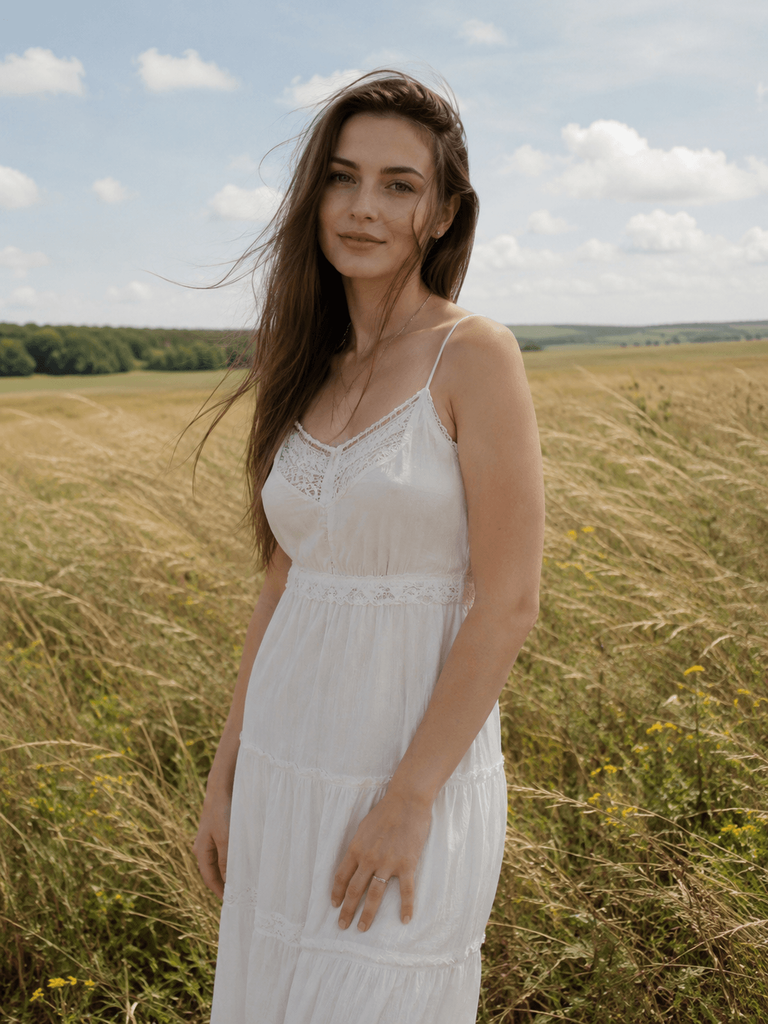
Basically, the environment/scene simulates the movement while the subject stays anchored. More so, this approach often produces more natural-looking results.
- Lighting transitions can also be guided through prompts to add a cinematic feel without relying on physical movement:
“A still furry character, lighting gradually shifts from soft daylight to warm golden hour tones, smooth transition, cinematic atmosphere, consistent style throughout.”
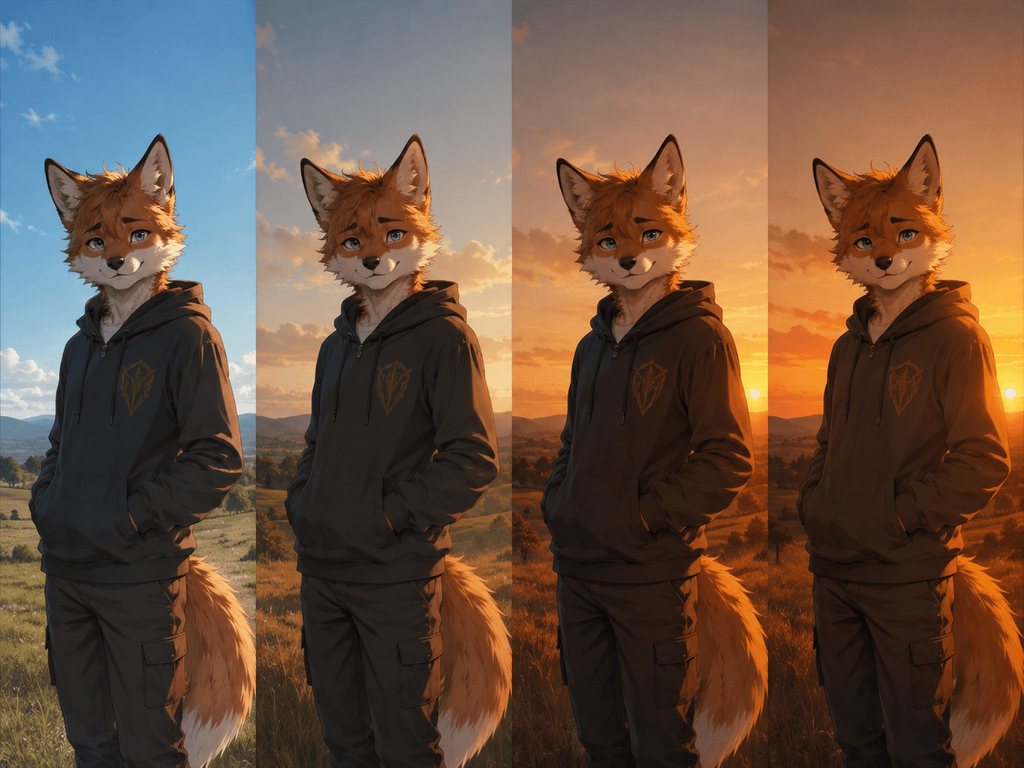
This works because it introduces the changes in a controlled way that is easier for the model to handle — lighting, mood, and motion.
- For stylized outputs like anime, clarity and reinforcement are very significant:
“Anime-style character standing still, hair slightly moving, subtle motion, clean line art, vibrant colours, consistent anime rendering, camera slowly zooms in.”
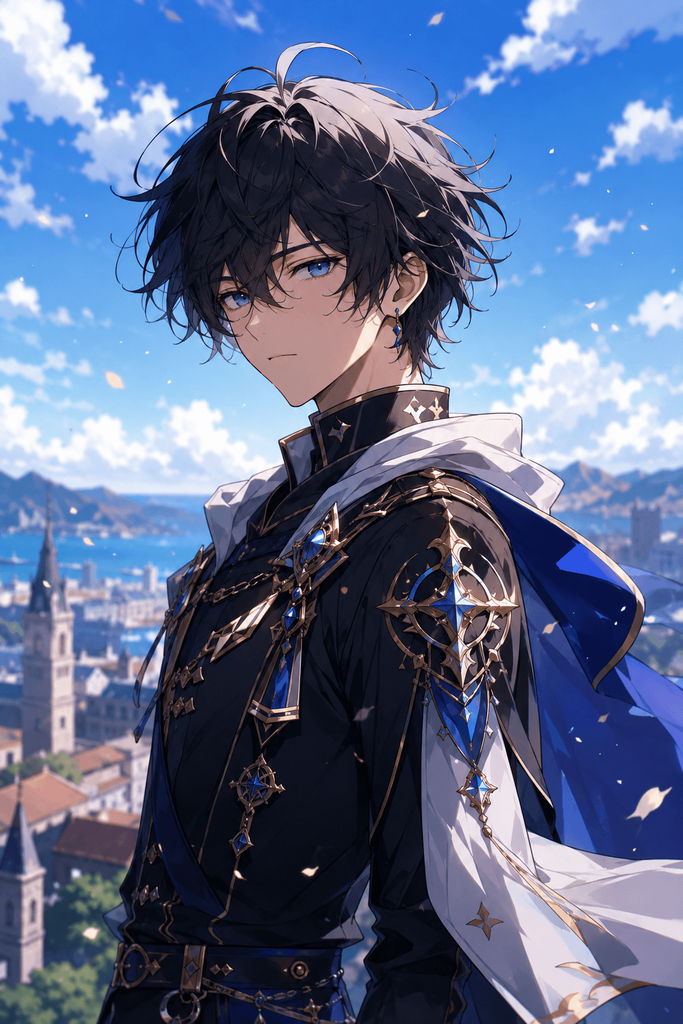
In this case, the repeated emphasis on style helps prevent drift, and the motion is simple enough to maintain consistency.
Across all these examples, it becomes glaring that the most effective prompts are focused, specific, and balanced. The motion is intentional, the camera direction is strategic, and the style is reinforced clearly.
To put it simply, prompt control emerges from precision, not from complexity.
Takeaway
Creators need meaningful control in AI image-to-video generation (i.e., the ability to guide exactly how a scene unfolds from start to finish). When the elements—motion, camera direction, and style—are defined with precision, the outputs become more stable, predictable, and usable. However, without control, freedom loses its practical value.