
In this hyper-active digital economy, static images and slideshows are swiftly being pushed aside. Whether in search of attention-grabbing marketing content, informative training tools, dynamic reports or something just plain cool – let’s face it, to make an impact, you’re needing to leverage the power of motion, and that’s where Wan AI Video Generator comes in, enabling you to transform text and images into compelling videos.
Built around Alibaba’s Wan AI models, it instantly transforms natural language prompts or static images into compelling videos that simply wow audiences. The result? In a matter of seconds, your abstract idea or complex thought becomes a short, slick sequence that resonates with viewers.
In the following sections, we’ll walk you step-by-step through the architecture of Wan AI’s models, followed by simple setup workflows for both Text-to-Video and Image-to-Video pipelines, to help you envision your own high-quality videos. So let’s get started.
What Is Wan AI and Why It’s Taking Over AI Video Generation?
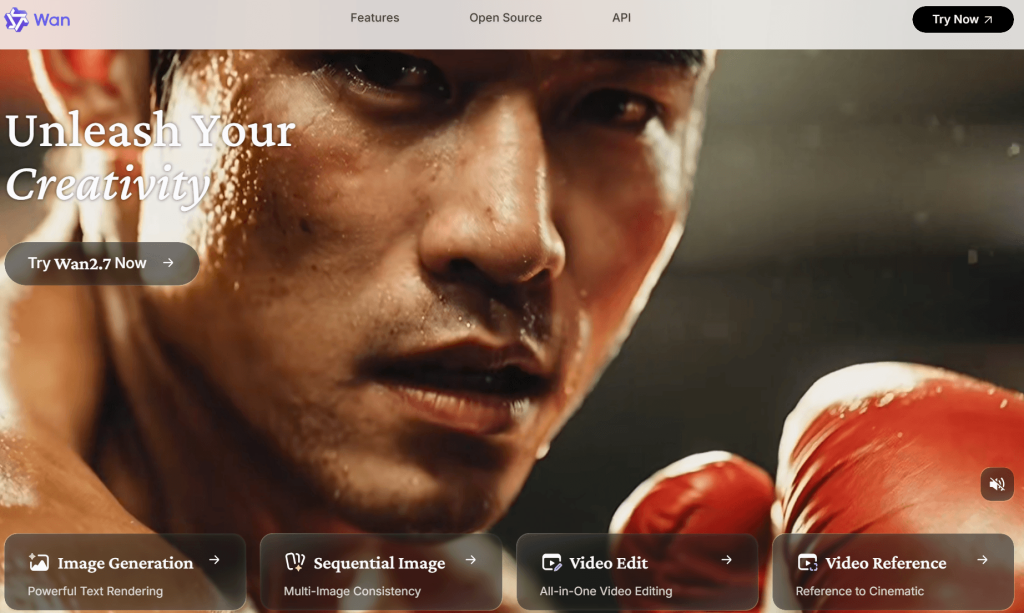
From initial open source release that disrupted AI video generation landscape to the current generation of model powering cinematic, audio-synced, 1080p video generation, here’s how Alibaba’s Wan AI models and Wan AI Video Generator has transformed creative landscape.
Wan 2.1 – The Open-Source Release That Started It All
Alibaba released Wan 2.1 on Feb 25th, 2025 [1], and it was immediately obvious that the way people were used to generating AI videos was about to change.
Simply put, Wan 2.1, based on flow matching framework, took short text prompts (or, optionally, a reference image), and generated remarkably realistic and contextually relevant videos in both 480P and 720P resolutions. And being open-source, Wan 2.1 created a rift in the traditional video production landscape and also established a benchmark that left even the most established tech giants including Google, OpenAI to rethink their strategies.
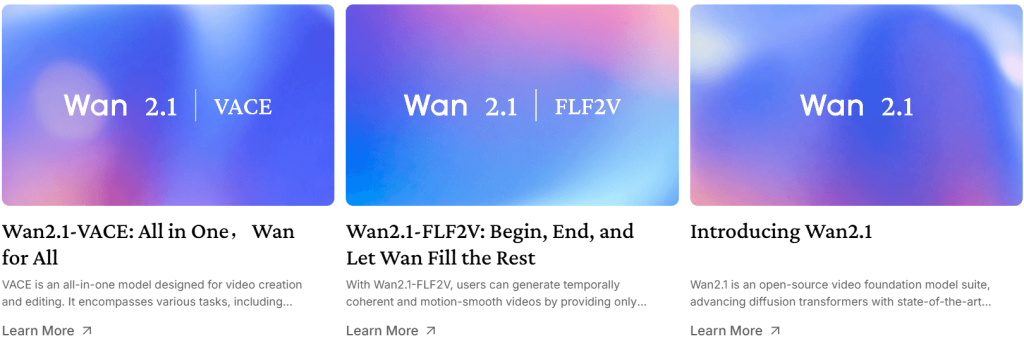
Alibaba, understanding the potential of consumer demand for personalized video generation, released not one but seven different variants of Wan 2.1 in coming months.
Each trained on either 1.3B or 14B parameters, ensured that no creative mind was ousted due to their system’s GPU limitation or system configuration, thereby democratizing access to high-quality AI video generation for FREE.
Smarter, More Cohesive Video with Mixture-of-Experts
Soon, on July 28, 2025 [2], Alibaba released yet another groundbreaking update, Wan 2.2 – a Diffusion Transformer (DiT) based, Mixture-of-Experts AI model that enabled it to efficiently process complex, multi-domain tasks. It was the world’s first open-source Mixture-of-Experts video generation AI model of such scale.
Offering enhanced understanding of any user-provided context through Spatio-Temporal Attention [2.1], it offered improved global attention across multiple frames, allowing for more cohesive and engaging video generation. This was a breakthrough moment as no other open-source video generation model was capable of doing so.
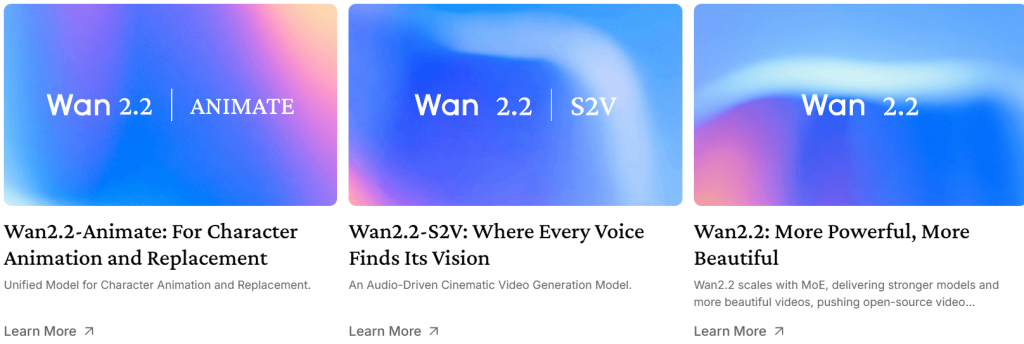
Further staying true to its commitment to accessibility, Wan 2.2 was developed to be a more flexible and modular framework. From the upgraded WAN 2.2 TI2V-5B boasting 5B parameters to WAN 2.2 T2V-A14B and WAN 2.2 I2V-A14B, each boasting 14 billion parameters, Alibaba once again demonstrated its dedication to empowering every creator with industry-grade tools to bring their creative vision to life.
Wan 2.5, 2.6, and 2.7 — Audio, Lip Sync, and Cinematic Control
Wan 2.5, released on Sep 24, 2025 [3], featuring native multimodality and reinforcement learning from human feedback for improved human preference alignment proved to be a paradigm shift in the AI video generation landscape, as it seamlessly integrated text, image, and audio inputs to produce highly realistic and engaging videos.
This was the first time an open source AI video generation model was able to produce 10seconds of high-fidelity 1080p resolution videos and that with synchronized audio. This was never possible before with an openly available AI model.
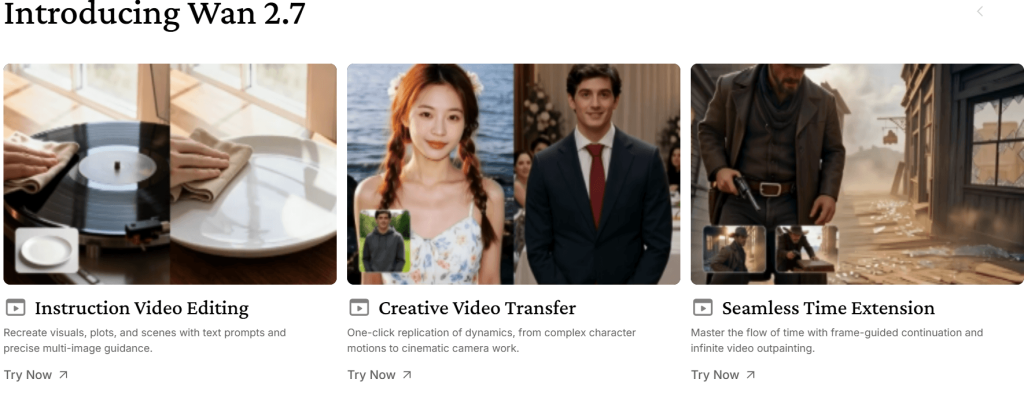
Following Wan 2.6 and 2.7 though closed-source, still continued to push the boundaries of AI video generation. Wan 2.6 offers lip sync capabilities, along with multi-shot storytelling for more realistic and immersive video experiences.
Wan 2.7 in addition to all previous features, introduced advanced subject referencing, improved camera control and most importantly, first-and-last-frame generation that gives you better control at defining the narrative arc of your video, allowing for more nuanced and sophisticated storytelling.
Who Wan AI Is For?
Whether you are a casual content creator, a marketing professional, or an educator, Wan AI models gives you the much needed flexibility and autonomy to produce videos without often “too intrusive” railguards that prevents you from expressing your unique vision.
Understanding Wan AI Model Architecture and Key Technical Innovations
Going beyond the boundaries of conventional video generation models, Wan AI’s architecture is rooted in a single, powerful Diffusion Transformer (DiT) backbone.
This unique foundation, which was first introducted on 19 Dec 2022 [4], leads to a paradigm shift in how video content is created, enabling the generation of high-quality, coherent, and contextually relevant video sequences.
The DiT Backbone Foundation
The DiT backbone brings several advantages for video generation.
It enables better global attention across frames, allowing the model to capture important long-range dependencies while strengthening overall temporal consistency, such that flicker and jitter can be dramatically reduced.
Beyond that, and what what makes the DiT backbone even more impactful is its ability to scale more efficiently than alternative U-Net based approaches resulting in a more efficient video generation process. This meant even consumer grade hardware can be utilized to generate high-quality videos, making Wan AI’s technology more accessible to a broader range of users and applications.
Furthermore, the DiT backbone’s innovative architecture makes it considerably easier to integrate attention-based conditioning, a crucial component for multimodal control of the video generation process.
To drill it down further, attention-based conditioning enables users to precisely control how their video content is generated. They can define parameters such as tone, style, narrative and even emotions, thereby elevating the creative possibilities and customization capabilities.
Multimodal Control and Creative Flexibility
Every feature set of DiT backbone combined with Wan AI’s multimodal input capabilities, such as text, audios and images, allows Wan AI’s models to generate videos that are not only visually stunning but also contextually relevant, making it an ideal solution for a wide range of applications, from social media and advertising to education and marketing.
Pieced together, these architectural choices for Wan 2.2+ models translates into concrete creative advantages for users.
[1] Cross-domain applicability
The real breakthrough isn’t the video quality alone, it’s the models ability to scale across various domains. This helps marketers and business alike build a one-to-many content strategy, effortlessly adapting their message to different audiences and platforms.
[2] True multimodal grounding
Boasting support for a wide range of input formats, including text, images, and audio, Wan AI Video Generator delivers unparalleled versatility and flexibility for every creative vision.
[3] Enhanced narrative control
By granting users the ability to define specific parameters such as tone, style, and emotions, the DiT backbone unlocks the full potential of video storytelling.
From lip-syncing and facial expressions to nuanced emotional cues, every aspect of the narrative can be meticulously crafted to evoke the desired emotional response from the audience.
Inference Efficiency and Scalability
Beyond its quality and flexibility, Wan AI offers significant gains in inference efficiency. It achieves this through use of FP8/BF16 mixed-precision computation [5], which significantly reduces the memory and latency requirements of inference.
The model weights are further shrunk using quantization techniques. And as the attention mechanism has also been tailored for GPU throughput, it optimizes the computational resources, resulting in faster video generation and reduced energy consumption.
Together, the innovations underlying Wan AI result in state-of-the-art video generation quality, while the efficiency gains open up the possibility of real-time or high-volume video generation. This positions Wan AI as a scalable foundation for future generations of multimodal applications.
Wan AI Text-to-Video Generation
Text-to-video sounds complicated, but with Wan it’s super simple.
Just provide simple descriptions of your idea, and Wan will output mesmerizing, cinematic short clips that fulfill your needs and resonate with your target audience.
To enjoy this incredible technology, all you need to do is… well… now it’s a bit complicated.
You see, unless you are a seasoned content creator, or have intermediate understanding of your system, running most visual AI models is not as easy as most Youtubers will have you believe.
Perhaps the most prominent open-source tool for generating any image or video locally is ComfyUI.
Boasting first-day support for almost every known state-of-the-art models, and hundreds of extensions to further enhance its capabilities, its versatility and customizability make it a go-to solution for many professionals and casual enthusiasts alike.
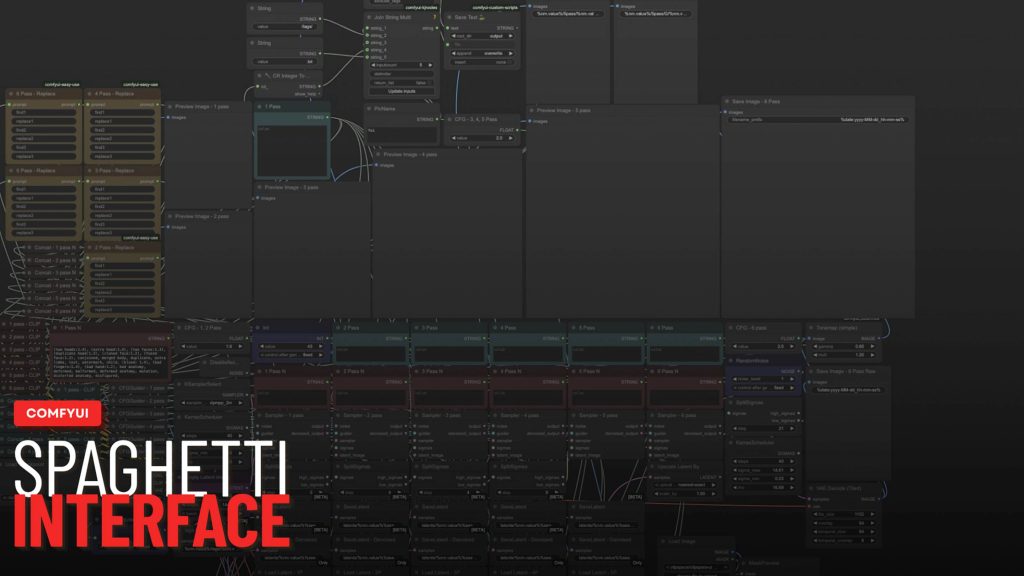
However it’s also infamous for its spaghetti-like node-based-interface, which can overwhelm users who are new to visual AI generation. And though, in recent years, with extensive updates, and a revamped user interface, ComfyUI has become more accessible, its steep learning curve still deters many potential users.
So, how can you leverage the power of Wan’s AI text-to-video generation without getting bogged down in complex technicalities? Pixwith.ai is probably your biggest ally, offering a streamlined and user-friendly platform that simplifies the process of generating high-quality videos from text prompts.
There are no installations required, no-downloads, no complex node-based interfaces to navigate, and you don’t need 24GB+ VRAM to get started, making it an ideal solution for creators who want to focus on bringing their vision to life without getting bogged down in technical intricacies.
How To Use Text-to-Video Generator?
You have the ideas, the gear, the crew and the editing time. Or maybe not. Wan AI Video Generator takes all of that away. All you have to do is write what you want your video to look like and Viola! There you have it. It feels exactly like when, as a kid, you describe a scene to your friend and, before your very eyes, it appears. What used to require expensive cameras, a studio and years of experience simply vanishes at the drop of a single prompt.
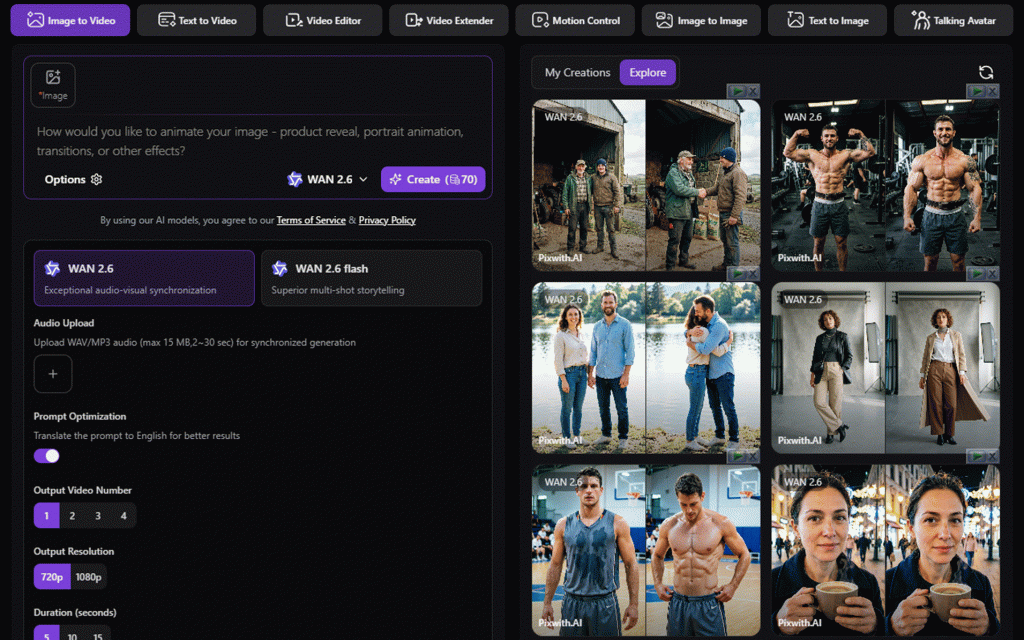
It’s an easy thing, really. Just open up Pixwith.ai Wan AI Video Generator. Switch to the Text to Video tab.

Enter your prompt, choose Wan 2.6 or any Wan AI model of your choice from the model dropdown, and click Create. In seconds you’ll have the clip. And the whole time, everything happens right there in your browser with no need to download anything.
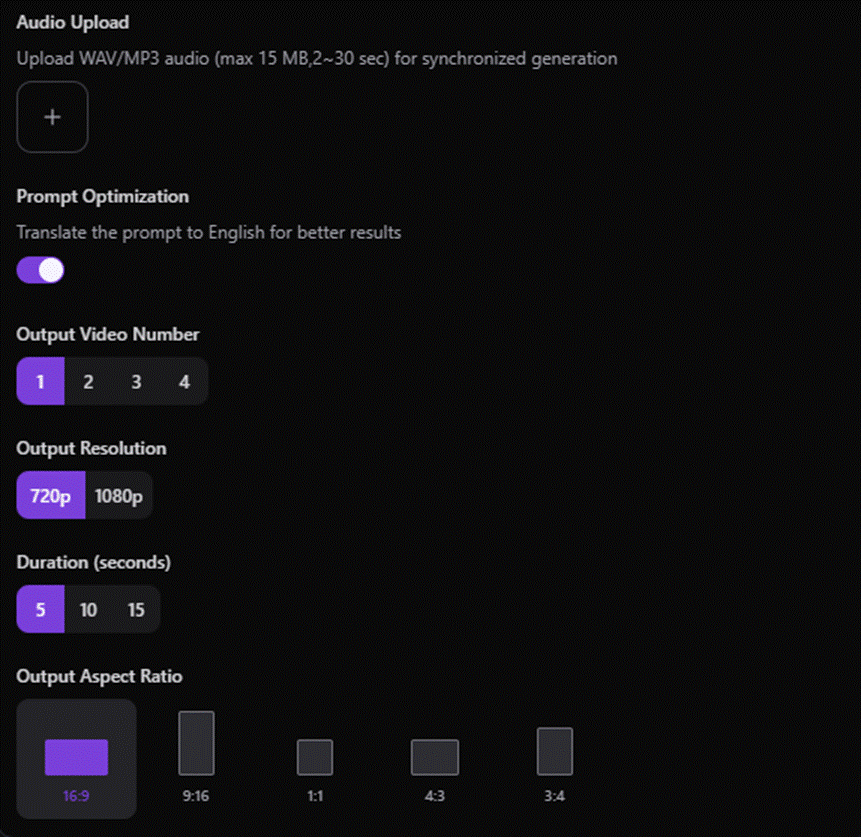
And once you’ve composed your prompt, there’s a lot you can tweak to make sure it works just as well when rendered as it does in your head. You can set the number of outputs you want, the resolution and the aspect ratio.
Tell it how long the input should be, and whether you want to upload audio or prompt optimize. This platform even have a handful of pre‑configured presets made just for TikTok, Instagram Reels, YouTube Shorts and ads.
And as a creative content creator, there are a ton of choices you can make that’ll help you nail the style, motion and pacing of your finished clip to exactly what you’re going for. It feels just like calling the shots while your camera crews, lights and talent do their jobs out on set.
Whether you’re looking to turn your ideas into attention‑grabbing hooks, B‑roll for your next feature, thought‑provoking ads, short‑form videos or even create educational content at scale, you don’t need a camera, a crew or a timeline you can scrub a thousand times. You just need Wan AI, and the creative vision.
Wan AI Image-to-Video Generation
Think about it – for centuries artists have dedicated their lives to creating compelling still portraits, vibrant travel photos, photo-realistic landscapes, and intricate masterpieces, only to have them remain static and unchanging. They knew the secret of creating a single unforgettable frame, but what if you want to bring those frames to life, infusing them with motion, energy, and emotion? Wan AI models, with their complex multi-shot storytelling and audio-visual synchronization capabilities, can breathe life into static images.
However the challenge remains – how to harness the full potential of Wan AI’s image-to-video generation capabilities without tinkering with tedious parameter adjustments, and extensive technical expertise?
Pixwith.ai is once again the answer. Offering a seamless and intuitive interface that literally requires 6 clicks to convert any static image into a creative dynamic video, complete with customized audio and visual effects.
How To Use Image-to-Video Generator?
Fire up your browser and head straight to pixwith.ai Wan AI video generator. Be prepared for a very clean, no-nonsense dash.
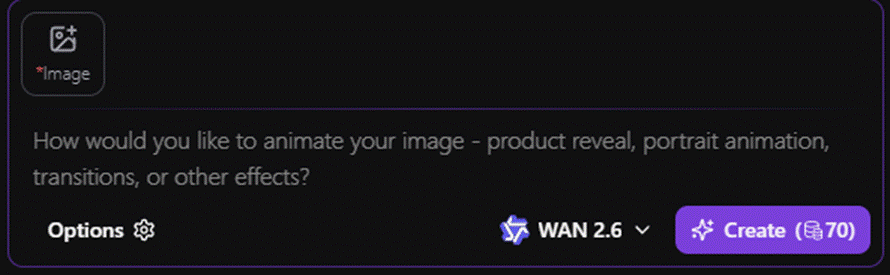
Up on the top, you’ll see a very clear, obvious upload button to upload your reference image that you want to infuse with life and motion. Below it, you have to describe your vision for the video, specifying the style, tone, and atmosphere you want to convey, and then select the desired Wan AI model you want to utilize for the image-to-video transformation.
Wan 2.7 is the latest and Wan 2.2 is the oldest that this platform offers, giving you a range of options to suit your creative needs.

For the sake of this guide, we’ll be selecting Wan 2.6 and leaving the rest of the parameters to their default settings.
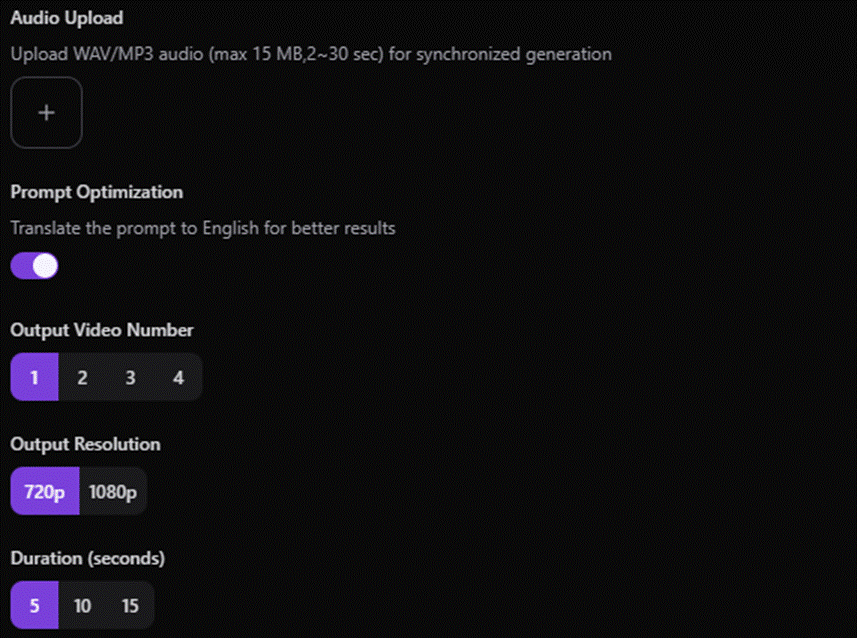
Do note that every Wan AI models is tailored towards delivering unique visual experiences, and experimenting with different models can help you discover the perfect fit for your artistic vision.
For example, Wan 2.6 base model is perfect for audio-visual synchronization, while Wan 2.6 Flash variant is more tailored towards multi-shot storytelling, allowing you to craft compelling narratives that delivers a rich, immersive experience, drawing viewers into the world you’ve created, with each frame seamlessly transitioning into the next.
Final Verdict
You may not have ten years of experience making videos, but you probably have a creative vision that you want to bring to life – and Wan AI makes it easy. With a user-friendly platform like Pixwith.ai Wan AI Video Generator, anyone can create an amazing video from a text prompt or a static image. Just be as specific as possible with your prompt, and let Wan AI’s advanced technology handle the rest. For more expert control and refined results, ComfyUI remains the go-to option.
Reference Links:
[1] https://x.com/Alibaba_Wan/status/1894286674924114430
[2] https://x.com/Alibaba_Wan/status/1949827662416937443
[2.1] https://ieeexplore.ieee.org/document/9858377/
[3] https://x.com/Alibaba_Wan/status/1970430896596734271
[4] https://arxiv.org/abs/2212.09748
[5] https://developer.nvidia.com/blog/floating-point-8-an-introduction-to-efficient-lower-precision-ai-training/