
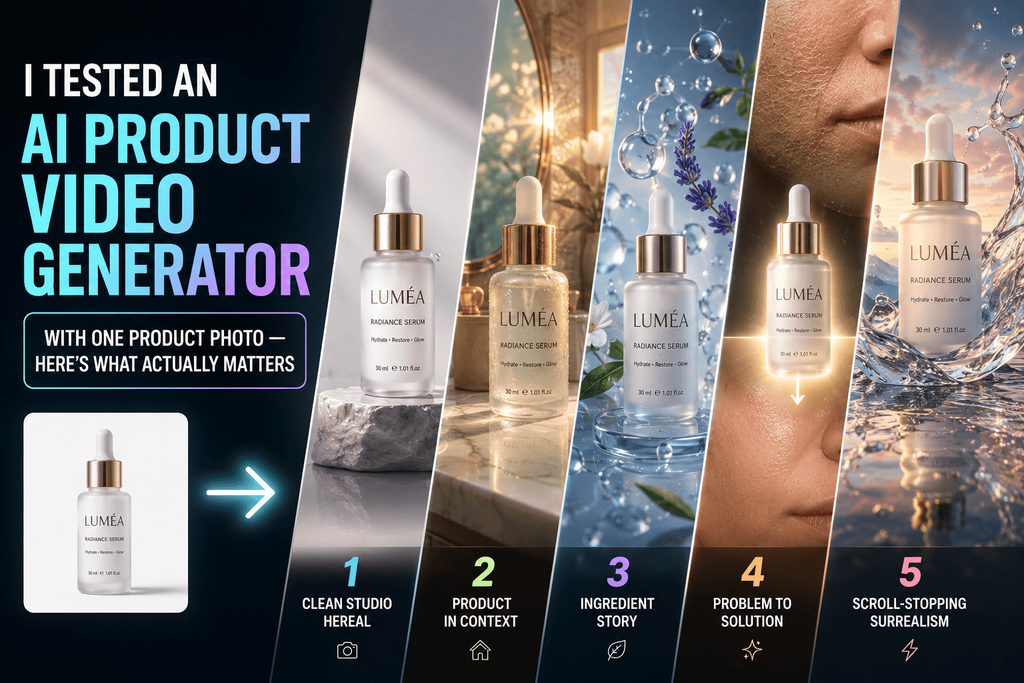
You already have a clean product photo. That was never the hard part. The hard part is producing enough genuinely different creative ideas to figure out which one actually gets attention.
The old way to test five concepts meant five storyboards, multiple setups, lighting changes, props, editing, and probably a few different aspect ratios on top of all that. So I set out to test something simpler: could an AI product video generator take that one existing photo and turn it into several genuinely different advertising concepts, not just five variations on the same idea? I used Pixwith as the workspace for the experiment, starting from the same product asset each time and changing only the creative direction.
The Wrong Way to Think About AI Product Video Generators
The default assumption is that AI video is just cheaper product photography. That’s part of it, but it’s not the interesting part.
A better way to think about it: product asset, then a creative hypothesis, then generation, then a test, then a decision about what to learn from it, then another iteration. AI doesn’t just lower the cost of making a video — it lowers the cost of trying an idea that might fail.
That’s the actual thesis of this whole piece. The advantage isn’t making one video faster. It’s becoming willing to test ten ideas you would never have bothered filming in the first place.
My Test: One Product, Five Completely Different Video Concepts
I picked something visually easy to evaluate — a premium skincare serum bottle — and used the exact same product image across every test. Then I built five different creative hypotheses on top of it.
Concept 1 — The Clean Studio Product Reveal
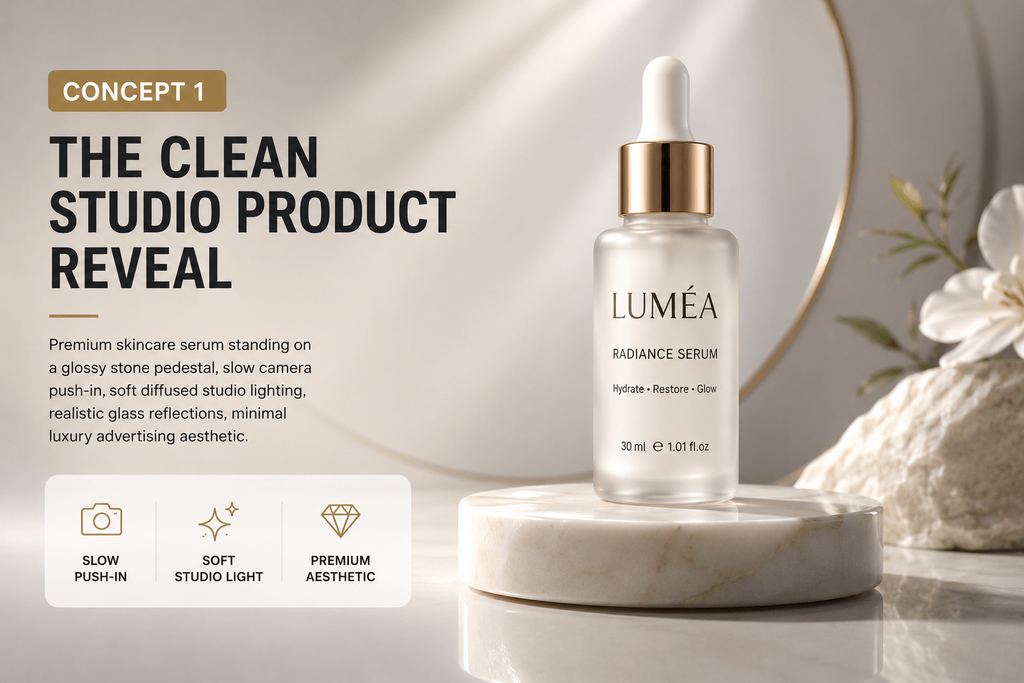
“Premium skincare serum standing on a glossy stone pedestal, slow camera push-in, soft diffused studio lighting, realistic glass reflections, minimal luxury advertising aesthetic.” The point of this one was pure product desirability. I was checking bottle geometry, logo stability, how the reflections held up, whether the camera move felt intentional, and general realism.
Concept 2 — Product in Context
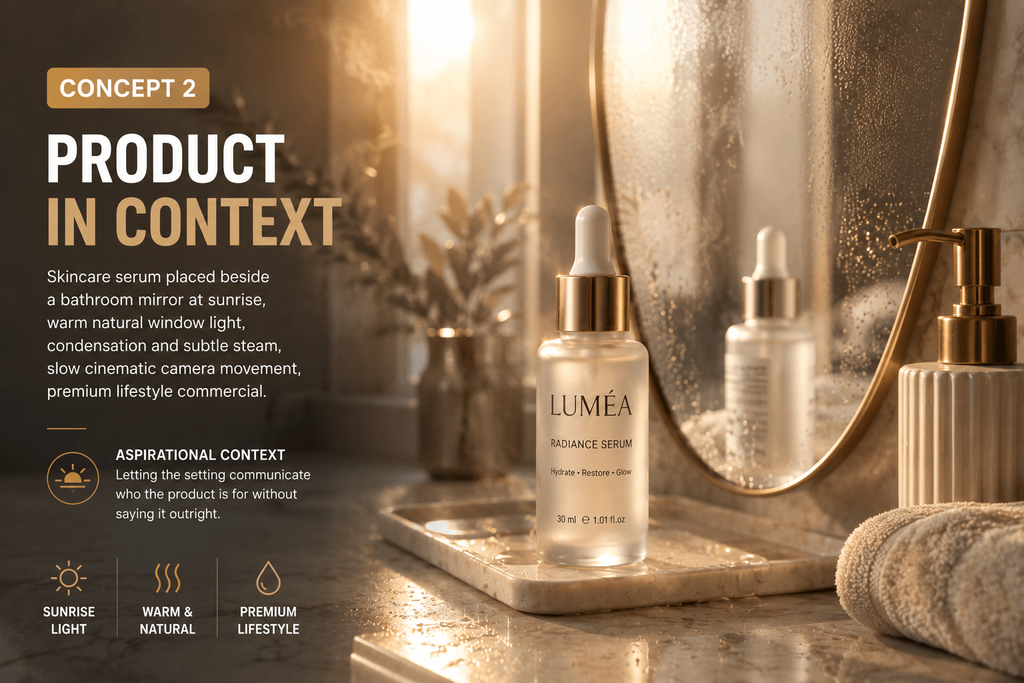
“Skincare serum placed beside a bathroom mirror at sunrise, warm natural window light, condensation and subtle steam, slow cinematic camera movement, premium lifestyle commercial.” This was about aspirational context — letting the setting communicate who the product is for without saying it outright.
Concept 3 — Ingredient Story
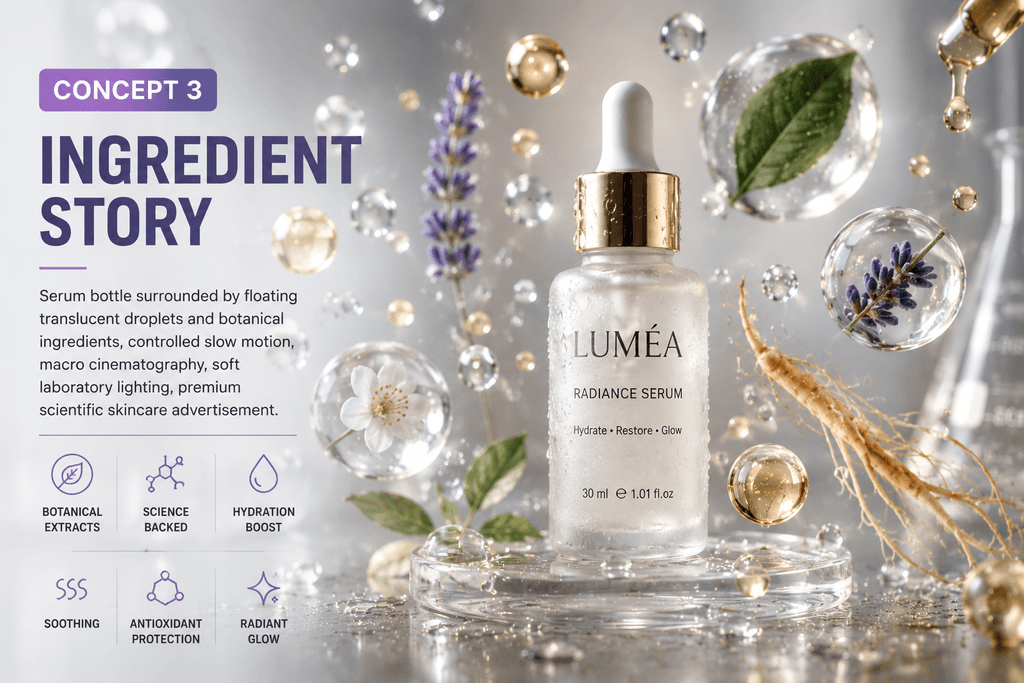
“Serum bottle surrounded by floating translucent droplets and botanical ingredients, controlled slow motion, macro cinematography, soft laboratory lighting, premium scientific skincare advertisement.” This concept exists to test differentiation, and it’s the one I’d reach for again on cosmetics, supplements, food, beverages, or anything with a technical selling point worth showing.
Concept 4 — Problem-to-Solution Creative
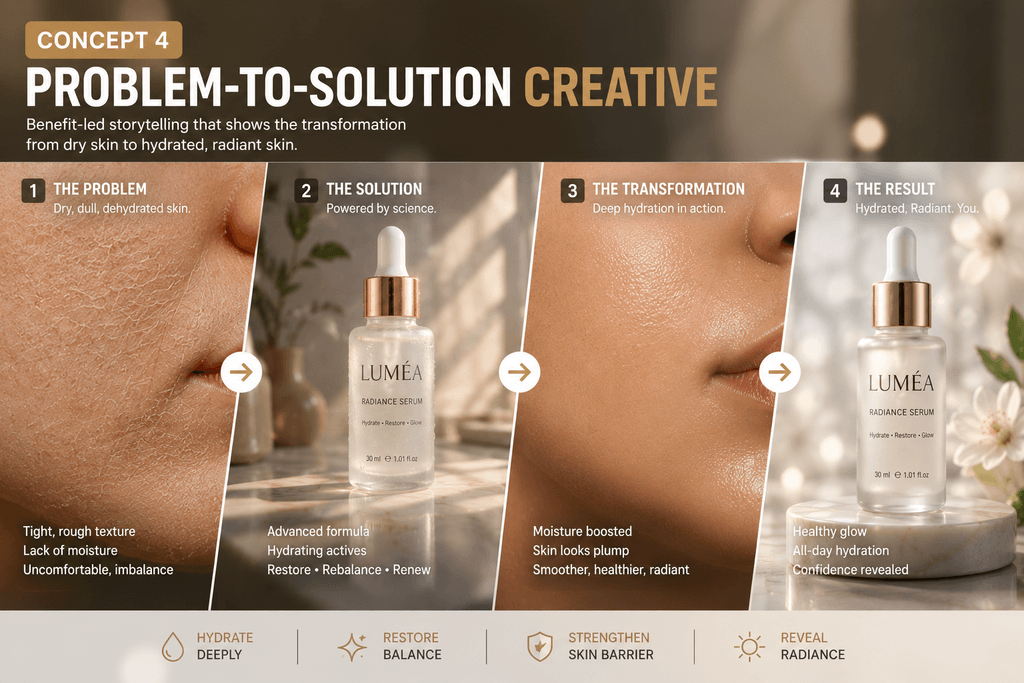
Instead of starting with the bottle, I visualized the problem first: dry-looking skin texture for the first couple seconds, then the product reveal, then a hydrated visual treatment, then the hero shot. This tests benefit-led advertising instead of product-led advertising, and it behaves very differently from the other four.
Concept 5 — Scroll-Stopping Surrealism
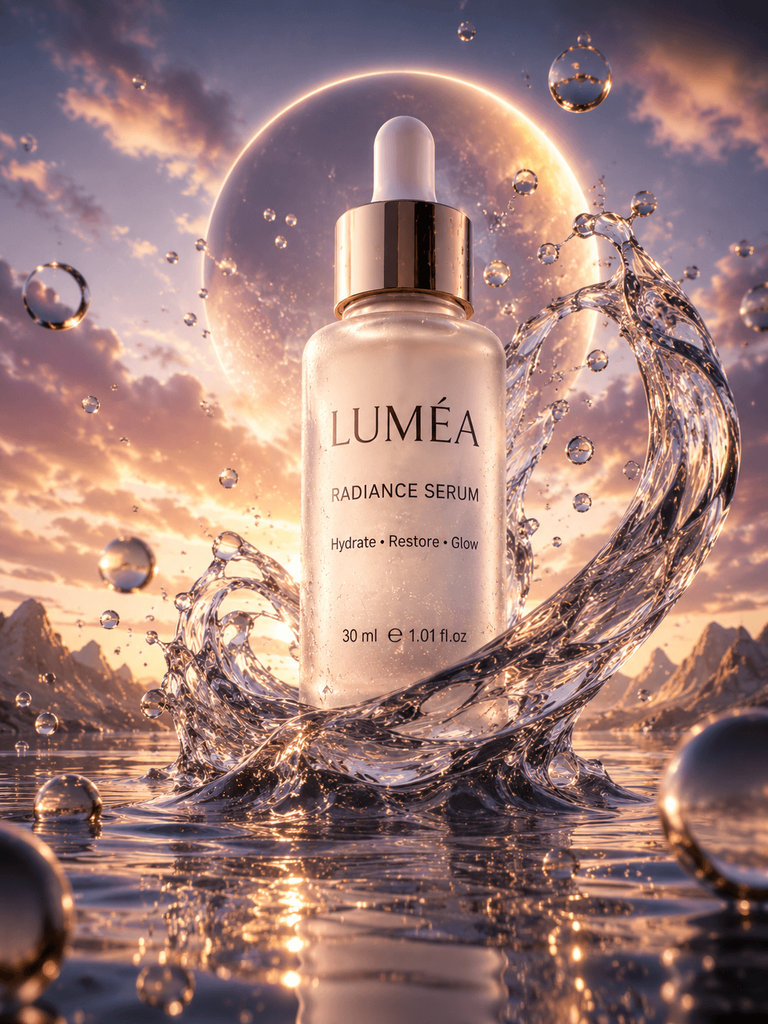
“Giant serum bottle rising through transparent waves of liquid in a surreal reflective landscape, dramatic macro lighting, slow orbiting camera, premium beauty campaign aesthetic.” This one isn’t testing realism at all — it’s testing whether it stops a thumb mid-scroll.
What I Looked for After Every Generation
“The video looked good” isn’t a useful evaluation. I scored every result against six specific questions instead.
| Criterion | Question |
| Product fidelity | Did the shape remain accurate? |
| Label stability | Did packaging text distort? |
| Motion quality | Did movement look intentional? |
| Physical realism | Did reflections, shadows, and liquids behave plausibly? |
| Advertising usefulness | Could I actually run this creative? |
| Attention value | Would someone stop scrolling? |
The Biggest Lesson: Product Fidelity Matters More Than Cinematic Quality
AI can generate dramatic lighting, gorgeous environments, elaborate camera moves, cinematic effects — none of that was ever really in question. What ecommerce adds on top, that a lot of pure filmmaking doesn’t have to deal with, is a constraint: the product cannot quietly become a different product halfway through the clip.
I ran into logo deformation, bottle proportions drifting mid-shot, packaging text sliding around, extra buttons appearing out of nowhere, colors shifting, product edges melting into hands, and lids opening the wrong way. None of it was catastrophic on its own, but any single instance rules a clip out for actual use — an ad that quietly redesigns your own packaging isn’t something you can run, no matter how nice the lighting looks.
The pattern I noticed: fidelity problems showed up far more often in the surreal and heavily stylized concepts than in the clean studio reveal. The more the environment departed from something ordinary, the more the model seemed willing to take liberties with the product itself too. That’s worth knowing before you commit to an ambitious concept for a product where packaging accuracy actually matters to the brand.
My rule after seeing this enough times: I’d rather publish a visually simpler clip that keeps the SKU accurate than a spectacular AI commercial where the product gradually changes shape. Nobody’s going to notice the camera work if the bottle looks slightly wrong by second four.
I Got Better Results When I Stopped Writing “Beautiful Product Video”
“Make an amazing commercial for this perfume” is a prompt with almost no useful information in it. What actually helped was breaking the prompt into pieces I could control individually: what about the product has to stay unchanged, what should physically happen, where does the product exist, what’s the camera doing — push-in, orbit, tracking, macro, locked-off — what’s the lighting, how do materials behave (glass reflections, liquid movement, fabric movement), what’s the advertising style (luxury commercial, TikTok-native, documentary, UGC, minimalist), and what should the model actively avoid doing.
The Prompt Formula I Now Use for Product Videos
[Product] + [product action] + [environment] + [camera movement] + [lighting] + [material details] + [advertising style] + [things that must remain stable].
For example: “A matte-black wireless speaker remains centered on a concrete pedestal while the camera slowly orbits clockwise. Warm directional studio lighting creates controlled highlights across the speaker grille. Minimal premium electronics commercial, realistic materials and shadows. Keep the speaker dimensions, buttons, logo placement and grille pattern unchanged.” That last sentence — the stability constraint — is the part I used to skip, and it’s the part that fixed the most problems once I started including it every time.
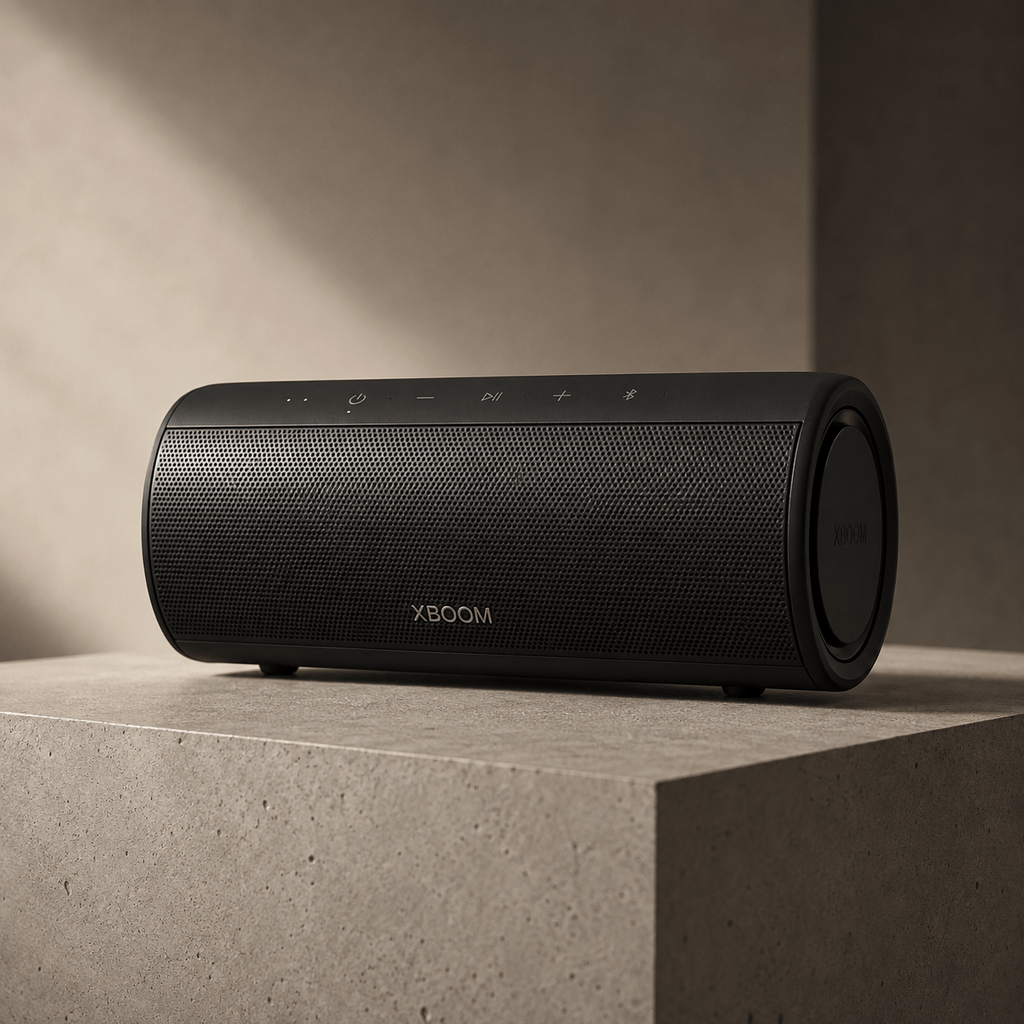
Worth saying plainly: this formula isn’t a guarantee. It’s a way of narrowing down what the model has to guess about, which is most of what separates a usable output from one you’ll have to throw away.
Why I Used Pixwith for the Experiment
I’m not going to claim it’s the single best AI product video generator out there. There’s a more practical reason it fit this experiment.
Image-to-video makes existing product photography useful again. Most brands already have Amazon images, Shopify product photos, studio shots, catalog photography, or old campaign stills sitting around. Those assets become starting frames instead of dead weight. Pixwith’s image-to-video generation lets you upload one of those images and describe the motion or reveal you want built around it, rather than starting from nothing.
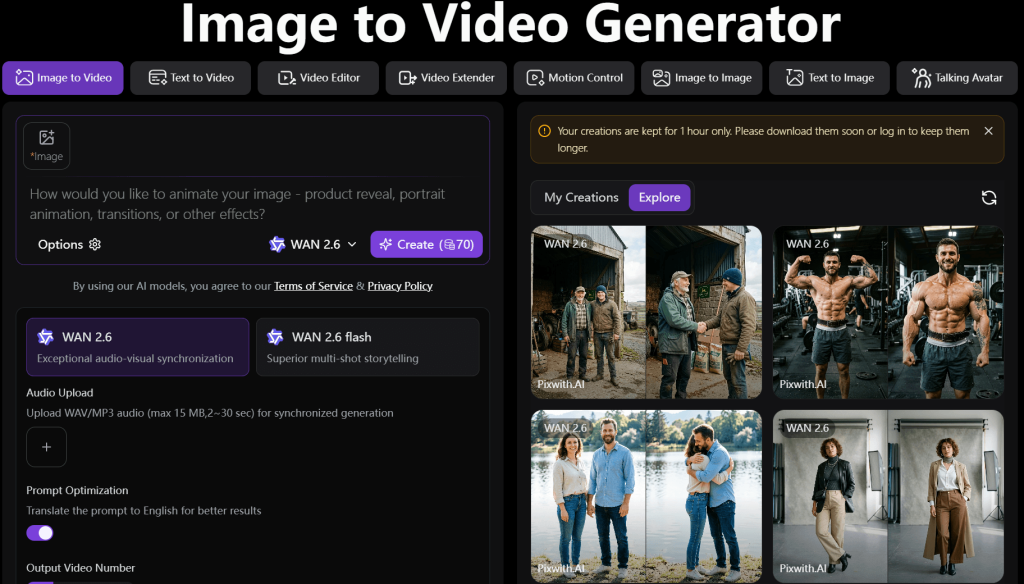
Different product concepts need different video models. One model handles realism better; another is stronger on dynamic motion, camera movement, or stylized effects. Pixwith works more like a multi-model workspace than a single fixed template for product ads, which matters once you’re testing five genuinely different concepts instead of five versions of the same one. I stopped asking “which AI video model is best” and started asking “which model works best for this particular shot” — a much more useful question once you’re actually comparing outputs side by side.
Turn One Winning Idea Into Platform-Specific Variations
Once a concept works, exporting the same file everywhere is leaving performance on the table.
TikTok / Reels — 9:16. The fastest opening, product visible almost immediately, somewhere around five to ten seconds total.
Product page — 1:1 or 4:3. Slower movement, clearer product visibility, less aggressive editing — this isn’t fighting for attention the way a feed video is.
YouTube / landing page — 16:9. More environment, more cinematic composition, room for a longer visual narrative.
Pixwith exposes multiple aspect ratio, resolution, and duration options, which made repurposing a winning concept across all three a lot less painful than regenerating from scratch each time.
The Three Product Videos I’d Generate Before Spending Money on Ads
Video A: Product Reveal. Does the product itself visually attract attention?
Video B: Problem/Solution. Does the benefit actually resonate?
Video C: Lifestyle/Identity. Does the customer recognize themselves in the positioning?
Test these three before generating a dozen superficial variations of whichever one you liked first. This is where the conversation shifts from video production into actual marketing strategy.
Where AI Product Video Works Exceptionally Well
Beauty and skincare, thanks to liquids, packaging, ingredients, and macro shots. Fashion accessories — watches, bags, jewelry, eyewear — where rotation and detail carry the shot. Electronics, with rotations, close-ups, and futuristic environments. Food and beverages, where pouring, condensation, and texture do most of the selling. Furniture and interior products, through lifestyle environments and room transformations. Digital products, where you’re working with more conceptual or abstract visuals anyway.
Where I’d Still Use Traditional Production
AI doesn’t replace everything, and it’s worth being direct about where it shouldn’t. Product assembly instructions, safety demonstrations, exact garment fit, medical-device operation, size comparisons, precise mechanical movement, and testimonials that need to represent actual customers all belong in real production.
The distinction I keep coming back to: AI-generated product footage is strong when the goal is communication, attention, or visualization. It’s the wrong tool when the viewer needs documentary proof of something real.
A More Efficient Product-Video Workflow
Pick one clear marketing hypothesis before generating anything — don’t start randomly. Choose the strongest available product image, ideally a clean silhouette with accurate packaging. Generate a handful of different visual directions — studio, lifestyle, demonstration, surreal — rather than iterating on one. Reject anything with fidelity problems immediately instead of spending time polishing an output that’s fundamentally wrong. Refine whichever concept is strongest, changing one variable at a time. Produce the aspect-ratio variants you actually need — 9:16, 1:1, 16:9. Then put the videos in front of real customers and let click-through rate, watch time, and conversions decide the winner, not personal preference.
What AI Changes About Product Marketing
The bigger shift here goes past the tool itself. Production used to happen after an idea was already approved. With generative video, production can become part of the ideation process instead — a marketer can generate ten environments, five camera styles, three hooks, and four positioning angles before committing to a larger campaign at all. That’s a different creative process, not just a faster version of the old one.
Final Verdict — Don’t Use AI to Make One Product Video
A weak use case looks like this: upload an image, generate one pretty animation, publish it. A stronger use case looks like this: product photo, multiple advertising hypotheses, rapid generation, real customer testing, a winning concept, and only then a scaled campaign.
That’s the way I found Pixwith most useful — not as a button that magically “makes ads,” but as a workspace where an existing product image can turn into several genuinely different creative experiments without rebuilding the whole production process every single time. If you’ve got one solid product photo sitting around, try generating three completely different creative directions from it before deciding which one is worth actual ad spend.