
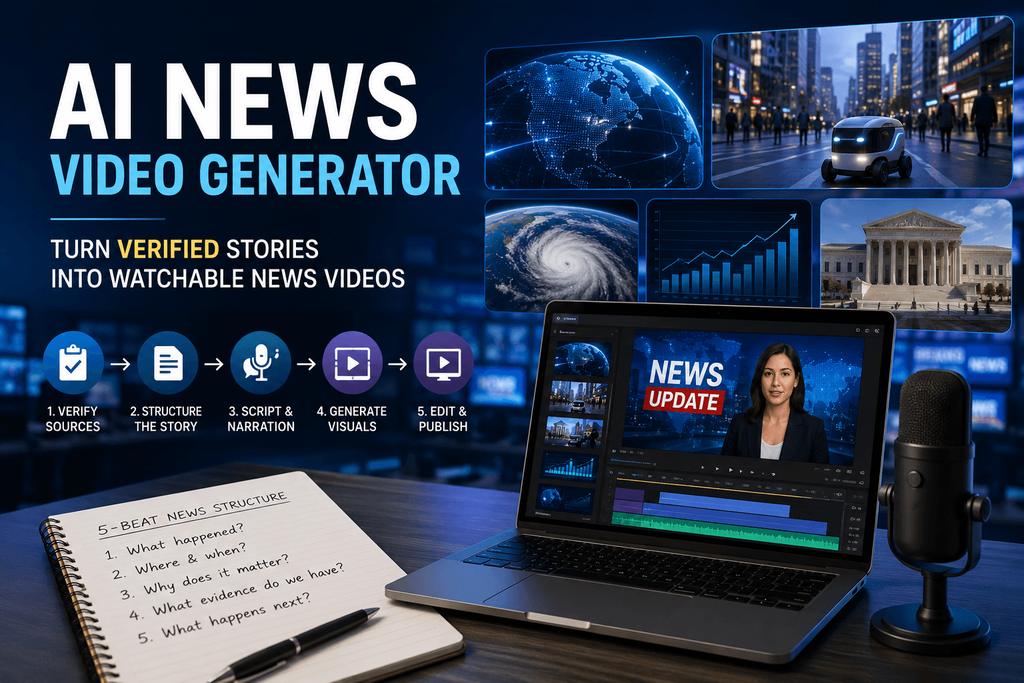
When I first experimented with AI-generated news videos, generating a presenter wasn’t the difficult part. The difficult part was making the finished video feel like someone had actually understood the story.
Modern tools can already generate anchors, narration, captions, and visuals quickly. That was never the bottleneck. The real challenge is deciding which facts deserve screen time, which visuals genuinely explain the story instead of just decorating it, which claims need attribution, when generated imagery is appropriate at all, and how to make a sixty-second story understandable without flattening it into something misleading.
What an AI News Video Generator Actually Does
At a basic level, this kind of tool converts a headline, article, script, report, press release, research summary, or set of verified notes into a structured video — narration, generated scenes, image-to-video animation, B-roll, captions, presenters or avatars, transitions, graphics, in whatever combination the story needs.
One distinction is worth stating clearly before anything else: video generation is not fact verification. These tools can dramatically speed up production, but the editorial responsibility — deciding what’s true, what’s relevant, what needs a source — still sits with the person making the video, not the software.
I Stopped Asking AI to “Make a News Video”
The generic prompt “create a news video about X” tends to produce something technically correct and editorially thin. What worked better was breaking the story into beats before generating anything.
Beat 1 — What happened? One sentence establishing the event, nothing more.
Beat 2 — Where and when? Immediate context so the viewer isn’t guessing.
Beat 3 — Why does it matter? Translating the event into actual relevance for the person watching.
Beat 4 — What evidence do we have? Official statements, statistics, documents, maps, photographs, charts, quotes — whatever’s actually verifiable.
Beat 5 — What happens next? Ending on consequence instead of filler.
I’ve started calling this the five-beat method, mostly because it’s the structure that consistently keeps a short video from feeling like a summary with visuals bolted on.
My Workflow for Turning a Story Into an AI News Video
Start with sources, not prompts. Before opening any generator, I collect the actual facts — the original government announcement, the company statement, the research paper, the verified reporting, the raw event data. Summaries of summaries introduce errors, and those errors compound once they end up baked into a video. My rule: if I wouldn’t publish the sentence in an article, it doesn’t go into the video prompt either.
Reduce the story to one main idea. “Everything that happened in AI this week” isn’t a video concept. “Why a new AI model matters for independent video creators” is. A focused story also happens to generate much better visual continuity — trying to cover five developments in one clip almost always produces five disconnected scenes.
Write for listening, not reading. Article language and narration language aren’t the same thing. “The company subsequently announced an expansion of the initiative across additional markets” reads fine on a page and sounds stilted out loud. “The company is now expanding the program into more countries” says the same thing and actually sounds like a person talking. Shorter sentences, one idea per sentence, fewer subordinate clauses, numbers that are easy to say out loud, and transitions that sound conversational rather than journalistic.
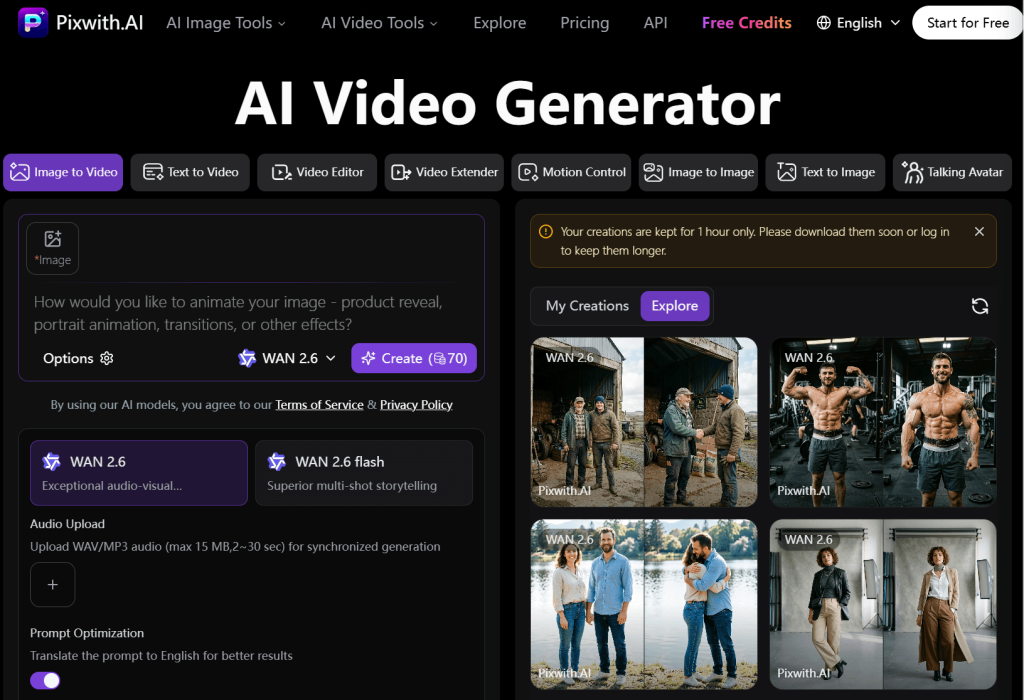
Building the Visual Story in Pixwith
Once the script is locked, I move into the visual layer. I don’t think of Pixwith as another virtual-anchor generator — it’s more useful as the production layer that builds the supporting visuals around a story that’s already been verified and written.
A workflow that’s held up well: verified source, then script, then scene prompts, one per beat, then generation in Pixwith, then review, then captions, then publish. The kinds of scenes that come out of this are establishing shots, technology visualizations, geographic context, atmospheric B-roll, concept illustrations, and animated versions of still images — a broader visual toolkit than just a presenter reading a script.
A Simple Prompt Formula I Use for News B-Roll
Subject + Action + Location + Camera + Lighting + Visual Style + Restrictions.
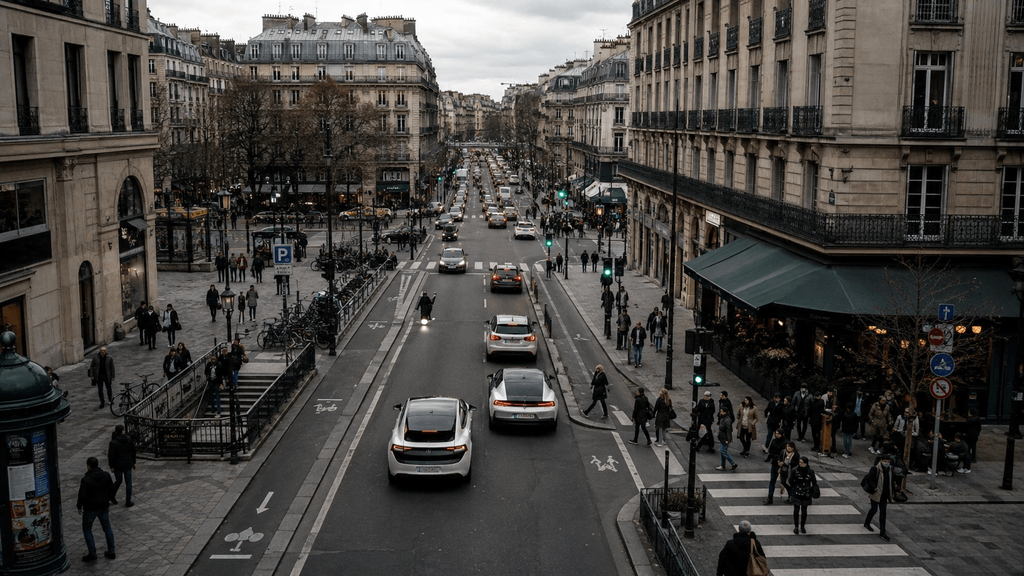
For example: “Electric vehicles moving through a busy European city center, commuters crossing nearby streets, slow aerial push forward, natural overcast daylight, realistic documentary photography, restrained cinematic treatment, no visible brand logos.” That last restriction matters more than it looks — generated news visuals should read as plausible and restrained, not like a movie trailer.
Why “Boring” Prompts Often Produce Better News Videos
Most AI-video advice pushes dramatic camera movement, extreme lighting, big cinematic flourishes. In a news context, that undermines credibility more often than it helps. What news B-roll usually wants instead is slower camera movement, neutral lighting, stable composition, realistic environments, limited background action, and a documentary aesthetic that doesn’t call attention to itself. Information first, spectacle second — a rule I’ve had to remind myself of more than once when a flashier generation looked tempting.
AI Anchor or Visual Storytelling? I Tested Both
AI Anchor Format
Works well for daily updates, business news, finance summaries, weather, and company announcements. It’s consistent, the presenter is recognizable, and production is fast. The weakness shows up when the entire video is just a talking avatar for a full minute — viewers disengage.
Narration + Visual Scenes
Better suited to technology stories, science, travel developments, product launches, explainers, and social news. Stronger visual variety, easier to explain complex material, generally better retention.
Hybrid Format
Anchor, then evidence, then B-roll, then back to anchor. This is the structure that ends up resembling an actual news package rather than one continuous AI presenter talking at the camera, and it’s the one I default to for anything longer than thirty seconds.
The Most Important Scene Is Usually Scene Two
Scene one earns attention. Scene two is what proves the story is actually worth watching. A structure that’s worked consistently: headline or hook in the first three seconds, context from three to ten seconds, evidence from ten to twenty-five, explanation from twenty-five to forty-five, and consequence or what’s next in the final stretch. A lot of AI news videos fail simply because every scene gets equal weight — nothing is allowed to be the most important part.
Don’t Generate Evidence
This is worth drawing a hard line around. There’s a real difference between an AI-generated illustrative visual and documentary evidence, and that difference matters enormously for anything involving an earthquake, election, protest, court decision, war, accident, or other real-world incident. A generated reconstruction should never be presented as authentic footage. When it’s used at all, it needs a label — “AI-generated visualization” or “illustrative reconstruction” — so nobody mistakes it for something that was actually filmed.
Five News Stories I Would — and Wouldn’t — Generate With AI
| Story | Good AI Video Use | Main Risk |
| New smartphone launch | Product/context B-roll | Incorrect product details |
| AI industry announcement | Concept visualization | Oversimplification |
| Scientific discovery | Explanatory scenes | Misrepresenting research |
| Breaking disaster | Maps/explanation | Fabricated “event footage” |
| Financial results | Charts/narration | Incorrect figures |
The pattern across all five: suitability depends entirely on what kind of visual evidence the story actually needs, not on whether AI generation is technically capable of producing something that looks convincing.
How I Review an AI News Video Before Publishing
I run every video through what I call the FACT check. Facts — are the names, dates, locations, and numbers correct? Attribution — is it clear where the important claims actually came from? Context — could a viewer walk away misunderstanding the story because something important got left out? Transparency — could someone mistake an AI-generated reconstruction for genuine footage? If any of those four fail, the video doesn’t go out yet.
One Story, Three Platforms
The same verified story adapts differently depending on where it’s going. YouTube gets 16:9, two to five minutes, and room for more explanation. Shorts, TikTok, and Reels get 9:16, thirty to sixty seconds, one angle, and a strong opening. LinkedIn gets thirty to ninety seconds with a professional framing and the industry implication foregrounded. Producing all three from one already-verified story is what makes an AI workflow genuinely useful for smaller publishers who couldn’t otherwise afford to repurpose everything three separate ways.
Where Pixwith Fits Into My News Video Workflow
Pixwith is most useful once the written story is already settled and what’s left is turning individual beats into visual sequences — text-to-video, image-to-video, AI-generated B-roll, visual explainers, news-style social clips, concept visualizations, and multiple visual variations of the same beat when one version isn’t landing. It lets a small team or a solo creator work visually without a camera crew, actors, physical locations, or a large stock-footage library sitting behind them.
A Realistic 60-Second AI News Video Workflow
Take a story about a company announcing a new household delivery robot. Scene one, the hook: the robot traveling along a residential sidewalk. Scene two, the announcement: a neutral exterior shot of a technology campus. Scene three, how it works: a close-up visualization of autonomous navigation. Scene four, why it matters: delivery vehicles and last-mile logistics footage. Scene five, what’s next: the robot approaching a residential doorway.
Every factual claim in that video comes from the source material. Pixwith only supplies the illustrative visual layer around facts that were already verified before generation started.
Common Mistakes I Made Along the Way
Generating before the script was finished produced scenes that didn’t actually match the final story. Putting too much motion into every single shot caused visual fatigue by the thirty-second mark. Leaning on generic “futuristic” imagery stopped explaining anything specific about the actual story. Showing generated people as if they were real participants created obvious credibility problems the moment anyone looked closely. Making every video look like broadcast television felt out of place on social platforms where the aesthetic expectation is completely different. And publishing the first generation, before checking it against the script, produced visual inconsistencies and factual mismatches I only caught after the fact.
The Future of AI News Video Isn’t the AI Anchor
The bigger shift probably isn’t a better talking avatar — it’s programmable visual journalism. Instead of script going straight to avatar, the workflow becomes source, then story structure, then visual plan, then generated scenes, then human review, then distribution across whatever platforms make sense. That’s a broader transformation than swapping a human anchor for a synthetic one. AI doesn’t replace the reporter here. It shrinks the gap between “we understand the story” and “the audience can understand the story visually.”
Final Thoughts: Faster Production Still Requires Better Judgment
AI news video generators make production dramatically more accessible, but speed alone doesn’t create trustworthy journalism. The results that actually hold up combine verified information, deliberate story structure, restrained visuals, and a human review step nobody skips. For creators who already have the story and just need a faster way to visualize it, Pixwith can handle the generative production side — turning prompts and source imagery into scenes that get assembled into explainers, updates, and social news videos.
Frequently Asked Questions About AI News Video Generators
What is an AI news video generator?
A tool that converts written source material — an article, script, or set of verified notes — into video using narration, generated visuals, captions, and sometimes an AI presenter.
Can AI turn a news article into a video?
Yes, though the article’s language usually needs to be rewritten for narration first — written and spoken news don’t sound the same.
Can I create news videos without an AI anchor?
Yes. Narration paired with generated B-roll and visual scenes works well for a lot of story types, especially anything explanatory.
How do I create B-roll for a news story with AI?
Break the story into beats, write a specific scene prompt for each one, and generate them individually rather than trying to cover the whole story in one prompt.
Can AI-generated news videos be monetized on YouTube?
It depends on originality, added editorial value, and platform policy compliance — not simply on the fact that AI was involved in production.
Should AI-generated footage be labeled?
Yes, especially anything that could be mistaken for real event footage. Illustrative visuals should be clearly identified as generated.
Can I use an AI news video generator for YouTube Shorts?
Yes — a focused single-angle story with a strong opening line tends to work best in that format.
How long should an AI news video be?
It depends on the platform, but thirty to sixty seconds covers most social formats, while two to five minutes suits YouTube when a story needs more explanation.
What makes an AI-generated news video trustworthy?
Verified sourcing, clear attribution, restrained visuals, transparent labeling of any generated reconstructions, and a human review step before publishing.
Can Pixwith create visuals for news videos?
Yes — Pixwith can generate B-roll, concept visualizations, and scene-level video from text or source imagery once a story’s facts and script are already settled.