
The most expensive part of advertising is not always the ad itself. Rather than creating a single, flawless advertisement; it’s the ideation process that often proves most challenging.
Marketers deal with enough creative constraints. But something else is weighing heavily on their budgets too: they’re simply unable to test the many great ideas they have. One product. One landing page. One audience. Five possible angles. Three different hooks. Several visual concepts to explore. Testing everything is just too expensive. So marketers bet everything on one idea, or two.
Free AI video generators shift the equation. They make it cheap to produce many variations, turning advertising into a creative laboratory. The true power of generative video isn’t about making advertisements. It’s about making experimentation affordable. Ideas that had been shelved because they were too expensive to explore will now launch. And as we run more creative tests than ever before, we’ll uncover stronger winners – outperforming the few ads marketers used to bet everything on.
So can these free AI ad video generators unlock experimentation, and dramatically lower the costs of creative testing?
The Wrong Way to Think About an AI Ad Video Generator
The “AI Ad Video Generator” is an Online Creative Tool, Not a Self-Publishing Button
The promise of these AI tools is tempting: define your product, enter a simple prompt, generate, and publish. It seems logical. It seems efficient. It seems, in other words, simple. But simple does not mean effective. And beautiful pixels alone will never guarantee top-line conversions.
There’s a reason why “flashy” doesn’t equal “flush.”
It is true that artificial intelligence can generate high-quality pixels quickly, really, really quickly. But the AI can’t select your marketing proposition. It can’t grasp a winning creative angle. It can’t come up with an audience insight.
Visual polish and velocity are not the equivalent of strategy. Every advertisement, from billboards to social posts, answers certain questions: Who is this ad for? What problem does it solve? Why should you believe the claim? What makes this offer special or different? What should you do next? AI-driven generation works in reverse, essentially skipping most of those steps and instead implying that you can just answer “whatever you want” in the prompt field.
It’s the ad version of slam poetry, relying on talent, rhythm, and a little bit of luck instead of storytelling structure and solid strategic thinking. And that means generating something aimless.
The correct mindset starts with the advertising basics: The most effective advertising begins with the message, not with what you’ll put onscreen or how long the advert should run. If you haven’t clearly defined who you’re talking to, what you’re offering, and how you expect people to respond, you shouldn’t even touch a video generator in the first place.
Once you’ve created a clear and compelling strategy, you can use a generator to experiment with different creative executions that reinforce the overarching message. And that means treating generation not as a magic button but a tool for rendering.
Use Free AI Ad Video Generators to Test Creative Variables
Often the most common approach to producing ads is to just create the one-off video and hope that it does well. Unfortunately, it’s really guesswork. You end up wasting your budget without really learning anything.
Every advertisement is made up of a number of variables. Think of them as distinct creative elements that you can make an attempt at changing while keeping others constant. Here are the variables that we recommend to break your next AI video ad into:
– Hook: Try curiosity, a question, or a bold statement.
– Audience: Tailor tone, pain points, and imagery to this segment.
– Angle: Benefit headline? Problem solution? Inside secret?
– Visual: Swap your background, on-screen text, or avatar.
– Proof: Testimonial clip? Demo? Data point? Before-after?
– CTA: Direct buy, learn more, or get free, for example. Vary placement and urgency.
Change only one variable at a time. Next, you control every test. Alter only one of the six variables while keeping all other elements identical. Compare one variation to the other, with only a single difference. It couldn’t be easier to get clear results which show which change has the biggest impact on your advertising metrics.
You can literally turn your free AI video ad generator software into a testing laboratory that runs a whole pre-production admissions funnel for you. You quickly and cheaply run through combinations based on the framework outlined above to find your top performers. Once you’ve done that, invest your money and time in creating videos based on what the data says rather than what you think it says!
Test Multiple Hooks With AI Ad Video Generators
The value of hook testing is clear. But how do you find out which hook resonates best with your target audience? AI video generators make it extremely easy to vary your hook rapidly. You can try out different openings, such as leading with the customer’s problem, with a surprising statement, or with a compelling question, and find out which works best.
You can also try other ad opens, such as opening with a striking visual, by showing the before-and-after immediately, by creating curiosity around the outcome, or by opening with authentic customer testimony. Testing these will reveal the hook that resonates best with your particular audience.
A practical approach to hook testing is to create one core ad template and then to swap out the opening for a different hook. You can then run a low-budget experiment to see how each one performs.
Try these on different social platforms, audiences, and to different demographics. Then compare engagement rates, click-through rates, and conversion rates. That should give you enough actionable data to decide which hook performs best for that particular audience. It’s unlikely that one hook will work best across all audiences. So you’ll need to run more tests to improve ad performance over time.
Test Different Marketing Angles With AI Video
AI video makes a number of different single-angle positioning options practical. Even if the product is the same, it can be positioned around a variety of differing buyer motivations. Until now, making separate video variations for each position has been impractical for most marketers. But with AI video, it’s now practical to experiment with different positioning angles by creating variations that isolate a single value proposition.
A few of the many single-angle positioning options available would be time savings and money savings. Other potential angles could include convenience, status, simplicity, performance, and avoiding frustration. Each variation connects the product with just one of these angles.
When you produce variations around separate positioning angles, keep each AI video focused on only one marketing angle and compare them to see which variation connects the best. You’ll never convince every viewer with a single variation that combines all of these points. Once you have identified the most effective angle, the only task left is to refine and polish it, and finally showcase it across all marketing channels, ensuring that your target audience effectively engages with your product’s unique value proposition.
Test Multiple Ad Visuals With Free AI Tools
Thanks to free, no-code, AI video generation tools, advertisers can treat their ad creative as a set of variables to test, without needing to perfect a single, all-star video. By mixing-and-matching UGC-style footage, cinematic product demonstrations, and POV-driven stories, advertisers can identify which angle gets viewers to stop scrolling. And by placing their products in relatable lifestyle scenes, advertisers can add a test variable: does the product feel like a natural fit in everyday life?
The same testing mindset should apply to the way brands explain their offers. Tutorial-style visuals walk viewers through your product’s key features. Founder-led footage builds trust with an earnest, personal voice. Before-and-after visuals isolate just the transformation, while animated explainers simplify complex ideas your live-action footage may not be able to convey clearly.
By swapping things up across format, perspective, and explanation style, advertisers can run a fast, low-cost testing loop to learn what drives performance and then double down on that driver.
Test Different CTAs With AI-Generated Ads
Most advertisers pick one and hope for the best. Fortunately, AI-generated video makes it easy to generate multiple ad versions quickly and cheaply, so try it. Generate the same concept with different CTAs. Ideally, each version targets the same moment in the viewer journey, but a slightly different one.
Try an action-invite version and an easier entry version, such as a free start to lower the barrier and drive a different response. The action part of the call to action gives people something to do, while the invite tells them why they should.
They can work together or separately, but vary the framing: Toggle between softer and more specific invites, such as “see how it works” versus “try it first.” You want viewers to look more closely, compare differences, prompt their first creation, or shift from exploration to action.
Try “prompting” shifts that deliver precisely these outcomes. Tiny wording changes in your CTA might cause measurable differences in click and conversion rates. Try side-by-side so you don’t guess.
Softer or harder: The intensity of your CTA is the closest thing there is to a magic lever. Match the intensity of the CTA to the stage of the buyer. First-time viewers should get prompts with low pressure. Viewers deep into the funnel should get direct start prompts. The near-zero cost to run multiple variations means you can test all permutations.
Run all variants using free AI video generator tool, let the data identify the best CTA, and build the next ad around the winner.
The 3×3 Creative Test: One Product, Nine Ad Concepts
One ad at a time simply isn’t a scalable strategy, even more so with video. But thanks to free AI video generators, it’s extremely easy to produce nine concepts at once. Here’s a system we call the ‘3×3 Creative Test’: choose three hooks you want to test and three different treatments, then combine them all together.
The three hooks are usually: A = a problem people feel, B = an outcome people want, C = a visual grab. The three treatments can vary based on your service or product, but one idea is to produce one concept as UGC (raw, unpolished). Another concept can be showing the product actually working, just how it does. And the third concept could be cinematic, selling the vibe or feeling your product gives. By mixing three hooks with three treatments, you’re yielding nine distinct concepts, not all of which will necessarily be successful, but this approach dramatically increases your chances of finding a winning combination or atleast several viable options to choose from.
And even though these are cheap drafts, they will tell you which creative angles (or hooks) resonate more than others with your target audience. For those combos you’re less excited about, kill them or start over. But for those combos that stand out more, or induces a sense of intrigue or engagement, invest in them and get going.
What makes this work so well is that it doesn’t cost a lot to produce multiple variants and allows for quick experimentation, ultimately saving time and resources in the long run.
Let’s see what this looks like in action, using a fictional coffee brand.
Concept A1: Pair a strong emotion to a frustration point
This is a common tactic in storytelling and a strong hook. The emotion should directly relate to the customer’s pain point. The pain point in this case is a watery, disappointing iced coffee.
The hook is, “Why does every iced coffee at home disappoint?” followed by a direct-to-camera moment. While the shot feels like casual kitchen footage, it’s actually a “shaky” handheld video that will evoke a sense of familiarity and nostalgia, with the morning light and messy countertop.
The brand product doesn’t need to be named but will enter a little before the end in a visual moment where it’s poured into a glass but not yet consumed.
Concept B2: Pair outcome to a demo
This is a winning strategy for demonstrating effectiveness by honing in on a specific attribute and showing it really works.
This story opens with the results and closes with the steps. That makes sense for this case because the caffeine lovers are looking for a functional solution, cold brew just like the café, but with no equipment or long wait time. The concept should flip to aspiration.
The hook is, “This tastes like a barista made it in my own kitchen,” as she takes the first sip. Everything else is practically self-explanatory: point of view with tight macro shots on condensation that forms on the glass, swirling liquid, and slow-motion drip. Using the free AI video generator, we can simulate a macro lens to heighten the texture.
For a demo, you can prompt free AI video generator to take us through the simple steps to prepare (male/female subject) favorite drink. No jingling soundtrack or voiceover, just the natural clinks of the glass and slow-motion pour.
Concept C3: Use an unexpected, visual-only opening
Here we start with an extreme close-up of an ice cube dropping into a glass and a black liquid splash. You can prompt the ai video generator to hold the shot for five seconds straight with no dialogue, just the crack and fizz of the splash..
Then the video flows into a sleek product reveal. As (male/female subject) picks the glass up, a branded bottle slides into frame, then pulls back slightly to reveal perfect lighting on the label (the brand name).
This visual-only approach plays well on curiosity. The (male/female subject) has to discover what’s in the glass, echoing the first time they made the drink at home (minus the suspense this time). And the best part you can make this entire 3D camera move and slow reveal using an AI video generator and well written prompt.
What I Would Test Before Spending $1 on Paid Distribution
The notion that there is one flawless ad that can get maximum conversions on paid distribution is a trap that is sure to waste your budget. There is no such thing as a one-size-fits-all ad. The good news is, with the proliferation of free video and text ad generators, you can now test your ad as much as you like before spending a single dollar on paid distribution.
There are five specific variables that are so important, and which run such high risk of failure, that I’d run them as far as I can before I would consider spending a single dollar on an ad. The rest of this section walks you through each one, step by step, with actionable detail.
Test 1: The First Three Seconds
Watching any ad we’ve ever made, it never fails to astonish me how fast a viewer makes up their mind about watching the ad. This is because attention is either won or lost within these crucial first few seconds, where you either compel them to watch more or they fast forward or immediately close. When testing the opening of your video, generate several versions with entirely different openings, keeping the rest of the ad identical in every other way. Once you have a few alternatives, do the following checks:
- Check visual clarity immediately. Does the opening scene jump out, clearly and instantly legible on mobile and desktop?
- Does curiosity escalate from the first frame? Does the first scene immediately pique the curiosity of the viewer enough to encourage them to watch more?
- Is the product instantly recognizable? Do viewers immediately know what’s being advertised?
- Is the opening scene clearly relevant to the targeted audience? Does it clearly point towards the needs and pain points of the target audience?
Test 2: Product Visibility
The exact timing in which the product gets shown can have a big impact on performance. Make three specific tests on the same ad content:
- Create a version where the product is shown immediately, right up front, front and center.
- Create a version where the product is only introduced when the problem or need is first painted for the viewer.
- Create a version where the product is revealed midway through the narrative.
When you run all three versions side by side, let the data reveal which single timing ultimately wins.
Test 3: Human vs. Product-Led Creative
The presence of a human face in the creative versus a shot of the product itself can build trust differently. If your ad concept is going to feature a human face, vocal, on-camera personality, etc., create a version that utilizes some sort of creator-style delivery.
If your ad concept is going to feature pure product shots, create a version that is focused entirely on the product, its features and UI (avoid any on-screen vocal delivery). Run the two separately to see which one earns deeper trust and higher engagement with your target audience.
Test 4: Emotional vs. Functional Messaging
Depending on what you’re selling, some people buy with their heads and others with their hearts. Build one version that’s firmly in the functional camp: explain exactly what the product does, its features and how it works. Build another version that tells a story of the transformed life or relief one feels after using the product. Run the two together and let the test show which message actually lands and gets them to take action.
Test 5: Different CTAs
Call to action phrasing can be the hardest variable to get right. The hardest ask doesn’t always win; it depends on what stage in the buyer journey the viewer is in when they’re exposed to your ad, and what your objective is.
Generate CTAs that range from soft, low-commitment invites to hard, high-commitment demands. Match the intensity of the ask to the viewer’s stage of readiness in that context. Let actual performance data, not gut instinct, decide which CTA works best for your message.
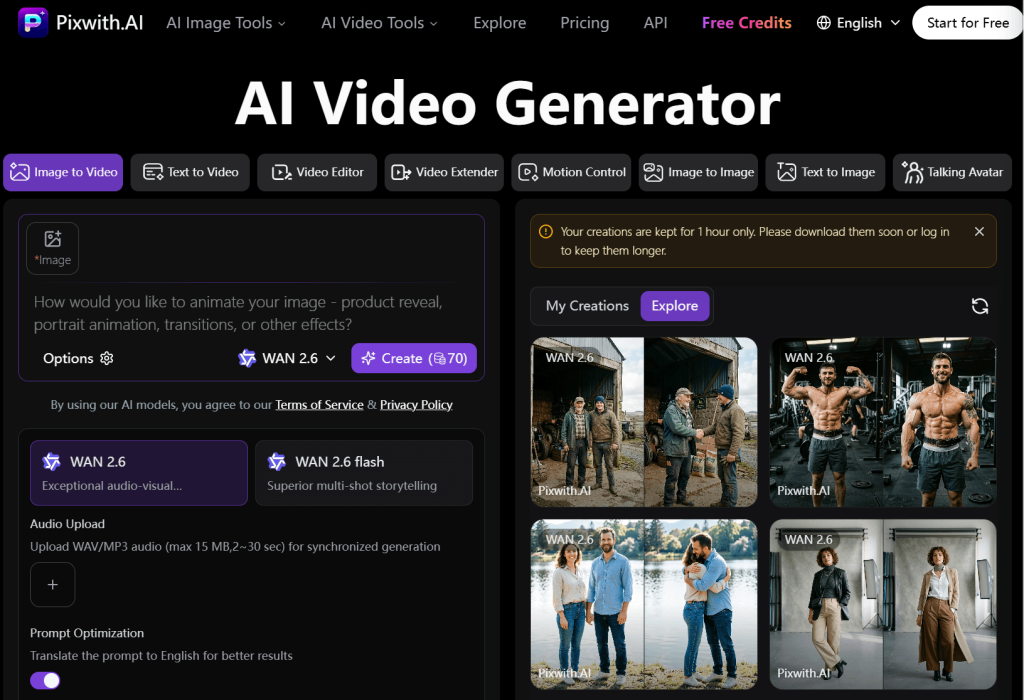
A Practical Pixwith Workflow for Rapid Ad Experimentation
Ideas are good, but no idea is fully realized until it becomes footage. That footage takes the product imagery or service sizzle that makes an idea special and makes it testable. A product feature can mean many things depending on how it lands against specific customer hurt points; the only way to know for sure how much it matters is to put it on-screen and test it.
In short, the right tools don’t create one-offs and templates; they create reusable scene-building blocks you can fruitfully reuse again and again. One scene can fuel a half-dozen ads down the road. The insight here is that the real competitive lever isn’t the tool; it’s the workflow built around it.
Step 1. Start with the marketing hypothesis
Never generate video without one. When you’re launching a new product or feature, you should always test different spokespeople, music tracks, voice-over tones, timings, all of it. But you must never generate video without a clear, fully formed marketing hypothesis up front. More precisely, there should be a robust but specific answer to the question, “What should this video change?”
For an app that helps freelancers save a couple of hours per week on boring admin tasks, I might test two hypotheses:
1. Freelancers want an easy way to recover their evening, versus 2. Freelancers want an easy way to save two hours per week.
It’s the same product, the same offer, but very different emotional angles at play. The distance between the two is worth testing, not assuming.
Step 2. Turn the hypothesis into three hooks
One hypothesis doesn’t mean one opening line, no matter how cleverly reworded. It means three very distinct openings.
Think of different angles: “You don’t have to waste your evening doing donkey work” (directly stating the benefit), “I bet you do it all the time” (a simple, relatable frustration), and you could even begin with nothing but visuals, asking your target customer to identify with a struggle you capture evocatively on-screen. This is a very fair shot.
Step 3. Create the hero shot with Pixwith
This is where we generate the core visual for your ad concept, whether it involves text scene descriptions, using your own product imagery, or using reference imagery as springboards. And while AI absolutely excels with the text-to-creation part of this, you always want to ground your output in real product photography; leave the exploration of new creative directions to text.
Step 4. Change only one variable at a time during testing
Never, ever test your ad concepts swapping one actor with another, changing the message slightly, and tweaking the call-to-action all at once; this doesn’t just ruin your ability to interpret the test outcome later; it doesn’t make it a test at all. Isolate variables.
Be clear whether the change in performance was due to the actor, the background, the message, the CTA, the music, or all of the above. Changing only one element makes the learning clean and makes the action much easier next time.
Step 5. Build platform-specific versions of the winning concept
Assuming the first concept tests well, the next step is to make native cuts and bold framings of the winning concept across different platforms where different rules about pacing and duration govern.
Inevitably, a TikTok/Reels version of the idea will play differently, as will a YouTube Shorts version, as will versions built for Meta feeds or landing pages. Each demands a slightly different pacing, framing, and duration, but all reuse the original hero shot in some way that keeps the messaging consistent.
Step 6. Export the strongest concepts for testing
Concepts that are showing a bit of signal get exported. The rest are left sitting there, unused, ruled out cheaply. It’s possible that we’ll try several versions rather than betting big on one big idea, and that’s great. The end result is good choices, backed up by test results and not guesswork.
Prompt Like a Creative Director, Not a Customer
Let’s start with a worst-case example: “Make an advertisement for my running shoes.“
Why this prompt is bad: It hands every creative decision to the AI video generator. It leaves things like mood, emotion, and subtle cues to chance. And worst of all, the outputs cannot be reproduced or analyzed in a systematic way – it’s all guesswork.
Now here’s a better prompt
The full example in a flashcard: “Show a tired office worker noticing a pair of shoes beside the office door. Show her hesitation before putting on the shoes and running towards the camera at golden hour. Show the office in the foreground, the office building in the midground, and the sky outside in the background. Show the entire left side of her face as she runs with the golden-hour sun behind her. Use slow-motion at the very start and end, and fast-motion in the middle. Use a high-angle shot from above at the beginning, and a low-angle shot from below at the end. Show a single heartbeat in the middle of the advertisement. Use digital cinematography, raw color and synthetic lighting in a 4k 60fps format.“

The audience is implied by the situation shown (the office worker). The hook is the hesitation beat, not a generic action like walking. The product action is noticing, deciding, and running, not passively wearing the product. The camera, environment, emotion, pacing, and format elements all add layers of control and context that a generic prompt could never provide.
The recommended structure to follow – stack these elements: audience + situation + hook + product action + camera + environment + emotion + pacing + format.
You can take the prompting a step further by adding camera direction that pins how the shot shifts (a close shot to a low-angle tracking shot). Further you can add details for the the lighting and environment, for example “the background is locked down to golden hour for a precise, repeatable mood”.
Then you can define the aspect ratio such as, “the entire ad is committed to a 9:16 vertical framing”, which will ensure the AI video generator never randomly messes things up.
In essence, specify every element to ensure changing one variable on the next pass reveals exactly what shifted. It’s the same disciplined approach as isolating variables when testing the efficacy of a soft versus hard CTA. That’s how a professional pitch document is written – with structured detail and an absence of guesswork. And that’s how your AI video ad brief should look too – like a brief, not a vague hope.
The “Cheap Generation” Trap
———————
Most articles ranking for this topic spend all their time on whether a tool is technically free, how many credits you get, whether there’s a watermark, or how many generations your plan allows. None of that tells you what you actually came here to figure out.
The number that actually matters isn’t cost per generation, it’s cost per usable creative hypothesis, meaning how much it actually costs you to end up with one concept worth putting in front of real people.
Imagine you’re handed two AI video tools to try. Tool A advertises fifty cheap generations (50 videos), but all that glitters isn’t gold – there are only two versions you’d want to keep.
Tool B lists fifteen generations (15 videos), but after you’ve gone through them, you’ll pick six to keep.
But wait, if you pay a bit more for Tool B (not double), you end up with six usable versions.
With Tool A, you get only two of those versions, and not to mention that you have to sit through fifty videos to get there.
It’s the math you have to think about if you actually want to generate real content.
Creative Acceptance Rate
When you’re dealing with AI powered video generation tools, numbers show what’s happening in the real world.
Some platforms genuinely understand your intent and helps you generate completely valid video concepts from your text prompt or reference images. Others will generate garbage, even if the generated output looks good.
It helps to have a way to express your likelihood of getting a good output as a percentage. We define the “creative acceptance rate” as the number of usable results for each generation.
If you’re making ten versions of the same concept, and three of them end up being worthy enough to further refine and produce, you’re running at a thirty percent creative acceptance rate. And as a concerned marketer you will want to always track this number across every AI video tool you try. It will help you quickly separate the AI video tools that understand your creative intent from the ones that just make video noise.
Cost per Usable Creative
It’s a crude but helpful number. You’ll find it by dividing the cost of a generation by the amount of usable creatives (above). And while most of us seem to be obsessed with paying as little as possible, it’s worth remembering that there are scenarios where a tool that costs more per generation might cost less money in the long-run.
If one tool can easily produce three usable versions, but costs ten dollars per generation, and another tool will be far more error-prone but costs one dollar per generation, there’s a decent chance the first one ends up costing you significantly less in the long-run. (Again, we have to factor in the lead time as well, but that’s not something you can factor easily. More on that later).
This single number helps you see what you actually paid for, not what you paid just to try something.
Time to Variant
This is a number to think about conceptually more than mathematically.
The question it answers is this: If the first concept you generate meets your project needs, how fast can you spin off a new test concept?
Chasing after a singular result on a platform where each generation is free means nothing if you end up having to start over from scratch every time. Chasing the free generation count but requiring human review of every output slows you down considerably.
The best workflows will let you knock off a new variant in under a minute if the last one worked. What the two tools above ended up producing wasn’t the only difference; it was also the speed at which they produced it.
Iteration Distance
The next evaluation metric you should be looking at is something we call “iteration distance.” It describes how easily one element can be changed without disturbing everything else.
Think of all the points of contact between the service and your brand that can be meaningfully changed in a single shot – swapping out the call-to-action callout alone, switching the background without having to reshoot every character or prop in the scene. The shorter this distance, the more realistic variable testing becomes.
When you know how to spin out another test concept as easily as the first one in your browser and not on a film set, you’re forced to actually do it. Too long a distance and variable testing becomes an untenable concept the first time you try it.
Once the novelty of free video concepts wears off, following the thread of real innovation to real testing capacity will be the only thing that keeps your ritual going.
What AI Ad Generators Still Get Wrong
———————
Think of AI ad generators as a sketch artist who can draw at the speed of a dream. Fantastic! But there will always be little shifts in their recreations, much like the subtle variations in brush strokes, adding a touch of uniqueness to each creation.
These tools are great at providing quick, raw concepts, but you still need that final human judgment to turn their output into a trustworthy and testable ad that conveys your message with clarity and effectiveness.
Knowing where their limits lie is part of using AI well, so here are some key points to consider:
Product Inconsistency
In a multi-scene ad, the same product will develop subtle differences across generations. Logos shift slightly in shape or placement between generations. Packaging proportions look just subtly off, eroding realism. Sometimes labels lose a little sharpness or critical details.
It’s not a big deal if it looks fine on its own, but it becomes an accidental variable that can quietly contaminate your ad tests. Always inspect the ad’s hero shot before you can trust any result it produces.
Too Much Cinematic Polish
It’s great to have stunning, hyper-produced footage of your product, but it’s not always the right creative. We’re a long way from the golden age of homepage domination, with people scrolling quickly past content that looks overly polished and staged.
Feeds reward native, slightly rough visuals that feel like they belong in what they’re interrupting. So an ad that looks too cleverly and beautifully cinematic can register as an interruption, not an invitation.
In many cases, it’s the rougher UGC-style draft that wins the test. So never assume beautiful automatically means effective.
Generic Advertising Language
AI ad tools will often default to vague, sweeping phrases that sound nice but don’t really tell you anything specific. Phrases like “transform your experience” or “elevate your everyday” mean nothing by themselves. Push past the first draft every single time, without exception.
Replace vague claims with concrete numbers or goals. Replace fuzzy benefits with real, specific results people can picture. Specific claims are what make hooks testable and memorable.
Unrealistic Demonstrations
AI-generated scenes sometimes show your product doing things that it can’t possibly do in reality, no matter how great the visuals turn out to be. For one thing, the product might move in ways its real-life version simply can’t reproduce.
It might work faster, longer, more accurately, or more flawlessly than it actually does. Great visuals never excuse misrepresentation, no matter how slick the backdrop.
If the scene doesn’t match reality, don’t publish it. This line of ethics matters more than any test performance metric we know.
Human Motion and Interaction Problems
Hands still remain genuinely hard for AI to generate correctly. Picking things up happens a lot, and people aren’t always right about how it looks in the moment. It feels slightly wrong or uncanny atleast half the time, at least when you stop and watch it twice.
Handing objects between people gets messy and unnatural. The errors aren’t very obvious on a quick glance, but you’ll pick them up immediately on a second watch. Budget extra generations for these specific scenes as a rule. Tighter prompts help but don’t always eliminate the glitch.
Brand Consistency
Nine different ad concepts shouldn’t mean nine different brands. The hooks and creative treatments can vary widely, but your tone needs to stay steady. And for all that variation in how you tell the story, your visual identity needs to stay recognizable.
Your product presentation should feel consistently yours. Don’t let the work feel scrambled. The point of the variation is to test what resonates most. Losing this thread turns structured testing into creative chaos.
None of this is intended to argue against using AI generators anyway; it’s just meant to urge you where to double-check before your time is up. That awareness is what makes the whole workflow trustworthy enough to build on.
These tools aren’t magic and were never meant to be. They’re a fast way to get raw material. Your judgment still gets to decide what’s worth running, refining, or ditching. The real skill is blending AI speed with human discernment.
AI UGC vs Cinematic Ads vs Product Demos: Which Should You Generate?
———————
If you’re just starting out, you probably have a few back-and-forth moments looking over which video ad format to go for, because there are three major ones, and they each serve a different purpose. Choosing the wrong one can waste your testing time and can even mask a great underlying idea.
AI UGC – Real Problems, Real Solutions, Unpolished Trust
AI UGC works when you want to show real problems and real solutions to those problems. If your hypothesis centers on the value of testimonials, relatable pain points, or social proof, it’s the best choice. It works because it earns trust, and it does it in a way that feels authentic.
Most people take themselves too seriously online. AI UGC looks real in part because it doesn’t look slick or produced. That’s by design. Think shaky phone clips of people talking about how your product, service, or brand solved a real problem they had.
Product Demos – It Exists to Show You How It Works
There are only a few times when a product demo is better than anything else. It exists to show you how something works, and that’s it. If your hypothesis is about making a function easy to understand, a product demo is a solid choice.
It’s best when the pitch you’re making hinges on how something works, not how it feels. Use it when you’ve got to prove a function can work, walk someone through how to use it, or if explaining one feature is critical to getting a sale.
The classic example is a screen recording, which shows someone using a single feature. Step-by-step assembly videos for physical products are another case.
Cinematic Ads – Feel Over Function
The cinematic ad format is all about feeling. It trades clarity for pure emotion and visual mood. Cinematic ads don’t explain features, products, or services. It’s not their job. Their job is to build a brand impression, or brand association. Go for mood, evocative music, slow-motion lifestyle footage, and abstract visuals that blow you away. No voiceover. No text. Use cinematic ads when your hypothesis is about emotional positioning, or when you’re pushing an aspirational brand identity play.
Here are a few other popular ad formats and the kind of hypothesis they matchup well with:
- Before/after – only when there’s a genuine transformation involved. The forced version just feels hollow.
- Explainers – if you’re selling a product category that people are unfamiliar with.
- Lifestyle – sells identity and belonging, not specifications.
- POV – immersive, social-feeling, viewer-pulling-in storytelling.
Whatever format you’re leaning on, treat it as a deliberate choice. Testing the emotional benefit of a product with a product demo will teach you nothing.
Burying a feature claim in lifestyle footage hides the point. Pick your format after you’ve defined your hypothesis, and do it always.
One Product Should Produce a Creative Tree, Not One Video
———————
Don’t try to polish one perfect video. Think of your product like a tree trunk, with many directions it can branch into. Plug into any branch, build an ad, and switch between distinct concepts that creatively highlight your product’s features.
Use this structure exactly as written:
[Product -> 3 customer problems; 3 marketing angles per problem; 2 hooks per angle; 2 visual treatments].
That produces: 3 × 3 × 2 × 2 = 36 possible creative pathways, each addressing a unique, rather compelling perspective on how your product can solve customer problems. The best part is, you can plug any product, service or idea into this framework.
For example, let’s us consider a project management tool that you want to promote and drive engagement around. At first glance, maybe you imagine an ad about the product’s sleek interface or how it streamlines team collaboration. But that’s too narrow a well to draw water from. Your product is meant to solve a lot more problems for your audience, and its your duty to effectively showcase those benefits through compelling creative narratives.
Think of it this way:
[1] Product – 3 customer problems that the product really solves (missed deadlines, message clutter, poor task visibility).
[2] marketing – 3 marketing angles you can take in explaining each of these problems (stress, cost, time).
[3] Hooks – 2 different hooks you can use for each angle (question-based: “Still tracking in spreadsheets?” or story-based: “The spreadsheet that cost a client”).
[4] Visual – 2 different visual treatments you can use to express each hook (a side-by-side split screen of chaos evolving into calm or a talking head illustrating his process by sharing his screen).
That gives you 36 potential creative paths (as stated earlier) that you can explore, optimize, refine, and tailor to better connect with your customer’s pain points and aspirations.
But the best part is that you don’t have to fully produce 36 ads. AI lets you prototype them cheaply enough to narrow the field.
Traditional production doesn’t. So use free AI video generators to get cheap, rough drafts of all 36 before you dig deep. Prototype broadly first and then aggressively narrow the field, choosing your next version based on the reactions you actually see.
The payoff is that you’ll avoid testing one narrow slice of your idea with a dozen variations while completely ignoring all the other problems your product solves. Any one of those other branches on the tree could be home to the ad that ends up outperforming them all. And AI makes it possible to see the whole tree, so you won’t leave an appealing angle untested.
When a Free AI Ad Video Generator Makes the Most Sense
———————
A free AI ad video generator, understandably, isn’t right for every situation. But for certain business types, it’s a smart first step towards generating creative concepts without unnecessary costs. Here’s a detailed view about when a free AI ad maker makes the most sense.
A free AI ad video generator, understandably, isn’t right for every situation. But for certain business types, it’s a smart first step towards generating creative concepts without unnecessary costs. Here’s a detailed view about when a free AI ad maker makes the most sense.
[1] Small ecommerce businesses
Budgets are tight for small ecommerce businesses. You can’t afford to guess blindly about what you want to use an ad video for. Without upfront planning, the production costs you’ll ultimately pay are real money and upfront. And if you’re wrong about where to place a video ad, it hurts in a way you probably can’t afford.
Free AI video generator allows you to test out different positioning and examine various creative concepts without overboarding costs.
[2] SaaS Founders
Abstract benefits like “Save time” mean nothing on their own. But on a SaaS founder’s page where real value has to be delivered, the promise of saving time needs just the right context to actually click and generate signups.
Finding that context isn’t easy, and there’s a lot that can go wrong. But with a free AI ad video generator, you can experiment with different messaging and visuals to find the perfect combination that delivers on your key value propositions.
Once you’ve honed your message, you can move on to creating more sophisticated video ads that showcase your SaaS platform’s unique features and benefits.
[3] Performance marketers
Regardless of how imaginative your ideas are, or how well you know your target audience, creative fatigue is inevitable when creating video ads repeatedly. But to test all aspects of a video ad campaign, iteration is a necessary evil.
So what’s the solution?
Free AI ad video generator, of course. With detailed prompt that directs the AI to understand your specific needs, and specified criteria, performance marketers can swiftly generate multiple video ad concepts that costs little to no time or money.
Once you have finalized certain concepts, and approval has been secured, you can invest in more advanced AI ad video solutions to refine the ads and add better emotional appeal for optimal results.
[4] Agencies
Clients want to see real options before they commit to a new idea. Full-scale video production isn’t always affordable on a per-concept basis. So even when you’re confident you have the right concept, it’s one more risk you’re taking on and paying for before your client is involved.
Show a rough direction with a free AI video ad maker before committing your resources to full-scale production is perhaps the most effective way to mitigate uncertainty and secure client satisfaction. That way, you back up your recommendations with real data while still offering flexibility for potential adjustments based on client feedback. A win win situation for both you and your clients.
[5] Local businesses
Making seasonal promos or specials often isn’t justifiable with a real shoot. But that still doesn’t mean your videos have to feel old and outdated to your audience. Recurring production just isn’t realistic for this group. This is where a free AI video maker shines.
When you’re on notice about a promotion, create a video you can promote that moment using a free AI ad video generator. It allows you to quickly evolve your content and meet the seasonal demands without straining your budget.
[6] Creators and affiliates
One hook rarely works everywhere. That’s just the way it is. Sometimes the same offer gets a great reaction; other times, it falls flat.
There’s no real way to know without testing a bunch of different hooks across the board. With a free AI ad video generator, you find out what really earns your audience’s attention.
Whether you a marketing professional or a creative affiliate, free ai ad video generator gives you the real opportunity to trial multiple concepts and gauge audience reactions, without having to spend fortune on expensive video production.
What Should Never Be Fully Automated
———————
There’s something pretty exciting about generating dozens of video concepts with just a few prompts. But there’s a clear line we draw to keep AI tools working well and people doing the judging: Generative AI video tools do a great job with ideation, storyboarding, visualization, variations, iteration, resizing, and experimentation. You keep the thinking, the brand standards, and the control of the final decision.
Humans Should Still Own
Positioning (factual claims, every number and promise needs to be confirmed by a real person)
Customer insight from real customer conversations and research sources
Brand standards across many variations of something
Offer strategy (they shape what you try in a test and depend on margins, positioning, and goals)
Legal and compliance review (against industry, regional, advertising standards, and platform policies)
Interpretation of performance (you judge why a version won or lost – it might be the shot or the music, not just the words)
AI Should Accelerate
Ideation – from blank page to ten rough directions, fast enough to generate multiple unexpected ideas
Storyboarding – making a hypothesis visual fast enough to respond to a brief
Visualization – seeing what a concept looks like without committing budget
Variations – trying different hooks, treatments, and angles without multiplying the workload
Iteration – changing one element (like a background or CTA) to test small tweaks
Resizing and reformatting – for TikTok, Reels, Shorts, Meta feed, and landing pages
Experimentation – running more tests in the same time previously spent perfecting one ad
Overall, AI should take on the slow, repetitive, expensive bits of production work, while you and your team keep the judgment and approvals where they matter most.
A Better Definition of a “Free AI Ad Video Generator”
———————
Most people who search for a free AI ad video generator are searching for a tool that allows for free downloads. That question misses what really matters about free. Would a free MP4 with nothing useful inside really help anyone? Please don’t be naive. Free needs a better definition than cost alone.
When you’re building a workflow that only earns value when it validates a good idea, it forces you to think less about fixed videos and more in variables. Here are five questions that will guide your thinking of what “free” really means. In fact, those five questions are ultimately the real cost and value test for your video ad productivity solution.
- Can this idea become a believable video?
- Does the hook actually work visually?
- Can you create meaningful, different alternatives?
- Can you iterate without rebuilding everything?
- Is the result strong enough for real production?
A line that reads well does not always land on screen. Alternatives should differ in substance as well as color. Rebuilding from scratch defeats the testing approach. And an honest answer may still be no. Most importantly, if you take the time to build a draft that just rules out a weak idea, it still worked.
The real purpose of a free AI ad video generator is creative validation rather than free downloads. The value was never the downloaded file. Our definition of free is finding out cheaply if an idea deserves real budget. It would have been nice if you had found out for free that your idea sucks. But if your idea turns out to be promising, a tool that returns a video but no insight just gives you nothing. Meanwhile, a tool that can rule out weak ideas gives you everything.
Final Takeaway — Generate Less Precious Ads
———————
In the old way, you polished your ad video before there was any proof it would work. Then you made it, you launched it, and then you found out how well it worked. By the time you had any evidence, your budget was already spent.
The new way starts with a hypothesis, not a finished ad. You use an AI video generator to generate several rough versions of the idea. Then you compare them honestly, reject the losers and keep the survivors. Then you work iteratively only on what showed promise. Then you test the survivors, not casually, but properly and fairly. And then you scale only the idea that earned proof.
At Pixwith, our AI Video generator tool enables this new process. Provide detailed prompt to explore all sorts of different hooks, directions, and scenes unique to your advertising campaign. It will generate them with your preferred settings so you can compare them quickly and fairly, discard the ones that don’t work, and move the production effort only where it is earned.
FAQs
———————
What is a free AI ad video generator?
An AI ad video generator is a tool that allows users to create promotional video content without any prior experience or expertise. They employ artificial intelligence to generate engaging videos from text, images, or video templates. While they are often limited in their capabilities, they remain highly useful for beginners or simple projects.
Can AI generate video ads from product images?
Yes. You can upload your product images, and an AI video generator will turn them into a dynamic video scene automatically with proper prompt or reference image. It will add motion to your still images by using motion presets. It will bring a background to your products and add text or other overlays if needed. Depending on the AI video generator you are using, the outcome may vary. High-quality results will require high-quality content. Uploading clear, crisp, and well-lit product images will almost always yield better results than using blurry or low-resolution pictures.
Can I make AI ads for TikTok and Instagram Reels?
Yes! The most popular vertical video format – 9:16 – is fully supported in all modern AI ad generators. There are also pre-built social media templates to ensure quick output and the right format. The concept of TikTok and Instagram Reels video is short-form and attention-grabbing. The pacing is fast, the stories are usually streamlined, and the call to action is direct. The AI generator will take care of your video’s visual identity, while you bring the content and message.
Should I use AI UGC or product videos for advertising?
AI-generated UGC mimics authentic video content provided by users, which leads to greater engagement and trust. It also creates a better user experience for your audience. However, you shouldn’t jump right into AI-generated UGC. The use of AI product videos will help you discover your core audience and see how they respond to new product types. If you decide that your audience likes AI-generated UGC, simply switch to that video style and keep experimenting. Best practice for AI video advertising is to A/B test different video styles. Try and see what resonates with your audience the most. Fortunately, free AI video ad tools can create both AI UGC and product videos from the same base inputs.
What should I include in an AI video ad prompt?
The more context you provide to your AI video ad generator, the more relevant and high-quality the output will be. Consider including the following information in your AI video ad prompt: a brief description of your product and services, the demographic and interests of your target audience, the tone of the video (from humorous to serious), and your call-to-action (e.g., “Shop Now”, “Explore More”, “Read the Article”, etc.). You can enter your AI video ad prompt in different formats. Here’s an example: “Create a 15-second ad for our new line of organic, handmade skincare products, targeting customers aged 18-35 who care about sustainability and natural ingredients. Tone of voice: friendly and enthusiastic. End the video with the call to action ‘Shop Now’.” Being as specific as possible will not guarantee perfect results, but the more information you give, the higher the chances of getting a good outcome.
Are AI-generated video ads suitable for small businesses?
Yes! A video ad generator can be very beneficial for small businesses. Let’s see why: Firstly, it’s highly affordable. No large budgets are necessary! Secondly, the turnaround time is fast! Gone are the days when you had to wait weeks for your video to be made. Thirdly, no video editing skills are required. You don’t need to be a professional. You can easily create multiple variations of your ad for A/B testing. Whether you’re launching one product or running your entire social media content as a mini-ad campaign, an AI video ad generator will help you out.
How many versions of an ad should I test?
A/B testing is a core strategy of digital marketing. It helps you understand how your audience responds to different ad styles. For each ad campaign, generate at least 3-5 video versions. Focus on varying hooks, visuals, and CTAs. Three to five different versions will help you pinpoint which video will win. Of course, the more video versions you generate, the better the insights are. Fortunately, it’s easy to generate multiple video versions. AI video ad generators allow you to make several variations for the same input quickly and without added cost.