
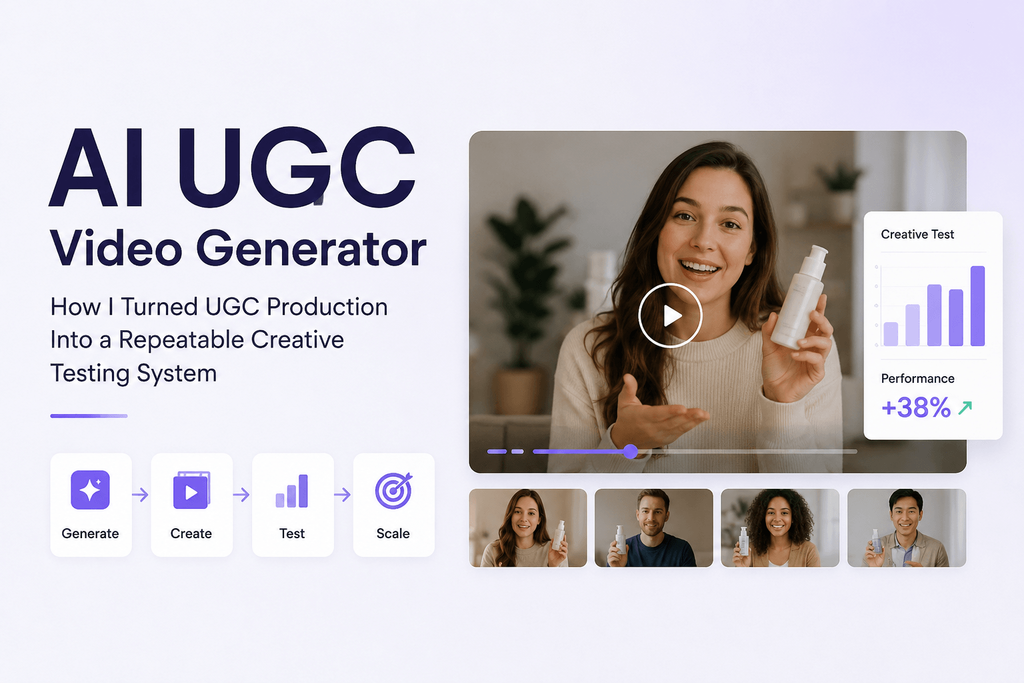
The first time I used an AI UGC video generator, I treated it like a shortcut for hiring a creator. I wrote one script, generated one presenter video, exported it, and figured the job was done.
It looked fine. Nobody would have guessed it wasn’t shot with a real phone in a real bedroom.
But that wasn’t actually the useful part. The useful part showed up later, once I stopped generating one video and started generating variations of the same idea — five different hooks, three different rooms, a handful of creator personalities, a few different ways of holding the product, different camera angles, different calls to action.
That’s when it stopped feeling like a replacement for a video shoot and started feeling like a testing system. The real value of AI UGC isn’t that it makes one video cheaply. It’s that it lets you try out far more ideas before you decide which one is worth putting real ad spend behind.
What an AI UGC Video Generator Actually Does
At its core, this kind of tool takes a mix of inputs — a script, a product photo, a reference character, some direction about the scene, maybe a voice — and turns them into creator-style video content. Not a polished commercial. Something that looks and feels like it came from someone’s phone.
A few formats show up constantly:
Talking-to-camera videos, where the creator speaks directly to the viewer, the way most people vlog.
Product-in-hand demonstrations, where the character actually interacts with the product instead of just standing next to it.
Problem-solution videos, which open with the annoyance and only introduce the fix a few seconds in.
Lifestyle UGC, where the product just happens to be part of someone’s day instead of the whole point of the scene.
Reaction-style videos, built around someone responding to a result, a feature, or a before-and-after.
Faceless UGC, which leans on hands, product footage, POV shots, and voiceover instead of a talking avatar.
One thing worth being upfront about: UGC-style content isn’t the same as actual customer-generated content. If the person, the voice, or the testimonial was built by AI, it shouldn’t be presented as a real customer’s experience. That distinction matters, both ethically and for platform compliance.
Where Most AI UGC Advice Falls Short
Most articles on this topic spend their word count on avatar counts, generation speed, template libraries, pricing tiers, and export formats. Those things are worth knowing, but none of them tell you whether the actual creative idea is any good.
A realistic-looking avatar delivering a boring line is still boring. More templates solve a production problem, not a positioning problem. And as these tools keep improving, “looks real” stops being a differentiator — it becomes the baseline everyone has to clear.
The question that actually matters is simpler: can this tool help you turn one idea into several genuinely different, believable executions? That’s the part almost nobody writes about, and it’s the part that determines whether your ad spend goes anywhere.
Building a Creative Matrix Instead of a Single Video
Here’s the shift that changed how I approach this. Instead of going from one product to one script to one video, I go from one product to several hypotheses, several hooks, several scenes, and several finished videos.
A simple way to map this out is with a small matrix:
| Variable | Example A | Example B | Example C |
| Audience | Students | Parents | Professionals |
| Hook | Problem | Surprise | Question |
| Creator | Casual | Expert | Enthusiastic |
| Location | Bedroom | Kitchen | Office |
| Format | Testimonial | Demo | Story |
| CTA | Try it | Learn more | See results |
Even a small matrix like this produces dozens of realistic creative combinations. That’s the actual scalability argument for AI UGC — not that it’s fast, but that it’s wide.
My 7-Step Workflow
Step 1 — Start With the Customer, Not the Tool
Before opening any generator, I write down who’s watching, what they’re dealing with, what they already believe, what would make them stop scrolling, and what kind of proof would make the claim land.
I don’t start with “create an attractive person holding our skincare product.” I start with “a busy woman who’s tried complicated routines and just wants something simple.” The prompt comes later.
Step 2 — Write the Hooks Before You Generate Anything
I write ten to twenty opening lines first, on paper, with no video attached to them yet. A few patterns that keep working:
- Curiosity: “I didn’t expect this to become the thing I use every morning.”
- Problem: “If your desk looks like this by 3 PM, you probably need this.”
- Contrarian: “I stopped buying the expensive version after trying this instead.”
- Demonstration: “Watch what happens when I use this for ten seconds.”
- Story: “I bought this because of one annoying problem I kept having.”
If the opening line is weak, no amount of generation credits will save the video. I don’t spend renders trying to rescue a bad hook.
Step 3 — Match the Creator to the Message
This gets skipped more than it should. The character isn’t just “attractive” — they carry apparent age, energy, clothing, environment, profession, body language, and how much expertise they seem to have.
A premium finance app and a viral beauty gadget shouldn’t be reaching for the same creator archetype. The creator is part of your positioning, not a cosmetic choice you make last.
Step 4 — Give the AI a Scene, Not Just a Script
Generic prompts produce generic UGC. Compare these two:
Weak: “Woman talks about a skincare product.”
Better: “A woman in her late twenties films a casual front-camera video beside a bathroom window in soft morning light. She holds the skincare bottle naturally rather than pointing it at the camera. Slight handheld movement, conversational tone, small pauses while speaking, realistic apartment background.”
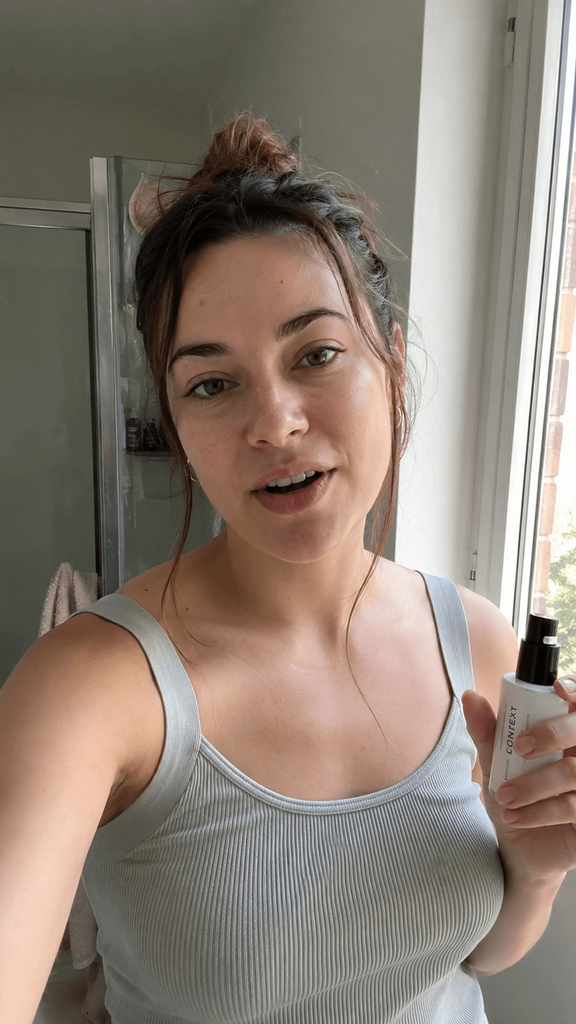
The variables worth directing are the subject, the environment, the action, how the product gets handled, the camera, the lighting, the emotion, the pacing, the dialogue, and the small imperfections. Direct the behavior, not just the appearance — that’s the difference most people miss.
Step 5 — Build Scenes Instead of Chasing One Perfect Clip
A single long talking-head clip almost always looks slightly off. What works better is breaking the idea into short pieces: the hook, a product close-up, a demonstration, a lifestyle or result shot, and the CTA — then stitching them into one faster-moving video.
This is where I’ve been using Pixwith. I like that it doesn’t lock me into one rigid UGC template — I can put together creator-style scenes, product shots, and image-to-video sequences as part of the same workflow, rather than committing to a single format upfront.
Step 6 — Add Deliberate Imperfection
UGC shouldn’t look like a TV commercial, and this is the section I’d tell anyone to pay closest attention to. Slightly handheld framing, a product held a little off-center, a natural pause mid-sentence, an ordinary room, an asymmetrical shot, a genuine-looking reaction, plain clothes, regular lighting — these all help.
Here’s the part that trips people up: making the video technically “better” often makes the ad worse. Overly polished footage loses the native, scrollable quality that UGC depends on in the first place.
Step 7 — Generate Variants Before Deciding What’s Good
For every concept, change one thing at a time:
- Same video, curiosity hook vs. problem hook
- Same hook, different presenter
- Same presenter, product demo instead of testimonial
- Same content, faster opening
You can’t reliably judge how an ad will perform just by watching it. Let the audience tell you which version actually works.
A Testing Framework: 3 × 3 × 3
Here’s a structure I keep coming back to. Pick three hooks (problem, curiosity, outcome), three creator styles (relatable user, enthusiast, expert), and three presentation formats (testimonial, demonstration, story).
That’s 3 × 3 × 3, or 27 possible combinations. You don’t need to render all of them — the point of the framework is to force you into unfamiliar creative territory instead of quietly regenerating the same video with a different face.
Where AI UGC Actually Works Well
It’s not a fit for everything, so it’s worth being specific about where it earns its keep:
Ecommerce products with a visible function — anything you can demonstrate or show transforming.
Mobile apps and SaaS, pairing creator commentary with screen recordings.
Beauty and skincare, which naturally fits routine and before/after formats.
Fashion and accessories, where styling and reactions carry the video.
Consumer gadgets, where problem → demo → result is a natural arc.
Localized campaigns, producing variations for different audiences without a full reshoot.
Early-stage creative testing — probably the single highest-value use case, since it tells you which concepts deserve a bigger production budget before you spend one.
When I’d Still Book a Real Creator
This isn’t the time to throw away the human creators altogether. I would still agree to go with a real person when it’s a real personal story, when you need a real testimony that can be substantiated, when the creator already has an audience that likes them, when the interaction with the product is complex enough that you need to see it accurately, or when you have to trust the brand based on a familiar face.
My model is a mix of exploration and testing by AI, with human creators when it makes sense because it’s not yet proven to be successful.
Six Mistakes I Made Along the Way
Writing ad copy instead of spoken language. “Experience revolutionary skincare technology designed to transform your routine” doesn’t sound like a person. “I’ve been using this every morning because it takes twenty seconds” does.
Asking for too much in one generation. The more action you cram into a single clip, the more likely something looks wrong. Break it into scenes instead.
Making every creator look perfect. Perfect skin, perfect lighting, perfect room, perfect delivery — put all of that together and it reads as synthetic, not aspirational.
Showing the product unnaturally. A character holding the product toward the camera the entire time looks like a catalog shot, not a real video.
Polishing the middle before fixing the first three seconds. A great 30-second video doesn’t matter if nobody’s still watching at second four.
Generating one version and calling it done. The whole advantage of this approach is iteration. Stopping at one video throws that away.
A Practical Workflow With Pixwith
The version of this process I actually use looks like this: define the audience down to one person and one problem, write three hook concepts before touching the generator, prepare a clean product or reference image, describe the creator and the environment in terms of behavior rather than just looks, generate the opening scene, generate the supporting product shots and reactions separately, assemble them into a sequence — hook, problem, demonstration, proof, CTA — and then generate a few more versions by changing one variable at a time.
A Prompt Structure Worth Reusing
If you want something you can apply immediately, this is the shape I use:
[Creator] + [environment] + [camera] + [action] + [product interaction] + [emotion] + [dialogue] + [visual imperfections]
For example: “A casually dressed woman in her late twenties sits at a kitchen table in the morning, filming herself with a smartphone front camera. Slight handheld movement, natural window light. She picks up the product from beside her coffee, looks at the camera, and says, ‘I bought this because I was tired of…’ Relaxed delivery, subtle pauses, realistic home background, natural expression.”
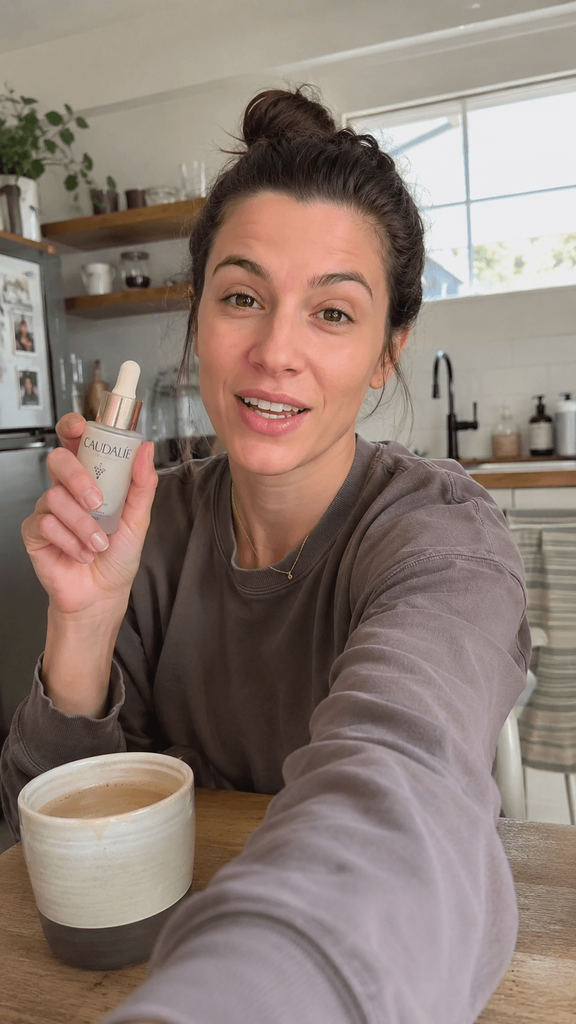
Notice that most of that prompt describes behavior, not appearance. That’s the part that actually changes how believable the result is.
A Quick Check Before You Spend Money Promoting It
Before pushing a video into paid media, I run through a short list:
- Does the first frame create curiosity?
- Does the person fit the audience?
- Does the dialogue sound spoken, not written?
- Is the way they’re handling the product physically believable?
- Do the hands, labels, and product shape hold up?
- Does the scene look too polished?
- Does every scene earn its place?
- Can someone understand the point with the sound off?
- Is the CTA obvious?
- Would this feel native inside the feed it’s going into?
Don’t Pass This Off as a Real Testimonial
Worth saying plainly: AI-generated UGC shouldn’t be presented as a genuine customer testimonial when the person shown never actually used the product. Safer uses include fictional spokesperson content, demonstrations, dramatized scenarios, product walkthroughs, and clearly disclosed synthetic creators. It’s also worth checking the disclosure requirements of whichever platform you’re advertising on — they’re only getting stricter as this content becomes more common.
Where This Is Actually Heading
The first wave of UGC tools competed on avatar count — whoever had the biggest library of faces won. That’s already becoming table stakes. What’s starting to matter instead is character consistency across scenes, believable product interaction, controllable motion, multi-scene storytelling, and how fast you can move from one idea to the next variation.
The platforms that end up mattering won’t just render a presenter talking into a camera. They’ll help marketers move faster through the actual cycle: idea, variation, test, insight, next variation.
The Real Shift
The biggest change here isn’t replacing a $300 creator with a cheaper AI one. It’s changing how many ideas you can afford to test in the first place. Traditional production pushes you to spend days trying to make one video perfect. AI UGC lets you make the hypothesis, the alternative version, the weird one, the safer one, the new hook, and the version you didn’t expect to work — all before you’ve committed a real budget to any of them.
That’s where a tool like Pixwith earns its place — not as another way to render a video, but as a sandbox for testing how characters, products, motion, and storytelling actually work together before you decide what’s worth scaling.
So instead of asking AI to hand you one perfect ad, try a different starting point: build three genuinely different ways of selling the same idea, generate them, see what actually earns attention, and let that tell you what to make next.
Frequently Asked Questions
What is an AI UGC video generator? A tool that turns inputs like scripts, product photos, and reference characters into creator-style video content that looks and feels like it was filmed on a phone rather than produced in a studio.
Can AI generate UGC videos from product images? Yes — most tools, including Pixwith, can use a product photo as the starting point for a scene, letting the AI build a realistic interaction around it.
Can I create AI UGC videos without hiring actors? Yes, that’s one of the main draws. You can generate a full presenter-style video without booking a creator or a location.
What makes an AI UGC video look realistic? Small imperfections matter more than polish — natural pauses, handheld movement, ordinary rooms, and dialogue that sounds spoken rather than scripted.
Are AI UGC videos suitable for TikTok and Instagram Reels? Yes, and arguably that’s where they belong. Both platforms favor exactly the casual, native-feeling aesthetic these tools are built to produce.
Can AI UGC be used for advertising? Yes, as long as it’s not misrepresented as a genuine customer testimonial when the person shown never used the product.
How do you write prompts for AI UGC videos? Describe behavior, not just appearance — the creator, the environment, the camera movement, how they interact with the product, their emotion, their dialogue, and any imperfections you want kept in.
Should I use AI UGC or real creators? Both, depending on the stage. Use AI to test ideas cheaply, then bring in real creators once a concept has proven itself.
How many UGC variations should I test? Enough to cover a few different hooks, creator styles, and formats — a 3 × 3 × 3 structure is a useful starting point.
Can Pixwith be used to create UGC-style AI videos? Yes — Pixwith supports creator-style scenes, product shots, and image-to-video sequences as part of building out UGC-style ad content.