
I assumed faceless video creation was mostly about removing the camera. After generating a handful of test videos, I ran into the opposite problem: once there’s no person on screen, every weakness in the script, the visuals, the pacing, and the narration becomes a lot harder to hide.
I made the same short video a few different ways — with generic stock footage, with AI-generated scenes, with narration and subtitles, with a more deliberate cinematic approach — and the lesson that stuck was simple. The best faceless videos don’t work because they hide the creator. They work because something else steps in to carry the personality. Pixwith turned out to be one of the more useful tools for testing where that “something else” actually comes from.
“Faceless” Is a Format, Not a Content Strategy
A faceless video can still be boring, generic, repetitive, visually inconsistent, or badly narrated. Removing yourself from camera only changes the production method — it doesn’t solve the hook, the storytelling, the pacing, the curiosity, the visual direction, or whether the audience cares in the first place.
A prompt like “create a video about five strange places on Earth” produces something technically fine and instantly forgettable. My results got noticeably better once I planned the concept before touching a generator at all, not after.
The Five Types of Faceless Videos I’d Actually Separate
Narrated Visual Stories
Narration, generated scenes, subtitles, music. Works well for history, mysteries, travel, science, and anything educational. AI-generated scenes tend to feel more intentional here than stock footage, because they can match the narration beat for beat instead of just being adjacent to it.
Visual Explainers
Concept, demonstration, supporting diagrams or objects, narration. Built for tutorials, tech, finance, and product explanations. Clarity matters far more than spectacle in this format.
Cinematic B-Roll Videos
Narration paired with visually strong generated clips. Good for motivation, travel, luxury, and lifestyle content, where camera movement and composition are doing most of the emotional work.
Text-Led Faceless Shorts
Hook, kinetic captions, supporting visuals. Suited to statistics, quick facts, lists, and commentary — the text itself becomes the presenter.
Recurring Visual-Series Content
Formats like “One Strange Place Every Day” or “60 Seconds of Forgotten History” build identity through repetition. Viewers recognize the format before they’d recognize a face.
What Replaces the Creator’s Face?
When there’s no on-camera presenter, five things end up carrying the personality instead.
The Voice
Pacing, pauses, pronunciation, and emotional intensity all matter more than picking a voice just because it sounds realistic. A history documentary wants something calm and restrained. Fast facts want energy and brevity. A horror story wants slower delivery with deliberate pauses.
The Visual Language
Every scene shouldn’t look like it came from a different generator. Lighting, color palette, framing, realism level, and environment need to stay consistent — especially once a video runs past thirty seconds or so.
Camera Movement
“A castle on a mountain” gives a generator nothing to work with. “Slow aerial push toward an abandoned stone castle above the clouds, mist drifting through the valley, early morning light, cinematic documentary photography” gives it an actual shot to build. Motion instructions are what separate intentional footage from moving wallpaper.

Editing Rhythm
Visual changes should follow the narration, not the clock. A rule I test against: new idea, new visual beat. Cutting every two seconds just to fake energy usually does the opposite.
Recurring Style
Opening style, captions, voice, transitions, and ending structure, repeated on purpose. The goal is that someone recognizes your video before they recognize your channel name.
My Practical AI Faceless Video Workflow
Start with the viewer’s question, not the video prompt.
“Make a video about ancient Egypt” is too broad to visualize well. “Why did ancient Egyptians build fake doors inside tombs?” gives curiosity something specific to latch onto.
Write the hook before generating anything.
“Ancient Egypt was one of the most fascinating civilizations in history” is filler. “Some Egyptian tombs contained doors that nobody was ever supposed to open” is a hook. No generator rescues a weak opening line.
Break the script into visual moments instead of paragraphs.
Narration: “Some tombs contained stone doors that appeared to lead somewhere — but they didn’t.”
Visual: an ancient tomb chamber, a carved false door lit by torchlight, camera pushing slowly forward.
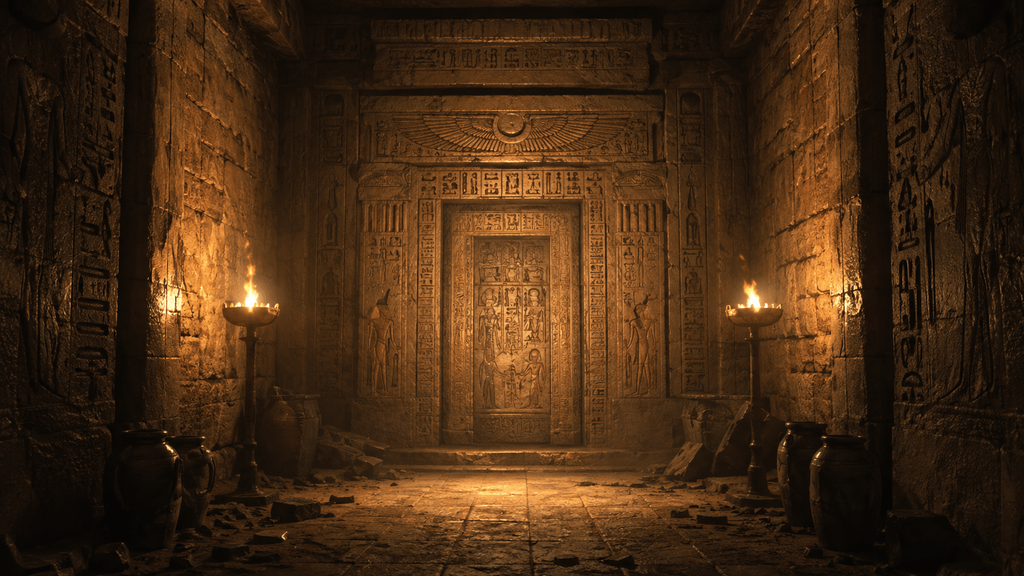
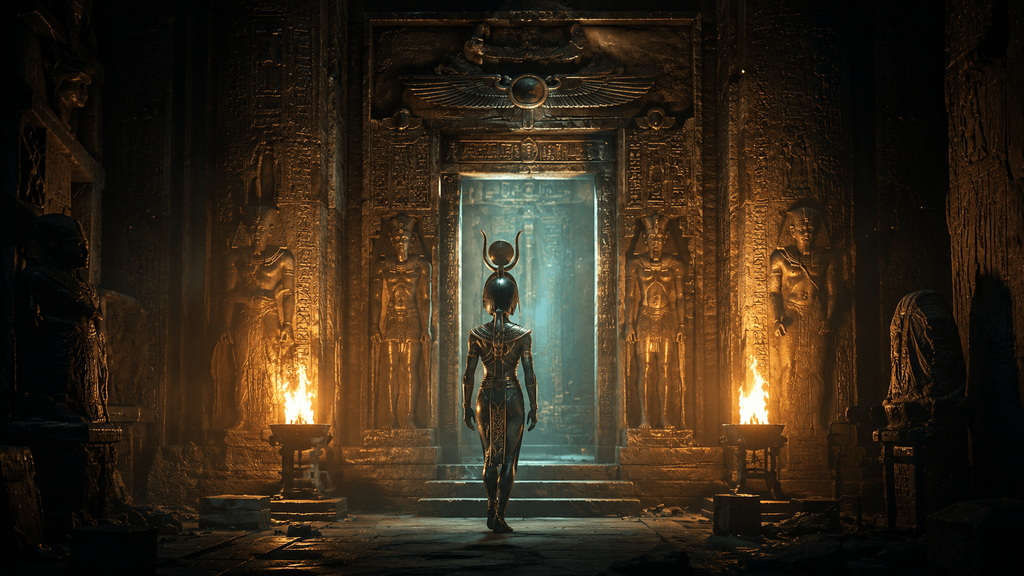
Next narration: “Egyptians believed the dead could travel through them.”
Visual: a symbolic figure moving toward the ornate doorway, atmospheric particles, restrained supernatural tone. Thinking in beats like this made a measurable difference in how coherent the finished video felt.
Turning the Storyboard Into Video With Pixwith
Instead of juggling separate tools for every shot, I used Pixwith as the generation layer — turning each scene description into motion once the storyboard was already written.
The process I settled on: prepare the scene description (subject, action, camera, environment, lighting, style), generate the clip, then evaluate motion rather than just image quality. Does the movement match the scene? Does the camera behave naturally? Do important objects stay stable? Does the clip actually fit the narration around it? Weak scenes get regenerated on their own — the rest of the sequence stays untouched.

I ran three actual tests to see how much this mattered, using the same general subject each time so the comparison would actually mean something.
Test A — generic prompt.
“Create a cinematic video about the future of cities.” The result was watchable but forgettable — generic skyline, no specific mood, nothing that felt directed rather than assembled.
Test B — directed prompt.
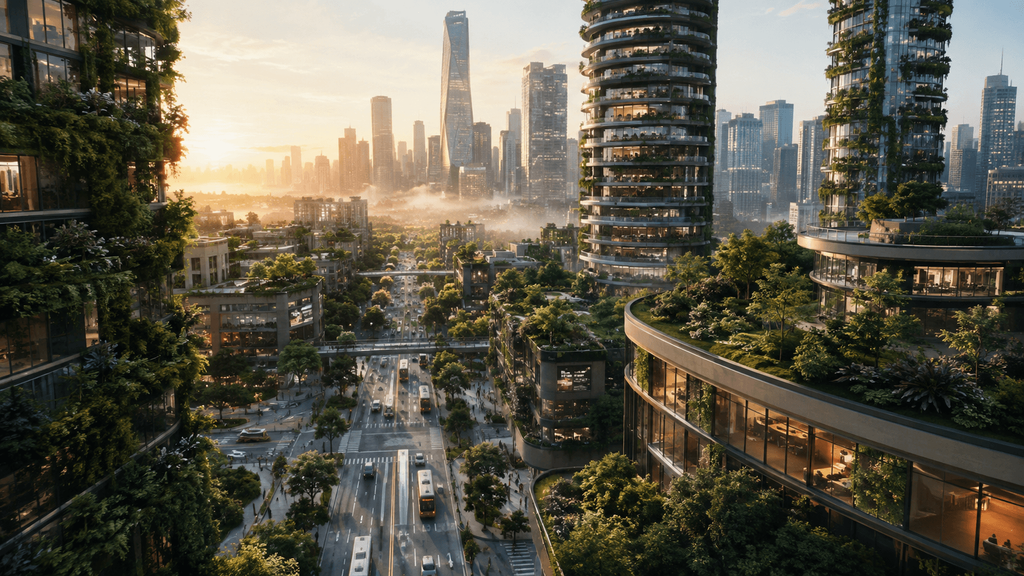
“Slow aerial push between sustainable skyscrapers covered in vegetation at sunrise, autonomous public transport moving below, realistic near-future architecture, subtle haze, cinematic documentary style.” Same general topic, dramatically more specific instructions, and the output looked like it belonged in an actual sequence instead of a stock library.
Test C — a three-scene sequence with one consistent art direction.
This is where the difference showed up most. Keeping the lighting, palette, and camera language locked across all three scenes made the sequence read as one video instead of three unrelated clips stitched together, and it needed far less regeneration than Test A did.
The pattern across all three: concept, generation, evaluation, refinement — never one prompt expected to produce a finished video on the first try.
The Prompt Formula I Found More Reliable
Subject + Action + Environment + Camera + Lighting + Style + Constraints.
Subject: a lone astronaut. Action: walking slowly toward a damaged spacecraft. Environment: a frozen alien valley. Camera: a slow tracking shot from behind. Lighting: cold blue dawn. Style: realistic cinematic science fiction. Constraint: the spacecraft stays stable, no additional characters appear.
Combined: “A lone astronaut walks slowly toward a damaged spacecraft in a frozen alien valley. Slow tracking shot from behind. Cold blue dawn lighting, subtle blowing snow, realistic cinematic science-fiction film look. Keep the spacecraft stable and do not introduce additional characters.” Specifying motion this precisely matters more for video than it ever did for still images — a vague action instruction is where most disappointing generations come from.

What Failed in My Tests
Generating the whole idea from one vague prompt
produced a generic storyline and generic visuals every time. The fix was planning the hook and scene structure myself first.
Using a different visual style for every scene made the finished video feel assembled rather than directed. A simple “visual bible” fixed it — for instance: photorealistic documentary, muted colors, natural lighting, slow camera motion, and nothing outside those boundaries.
Making every shot dramatic got old fast. Cinematic doesn’t mean constant drone shots and aggressive movement — sometimes a locked camera with subtle environmental motion is the stronger choice.
Letting narration describe exactly what’s on screen flattened everything. “A man walks across the desert” while showing a man walking across the desert adds nothing. “For three days, he had been walking toward a town that no longer existed” gives the same shot a reason to matter.
Treating the AI output as the final edit was the biggest mistake overall. Even strong generated footage still needed trimming, sequencing, subtitles, voice timing, sound design, music, and the occasional scene swap. AI removed production friction. It didn’t remove editorial judgment.
The Pattern Break Test I Use Before Publishing
Watch the video with no sound — would the visuals alone hold your attention? Then listen with no picture — would the narration alone make you want the next sentence? Then watch the whole thing together. If both layers work on their own and reinforce each other combined, the video is genuinely stronger. If either one is carrying the other, it’s worth another pass.
Where This Works Well, and Where It Doesn’t
Faceless video is a strong fit for educational micro-documentaries (forgotten history, science, geography, technology), story channels (mysteries, myths, unusual historical events, even fictional stories), visualizing things that are hard or expensive to film (future products, architecture, concepts), and short-form series that publish consistently around one recurring idea. Travel content works too, as long as generated establishing shots are never passed off as documentary footage of a real place.
It’s the wrong call when personal credibility is the point, when viewers expect a demonstration from the actual creator, when the creator’s personality is what people are showing up for, or when real interviews or real-world evidence are what the content depends on. A fitness transformation probably needs the person on camera. A historical explainer usually doesn’t.
Faceless Does Not Mean Fully Automated
Automation can handle production. It can’t reliably automate taste. A creator still decides what’s worth making a video about, which hook is strongest, when a scene feels off, whether a claim is defensible, when the pacing drags, and what the audience actually cares about. That decision-making doesn’t go away just because nobody’s on camera — it just moves behind it.
A Better Way to Think About an AI Faceless Video Generator
It’s less “software that makes videos for me” and more a production crew that lets you direct something you couldn’t realistically film yourself. The useful question stops being “what can AI generate?” and becomes “what story would I make if filming were no longer the constraint?” That’s a different starting point, and it changes what you end up building.
Final Takeaway — Don’t Hide the Creator, Move Them Behind the Camera
Faceless video shouldn’t remove creativity from the process. It moves the creator from performer to director. The most memorable faceless videos won’t come from whoever automates the most steps — they’ll come from whoever makes better decisions about ideas, hooks, narration, visual direction, pacing, and consistency.
If being on camera is the thing that’s kept you from experimenting with video at all, try directing one faceless sequence with Pixwith first. Start with a single strong idea, break it into visual beats, and let AI handle the shots you’d otherwise have needed an actual camera crew for.
Frequently Asked Questions
What is an AI faceless video generator?
A tool that helps create videos without the creator appearing on camera, typically combining AI-generated visuals, narration, captions, and other visual storytelling elements.
Can I create faceless YouTube videos with AI?
Yes — the general workflow is script, visual planning, generation, voice, edit, and publish, in that order.
What types of faceless videos can AI create?
Explainers, stories, documentaries, visual essays, product videos, educational Shorts, motivational content, and recurring social series all work well.
Do faceless videos need AI voices?
No. Plenty of creators stay off camera while narrating in their own voice.
Are AI faceless videos suitable for YouTube Shorts and TikTok?
Yes, especially when the concept has a real hook and visual progression rather than relying on generic stock-style footage.
How do I make AI faceless videos look less generic?
Keep the visual language consistent, write detailed motion prompts, choose shots deliberately, settle on a recognizable narration style, and check the result manually rather than publishing the first generation.
Can an AI faceless video generator replace a video editor?
It automates a lot of the production work, but the editorial judgment — storytelling, factual accuracy, pacing, final quality — still needs a person behind it.