
There is a growing frustration among AI video tools users today, and a lot of them are getting tired of how restrictive most AI tools have become.
Tired of Expensive Video Alternatives
More Control, Faster Output, And Fewer Creative Limits.
Try Now
Creators who try to push beyond standard use cases such as edgy storytelling, unconventional ideas, or anything slightly outside “safe” boundaries often run into restrictions, and their prompts either get blocked or the outputs get softened somehow. Sometimes the tool just refuses to generate anything at all. And that is where tools like Eternal AI enter the conversation.
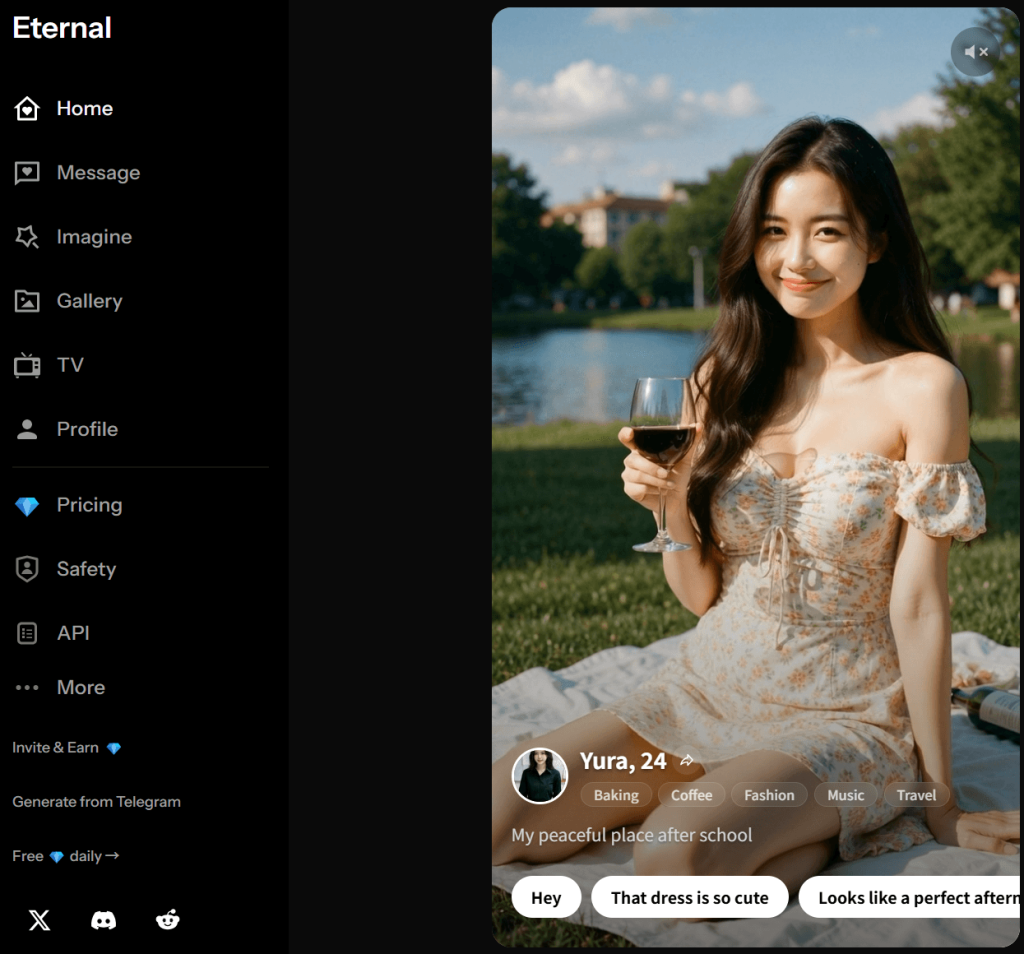
The Appeal of Eternal AI: Its Promise vs. Its Reality
Mainstream tools are becoming more restrictive, and a rising number of creators are in search of freedom, fewer interruptions, and a smoother creative experience.
Enter Eternal AI — a generator that promises fewer restrictions, more freedom, a more private environment to create in, and a smoother workflow.
This tool is gaining attention solely because it openly leans into ideas/practices such as privacy, fewer restrictions, and even uncensored video generation. No strict prompt filtering. No heavy moderation. Just input what you want and generate. So its appeal is that it offers something many tools don’t.
But in AI generation, fewer restrictions do not automatically mean better results. Moreover, a tool can allow more prompts but still struggle to execute them well.
So the real question is whether that freedom actually translates into something useful, whether it improves the overall experience, and whether the generator is something you’d rely on beyond a few test runs.

What Eternal AI Actually Offers at First Use
Eternal AI is designed such that it is easy to start using. From the moment users are onboard the generator, its layout is simple, and the main tools are easy to find. They don’t need time to figure out how it works or where to begin. It is intuitive that way.
Moreover, it functions like any other AI tool for generating images, creating videos, and applying different visual effects, only that it offers preset styles for users who want quick results.
Despite being presented as a video generator, Eternal AI is not a full text-to-video system. In most cases, the video creation depends on having a starting image (i.e., you either upload one or generate it within the platform), then using a prompt to add motion.
The prompt mainly controls how the image is animated. From small movements to camera shifts to general atmosphere. Therefore, instead of describing an entire video in one prompt, you are working in stages, whereby you must first create or choose an image before you proceed to animate it.
Another important part of the first experience is the credit system that gives new users 3 credits for initial testing before they purchase more for regular use.
Testing Framework: How Eternal AI Was Evaluated
To properly assess a tool like Eternal AI, it takes more than a few successful results or surface-level impressions. More so, factors like how it performs across repeated use, how both casual users and more serious creators interact with it, and how reliable it is over time are of utmost relevance.
A range of use cases and workflows were reviewed, including basic text-to-video prompts, image-to-video generation, use of preset effects and styles, prompt flexibility and sensitive inputs/themes, consistency across multiple or repeated generations, cost-efficiency, and much more.
Moreover, the workflows were tested separately and assessed based on success rate, prompt adherence (i.e., how closely the result followed the prompt), motion quality, generation speed, how many outputs were actually usable per credits spent, and whether the outputs remained consistent or broke down at some point.
This approach gives a clearer picture of how Eternal AI performs in real use — not just at its best, but across typical scenarios and specific workflows where consistency, control, and efficiency are of great importance.
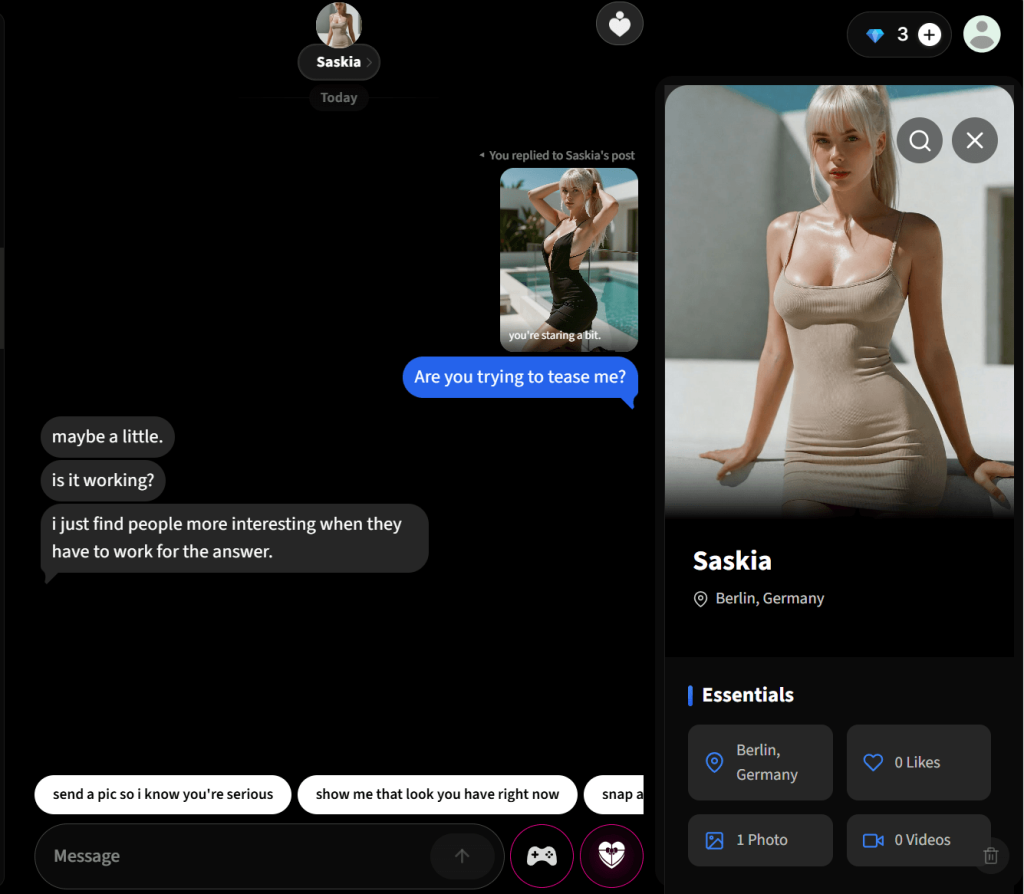
Text-to-Video Capabilities: Expectations vs. Observed Performance
The notion of typing a prompt that describes a scene and watching it transform into a video is a very appealing feature in AI video generation currently.
On Eternal AI, users can equally enter prompts and generate videos. Just that the prompt has to be short and simple for the system to produce results that reflect the general idea.
More so, basic scenes or single-subject prompts are usually translated better.
This drawback might not mean much for casual use cases (e.g., experimenting or exploring ideas), but it is a lot more glaring with detailed prompts (i.e., where the description includes multiple actions, specific movements, or scene transitions). Resulting in some parts of the prompt being simplified, combined, or interpreted loosely.
Frankly, this does not mean that the tool fails completely, but it helps creators to realize what they can expect from it.
In short, this feature works more like a visual approximation of the prompt (i.e., you get elements of what you asked for, but not always in a layered or predictable way).
Motion quality in this mode is also fairly basic and somewhat generic. The system does not consistently interpret the intent of whatever detail that was described in the prompt.
Ultimately, the text-to-video feature is usable for simple concepts and for experimentation. But for creators looking for precise control, structured storytelling, or consistent execution from text alone, it has clear limitations in its current form, and therefore, is unreliable in that aspect.
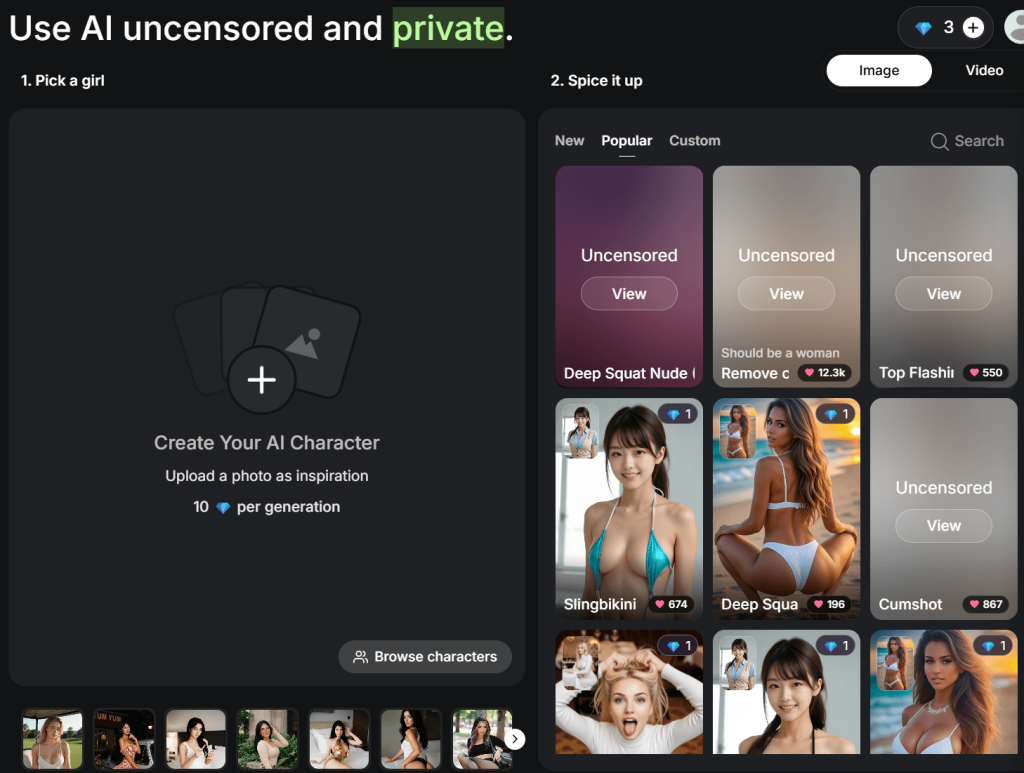
Image-to-Video Performance: Where the Tool Delivers
It only takes a few attempts for users to acknowledge that working with an image is not the same as working with text prompts on Eternal AI.
The workflow is linear. Users either upload an image or generate one, then describe how they want it to move. From there, the system focuses on animating the image rather than building a full scene from scratch.
This approach works in favour of creators because facial movements, slight gestures, and subtle camera effects come out reasonably well. More so, the output is more controlled, and the system has fewer chances to misinterpret what’s being asked.
There are moments where the results are genuinely impressive, particularly with stylized visuals or portrait-based clips. Not only that, but its short animations for social media or quick content are so clean that it barely requires much adjustment.
Prompt adherence is also stronger here compared to text-to-video. Since the model is working from an existing visual reference, it is easier for it to follow general instructions (e.g., movement direction, mood, or camera behaviour) and, by implication, has a higher chance of getting something usable within fewer attempts.
On the downside, it may not handle complexity well (i.e., multiple subjects or detailed interactions), and some videos might be flawed with distortions, unnatural movements, or inconsistent elements.
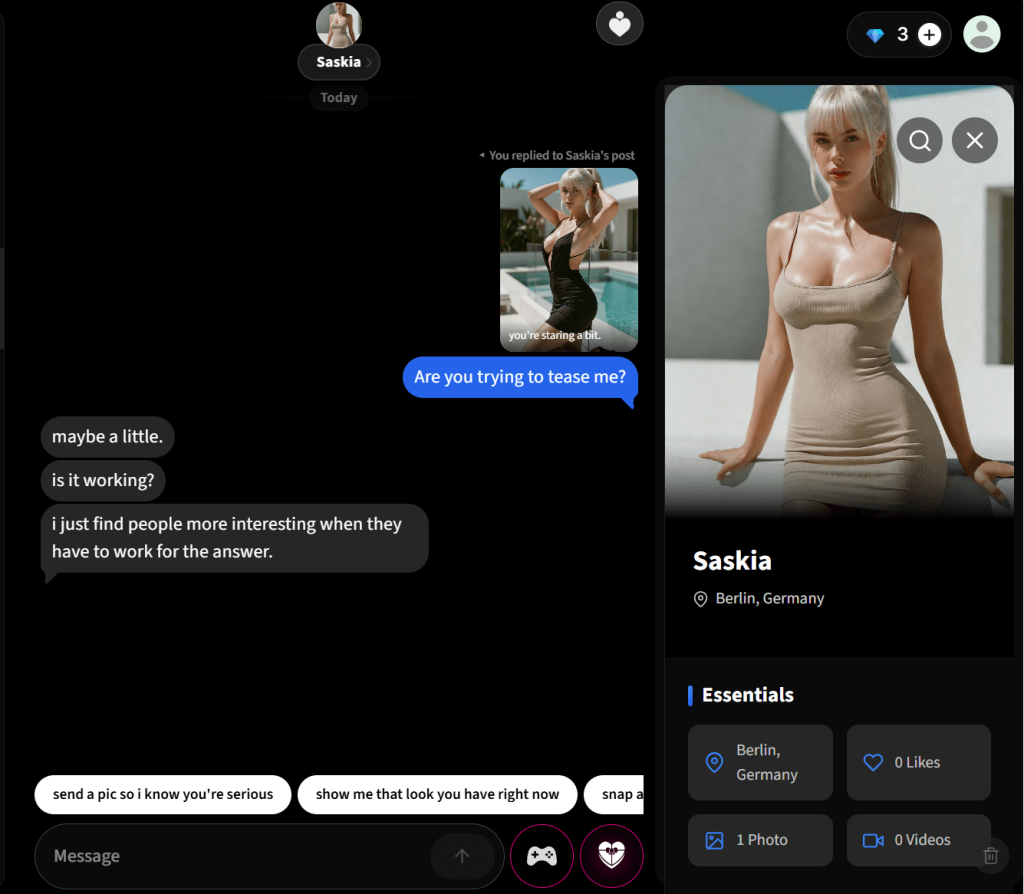
AI Chat and Character Interaction: A Secondary Feature with Niche Appeal
Eternal AI offers a chat feature — another way to interact with the generator other than generating videos.
The chat system supports mature and NSFW conversations that many mainstream AI chat platforms restrict, and this only bolsters Eternal AI’s compliance with adult themes and unconventional topics.
Moreover, this is an interesting addition for users who are interested in immersive or creative storytelling because they get to engage in conversations, roleplay scenarios, or explore character-based interactions.
Overall, the AI Chat feature adds breadth to Eternal AI, as well as an interactive AI experience for users.

The “Uncensored” Claim: Functional Advantage or Positioning Strategy?
“Uncensored” is one of the attractions of Eternal AI because that word carries a clear expectation in AI generation (i.e., fewer blocked prompts, fewer restrictions, and a smoother experience without constantly adjusting inputs to fit platform rules).
In actual use, Eternal AI is a lot more permissive than most mainstream tools, and this makes the interaction smoother and less frustrating, especially in the early stages.
From a workflow perspective, users now spend less time figuring out what the system will allow and focus on testing their imagination and ideas as they are. So it goes without saying that this flexibility can be genuinely useful for creators exploring unconventional or sensitive themes.
Consequentially, it’s one thing to accept or be flexible with prompts, and it’s another to be able to execute the prompts well. It is possible for prompts to be accepted without restriction, but there is no guarantee that the output will correspond to the intent.
Some results came out inconsistent, some loosely interpreted, or visually off in ways that made them less usable. So while the generator truly removes a layer of friction at the input stage, the limitations somewhat shift to the output stage.
In that sense, the uncensored positioning does have a real impact, but it is not a complete advantage on its own. It improves access (i.e., to what can and cannot be attempted, generated, or explored), but it does not extend to execution or necessarily guarantee better results.

Prompt Tolerance and Mature Content Handling
Prompts that would typically be blocked, rewritten, or rejected outright on many mainstream tools are more likely to go through here without interruption. Therefore, users have no concerns about getting past moderation filters.
Moreover, creators working on more expressive, stylized, or mature concepts automatically gain access to a more open workflow. Which means that they can test ideas more directly instead of second-guessing whether or not the system will allow them.
That said, prompt tolerance has no significant impact on output quality on Eternal AI.
Eternal AI is more permissive with prompts/inputs; however, it does not always execute those prompts with the same level of reliability. More so, the inconsistency of the outputs causes creators to spend more credits in an attempt to get their ideal output.
The bottom line is that Eternal AI handles prompts more flexibly. However, users should endeavour to keep their expectations realistic to make the most of it.
Privacy Claims: Positioning, Evidence, and Open Questions
Alongside the “uncensored” angle, Eternal AI emphasizes a more private way to create. This messaging suggests that user activity, prompts, and outputs are not openly monitored or exposed in the way some other tools might handle data.
This is an important point because there has been a growing awareness around how AI platforms handle inputs for a few years, especially when the prompts or inputs involve sensitive ideas, personal content, or experimental concepts. So the idea of a more private environment naturally adds to the appeal.
In practice, however, this is harder to evaluate directly. Why?!
Unlike output quality or prompt behaviour, privacy is not something you can easily test through usage alone. There are no visible indicators during normal use that confirm how data is handled behind the scenes. So, basically, it’s all claims, and there is limited independent verification available to fully confirm how those claims are implemented at a technical level.
However, this does not mean the claims are false. It simply means they should be understood with some caution. And for users, this comes down to trust.
Nevertheless, keep in mind that there is a difference between “what is promised” and “what can be independently confirmed”.
In short, privacy is a key part of Eternal AI’s identity, but also one of the areas where clarity is still limited from the outside.
Core Features vs Supporting Tools: What Actually Matters
Eternal AI presents itself as a multi-functional platform, but in real use, some parts of the tool clearly define the experience, while others feel more like add-ons that support the main workflow.
Image-to-Video System
This is the feature most users will end up relying on, whether they realize it at first or not, because the ability to take an image and animate it with simple prompts is what gives Eternal AI its practical value. It is where its performance is most stable, and where you (users) are most likely to get results that are usable after a few attempts.
Preset Effects and Styles
Presets simplify the process by giving users a starting point (i.e., motion and visual style). Users get to select from a predefined effects, apply them, and get their results almost immediately. Its is most impactful when the goal is to produce variations or test ideas quickly and without spending too much time refining prompts.
The only drawback, however, is that presets reduce the level of control you have over the final output, and the outputs will start to appear similar unless you figure out how to actively work around those constraints.
Image Generation and Editing Features
These allow users to create or modify the base image before animating it. In many cases, this becomes part of the natural workflow because if the initial image is not remarkable, the final video won’t be either.
Supporting Tools
Tools like AI chat or character-based elements exist within the ecosystem; however, they do not play a major role in the video generation workflow itself.
Eternal AI focuses on making a specific type of creation process simple and accessible.
In the end, the generator works best when you lean into what it’s designed for.
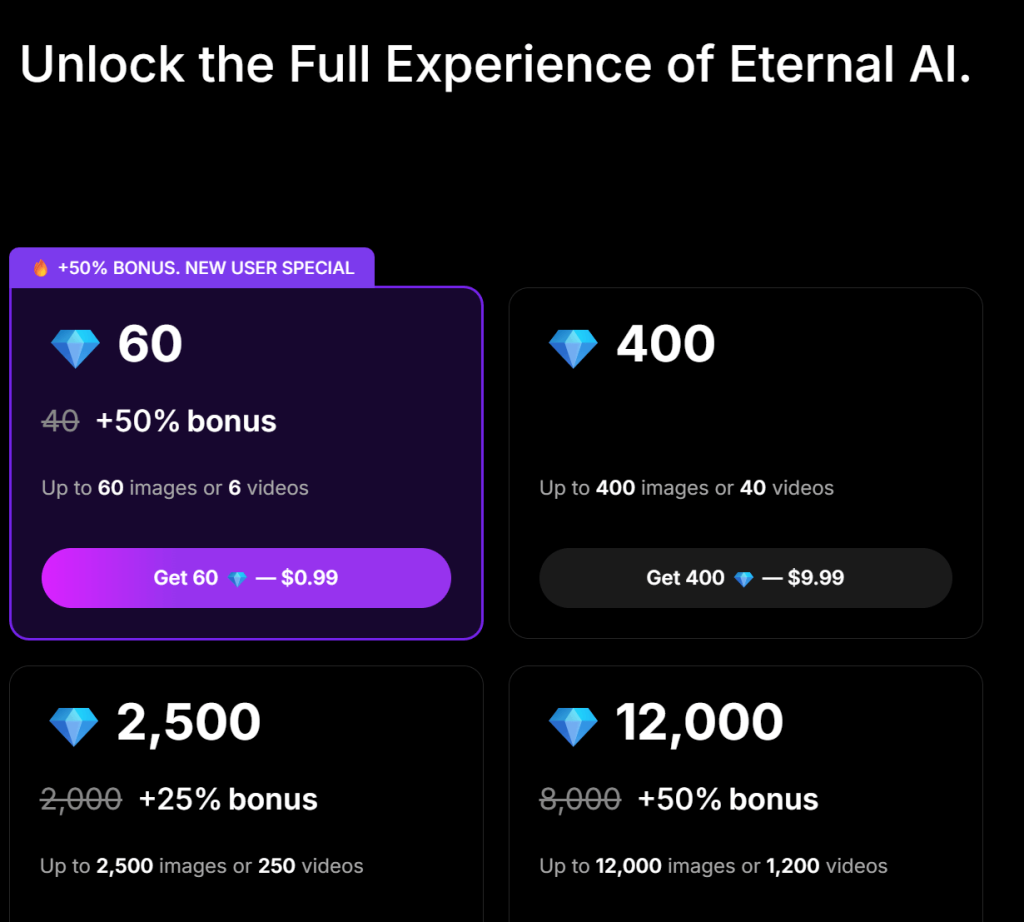
Pricing Model and Credit Efficiency: What You Actually Get Per Spend
Eternal AI uses a credit-based system, whereby each generation consumes a set number of credits. Credits are required for almost every meaningful action on the tool. From testing a prompt to refining an idea to attempting to get a cleaner output.
New users receive a 3-credit sign-up bonus, in addition to subsequent free credits for daily logins, and these bonuses can be used to try a few ideas or explore how the tool performs before committing.
In addition, there is a referral system for earning additional credits. By inviting a friend and the friend tops up using your referral link, you get 30 credits, and so does your referral. Similarly, you get 60 credits for inviting a developer who tops up for API access. This system reduces/delays the need to purchase credits with money.
More so, efficiency is a key factor for sustainable use. But when results are inconsistent, the number of attempts increases, and so does the effective cost per usable video.
User Sentiment Analysis: Consistent Praise and Recurring Issues
Here’s the general perception of Eternal AI across the AI video generation space;
On the positive side, the generator’s flexibility made for an open experience, and was often praised. Users expressed how immersive the experience is without the constant restrictions. Eternal AI lives up to its “less interruptive” claim, and for that, users get to test their ideas more freely.
In addition, some users emphasize its “simple to understand” and “quick to get started with” workflow. This, they attributed to the straightforward approach of image upload, prompt addition, and result generation. The Eternal AI uncensored video generator is simply intuitive and beginner-friendly that way.
Not only that, but its lowered barrier to entry and the availability of free credits that makes the tool accessible and also fun to use.
However, the same users often point out recurring issues, one of which is inconsistency in output quality. It was unsatisfactory how some generations turn out well, while others fall short without a clear reason; more so, this puts their reliability in question.
Moreover, some users come in expecting a more advanced or fully capable video generation system; so, naturally, there are mentions of the generator falling short of expectations.
There is also the payment-related friction (i.e., crypto support) for users who prefer more traditional payment methods.
Taken together, the first impression is positive —driven by ease of use, flexibility, and quick results before consistency, cost efficiency, and control concerns arise.
Competitive Positioning: How Eternal AI Compares by Use Case
On the downside, Eternal AI falls behind more advanced tools (i.e., tools that offer timeline editing, scene control, and consistent rendering) in structured video creation and high-quality outputs.
Moreover, some tools that use subscription models have predictable usage metrics, while Eternal AI’s credit system ties cost directly to output attempts and retries. Therefore, unpredictable.
Nevertheless, in comparison to advanced video generation tools (i.e., tools with steeper learning curves and more structured workflows) and in terms of accessibility and ease of use, Eternal AI measures up well.
The system prioritizes speed over precision in content generation, and is very flexible with prompts, making it ideal for exploring less conventional or more experimental ideas.
In practical terms, Eternal AI’s strength is in offering an experience that prioritizes speed, flexibility, and accessibility over precision and control.
The Gap Between Marketing Claims and Practical Reality
At a marketing level, Eternal AI leans heavily on terms like “uncensored,” “private,” and “no limits.” These are strong, attention-grabbing claims, and they set a very specific expectation for users before they even try the tool.
Naturally, that expectation is high, and one might assume that they are getting a system that can handle almost any prompt, produce reliable outputs, and give you a level of freedom that other tools do not offer. Eternal AI does move in that direction, but just to an extent.
In real use, it is more permissive than many alternatives. Users can input a wider range of prompts without running into constant restrictions, and that does improve the experience and provides an open, creative environment.
But that openness doesn’t always translate into results.
Its marketing claims hint at freedom and capability; however, firsthand experience reveals/unveils flexibility and experimentation. These are related, but not entirely the same.
The “private” aspect is also positioned as a key advantage, and for many users, that adds to the appeal. But from a practical standpoint, it remains something you largely have to trust rather than verify.
In the end, the difference between expectation and reality is not about whether the tool works, but about how completely it delivers on the image it presents.
Final Verdict: Is Eternal AI Actually Good, or Just Easy to Hype?
Eternal AI is best understood as a flexible, idea-driven AI video tool, and it stands as a real, usable, and genuinely useful uncensored AI video generator.
It is ideal for use cases where speed, prompt freedom, and quick experimentation are much valued. In that context, it produces engaging results and offers a smoother, less restrictive experience than many mainstream alternatives.