
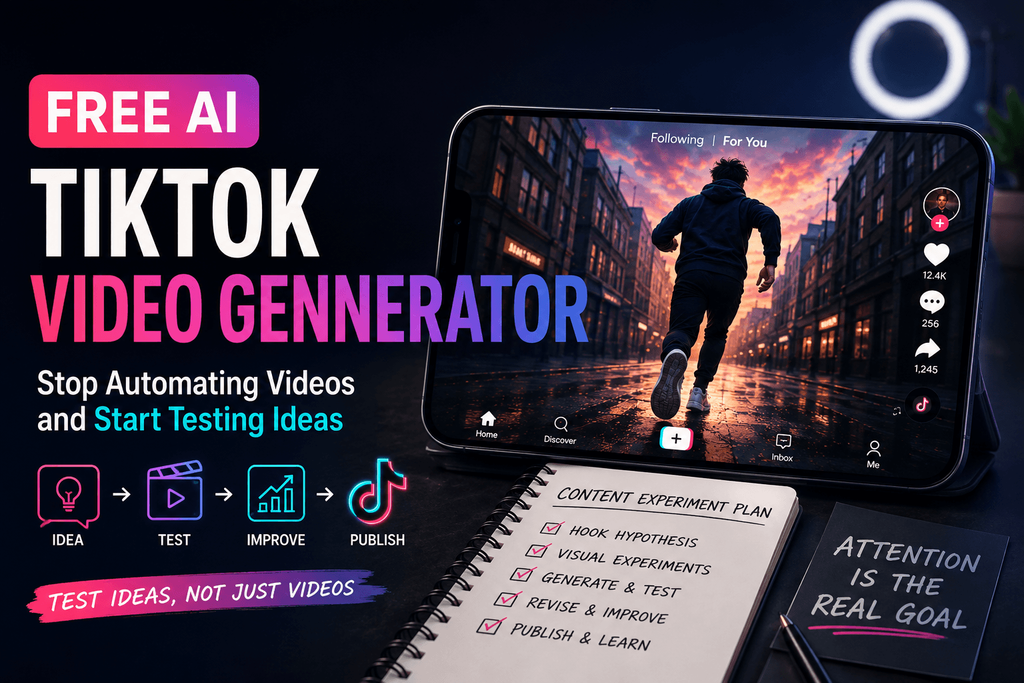
I started with a simple prompt. The generated clip was technically impressive — the lighting held up, the motion looked polished, and it fit a vertical screen without any of the usual cropping headaches. Still, a couple seconds in, I noticed I’d already stopped paying attention.
Eventually I figured out why: TikTok creation was never really about generating video. It’s about designing attention. AI can hand you a clean, well-lit clip in seconds. It can’t hand you a reason for someone to stop scrolling. That gap is where most of my testing with Pixwith actually started.
What Most “AI TikTok Generator” Advice Gets Wrong
Most tools and most articles about them sell you a workflow that looks like this: idea, script, voice, video, captions, publish. It sounds efficient, and on paper it is. But efficiency doesn’t guarantee attention, and a lot of the current advice out there leans hard on automated scripts, canned voiceovers, templated captions, faceless avatars, and one-click 9:16 exports — as if the hard part of TikTok were formatting rather than hooking someone in half a second.
My workflow ended up looking different: idea, hook hypothesis, visual experiment, generate, watch without context, revise, assemble, publish. That extra loop in the middle — testing a hypothesis before committing to a full video — turned out to be the whole difference.
I Started Treating AI Generations Like TikTok Experiments
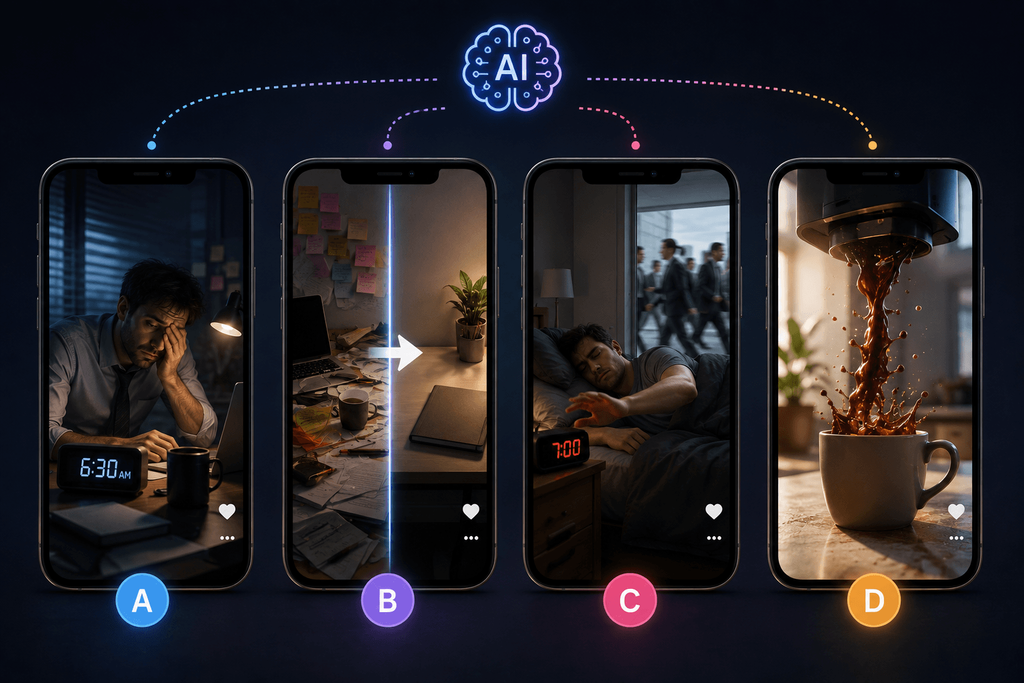
Instead of asking for one finished video, I started building several competing hypotheses for the same concept and letting them fight it out.
Take a topic like “morning productivity.” Rather than typing make a TikTok about morning productivity, I’d test a handful of angles at once:
Version A — Curiosity. An exhausted office worker discovers something unexpected at 6:30 AM.
Version B — Transformation. A chaotic desk gets pulled into order within three seconds.
Version C — Contrarian. Someone deliberately ignores their alarm while everyone else rushes to work.
Version D — Visual surprise. Coffee pours upward, back into the machine.
Once you’re comparing four directions side by side, AI stops being a production shortcut and starts acting like a creative testing engine.
Test #1 — The First Frame Matters More Than the Entire Prompt
This is the part most people skip. Creators will spend a hundred words on camera style, lighting, wardrobe, location, atmosphere, resolution — and never actually specify what a viewer sees in the first half-second.
I’ve found it helps to build prompts in a deliberate order:
- First-frame subject — what appears instantly?
- Immediate action — what changes right away?
- Visual question — why would someone wait another second?
- Camera behavior — push-in, handheld, orbit, POV?
- Environment — where is this happening?
- Aesthetic — lighting, realism, film treatment.
A weak prompt reads like: a cinematic woman working late in an office. Nothing there gives you a reason to keep watching.
Something built for TikTok looks more like: a tired office worker stares at her laptop, then a pair of running shoes slides into frame beside her desk without warning. She looks down, confused. Handheld vertical camera slowly pushes toward her face, warm evening light, realistic office.
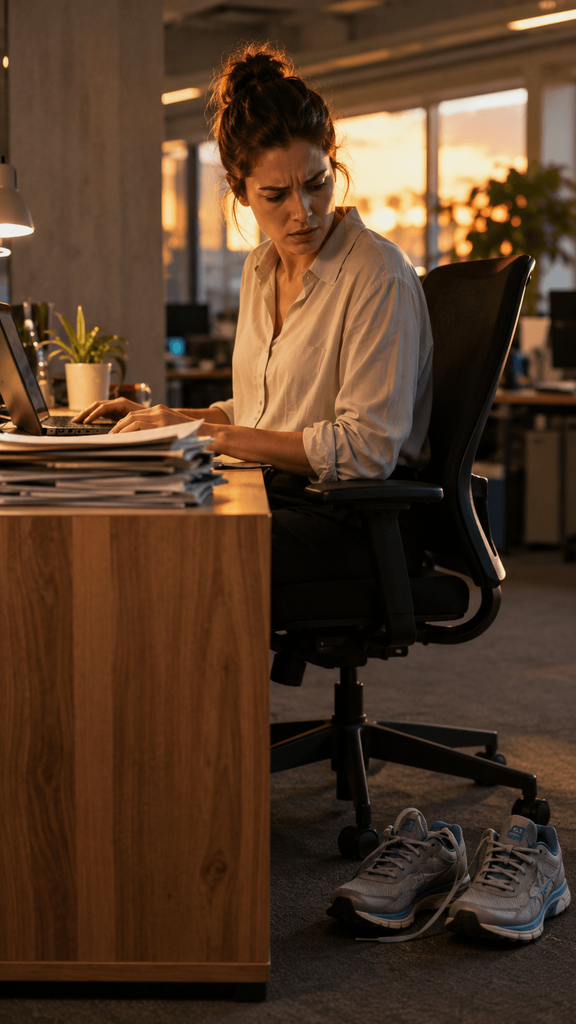
The second version gives Pixwith — and you — something to actually work with. There’s a question baked into the frame before the camera even moves.
Test #2 — Generate the Hook Separately From the Rest of the TikTok
This is where I started seeing real control over my results. Rather than requesting a full 20-to-30-second story in one go, I’ll generate just the 2-to-4-second hook by itself, run a few versions against each other, and keep whichever one actually wins. Setup, proof, demonstration, payoff, and the call-to-action get built afterward, as their own separate visual beats.
Splitting it up this way gives you far more say over pacing, continuity, failed generations, visual variety, and cost — because you’re not throwing away an entire twenty-second clip when only the last three seconds didn’t land.
A structure I keep coming back to for a 20-second video:
- 0–2 sec: visual interruption
- 2–5 sec: context
- 5–10 sec: escalation or demo
- 10–15 sec: proof or result
- 15–18 sec: payoff
- 18–20 sec: CTA or loop
That’s a lot more actionable than “type a prompt, hit generate, hope.”
Test #3 — Movement Beats Production Quality
A gorgeous, perfectly lit AI shot can still feel dead the second it lands in a TikTok feed if nothing in it moves.
Take a luxury perfume bottle sitting still on a black table, then put it next to a version where the bottle rotates slowly as a beam of golden light sweeps across the glass and the camera starts extremely close before pulling back fast to reveal the whole thing. Same subject. Same production value. Nowhere near the same amount of attention.
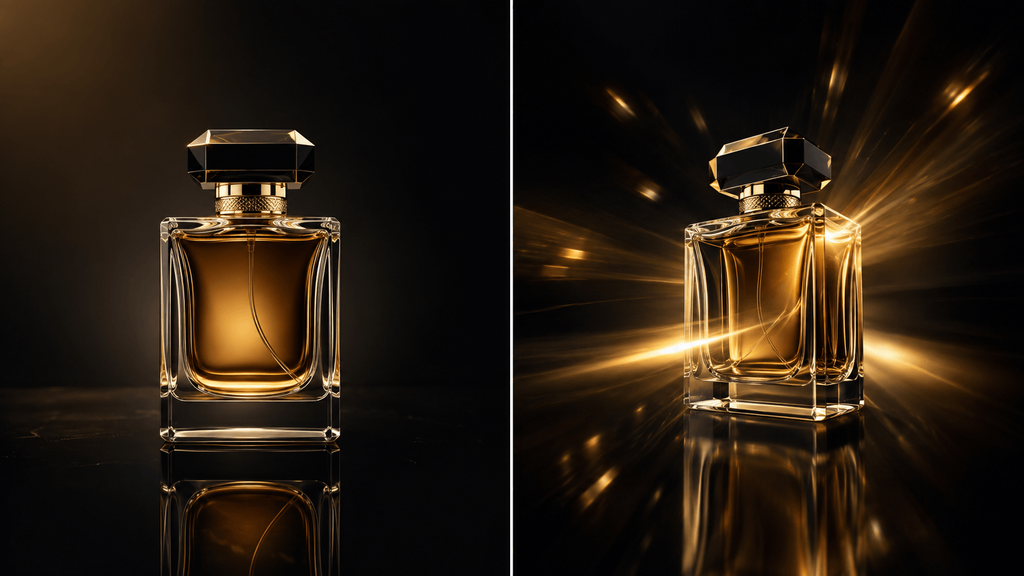
I call this the Verb Test. Before generating anything, ask what the subject is actually doing. If the honest answer is “standing,” “sitting,” or “looking,” the prompt probably needs another verb: pushes toward, pulls away, enters frame, turns suddenly, reaches toward, passes camera, falls, unfolds, reveals, transforms, spins, tilts upward.
Test #4 — TikTok Prompts Work Better as Beats Than Paragraphs
A framework that’s held up across dozens of tests: subject, action, change, camera, environment, style — written as short beats instead of one dense paragraph.
For example: a young traveler walks through an empty alley. A café sign suddenly flickers on. He turns toward the light. Camera tracks closely from behind. Rainy European street at dusk. Realistic cinematic photography.
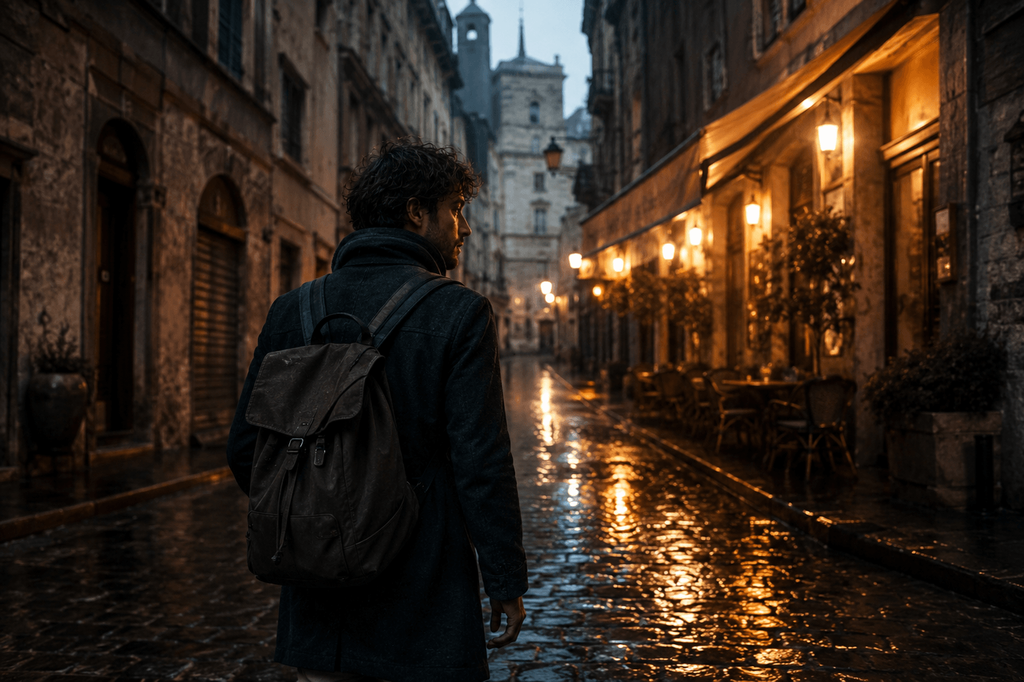
Broken into beats like that, Pixwith tends to give more controllable, more predictable results than one overstuffed sentence trying to describe everything at once — and it’s easier to swap a single beat and regenerate without touching the rest.
Test #5 — “Perfect” AI Video Often Performs Worse Creatively Than Controlled Imperfection
TikTok-native content doesn’t need to look like a television commercial, and honestly, sometimes it shouldn’t. I’ve had good luck experimenting with handheld movement, POV framing, and slightly imperfect composition — leaning into a phone-camera feel, abrupt action, natural lighting, tight cropping, some environmental noise, and storytelling that starts from a reaction rather than a setup.
There’s a real difference between something that reads as a cinematic commercial and something that reads as someone happened to capture this on their phone. The second visual language can make an AI-generated clip feel less obviously generated. I wouldn’t claim that automatically improves how the algorithm ranks it — that’s not something I can verify — but as a creative observation from testing, it’s held up consistently enough to be worth trying.
Three TikTok Formats I Found Particularly Well Suited to AI Video
1. Impossible Product Demonstrations
A sneaker assembling itself. A perfume bottle forming out of liquid glass. A coffee cup floating toward someone’s hand. Useful for ecommerce, product launches, ads, and affiliate content — anything where the “impossible” visual is the whole hook.
2. Mini Visual Stories
A simple structure here: ordinary moment, strange event, reaction, reveal. Picture a woman waiting at a bus stop — everyone around her suddenly freezes, she notices, and the bus that pulls up is completely empty. This is the kind of scene that would normally need actors, props, a location, and a VFX budget that most solo creators simply don’t have.
3. Faceless Visual Explainers
AI-generated scenes paired with captions, narration, diagrams, and object demonstrations work well for history, science, finance, travel, productivity, storytelling, and other educational TikTok niches — without turning the whole article into a faceless-video sales pitch.
My Practical Pixwith Workflow for Making a TikTok
Step 1 — Write the idea in one sentence. Something like: “why people procrastinate even when a task only takes five minutes.”
Step 2 — Find the strongest visual moment first. Don’t generate the explanation. Generate whatever communicates emotion or curiosity fastest — a student sitting motionless while hundreds of sticky notes gradually cover the room around him.
Step 3 — Create three hook variations. Change one variable at a time: camera position, action, or the opening subject itself.
Step 4 — Generate the winning scenes. Pixwith clicked for me once I stopped using the prompt box to describe an entire TikTok and started using it for one deliberately designed visual beat at a time. Text-to-video is the right call for scenes that don’t exist yet; reach for image-to-video instead when a character, product, or object needs to stay consistent across clips.
Step 5 — Assemble the Video Around Attention, Not Chronology
Instead of beginning, middle, end, try leading with the most interesting moment and working backward — explanation, escalation, payoff.
Here’s the chronological version: a woman gets home, opens a parcel, sees shoes inside, puts them on, and goes for a run. Now the TikTok version: she’s sprinting toward the camera, then “30 minutes earlier…”, the office scene, the shoes, the decision, and back to that opening shot. Same footage. Completely different amount of pull.
The Prompt Debugging Checklist I Wish I Had Started With
| Problem | What I Change |
|---|---|
| Scene feels boring | Add a physical action |
| Viewer can’t understand the subject | Simplify the composition |
| Motion looks chaotic | Reduce simultaneous actions |
| Character changes between clips | Shorten the scene and use a visual reference |
| Camera feels random | Specify one camera movement, not several |
| Clip feels like an ad | Request natural or handheld visual language |
| Hook feels slow | Start closer to the payoff |
| Scene is visually cluttered | Reduce objects and background instructions |
Mistakes That Cost Me Good Generations
Mistake #1: I asked AI to tell the whole story in one shot, and it never worked.
Mistake #2: I stacked five camera commands into a single prompt instead of picking one.
Mistake #3: Describing appearance in detail and forgetting to describe action.
Mistake #4: I expected on-screen text generation to do the job real captions should be doing.
Mistake #5: When a concept wasn’t working, I kept piling on adjectives instead of fixing the concept.
More prompt detail does not fix a weak visual idea.
A TikTok Prompt Template You Can Reuse
- Opening subject: who or what do we see immediately?
- Hook action: what happens in the first moment?
- Transformation/reveal: what changes?
- Camera: one primary camera movement.
- Environment: location and time.
- Lighting: natural, studio, golden hour, or otherwise.
- Visual treatment: realistic, documentary, UGC, cinematic, anime.
- Constraints: what needs to stay consistent across clips?
Example — Turning One TikTok Idea Into Three AI Videos
Topic: the 3 PM energy crash.
Version A — Relatable. An office worker falls asleep over their laptop.
Version B — Surreal. The office slowly fills with pillows while the employee keeps typing, unbothered.
Version C — Transformation. An exhausted worker changes into running clothes and walks out.
I’m not trying to guess which one will perform best going in. The point is making experimentation cheap enough that you can actually test instead of guess — which is the whole argument of this article.
Where a Free AI TikTok Video Generator Actually Saves Me Time
It’s not just “AI saves hours” — it’s specific. It cuts down or removes the need for scouting locations, sourcing stock footage, filming B-roll, hiring actors for simple visual concepts, setting up lighting, recreating scenes that would otherwise be impossible to shoot, and producing multiple creative variations by hand.
What it doesn’t solve: identifying an interesting idea in the first place, understanding your audience, choosing the right hook, deciding what to cut, checking that your claims are accurate, or judging whether something actually feels entertaining. Those parts are still entirely on you.
AI Should Increase Your Number of Experiments, Not Your Number of Mediocre Posts
The old production model was one idea, an expensive shoot, one video. The AI-assisted version looks more like one idea, five hooks, three visual directions, two edits, and a winner.
The value of a tool like Pixwith isn’t really “I can create videos faster.” It’s closer to “I can explore creative directions I would never have had the budget or the time to test before.”
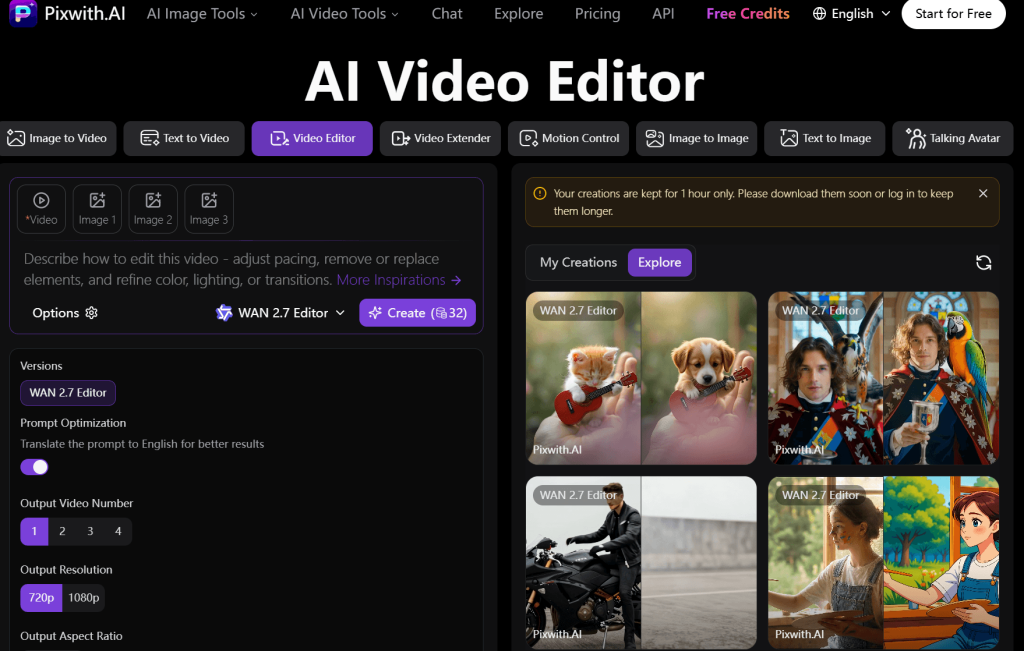
Final Verdict — Who Should Try Pixwith for TikTok Creation?
It’s particularly useful for solo creators, TikTok marketers, ecommerce brands, affiliate marketers, faceless channels, social media teams, small businesses, creators without filming equipment, and anyone leaning into visual storytelling.
It’s less useful when authentic interview footage is the point, when real-world product evidence is required, or when the creator’s own personality is the main draw — no generated clip replaces that.
If filming every creative idea is slowing down your TikTok experiments, try building the visual hook first with the Pixwith Free AI TikTok Video Generator, generate a few competing versions, and let the strongest idea — not the first generation — become the final post.
FAQ
What is a Free AI TikTok Video Generator? A tool that turns text prompts or images into short vertical video clips, letting creators generate TikTok-ready visuals without filming.
Can AI generate TikTok videos from text? Yes — text-to-video tools like Pixwith can turn a written scene description into a generated video clip.
Can I turn an image into a TikTok video with AI? Yes, image-to-video is useful when you need a consistent character, product, or object to carry across multiple clips.
Can I create TikTok videos without showing my face? Yes — AI-generated scenes, captions, and narration make faceless TikTok content straightforward to produce.
What aspect ratio should AI TikTok videos use? 9:16 vertical is standard for TikTok and what most AI video tools default to.
How do I write prompts for AI TikTok videos? Focus on what appears in the first frame, what action happens immediately, and one clear camera movement — rather than a long paragraph of descriptive detail.
Can AI make product videos for TikTok? Yes, particularly for demonstrations that would be difficult or impossible to film, like objects assembling themselves or transforming.
How long should an AI-generated TikTok be? Most effective TikToks run 15 to 30 seconds, with the first two to three seconds carrying the most weight.
Can businesses use AI-generated TikTok videos? Yes — brands, ecommerce stores, and marketing teams increasingly use AI video generation for product content, ads, and social storytelling.
How do I make AI-generated TikToks look less generic? Lean into imperfection: handheld movement, natural lighting, POV framing, and action-driven prompts instead of static, overly polished shots.