
Creating videos is easier now than ever with the emergence of AI. Programs such as Seedance AI allow users to input a single prompt to create a scene in the software within minutes. Many first-time users, however, realize that the quality of the video produced often relies more on the user’s word choice than on the countless other options they may think matter more.
In addition, they also tend to think that they will achieve better results as the length of their prompt increases. The truth, however, is that most of the time, a shorter prompt yields better results, and the secret to higher-quality results lies in clear, concise, and structured instructions.
Whether you are looking to improve the quality of the videos you create, whether they are animations, content for social media, or even creative videos, writing better prompts is crucial, and that is what we will discuss in this guide.
What Are AI Prompts?
AI prompt is an instruction given to an AI system to attain a specific outcome. An AI prompt can either be a simple phrase or a detailed description of a scene, depending on the expectation of the output.
With AI video generation, a prompt describes the actions and movements of the subjects in the video, the input and actions of the camera, and the overall atmosphere and style of the video. An AI is more likely to satisfy your expectations if the prompt is more specific and thorough.
A prompt is like a description of creative directions, and instead of manually editing each frame, you describe the scene in detail, and the Seedance AI 2.0 generates the rest of the motion.
Why Prompts Matter More Than Settings
What plenty of creators do is spend plenty of time adjusting motion controls, aspect ratios, and generation quality and forget about the prompt itself. Whereas every AI-generated video has a single foundation to build off, and that’s the prompt. The model is instructed on what should happen, how the subject moves, and what the mood of the scene is.
The vaguer the instructions, the more unpredictable the output. If the prompt has too many conflicting ideas jumbled in, the model could end up completely disregarding some important things or fusing everything in some way that was not intended.
AI-generated videos are desired to be made in a particular way. This is accomplished by the use of a specific prompt.
How to Write Better AI Video Prompts
Below are guides to writing better AI video prompts:
Start With a Simple Structure
A helpful way to increase the quality of a prompt is to use structure rather than free-form text. Using structure, the different elements in a prompt would be put in the following order:
Subject → Action → Camera Movement → Environment → Lighting → Style
For example:
“A young woman reading a book, gentle page turning, slow camera push-in, quiet library, warm afternoon sunlight, cinematic realism.”

Each element serves a purpose without overwhelming the model. The result is usually more stable and easier to refine.
Keep One Main Idea Per Prompt
The mistake a lot of people make is trying to cram a lot of scenes into one instruction.
For example, you may say, “Create a scene where the sun is setting, the subject is running through the forest, birds are flying in the air, rain is falling, the camera is circling the subject, lightning strikes, and then the scene turns into a futuristic city.”
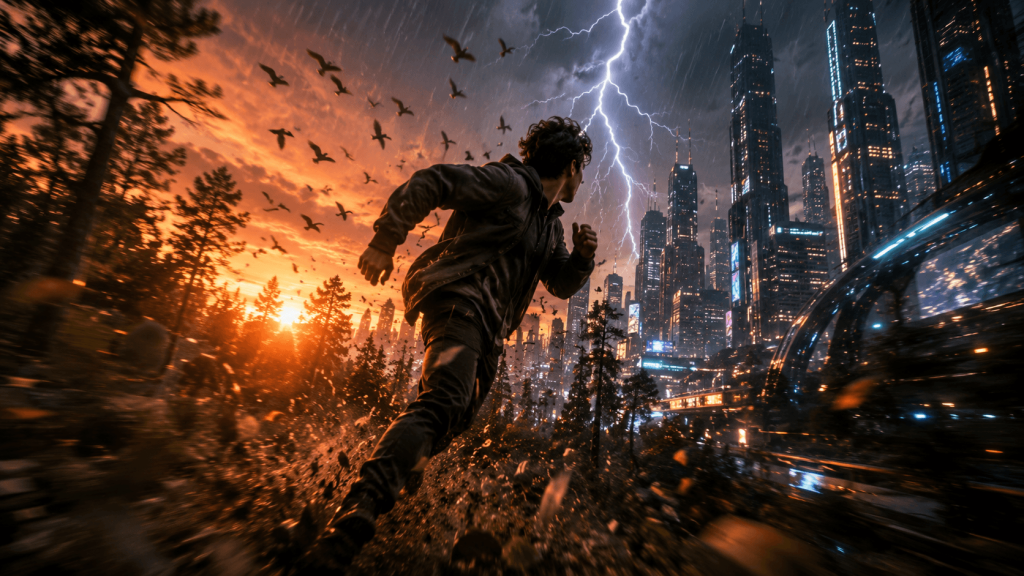
This is the definition of a lot of ideas being jumbled in one go, so it is good to break it down into simpler sentences.
For example, “The subject walks through the forest at sunset, while the camera follows from behind.”
Once the basic idea of the animation gets created, you can add extras, like some of the ideas you previously had and wanted to add. Use simple instructions to get ideas going, then you can keep adding to them.
Describe Actions Instead of Emotions
AI models tend to understand visual movements more than abstract feelings. Let’s say you aim to say that someone is hopeful and determined.
Instead of writing:
“The character looks hopeful and determined.”
You can simply write:
“In the scene, the character looks to the edge of the world and, standing tall, slowly shows a smile.”
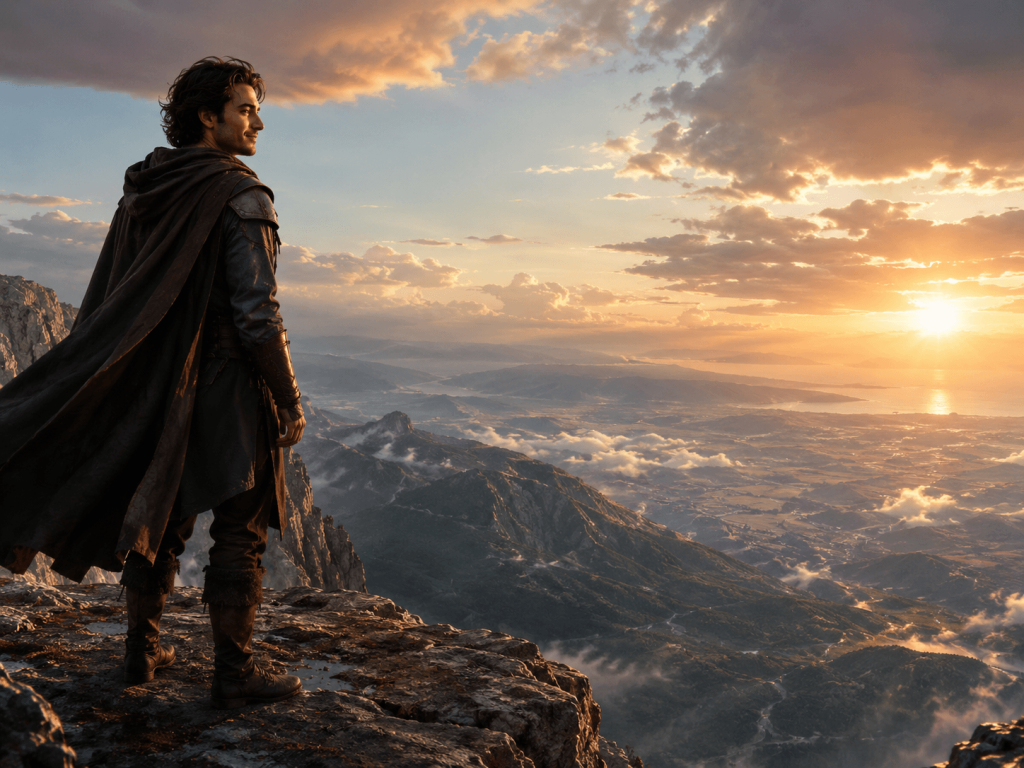
This way, the AI will, more consistently, interpret actions better than emotions and feelings.
Use Natural Camera Instructions
Camera movement helps create a realistic and immersive experience, but it has to be purposeful. Of the movements listed, choose only one:
- Slow zoom in
- Gentle pan left
- Static camera
- Slow orbit around the subject
- The camera follows the subject walking
There should be no more than one primary direction of movement, because doing so will likely help create the desired effect. Instead, stick to small and precise camera movements as they tend to look the best and most cinematic.
Control Motion Carefully
A lot of people think that more movement in a video makes it better, whereas the opposite is the case. Carefully considered movement preserves quality and keeps your subjects in focus.
For a portrait, maybe go with prompts like:
“Natural blinking, slight head movement, soft wind moving hair.”
For landscapes:
“Clouds drifting slowly, gentle water movement, camera slowly pushing forward.”
Video edits with motion like this are realistic and usually look the best.
Be Specific About Lighting
The lighting you choose for a video is very important, as choosing the right lighting can set the mood you are trying to express.
Instead of writing:
“Beautiful lighting.”
Try to be more specific:
- Soft morning sunlight
- Golden hour lightning
- Overcast natural lighting
- Neon city lights
- Warm indoor lighting
Giving specific lighting instructions allows AI to produce a visual style you can use over and over.
Style Keywords Should Support the Prompt
Prompts that include styles and descriptions should reflect the scene rather than dominate it. The following examples are helpful:
- Aesthetic of soft watercolors
- Cinematic realism
- Anime-inspired
- Digital illustration
- Aesthetic of minimalism
The less of a style description you provide, the more likely the AI will produce a consistent visual description.
Common Prompt Mistakes
Many generations of bad results stem from the same common issues. Here are the mistakes you want to avoid:
Overwriting
Very long prompts, often containing lots of repeated instructions, just make things confusing. As a result, you should always stick to the words that matter.
Contradictory Instructions
An example of a bad prompt is:
“Fast movement with a perfectly still camera and no motion.”
When instructions conflict, the AI is forced to make a decision no one can predict.
Too Many Subjects
A prompt that has many people doing many different things will most likely give a very good result, but it will be warped in many ways. A prompt that has only one subject is a prompt that is more likely to give a very good result.
Abstract Language
Describing something as “epic,” “amazing,” or “perfect” is very subjective. Using a description that people can agree on is more likely to give a very good result.
Where Pixwith Fits Into the Workflow
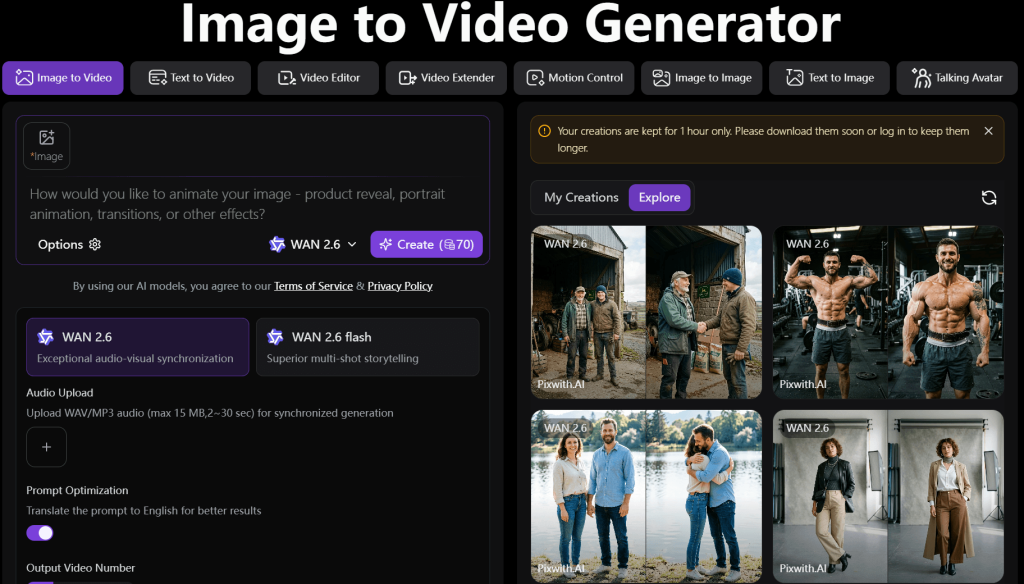
Good prompting is an important skill on any platform. A lot of creators like platforms that allow for short and simple instructions as opposed to long, complex, and detailed prompts. Pixwith embodies this philosophy by utilizing a standard image-to-video tool. This allows creators to focus more on their ideas rather than dealing with the technical aspects of a tool.
For creators who want a more streamlined prompt tool with fewer interruptions, this simplicity makes experimenting a lot more fun.
Conclusion
Improving your Seedance AI prompts is really about teaching clear instructions and structures instead of finding special keywords. As we have said, the best prompts focus on one specific task and even describe actions in full along with intentional movement, proximity, etc.
Once AI video generation is fully realized, creatives who will thrive are those with the brilliance to optimize these fundamentals to the max with minimal edits and the greatest video output is possible.
For those who want a more direct image- to-video process, Pixwith shows that one clear thought with instructions can create captivating results without the need for advanced and complex prompts.