
Introduction: The Real Question Is Not “Can Seedance Make Good Videos?”
Most AI video reviews start and end with the same question: Do the videos look impressive? That approach misses what actually matters for creators.
A beautiful demo clip tells you very little about whether a tool fits a real production workflow. What matters is whether you can consistently generate usable footage, maintain creative control, work with references, direct scenes effectively, and integrate the results into editing and publishing pipelines.
That is especially true for Seedance AI 2.0.
Rather than evaluating Seedance AI 2.0 solely by viral showcase videos, a more useful review asks a different question:
Can creators, marketers, agencies, editors, and filmmakers actually use Seedance AI 2.0 effectively in real-world production workflows?
This review looks at Seedance AI 2.0 from that perspective. We’ll examine creative control, reference-based generation, audio-video capabilities, editing requirements, strengths and weaknesses, ideal use cases, and who is most likely to benefit from the model.
The conclusion may surprise people expecting another simple prompt-to-video tool.
What Is Seedance AI 2.0?
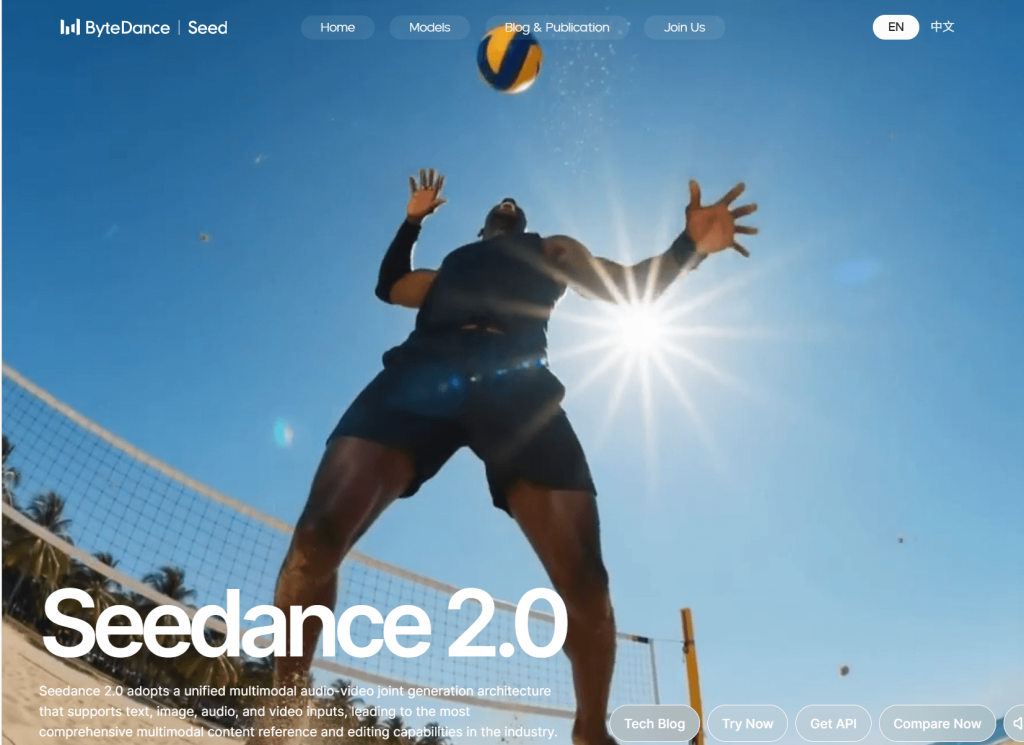
Seedance AI 2.0 is an AI video generation model developed by ByteDance.
In simple terms, it is designed to generate video content from different types of inputs, including text prompts and, depending on the platform or implementation, image, audio, and video references.
Unlike many basic text-to-video tools that focus primarily on generating visually attractive clips from short prompts, Seedance AI 2.0 places greater emphasis on multimodal generation, scene control, motion direction, and creative guidance.
For beginners, the easiest way to think about it is this:
- Text provides instructions.
- Images can provide visual references.
- Audio can influence atmosphere and timing.
- Video references may help with movement or style consistency.
The goal is not simply generating random clips. The model is designed to support more directed creative workflows.
That distinction becomes important when comparing Seedance AI 2.0 with other AI video generators.
Why Seedance AI 2.0 Feels Different From Basic AI Video Generators
More Reference-Driven Than Simple Prompt Tools
Many AI video generators work reasonably well with short prompts. You type something like: “A cinematic drone shot of mountains at sunrise.” The system generates a clip.

Seedance AI 2.0 becomes more valuable when users provide stronger creative guidance. Instead of relying solely on text, creators can think in terms of references, visual direction, mood, composition, and scene planning. This makes it feel less like a prompt machine and more like a production tool.
Better for Directed Scenes
One of the biggest mistakes people make with AI video tools is assuming that “cinematic” is a useful instruction. In reality, stronger outputs usually come from stronger direction. For example:
- Subject
- Action
- Environment
- Camera movement
- Lighting
- Mood
- Timing
A prompt that specifies these details gives the model much more useful information than a vague style request. Seedance AI 2.0 appears particularly suited to this more directed approach.
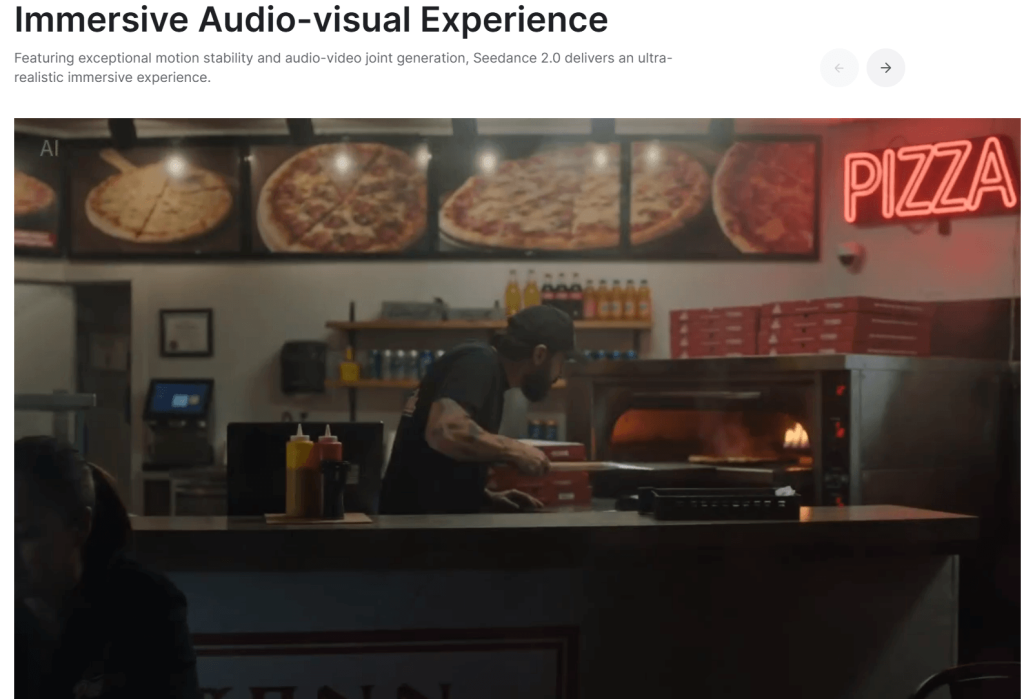
Audio-Video Generation Makes It More Useful
Many AI video generators produce silent clips. That is often enough for experimentation but less useful for storytelling. Audio influences:
- Emotion
- Rhythm
- Atmosphere
- Scene pacing
- Viewer engagement
A model that can incorporate audio-video direction has practical advantages for creators producing ads, mood films, music concepts, social content, and narrative scenes.
It Rewards Better Creative Planning
Here’s a simple takeaway: Seedance AI 2.0 is not the most straightforward AI video generation tool, but it could be one of the most rewarding for users with a mind for directing. The better planned and more references and instructions you use – the better are the chances you will get useful outputs.
How We Should Test Seedance AI 2.0 Fairly
A fair review should evaluate production usability rather than visual beauty alone. Instead of judging only demo clips, creators should test the model across multiple practical scenarios.
| Test Area | What to Check | Why It Matters |
| Text-to-video | Prompt accuracy, motion quality, scene detail | Tests basic generation ability |
| Image-to-video | Identity stability, background consistency, motion realism | Important for creators using source images |
| Audio-guided video | Mood match, timing, sync, atmosphere | Tests Seedance’s audio-video promise |
| Product video | Object accuracy, brand safety, clean visuals | Useful for marketers |
| Multi-shot scene | Character consistency, visual continuity | Important for storytelling |
| Social clip | Hook quality, pacing, mobile format usability | Important for TikTok, Reels, Shorts |
This framework helps evaluate whether Seedance AI 2.0 fits actual production needs. A stunning six-second clip means little if continuity breaks across multiple scenes or if outputs require excessive correction.
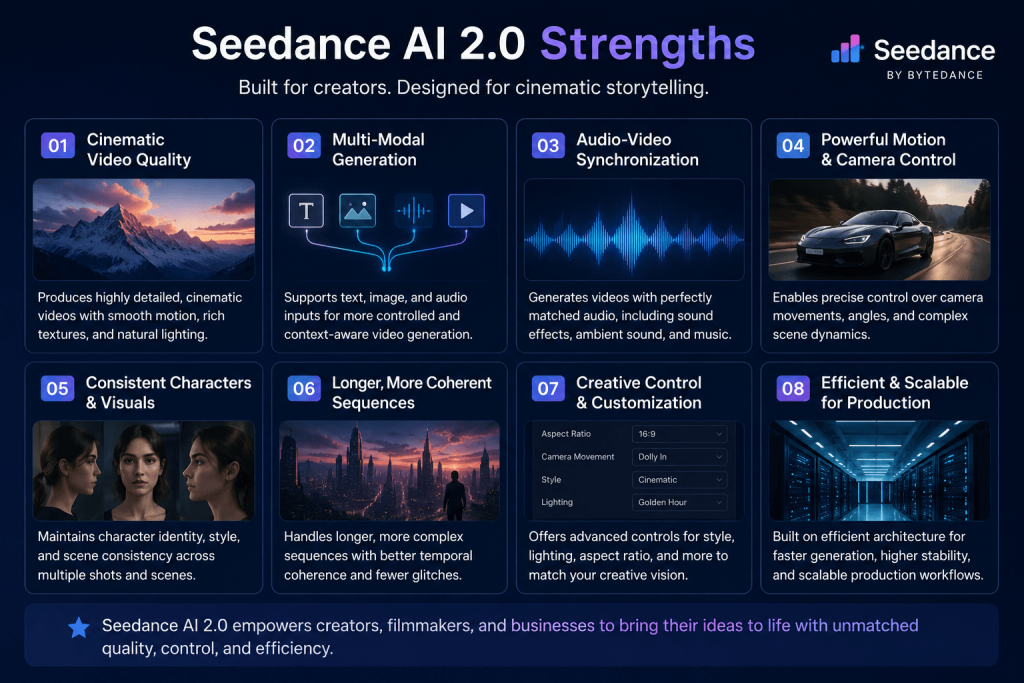
Seedance AI 2.0 Strengths
1. Stronger Creative Control for Users With a Clear Vision
One of Seedance AI 2.0’s most appealing qualities is its potential for creative control. Creators who understand camera angles, lighting, subject positioning, motion, composition, and mood are likely to benefit more than users relying on generic prompts. The model appears to reward specificity.
2. Good Potential for Storytelling and Scene Building
Many AI video tools excel at isolated clips. Storytelling is harder. Seedance AI 2.0 appears more interesting when used for:
- Storyboards
- Concept sequences
- Narrative scenes
- Ad concepts
- Film previsualization
The emphasis shifts from creating a single impressive shot to building connected visual ideas.
3. Audio-Video Direction Is a Major Advantage
Audio is often overlooked in AI video discussions. Yet audio heavily influences how audiences experience motion and emotion. For creators producing music concepts, brand stories, emotional campaigns, and atmosphere-driven videos, audio-aware generation may significantly improve usability.
4. Useful for Agencies, Editors, and Marketers
Seedance AI 2.0 appears particularly relevant for professional creative teams. Potential use cases include:
- Product concept videos
- Advertising mockups
- Music video concepts
- Short-film planning
- Social campaign testing
- Storyboards
- Landing page video concepts
These teams often care more about ideation speed than perfect final outputs.
5. Better for Iteration Than One-Shot Creation
The strongest AI workflows rarely depend on a single generation. A practical approach is:
- Generate multiple versions.
- Compare outputs.
- Select the strongest candidate.
- Edit and polish manually.
Seedance AI 2.0 seems better suited to this iterative workflow than a one-prompt mindset.
Seedance AI 2.0 Weaknesses
1. Not Always Beginner-Friendly
Beginners can certainly use Seedance AI 2.0. However, users expecting instant results from minimal prompts may face a learning curve. The model appears to reward direction and planning rather than convenience alone.
2. Strong Output Depends on Strong Input
AI video quality is rarely magic. Weak prompts often produce weak outputs. Common problems include:
- Unclear actions
- Missing camera instructions
- Vague mood descriptions
- Poor references
The better the creative brief, the better the chances of success.
3. Still Requires Editing
This is true for nearly every AI video generator. Generated clips often still need:
- Trimming
- Color correction
- Audio cleanup
- Captions
- Transitions
- Branding
- Aspect ratio adjustments
- Export formatting
AI generation reduces production effort but rarely eliminates post-production.
4. Legal and Copyright Questions Matter
Responsible use remains essential. Users should avoid generating:
- Unauthorized celebrity likenesses
- Copyrighted characters
- Trademark-confusing assets
- Misleading synthetic content
Commercial teams should establish clear review processes before publication.
5. It May Not Be the Fastest Choice for Simple Social Clips
If your only goal is producing quick social content from simple prompts, a lighter workflow may be sufficient. The extra control available in Seedance AI 2.0 can become unnecessary overhead for very simple projects.
Seedance AI 2.0 vs Other AI Video Generators
Comparisons are most useful when framed around use cases rather than declaring winners and losers.
| Tool Type | Best For | Where Seedance AI 2.0 Fits |
| Simple prompt-to-video tools | Fast beginner videos | Seedance may offer more control but require more planning |
| Cinematic realism models | Realistic scenes and physics | Seedance should be evaluated by scene type and workflow needs |
| Image-to-video tools | Animating still images | Seedance can become stronger when references are used effectively |
| Creator platforms | Editing and publishing workflows | Seedance may still require external editing tools |
| Audio-aware video tools | Mood-driven and music-led content | Seedance shows strong potential in this area |
Competitors frequently discussed in the market include Kling, Runway, Sora, Veo, Pika, and Luma.
Rather than asking whether Seedance AI 2.0 is “better,” creators should ask: Which tool matches my workflow? A social creator and a creative agency may arrive at completely different answers.
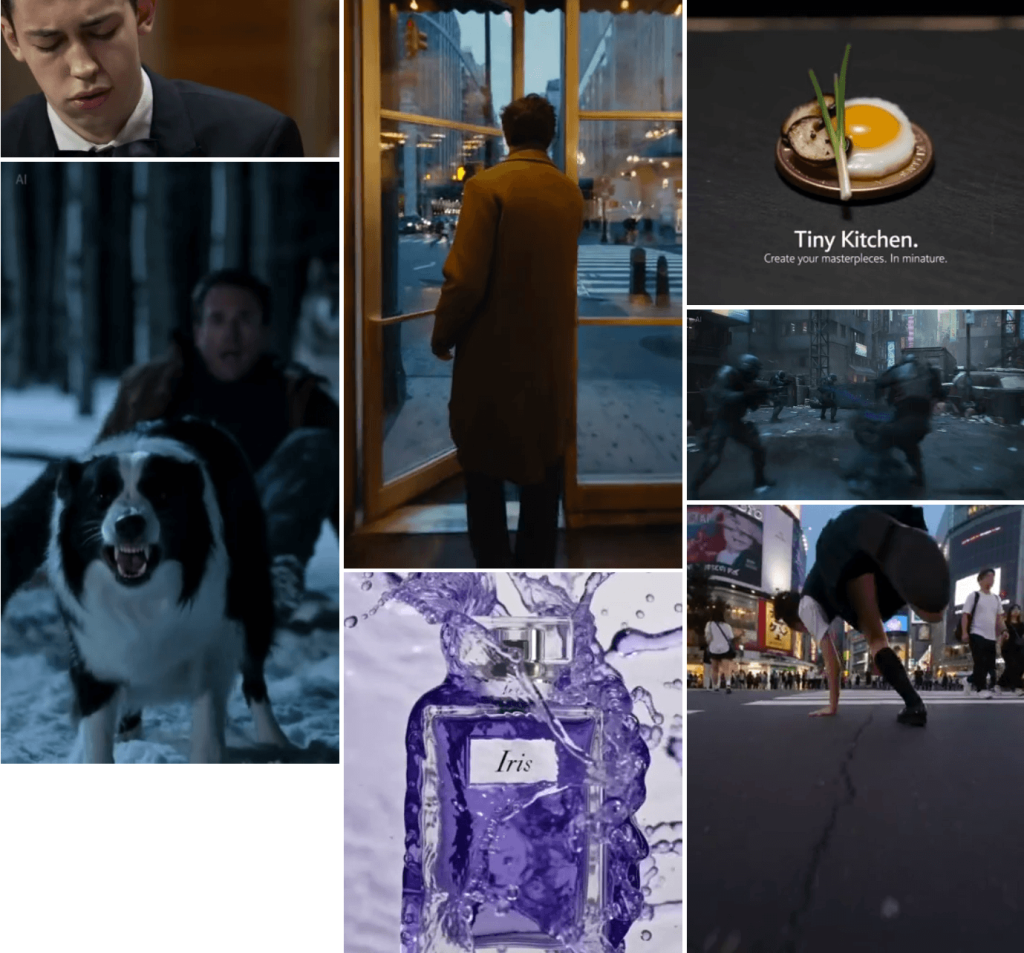
Best Use Cases for Seedance AI 2.0
AI Commercial Concepts
Marketing teams can rapidly test product concepts before investing in production budgets.
Storyboard-to-Motion Workflows
Static ideas can be transformed into moving visual sequences for presentations and planning.
Music Video and Mood Film Concepts
Audio-driven creative direction makes this a natural use case.
Social Media Video Variations
Creators can test multiple hooks and visual approaches for:
- TikTok
- Instagram Reels
- YouTube Shorts
Agency and Brand Previsualization
Early-stage visual concepts help clients evaluate creative directions before expensive production begins.
Who Should Use Seedance AI 2.0?
| Best For | Not Ideal For |
| Creators who understand visual direction | Complete beginners wanting one-click outputs |
| Video editors exploring AI workflows | Users who dislike editing |
| Creative agencies | Teams with strict compliance requirements |
| Marketing teams | People expecting perfect videos from one prompt |
| Filmmakers building previsualizations | Users creating only simple social clips |
| AI creators seeking greater control | |
| Startup founders testing video concepts |
Practical Prompting Tips for Seedance AI 2.0
Subject + Action + Environment + Camera Movement + Lighting + Mood + Audio Direction + Duration + Style Constraint
Example:
“A young chef places a finished dessert on a marble counter, slow dolly-in camera movement, warm morning light through a café window, shallow depth of field, soft piano atmosphere, realistic commercial food video style, 6 seconds.”

Compare that with: “Make it cinematic.”
The second prompt leaves most creative decisions to the model. The first prompt acts more like a director’s brief. That difference often determines output quality.
Recommended Workflow: From Seedance Clip to Final Video
Step 1: Plan the Scene
Define: Goal, Subject, Camera movement, Style, Mood, and Sound direction.
Step 2: Prepare References
Use image, style, audio, or video references when consistency matters.
Step 3: Generate Multiple Variations
Create several versions rather than relying on a single output.
Step 4: Choose the Most Editable Clip
Select the clip with the fewest issues rather than the most attractive thumbnail.
Step 5: Edit and Polish
Improve: Timing, Captions, Audio, Branding, and Transitions.
Step 6: Publish by Platform
Optimize separately for:
- TikTok
- Instagram Reels
- YouTube Shorts
- Paid ads
- Websites
- Landing pages
This workflow is where Seedance AI 2.0 may provide the most value.
Safety Guide, Copyright, and Responsible Use
Responsible AI video creation matters. Before publishing content generated with Seedance AI 2.0:
- Do not generate real people without consent.
- Avoid copyrighted characters and protected brand assets.
- Do not create misleading political content.
- Avoid celebrity impersonation.
- Maintain records of prompts and references for commercial work.
- Follow platform-specific AI content policies.
- Label AI-generated content when required by local regulations or platform rules.
Creative freedom works best alongside responsible use.
Final Verdict: Is Seedance AI 2.0 Worth It?
It is less about the model itself and more how you work. If you want a one-click AI video generator, Seedance AI 2.0 may feel more demanding than some of the other alternatives. If you like having creative control, you work on reference-based generation, you can direct scenes, use audio-aware workflows and you want to work production-oriented in a way that feels like experimentation then Seedance AI 2.0 is definitely something you should take a look at. The most exciting part of the model isn’t really the visual quality. It’s how it prompts creators to be more intentional about shots and motion, mood and storytelling.
This is what makes it so attractive to editors, agencies, marketers, filmmakers, and seasoned AI creators. Seedance AI 2.0 is not just for people who want to prompt videos.it is better for those who want to direct them.
Frequently Asked Questions
Is Seedance AI 2.0 free?
Access and pricing may vary depending on the platform, service provider, or implementation offering Seedance AI 2.0. Check the current provider’s pricing and access terms before use.
Is Seedance AI 2.0 good for beginners?
Yes, beginners can use it. However, users who understand prompting, references, visual storytelling, and basic video direction are likely to achieve stronger results.
Can Seedance AI 2.0 generate videos with audio?
Audio-video generation is one of the model’s most interesting areas. Actual audio features may depend on the platform or interface providing access.
Is Seedance AI 2.0 better than Kling?
That depends on your goals. Seedance AI 2.0 may appeal more to creators who want stronger control and reference-driven workflows, while some users may prefer simpler generation experiences for quick projects.
Is Seedance AI 2.0 better than Runway?
Runway functions as a broader creator platform with editing and workflow tools. Seedance AI 2.0 should be evaluated primarily as a generation model and creative control system rather than a complete editing ecosystem.
What is Seedance AI 2.0 best for?
It appears particularly suitable for ad concepts, storyboard animation, social video variations, music-video concepts, previsualization workflows, and reference-based scene generation.
Does Seedance AI 2.0 replace video editors?
No. It can accelerate ideation and content generation, but human editing, creative judgment, quality control, and final publishing remain essential.
Final Thought
When you are comparing AI video makers, don’t just look at the prettiest demo. Run each tool through the ringer with your own workflow:
One product scene
One human subject
One audio-led concept
One social media variation
That process will tell you a lot more than any rated list and help you decide if that Seedance AI 2.0 really suits the way you make videos. .