
AI video generation is getting faster and better, and advanced model tools like Seedance AI 2.0 are influencing the space. This generation of models makes creating high-quality, cinematic video clips from text and images simple. Moreover, technology being at the forefront of the field is proving to improve the realism of generated motion, the accuracy of prompts, and visual coherence simultaneously. This rate of improvement was almost inconceivable just a few years ago.
While Seedance AI 2.0 has powerful capabilities, these characteristics make it less practical in a lot of ways for the everyday creator. Access limitations, pricing issues, the time it takes to learn the system, and complicated workflows have led a lot of users to search for options that are more appropriate than Seedance AI 2.0. The truth is that most creators are not concerned with which AI model is best. The priority of most creators is to use a model that fits seamlessly into their workflow and is not a cumbersome addition.
This guide looks at what the best available options today are, their comparative strengths, and how they differ when used in everyday situations.
Why Creators Look for Seedance AI 2.0 Alternatives
Seedance AI 2.0 video quality is great, and while lots of users love that performance quality, not everyone of them are satisfied with only that quality. This creates demand for alternatives. Here are some of the most common reasons.
- Accessibility: This can be a problem as some users can’t access the model because of some regional restrictions or because of some restrictions related to how the product is rolled out. Even when users are not restricted, many still don’t have access until they get off the waitlist.
- Cost: The subscription that the model use can lead to very high costs for users who need to use the product frequently.
- Speed: Another big issue can be the time it takes to get your finished video generation. Oftentimes, the use of the product is capped by how frequently you can get your video in peak use cases.
- Flexibility: Lastly, many users want more options for how the final product looks or more options for editing the generated video. After the generation, the desired feature is a higher priority for many users.
Because of these things, many users have to rely on a number of different tools.
What Actually Matters in an AI Video Generator
Before tool comparison, it is crucial to understand what defines a good AI video experience. The majority of users analyze most tools based on five core factors.
- Motion quality: This is how naturally the subjects that the tool animates are able to move and the overall stability of the animations. Also, this focuses on how realistic or how warped the video ends up being.
- Prompt accuracy: A quality tool tends to interpret the prompt as it should without throwing away prompt elements or excessively distorting user intent.
- Consistency: When a tool gets a result, but the next time the same input gets a different result, that tool is not trustworthy.
- Speed: Fast generation leads to higher yield and faster iteration of the overall workflow.
- Control: This refers to how users can influence aspects like camera movements, framing, duration settings, and the degree of flexibility the tool offers after generating the video.
These core aspects have different priorities in different tools, and because of that, comparison of tools is definitely important.
Seedance AI 2.0 vs Leading Alternatives
Here are some of the best tools that are being used right now by content creators.
Runway (Gen-2/Gen-3)
Runway is one of the early adopters of AI video tools. Because of this, many professionals are using this software in the creative world. One of the most popular aspects of Runway is the high-quality, cinematic outputs.
Compared to some of the other tools out there that are newer and relatively untested, Runway outputs tend to be more motion-stable and processing-ready. Runway has a lot more features than just a prompt-to-video system. Runway has a lot of editing features.
There are some downsides to using Runway. This is a paid, subscription-based tool, and the free version is highly limited. Some users have also claimed that they have had to spend a lot of time trying to learn how to structure prompts to get the outputs they are looking for.
So, if you’re a creator who values high output quality and is willing to spend the time and budget for it, the Runway tool is for you.
Luma Dream Machine
Luma Dream Machine has an emphasis on realistic motion and cinematic flow. This is especially applicable to scenes with natural motion, as well as with environmental consistency and smooth transitions between frames.
Its motion physics are particularly noteworthy, as objects and characters seem to move with a basis in realism, unlike some more stylized tools. It can be somewhat imprecise in interpreting prompts, and users may have to play around a bit to get the tools to do what they want.
Another thing to consider is that Luma has post-generation editing control. Most of the editing would have to be done through regeneration, as opposed to refining other areas. Luma excels at crafting cinematic stories where motion realism is more important than the tool’s accuracy in interpreting the prompts.

Kling AI
Kling AI has quickly become one of the most talked-about alternatives because of its balance between quality and control. It performs well in maintaining character consistency and tends to follow prompts more accurately than many competing tools. This makes it useful for users who want predictable outputs without excessive trial and error.
However, access can sometimes be limited depending on the region, and generation speed may vary based on system demand. Despite that, Kling AI is often seen as one of the most balanced options available, especially for users who want both structure and creative flexibility.
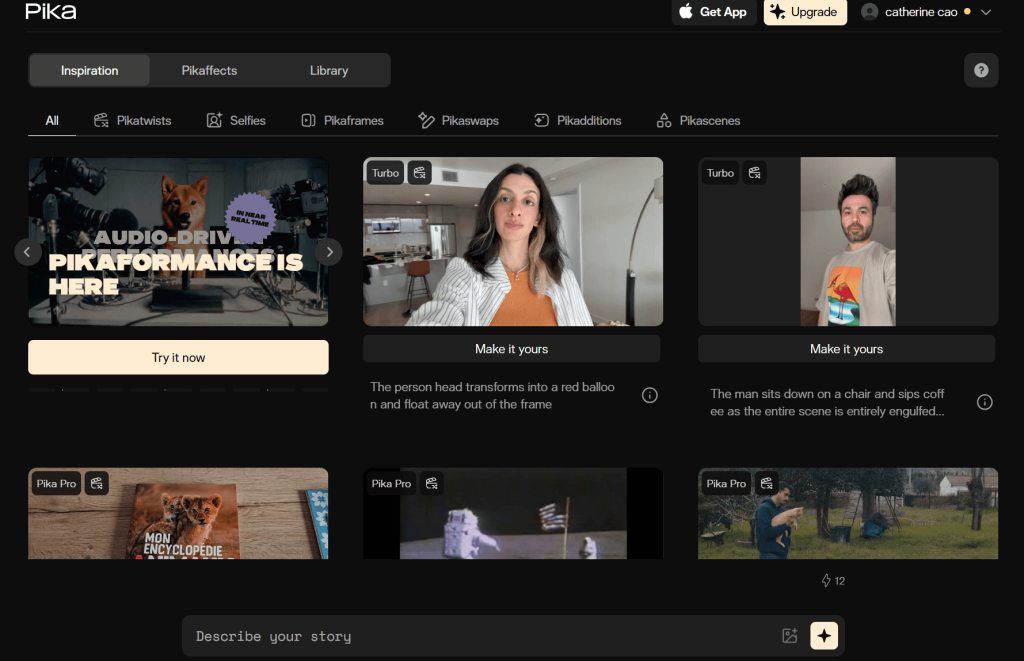
Pika Labs
Pika Labs has accessibility and speed at its core. Because Pika Labs focuses on content creation rather than carefully constructed cinematic shots, Pika Labs has grown in popularity with the social media content creation community. Pika Labs’ user interface is very straightforward—less time is wasted on complicated processes, and more time is available for the actual creation of videos. That said, Pika Labs has weaknesses in consistency. Depending on the prompt, videos can be strong but can also be seemingly weaker and less stylistically thought out. Complex storytelling is better suited for other platforms, but Pika Labs is great for the social media community’s desire to create and post ideas—and for their short-form content.
PixVerse AI
PixVerse AI is also a simple, fast, and easy-to-navigate video generator.
For the social media community, content that is fast and easy to create is even more valuable than lengthy yet detailed cinematic shots.
Simplifying processes helps creators spend time creating rather than dealing with cumbersome settings.
PixVerse AI focuses more on entertainment content rather than professional content. It is good for those who need a fast, visual output but are not concerned with the detail.
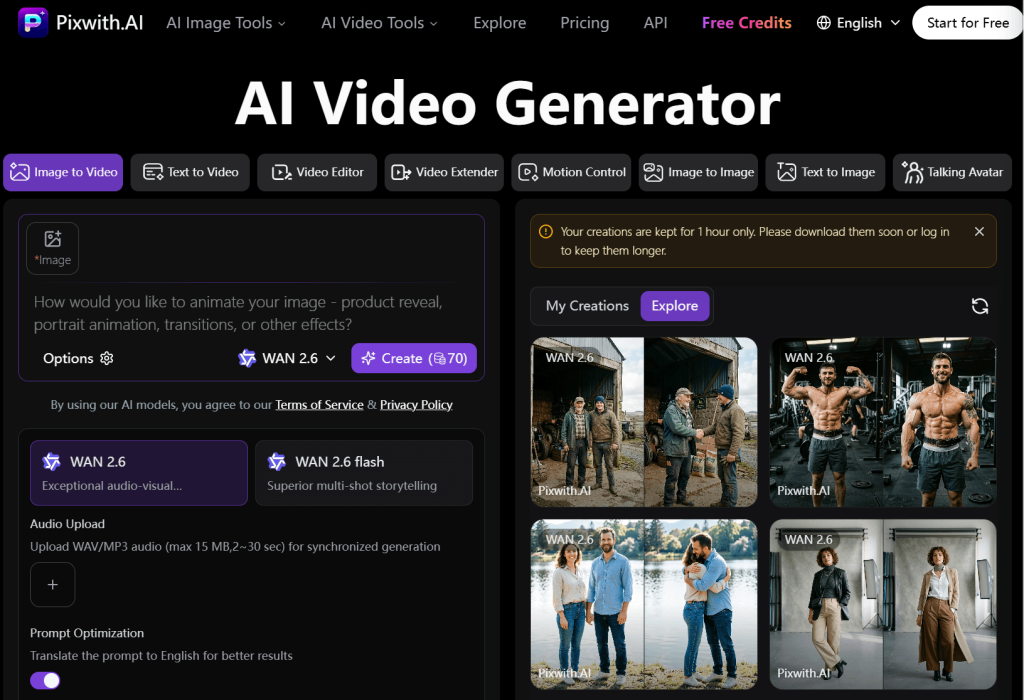
Pixwith.ai (Simple Workflow Alternative)
While the Seedance AI 2.0 provides rapid cinematic video generation, some users prefer alternatives that focus on simplicity. These alternatives are where Pixwith.ai excels. Pixwith.ai opts for basic controls rather than advanced/tangled settings or tricky prompt engineering. Users have the option to upload an image, and with the push of a button, a video will be generated for them. This tool is particularly useful for users less concerned with the technical aspects of image generation, such as motion settings, camera controls, and generation styles. Comparatively, Pixwith will not be the most sophisticated Seedance AI 2.0 cinematic alternative, since it focuses on a simpler creation workflow with the alternative for speed and simplicity.
Quick Comparison Overview
Each tool is for a different user.
- Seedance AI 2.0 is extremely powerful when it comes to high-end cinematic output with complex scene generation.
- Runway is extremely effective for video outputs with a strong emphasis on editing and visual composition.
- Luma Dream Machine is perfect for users trying to generate realistic motion.
- Kling AI is a perfect balance between usability and strong output.
- Pika Labs is a good option for the quick generation of small/short content.
- PixVerse AI is made for social media outputs.
- Pixwith.ai focuses on a frictionless workflow.
How to Choose the Right Tool
Instead of trying to work out which tool is the ‘best’, it may be more helpful to see which tool best matches your workflow.
For example, if you are looking to achieve movie-like storytelling, tools such as Seedance AI 2.0, Runway, or Luma may be the tools you need.
If you are looking for speed and want to be more experimental, tools such as Pika or PixVerse may be for you.
For those who want more control and usability, Kling AI is tailored to this need.
If you want more simplicity and want to generate results faster, Pixwith.ai is for you.
Conclusion
Seedance AI 2.0 is leading the pack among the newer generation of AI video software and is incredibly advanced, but there are many others on the market that are excellent and may even be more practical.
Some others may even be faster, have more control, or be more simplistic. It’s very common for creators to have to work with many different tools to achieve the results they need.
The video generation tools that are coming out will have many different levels of quality, but the tools that give a creator the most advantage and flexibility will be the tools that slot seamlessly into a creator’s daily work.
Hence, finding the right tool is about identifying the one that best matches your workflow.