
I’ve been burning through credits on Wan 3.0 at wan.video for the better part of a week now, and I keep coming back to the same thought: this is the release where Alibaba’s video team stopped playing catch-up and started setting the pace. I say that as someone who’s tested more AI video tools than I’d like to admit, chasing the “wow, that actually looks real” moment that never quite arrives. Wan 3.0 gets closer than anything else I’ve used outside of Google’s Veo, and it does it while handing you the keys instead of renting you a seat.
What you’re actually getting
Wan 3.0 is Alibaba’s latest text-to-video and image-to-video model, and the version living at wan.video is the polished, hosted front end for it — no terminal, no dependency hell, no begging a GPU cluster for mercy. You type a prompt, or drop in a reference image, or feed it a start frame and an end frame and let the model figure out what happens in between. Clips run up to 30 seconds in a single generation, which sounds like a small bump until you’ve spent months stitching together five-second fragments from other tools and pretending the seams don’t show.
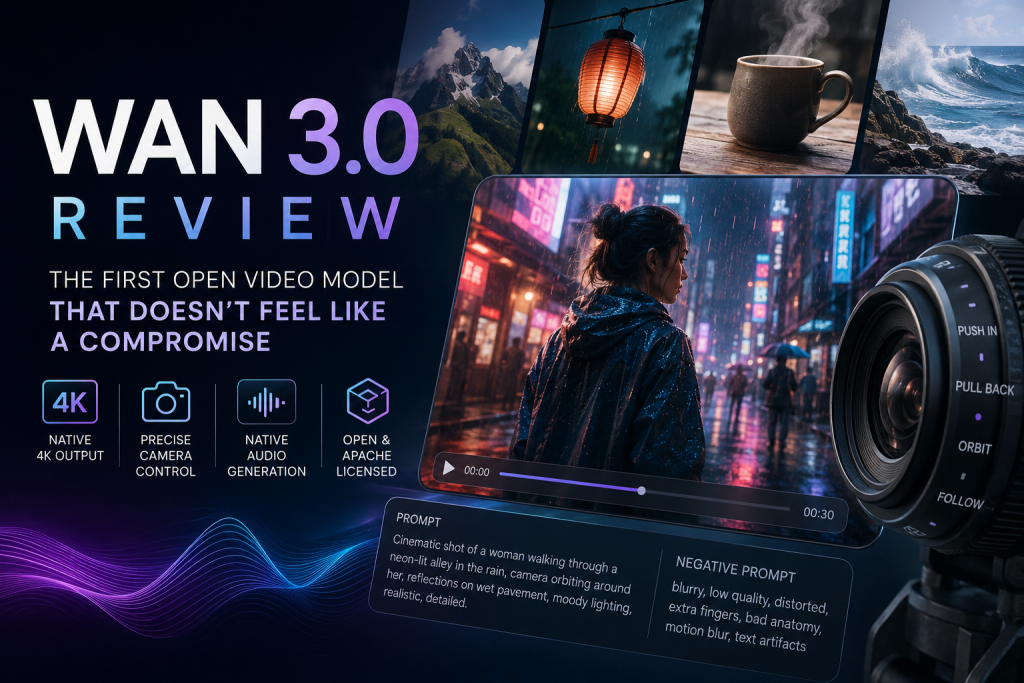
The headline features are native 4K output, camera-move controls you can actually name (push in, pull back, orbit, follow), and — this is the part that got me — audio generated in the same pass as the video. No separate lip-sync tool, no bolted-on sound effects library. You ask for a scene with dialogue and footsteps on gravel, and it gives you both at once, synced.

The interface doesn’t get in your way
I’ll be honest, I went in expecting the usual clunky enterprise-AI dashboard, all dropdowns and no soul. What I got instead was closer to a proper creative tool. The prompt box takes plain language and also lets you stack in a negative prompt, which matters more than it sounds — telling the model what you don’t want (“no motion blur, no warped hands, no extra fingers”) cuts down on rerolls more than any clever positive prompting trick I’ve tried. Reference modes are laid out clearly: first frame only, first-and-last, or a full reference video you want it to riff on. Resolution and duration sliders sit right where you’d expect them. Nothing about the workflow made me feel like I needed a manual.
Where the quality actually holds up
The thing that’s plagued every generative video model since the category existed is object permanence — a character’s shirt changes color halfway through a pan, a face subtly reshapes itself, a hand grows a sixth finger and nobody notices until frame 47. Wan 3.0 doesn’t solve this completely, nothing does yet, but it’s dramatically better than earlier Wan releases and noticeably better than most of what I’ve pulled out of Kling or Runway lately. I ran a 12-second clip of a woman walking through a market stall, weaving between vendors, and her jacket stayed the same color, her face stayed recognizably her, and the background crowd didn’t dissolve into mush the way it usually does when a model gets overwhelmed by clutter.
Motion is where it separates itself the most, though. A lot of video models fake motion — things drift, blur, or judder in a way that reads as “generated” even when the still frames look great. Wan 3.0’s movement has actual weight to it. Cloth folds the way cloth should. Water splashes and settles instead of looping in on itself. I asked for a shot of a paper lantern swaying on a string in wind, expecting the usual pendulum-that-never-quite-stops problem, and it nailed the physics well enough that I stopped noticing it was AI-generated about two seconds in.
Camera control is the other standout. Naming a move — orbit, push in, follow — and having the model actually execute it instead of vaguely gesturing toward it is a bigger deal than it sounds. Most tools treat “camera movement” as a suggestion buried somewhere in your prompt that gets ignored half the time. Here it behaves more like a parameter than a wish.
The audio thing genuinely surprised me
I went in skeptical about native audio generation because I’ve been burned before — ambient sound that sounds like it was recorded underwater, lip-sync that’s close enough to be uncanny rather than convincing. Wan 3.0’s audio isn’t studio-polished, and dialogue in particular still has a slightly processed quality if you listen closely. But for ambient sound design — footsteps, wind, crowd murmur, mechanical hums — it’s good enough that I’d use it in a rough cut without a second thought. For anything client-facing with spoken dialogue, I’d still want to layer in real voice work, but as a placeholder or for background elements, it saves a genuine step in the workflow.
Speed, access, and the open-weight angle
You can test-drive Wan 3.0 for free, with paid credit tiers unlocking faster processing and higher-volume generation once you outgrow the sandbox. Generation times are reasonable — nowhere near instant, but not the multi-minute wait I’ve come to expect from 4K output elsewhere. What actually matters more, if you’re the kind of person who cares about where your tools sit five years from now, is that Wan sits in an open, Apache-licensed lineage. Earlier Wan releases have been downloadable and fine-tunable rather than locked behind a single company’s API, and that lineage is part of what makes this release feel different from Sora or Veo. You’re not just renting access to a black box; there’s a real ecosystem building around these weights, with people fine-tuning, remixing, and building products on top of them. That matters if you’re trying to build a business on a tool rather than just use one.
Where it still falls short
I don’t want to oversell this. Complex hand interactions — someone tying a knot, shuffling cards, playing an instrument — still occasionally go sideways, though less often than in previous Wan versions. Crowded scenes with a lot of independent moving elements can get a little soft in the details toward the edges of frame, like the model’s attention budget runs out before the composition does. And while the marketing leans hard on “4K,” in practice the crispest, most reliable results I got were at 1080p — 4K generations took noticeably longer and occasionally introduced artifacting that wasn’t there at lower resolutions. Multi-shot narrative sequences, where the model strings together several distinct shots into something resembling a scene, are impressive when they land and a little disjointed when they don’t — the connective tissue between shots isn’t always as smooth as the marketing copy implies.
Where it lands against the competition
Against Veo 3, Wan 3.0 trades blows rather than losing outright — Veo still edges it on raw photorealism and prompt adherence in my testing, but Wan closes a gap that used to be enormous, and it does so while staying dramatically more open about how you can use and build on it. Against Kling and Runway, it’s a clear step up on consistency and camera control, if not always on final polish. Against Sora, it’s a different proposition entirely: Sora chases cinematic spectacle, Wan feels built for people who need to actually produce something repeatable, on a schedule, without paying enterprise prices for every clip.
A few real use cases I tried
Rather than just poking at demo prompts, I ran it through a handful of things I’d actually need for work. A 15-second product shot of a ceramic mug rotating on a table, with a slow push-in and steam rising off coffee inside it — that came out close to usable on the first try, steam included, which is the kind of small physical detail that trips up a lot of models entirely. A social-style vertical clip of someone unboxing a pair of headphones held up well too, with the packaging staying legible and undistorted through the whole sequence, something I’ve had fail badly on other platforms where text on labels turns into gibberish by frame two.
I also tried a more ambitious one: a 20-second “story” clip meant to feel like a short film opener, a character walking into a rain-soaked alley, a camera orbiting around as neon signage flickers overhead. This is where the multi-shot ambition showed its seams a little — the transition between the establishing shot and the orbit felt like two different clips stitched together rather than one continuous take. It’s the kind of thing you’d smooth over in an edit rather than deliver raw, but it’s also the kind of ambition I haven’t seen many competitors even attempt in a single generation pass.
Pros & Cons Summary
| Pros | Cons |
| Open-weight lineage (Apache-licensed heritage) — not locked to one vendor | Complex hand interactions and dense crowds can still glitch occasionally |
| Native 4K output | True 4K is slower and less reliable than 1080p in practice |
| Up to 30-second single-pass clips | Multi-shot sequences can feel stitched rather than fully continuous |
| Camera controls respond well to prompts — push, pull, orbit, follow, etc. | Dialogue audio can still sound slightly processed compared with professional voice recordings |
| Native synced audio generated in the same pass | Pricing and plan structure can be confusing across different access points |
| Strong subject/character consistency across frames | Credit-pack refund/downgrade policies may vary and should be checked before purchase |
| Free tier/testing access before committing to paid usage | 4K and longer-duration generations consume credits quickly |
| Commercial-use rights available on applicable paid plans* | Availability and feature access can vary during the current rollout |
* Verify the current commercial-use terms on wan.video before publishing, because these policies can change.
The verdict
Wan 3.0 is the first time an open video model has felt like a first choice rather than a budget-conscious fallback. It’s not flawless — hands, dense crowds, and full 4K reliability all still need work — but the core of it, motion, consistency, camera control, native audio, is genuinely strong enough to build a workflow around. If you’ve been holding out on AI video because everything you tried looked like AI video, this is worth the week I gave it.