
What a free, no-signup AI video generator actually lets you make — and where that trial mode stops short of the full platform.
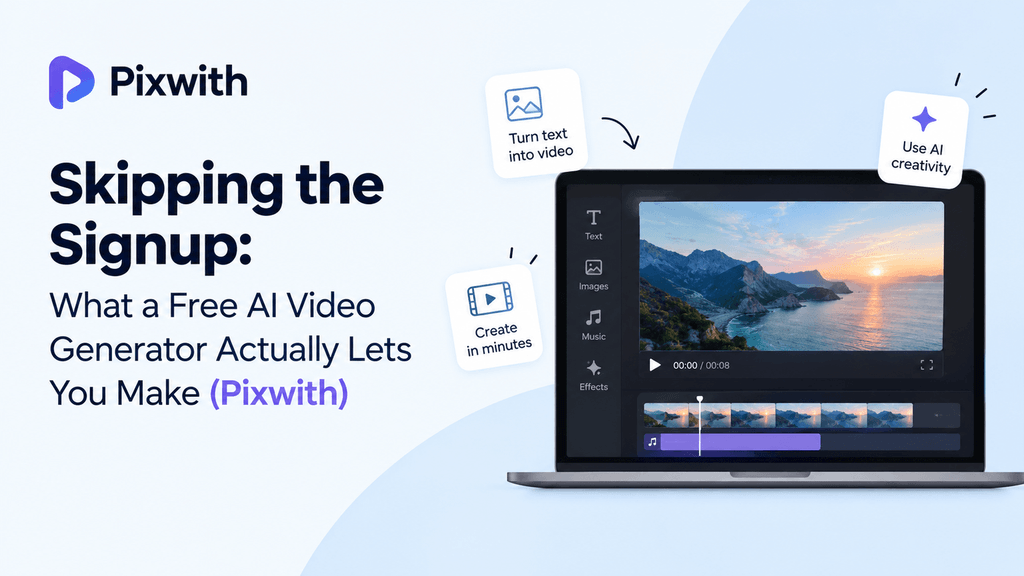
Homepages love the line “try it free, no signup required” — you’ll spot it on nearly every AI tool out there by now, and plenty of people have learned to read it with a raised eyebrow. Sometimes it’s a stripped-down demo engineered to make you register the moment your first render finishes. Other times it’s a genuinely usable trial mode that lets you test the core generation engine before committing an email address to anything.
Pixwith falls into the second camp, and it’s worth being specific about what that actually gives you — not the marketing version, but what happens when you open the tool in a browser and start typing prompts with no account attached.
This matters more than it sounds like it should, because a lot of people end up either overtrusting a free trial (assuming it’s the full product, then getting frustrated when a feature is locked) or undertrusting it (assuming it’s a gimmick and skipping straight to a paid plan they didn’t need yet). Neither reaction is quite right, and the gap between them is usually just a lack of specifics — which is what the rest of this covers.
Who’s Actually Behind the No-Signup Sessions
A handful of different people show up here, and knowing which one you are makes it easier to judge whether the trial’s worth your time. Take freelancers sizing up a workflow before pitching a client — they’ll often run the identical prompt across two or three platforms one after another, comparing output style rather than feature lists. Students and hobbyists testing an idea usually just want a quick gut check on whether the concept works before sinking real time into it. And plenty of people land here purely out of curiosity, after stumbling on a demo clip somewhere online, wanting to try the same thing themselves without handing over an email for a single test.
None of those use cases need the full paid platform. They need a fast, honest look at what the generation engine produces, which is exactly what the trial is built for.
What “No Sign-Up” Actually Means Here
The no-signup version runs on a session basis. Open the page, type a prompt, generate a clip — the platform tracks your usage through the browser session rather than a linked account. Close the tab or clear your cookies, and that session resets, which is also why the trial can’t carry over credits or saved projects between visits.
It’s not a stripped demo built to frustrate you into registering. The underlying generation model is the same one paid users run on. What changes is the ceiling on how much of it you get to use before the platform asks you to create an account.
What You Can Actually Generate
Neither entry point requires an account. Type a prompt like “a fox running through a snowy forest at dawn, slow motion” and text-to-video builds a clip out of that description alone. Or go the image-to-video route — upload a photo, and the tool animates it, adding motion or camera drift to what used to be a static frame.
The output quality holds up reasonably well for a first look at the tool. It’s not the full-resolution, watermark-free version you’d get on a paid plan, but it’s enough to judge whether the generation style fits what you’re trying to make — which is really the point of a trial in the first place.
In practice, that covers a decent range of short-form use cases. A three-second product shot with a slow zoom, a quick nature scene to test a concept before building a longer piece around it, a single animated portrait for a social post — all of that fits comfortably inside what the free session allows. What it doesn’t cover is anything meant to be a finished deliverable on its own, since the watermark and shortened length rule that out by design.
Motion and Camera Controls in the Free Version
The basic motion presets — smooth, normal, performance — are available without signing up, so you can still choose between cinematic fluidity and faster, rougher renders depending on what you’re testing. Camera controls like pan, zoom, and tilt are also open in the no-signup mode, though the more granular tracking-shot options tend to be locked behind an account.
It’s enough to get a real sense of the tool’s range. A single prompt with a specified camera move and motion setting will show you whether Pixwith’s output style matches your project, without needing to commit to anything beyond that one clip.
Where the Free Trial Draws the Line
Clip length is the first cap you’ll hit. No-signup generations top out shorter than the standard five-to-eight-second render most account holders get — often closer to three or four seconds, enough for a taste of the motion and style but not a finished piece. Extend, the feature that stitches additional seconds onto an existing clip, isn’t available until you’ve created an account.
Every export from the no-signup version carries a watermark, and resolution is capped lower than what a free (but registered) account unlocks. Prompt length is also tighter — somewhere around 300 to 400 characters instead of the roughly 800 you get with an account — which is usually enough for a simple scene description but not for anything layered.
Real-time generation, the mode that lets you steer a scene as it evolves rather than generating isolated clips, sits entirely behind account creation. It’s the most compute-heavy feature Pixwith offers, and it makes sense that it’s reserved for registered users rather than anonymous sessions.
None of these caps are hidden once you know to look for them, but they’re rarely spelled out clearly on the homepage itself, which is why a lot of first-time users end up mid-project before realizing Extend or the higher resolution export requires an account. Checking the limits before you start, rather than after hitting one, saves the annoyance of redoing a render you’d already settled on.
Why the Limits Exist
None of this is arbitrary gatekeeping. Running a generation model costs compute time regardless of whether someone’s logged in, and an account is really the only practical way to track usage, apply daily limits, and prevent the same trial from being farmed on repeat by scripts rather than actual people. The watermark and the shorter clip length exist for a similar reason — they let the platform offer a real trial without giving away the full paid experience for free.
Once you do create an account, the free tier itself is fairly generous by comparison. It typically comes with a batch of starting credits (often close to 90) and a smaller daily allowance after that (roughly 60), still watermarked, but with longer clips, higher resolution, and access to Extend and the real-time mode. The no-signup trial is best understood as a preview of that free tier, not a separate product — the gap between the two is smaller than it might look from outside.
The Safety Rules Don’t Loosen Just Because You Skipped Signup
It’s worth being clear that the content filters apply identically whether you’re logged in or not. Sexually explicit content, nudity, and suggestive clothing get blocked by the same automated system regardless of account status. The same goes for violence framed as real-world instruction, hate speech, harassment, and anything depicting illegal activity.
Content involving minors is treated with zero tolerance across every version of the tool — signed in, signed out, free, or paid. There’s no anonymous loophole here; if anything, sessions without an account tend to get flagged and locked out faster, since there’s no account history to draw on if a review is needed.
Copyright infringement, deepfakes built to deceive, and content designed to spread misinformation are blocked the same way too. The rules are attached to the generation model itself, not to the account layer sitting on top of it, so trying a workaround by skipping signup doesn’t actually get around anything.
Is the No-Signup Version Actually Worth Using?
For a quick test — checking whether an AI video tool’s style matches a project, or comparing a couple of platforms before picking one — yes, it’s genuinely useful. You get real output from the real model, not a mockup or a locked preview screen, and that’s enough to make an informed call about whether to bother creating an account at all.
It stops being useful the moment you need something longer than a few seconds, watermark-free, or built with the real-time mode. At that point, creating a free account costs nothing and immediately removes most of the ceiling — longer clips, higher resolution, a real daily credit allowance. The no-signup mode is a taste, not a substitute for the actual free tier.
The honest way to think about it: the trial answers whether the tool makes videos you’d actually want to use, and the account answers how much of that you can get without paying. Treating it as anything more than that first question is where people end up disappointed by a feature that was only ever meant to be a preview.
Getting the Most Out of It Before You Decide
Since the no-signup session is limited and doesn’t carry over, it’s worth being deliberate about what you test rather than burning the trial on random prompts. Pick the specific style or motion you actually need for your real project — a camera pan, a particular mood, an image-to-video animation of your own photo — and test that directly instead of a generic example. A trial spent testing the exact thing you need tells you far more than five unrelated clips.
It also helps to test both entry points in the same short session, since they behave differently. Run one text-to-video prompt and one image-to-video upload back to back, and you’ll get a much clearer sense of which approach actually suits your project than testing either one in isolation. A few minutes spent this way usually settles the account-or-not question faster than reading another comparison page.
Quick Takeaway
Use the no-signup version to test two or three prompts and see if the style fits your project. If it does, creating a free account takes under a minute and removes the watermark cap, the short clip length, and the block on Extend and real-time mode.